This guide will cover how to enable COVID PPE checks for staff members when they sign in.
When enabled, staff will be required to complete a form when checking into Care Control Pocket.
1
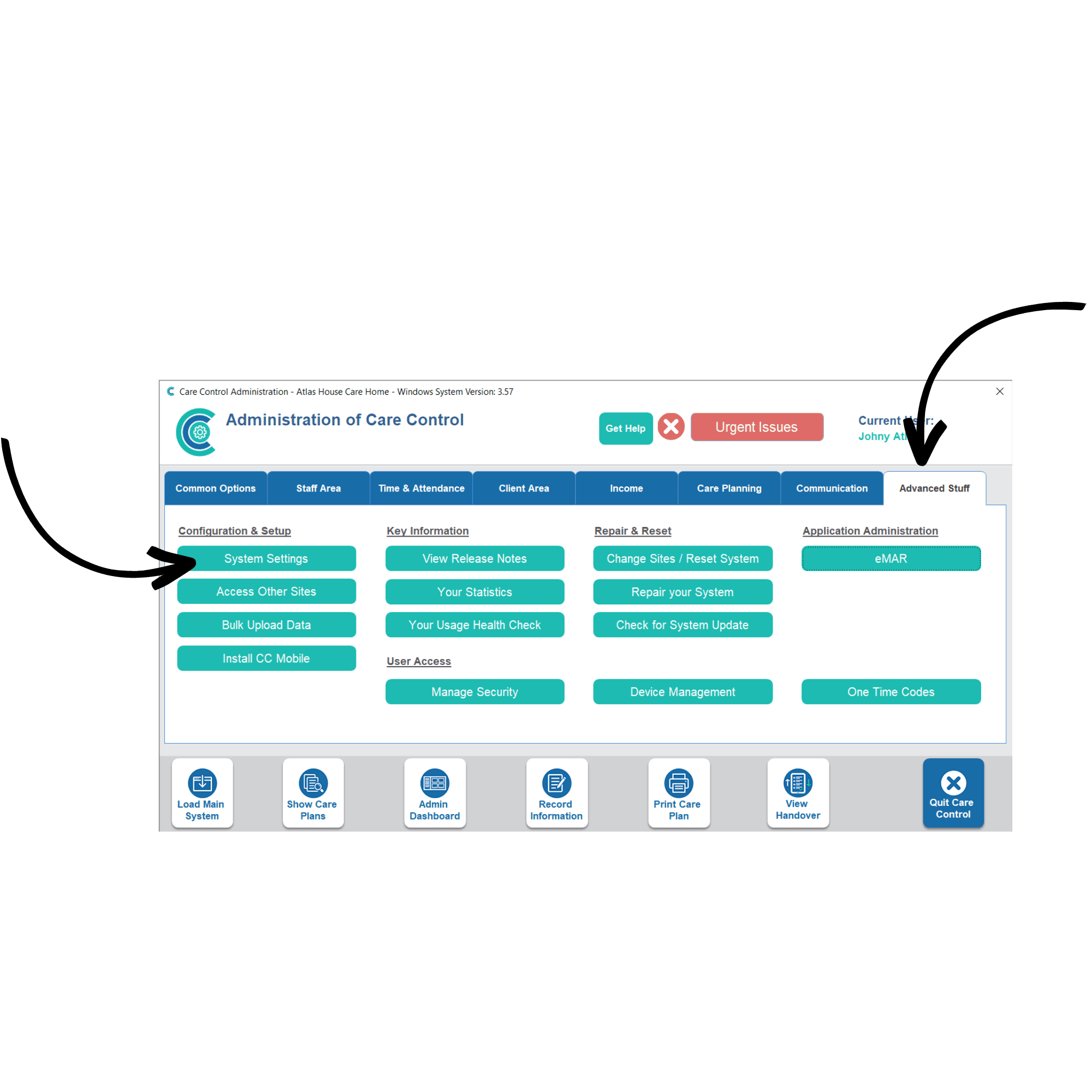
In the Administration of Care Control Windows, navigate to the System Settings, which can be found in the Advanced Stuff tab.
2
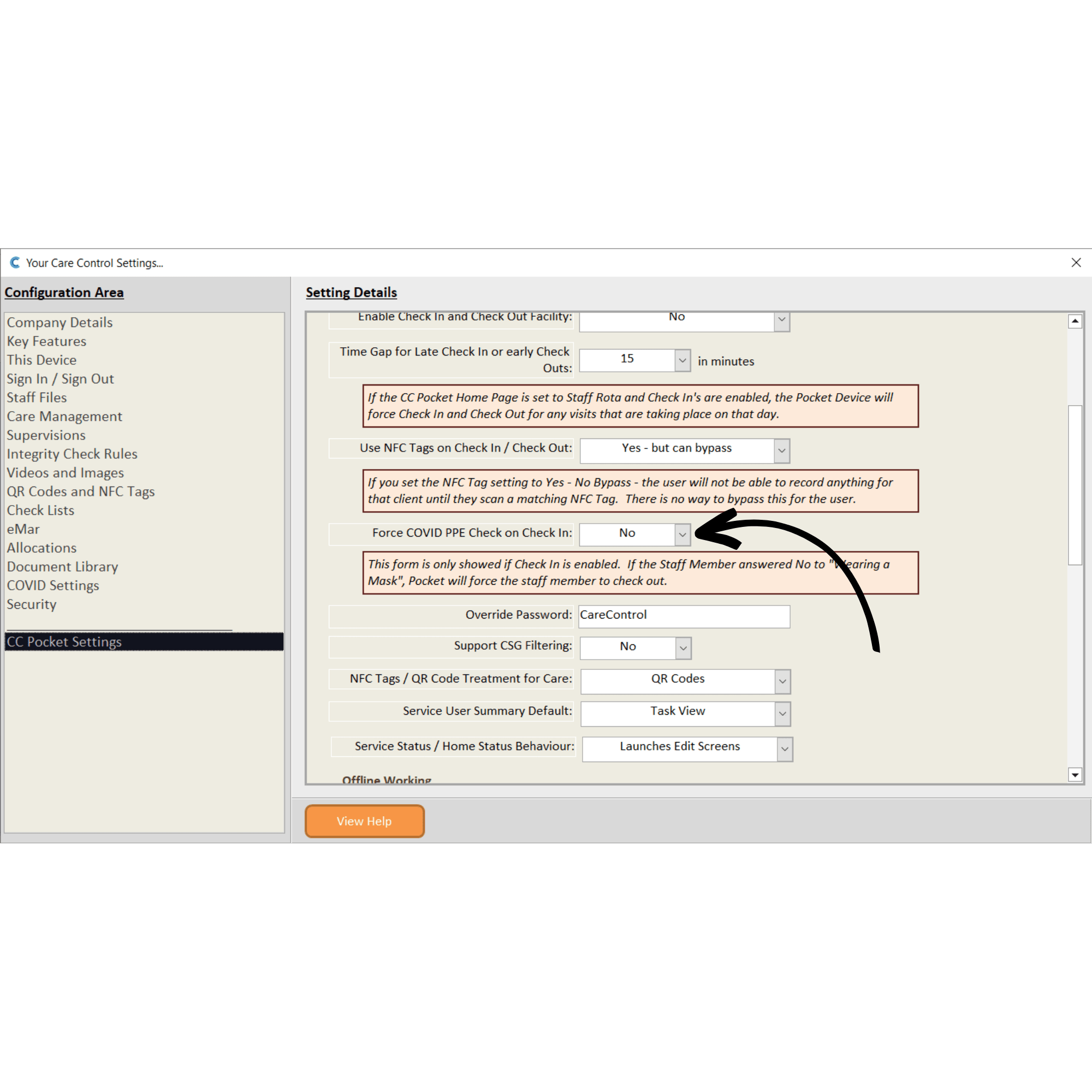
A new window will open. Here, select CC Pocket Settings from the menu on the left-hand side of the screen. Next, find the option titled Force COVID PPE Check on Check In and set this to Yes. Finally, press Save Changes.
3
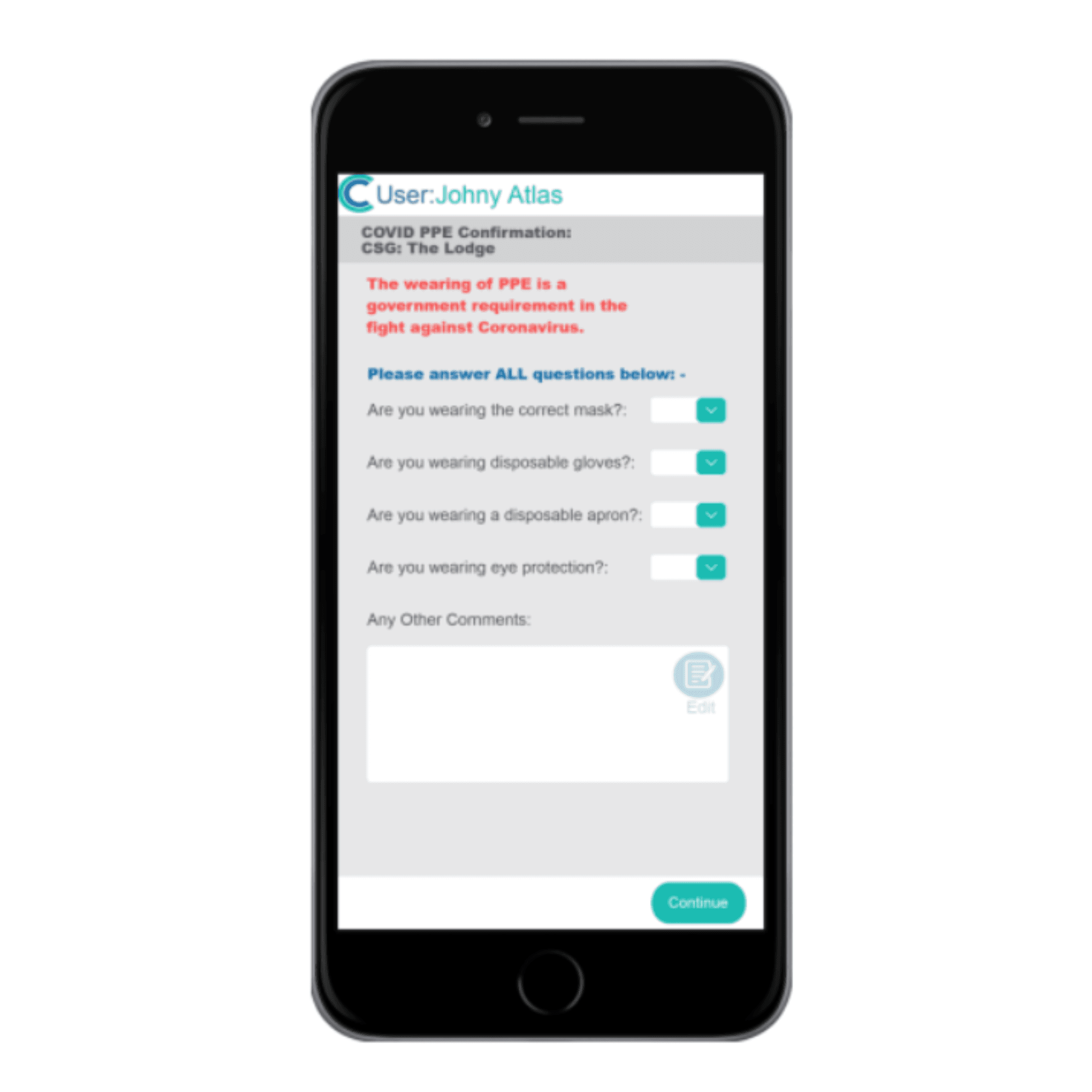
Now, when a staff member checks in to a visit, they will be presented with a form regarding PPE.