👀 Come and see Care Control Intelligence in action!
This guide will cover how to access analysis for your checklists on Care Control Windows.
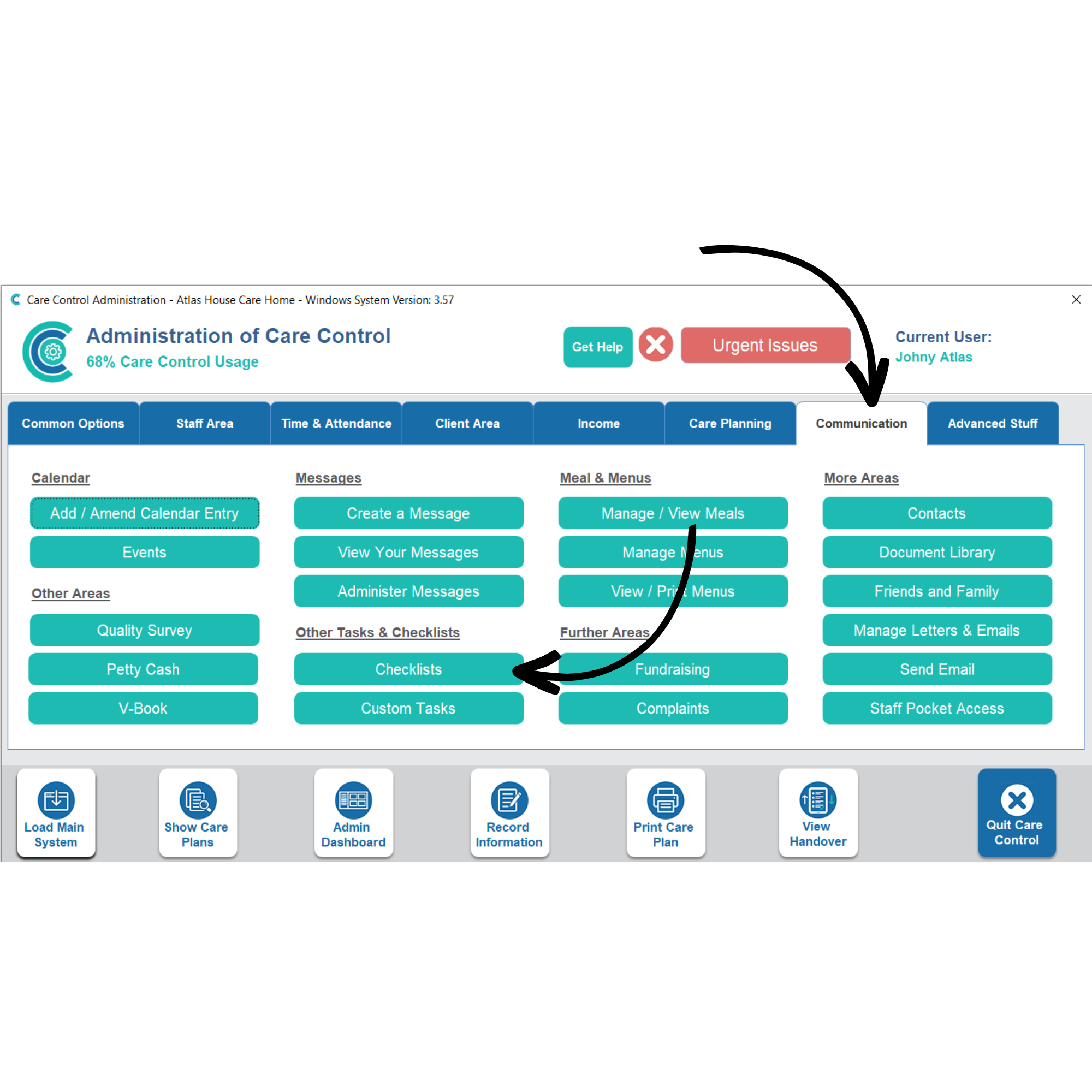
In the Administration of Care Control Windows, navigate to the Checklists tool, which can be found under the Communication tab.
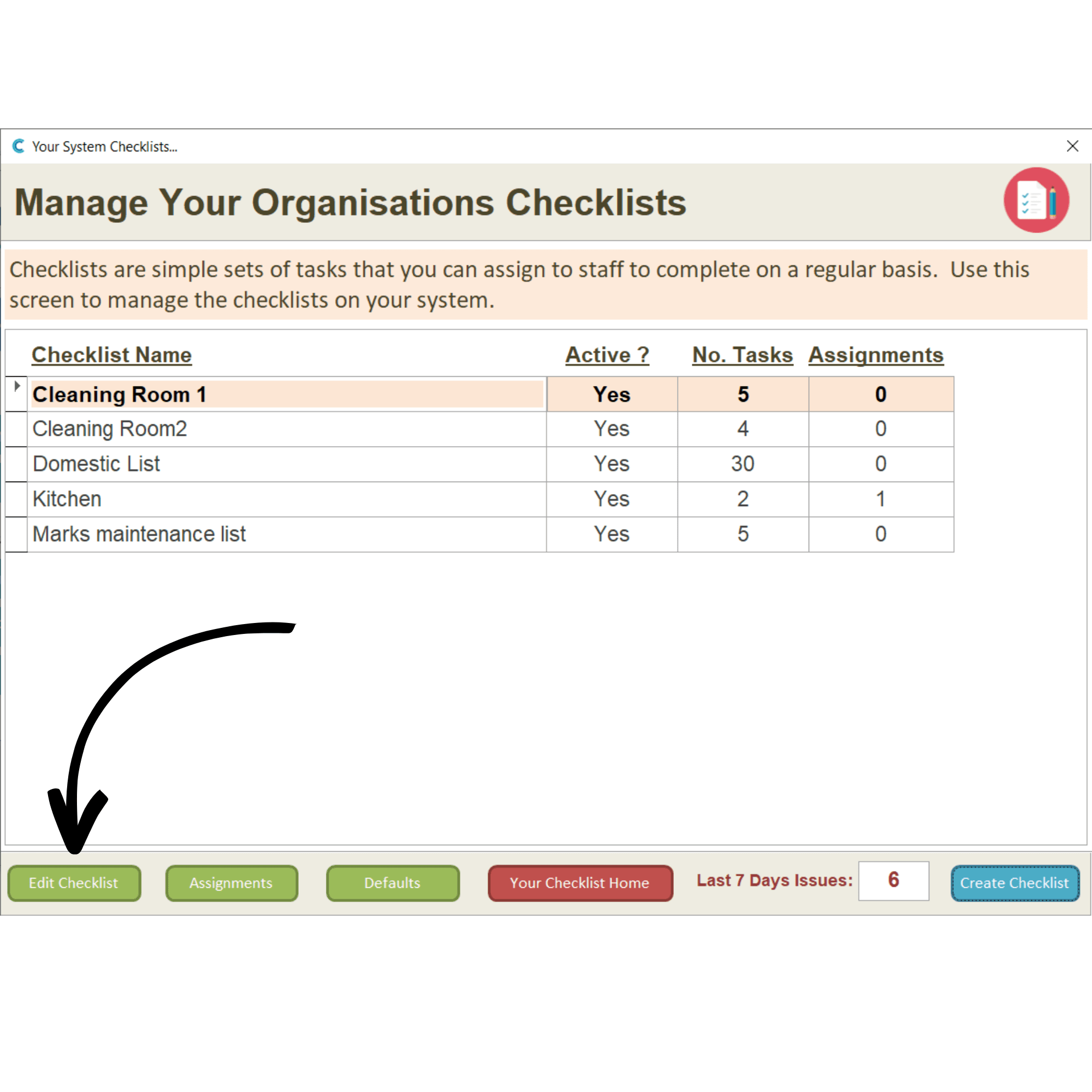
Select a checklist and press Edit Checklist.
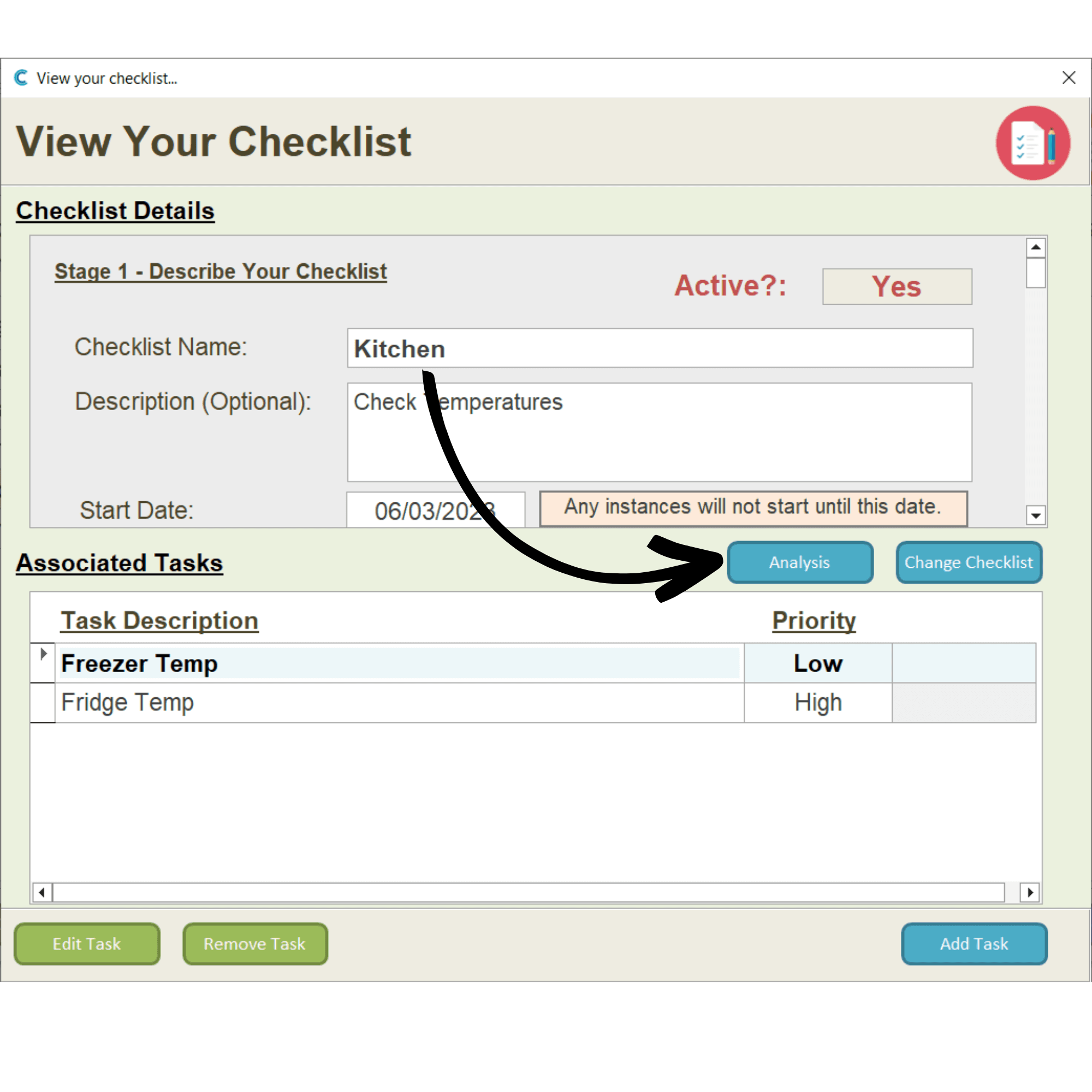
Press the Analysis button.
A new window will open. Here, information regarding the completion status of repeating checklists can be seen.