Bring your payroll up to date, join our Cloud Payroll webinar
This guide will cover how to process a service user leaving on both Care Control Windows and Care Control Mobile.
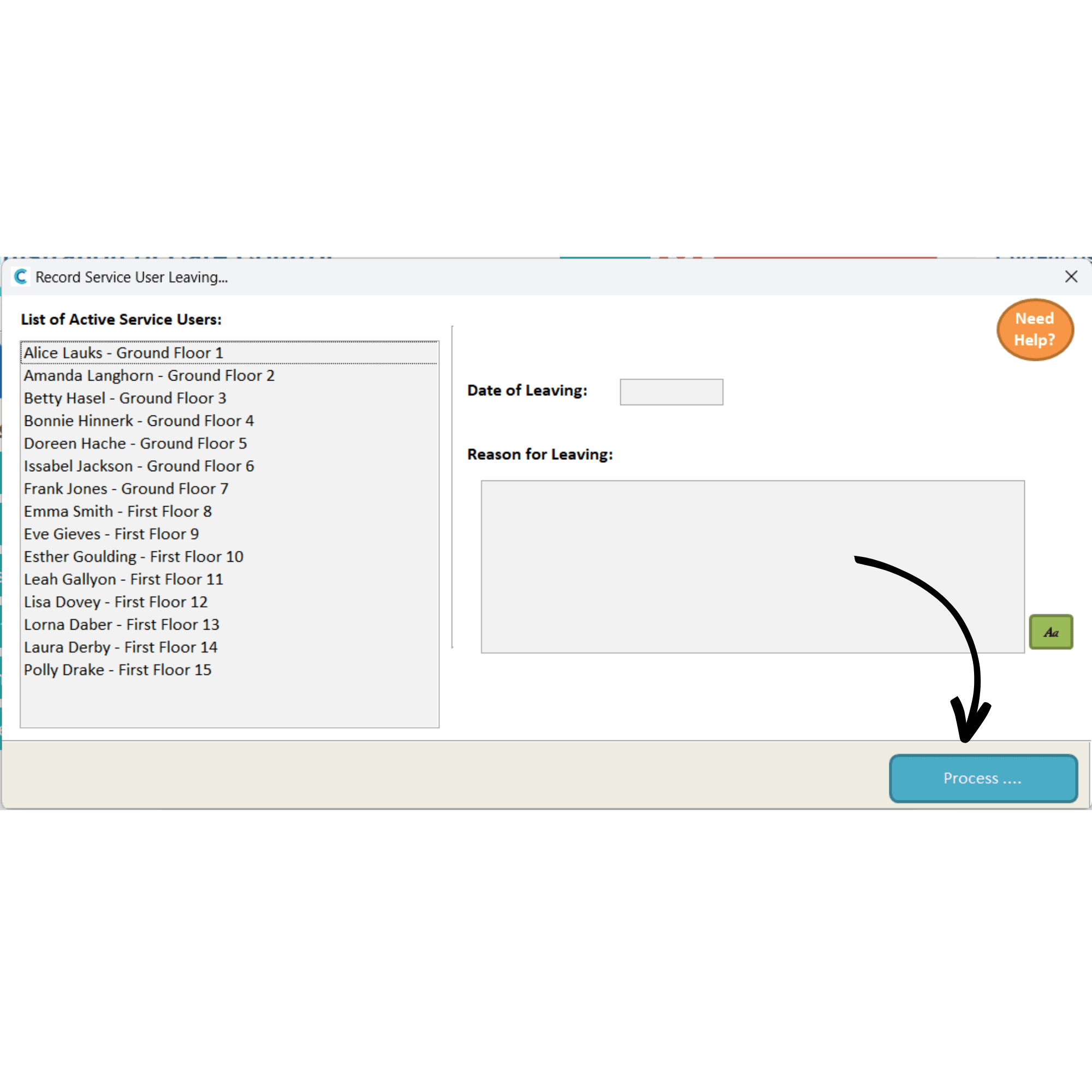
In the Administration of Care Control Windows, navigate to the Client is Leaving tool, which can be found under the Client Area.
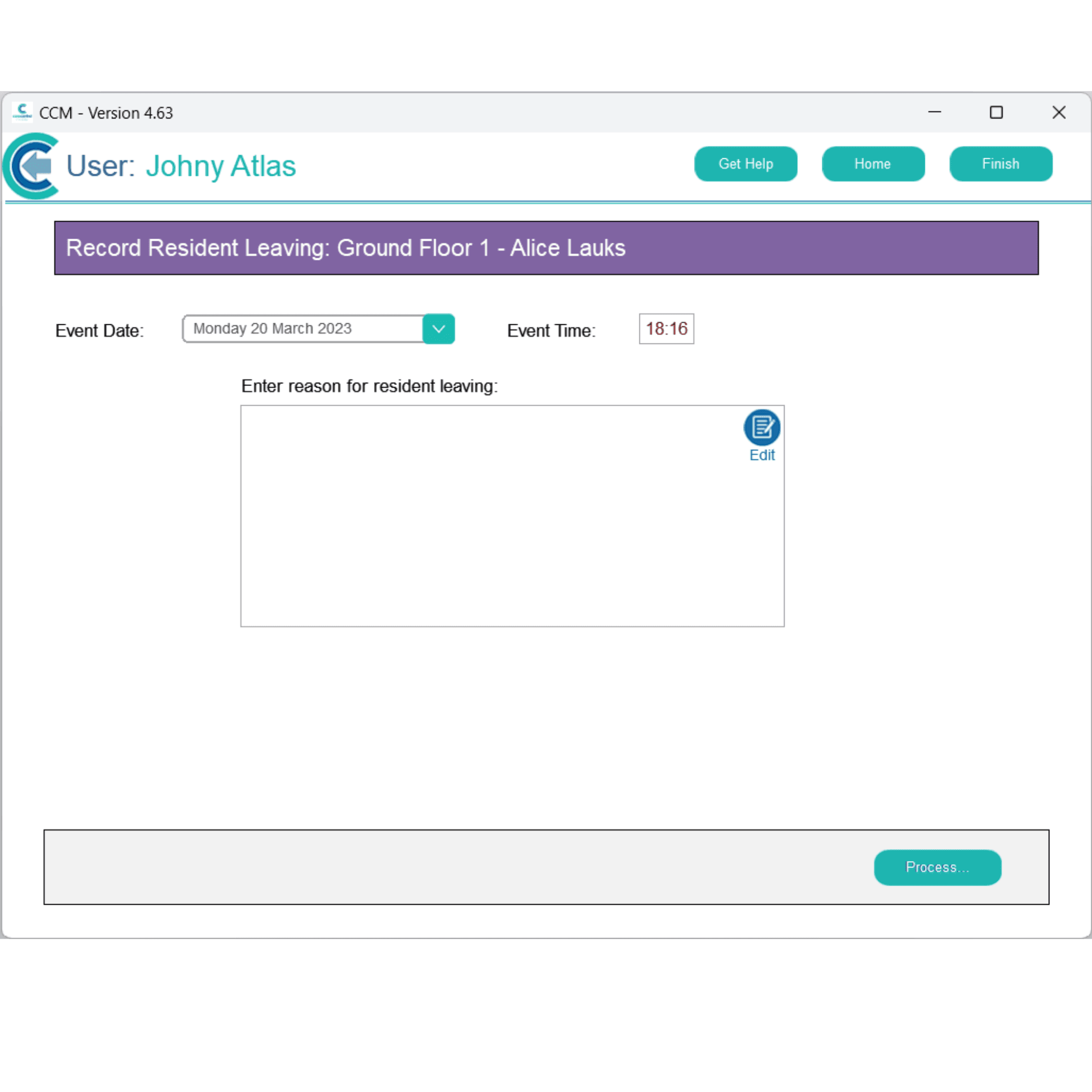
Select the service user from the list, enter the date and reason for leaving, then, press Process.
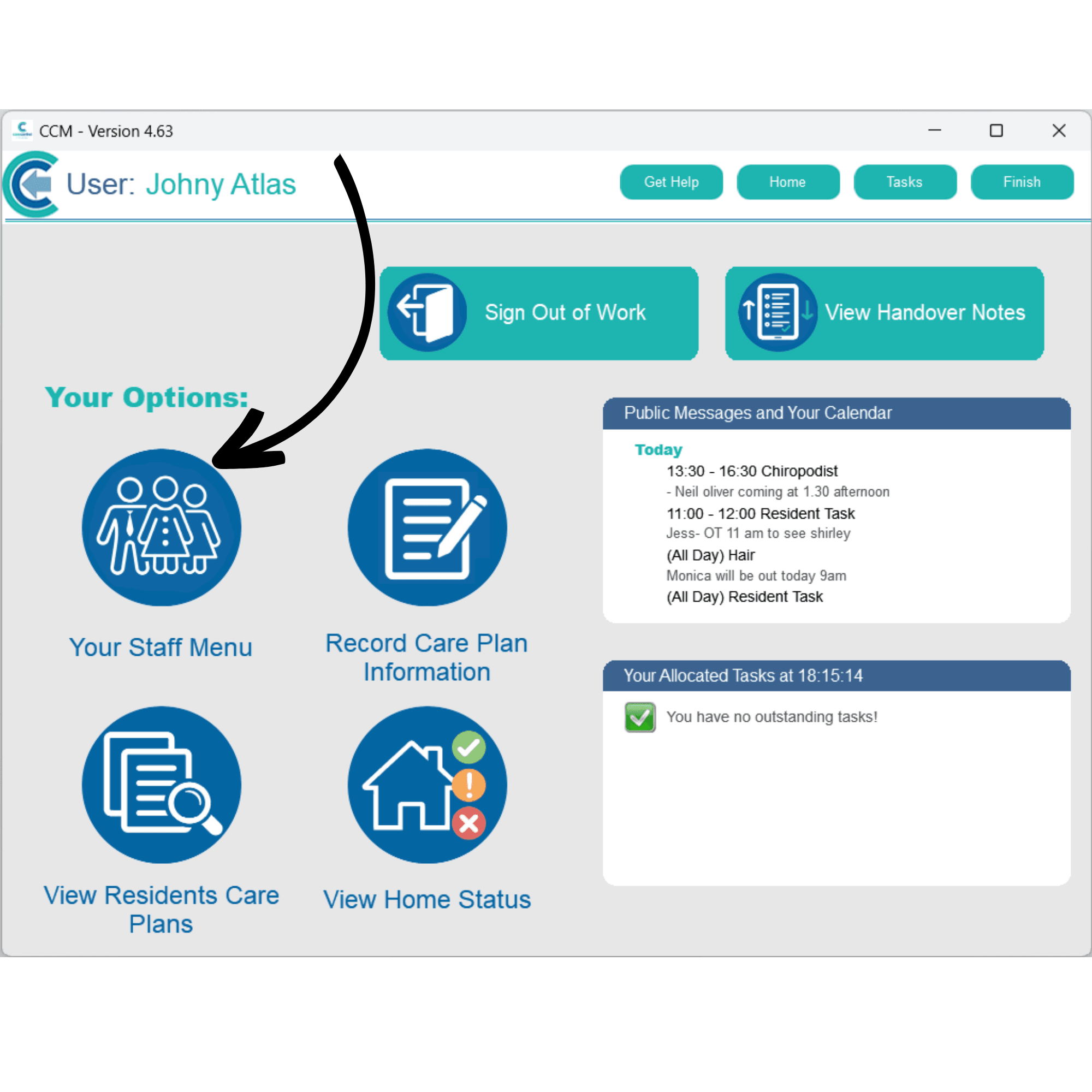
After logging into Care Control Mobile, select Your Staff Menu.
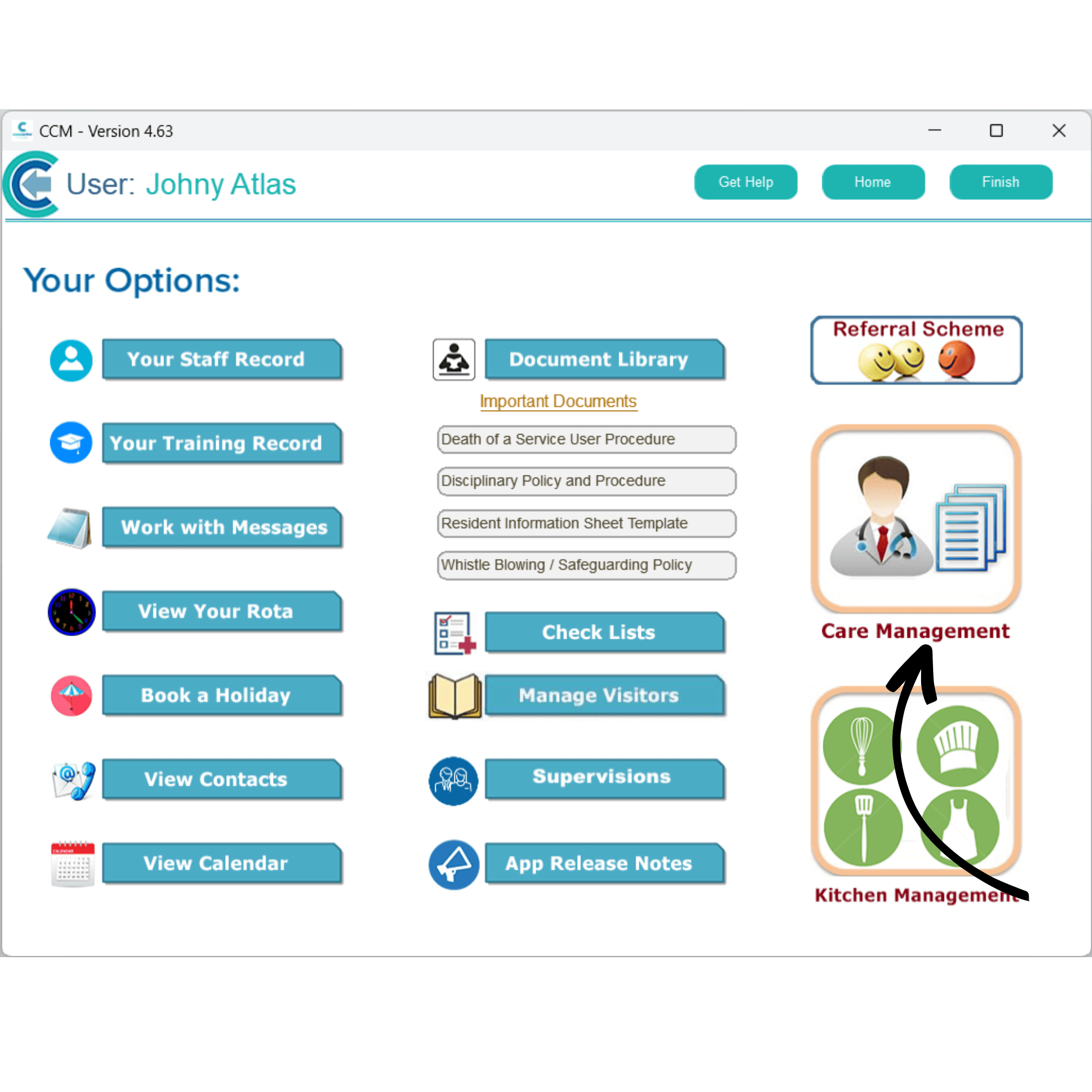
Here, select Care Management.
Here, select Resident Leaving.
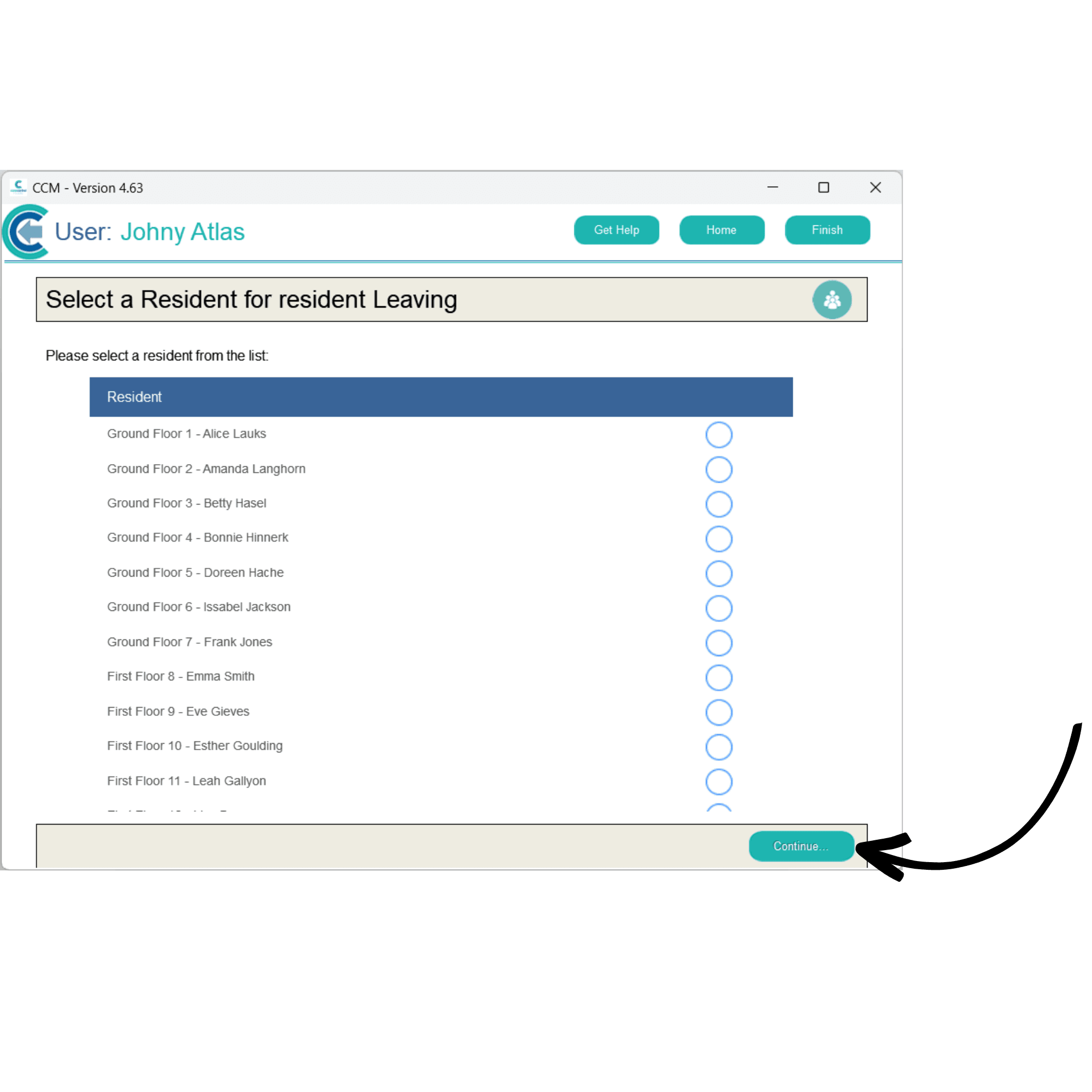
Select the service user from the list and press Continue.
Select the date and time, as well as entering the reason for departure, then, press Process.