🚀 UPCOMING WEBINAR:See Payroll in Care Control Cloud in action on Thursday 18th June and discover how to manage payroll more efficiently from one connected system. Click here to find out more!
View Categories
Using CSG's within Pocket
CSG filtering can be enabled for Care Control Pocket from the Windows system. This allows users to filter their service user lists by CSG when recording or searching for information.
1
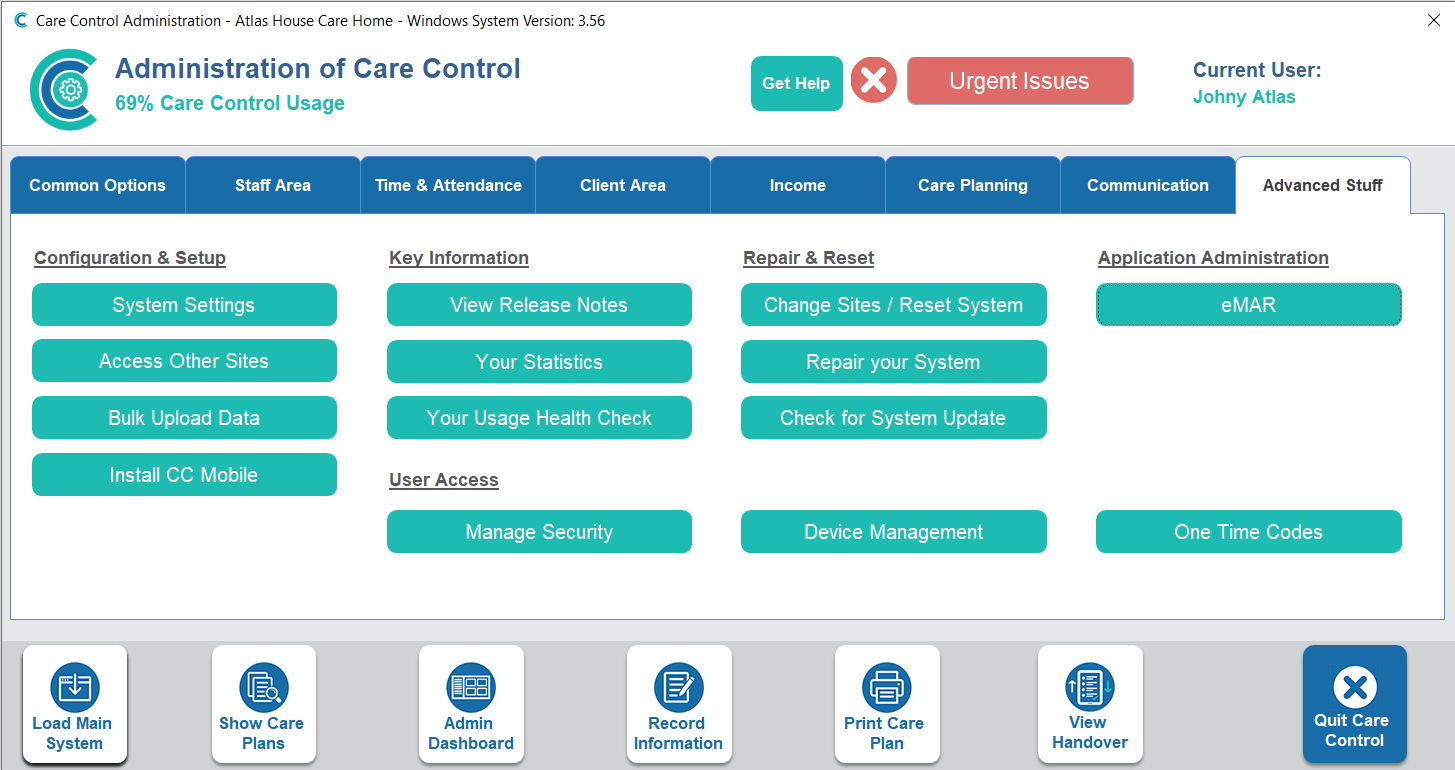
In the Administration of Care Control Windows, navigate to the System Settings tool which can be found under the Advanced Stuff tab.
2
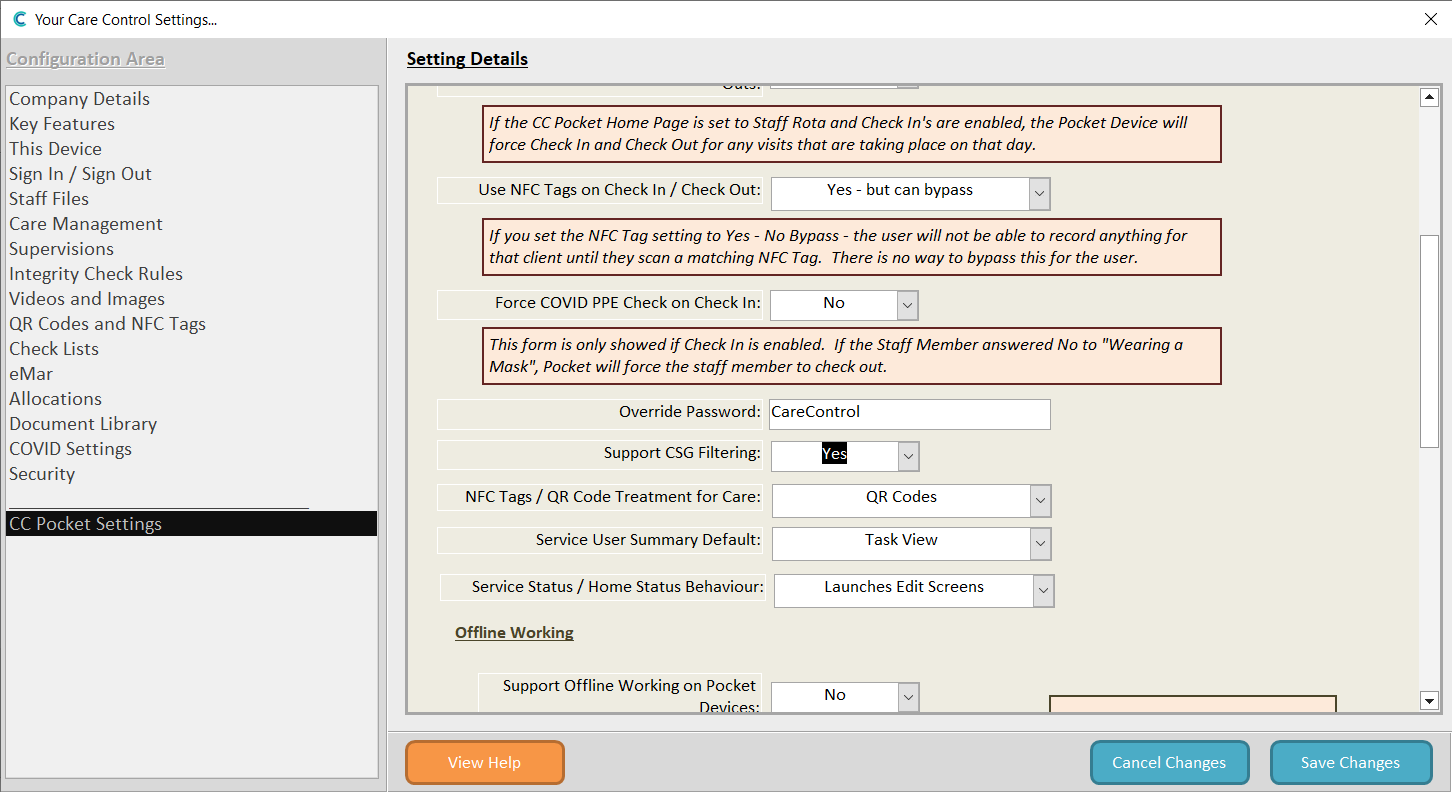
A new window will open. From the options on the left-hand side, select CC Pocket Settings. Here, scroll down to the Support CSG Filtering setting and change this to Yes.
Make sure to Save Changes.
3
Now, after signing into Care Control Pocket, a CSG button will show at the bottom of the service user screen.
4
Pressing the CSG button will open a small menu displaying the Care Service Groups set up on your system. Simply select one to filter the service user list by the chosen CSG.