Bring your payroll up to date, join our Cloud Payroll webinar
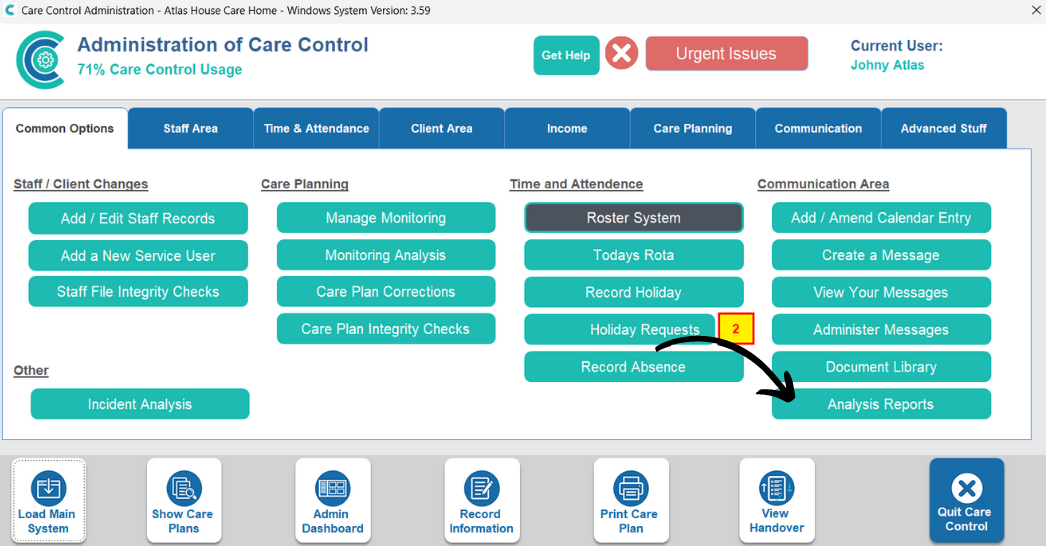
This guide will cover how to see who has viewed a service users Care Plan via the Analysis Reports tool on CC Windows.
From the Administration of Care Control Windows, open Analysis Reports.
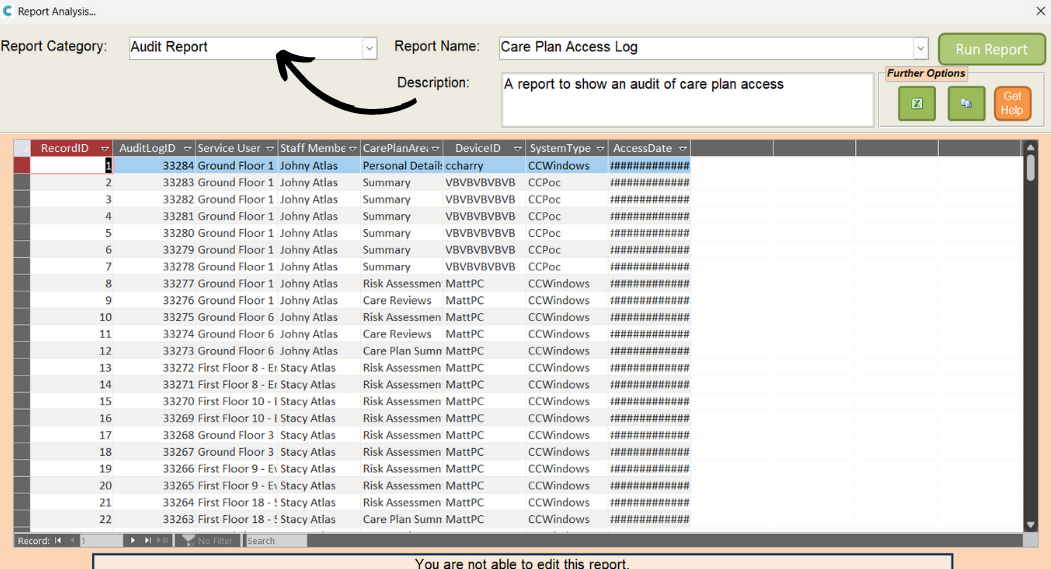
Choose the following:
Report Category – Audit Report
Report Name – Care Plan Access Log
Then, press Run Report