This guide will cover how to change or update Food Intake records for your service users on Care Control Mobile app.
1
After signing into Care Control Mobile, select Record Care Plan Information
2
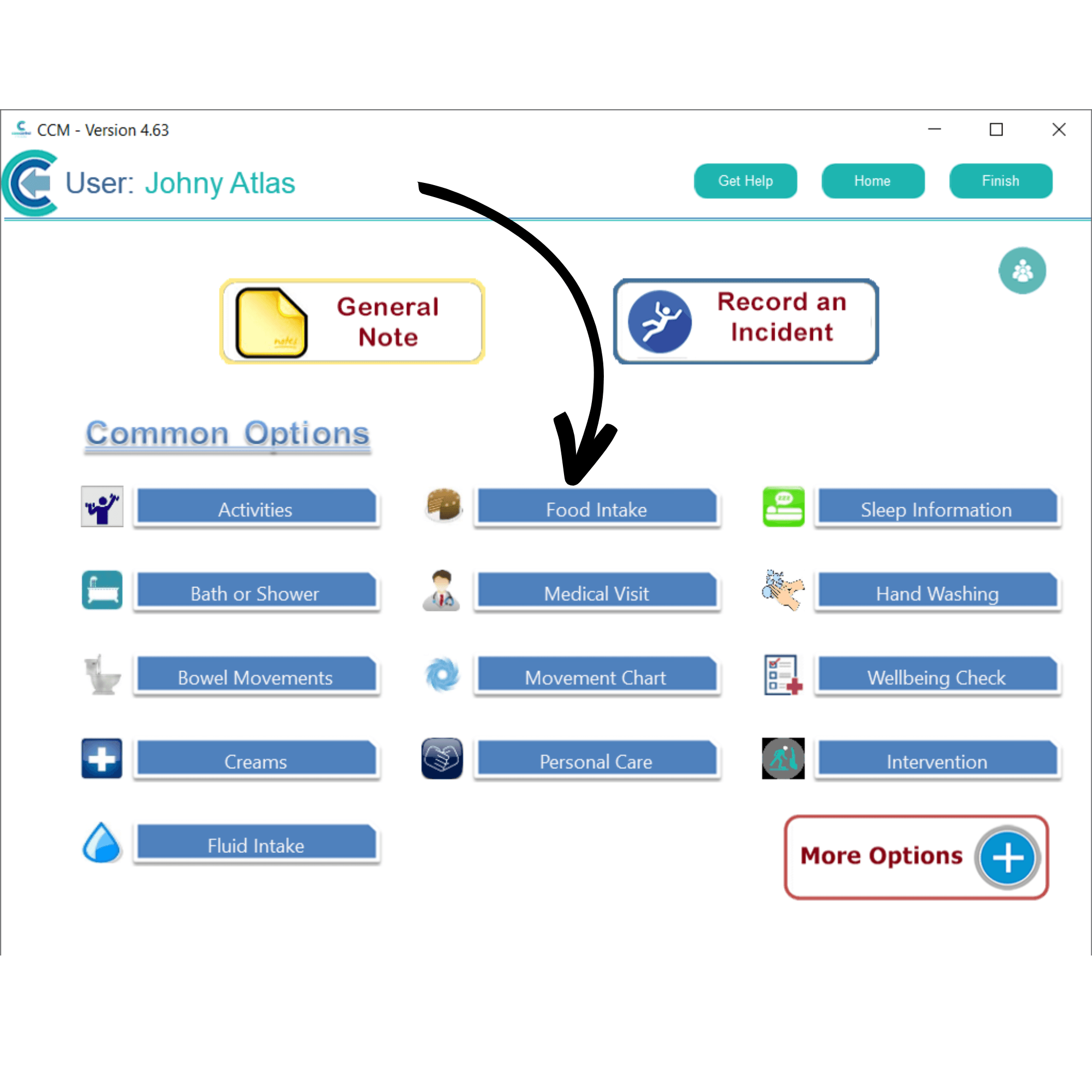
From the Common Options, select Food Intake.
3
A list of your service users will be displayed. Here is an overview of the recorded meals for the day.
Tap on a service user and press View Details.
4
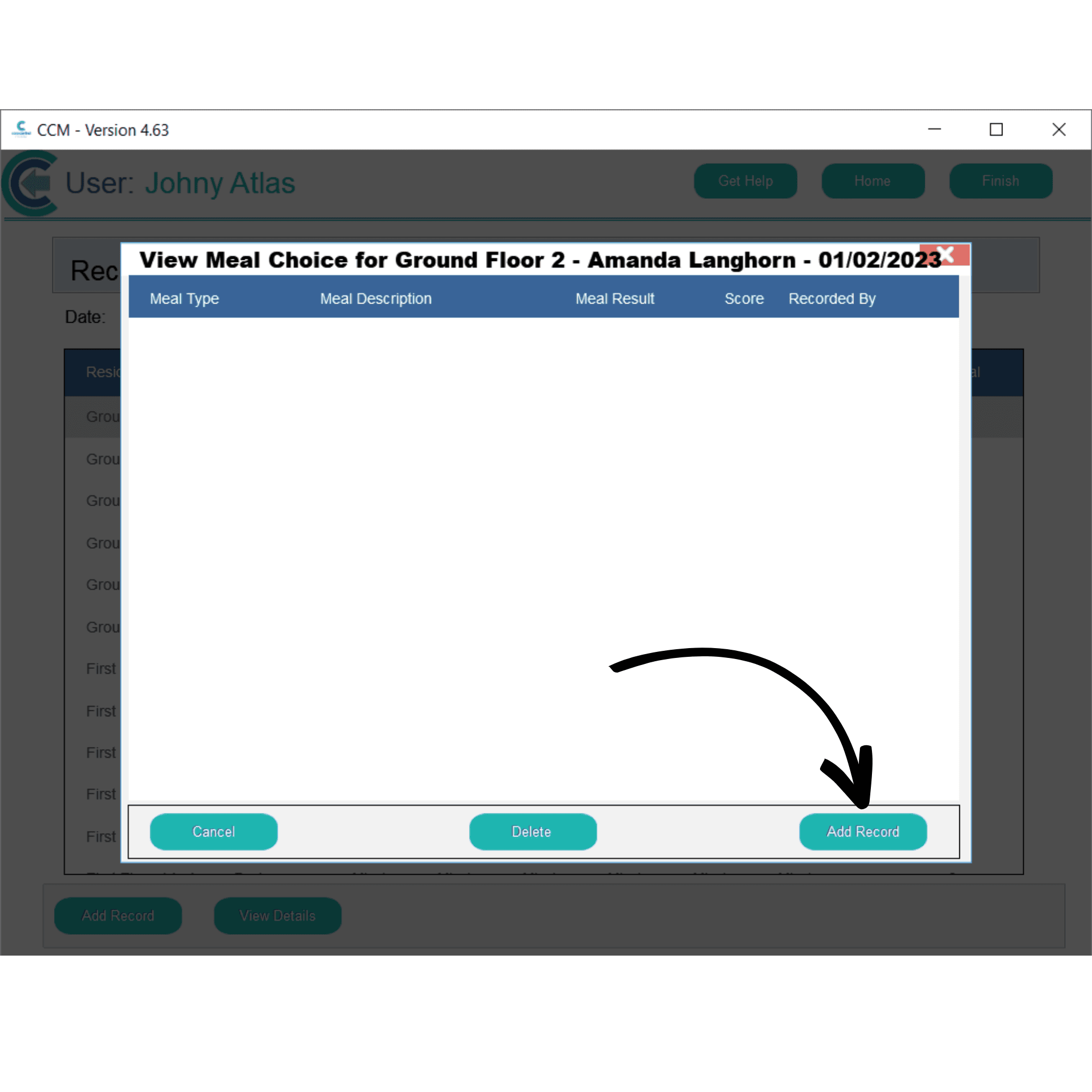
A window will open with some further information about the meals recorded for the selected service user. Since we have nothing to update here, press Add Record.
5
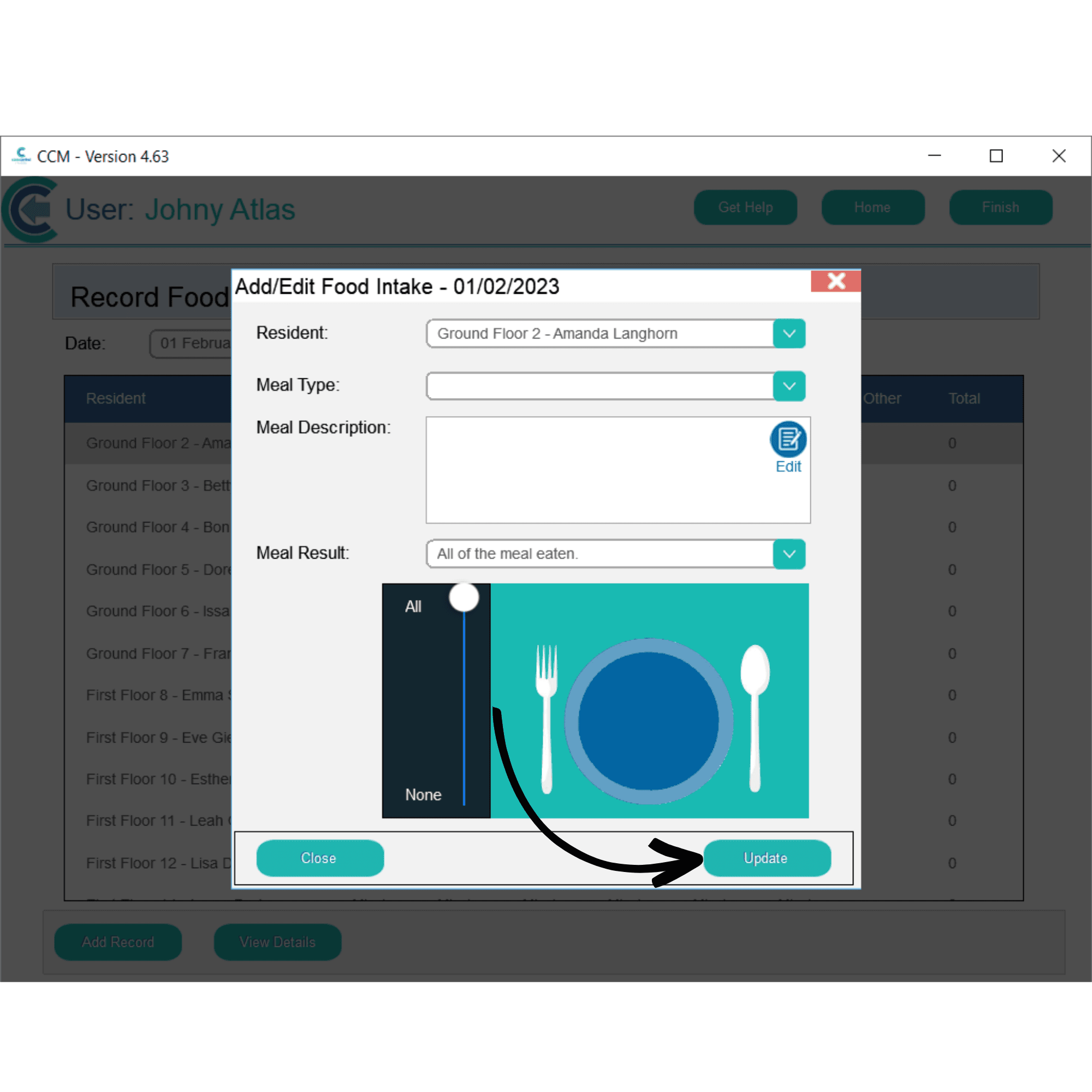
We can now fill out the Food Intake form as required, entering a meal type, description and result.