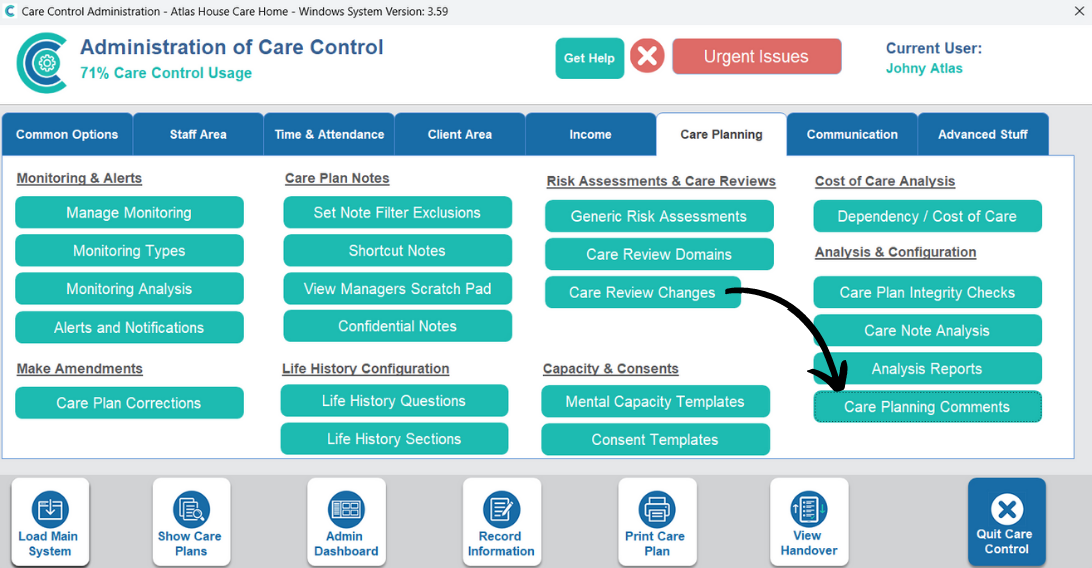
Some of the drop-down options when recording care can be customized within Care Control Windows. This article will cover how to add more comments to the selection.
1
In the Administration of Care Control Windows, open the Care Planning Comments tool, which can be found under the Care Planning tab.
2
A new window will open, first, select the comments list you wish to amend from the drop-down menu at the top of the page.
3
The comment list will load. Next, press Add Row.
4
Enter the new comment in the new box at the bottom of the list. Then, press Save Records to complete the process.