Bring your payroll up to date, join our Cloud Payroll webinar
This guide will cover how to access and amend an active templates settings.
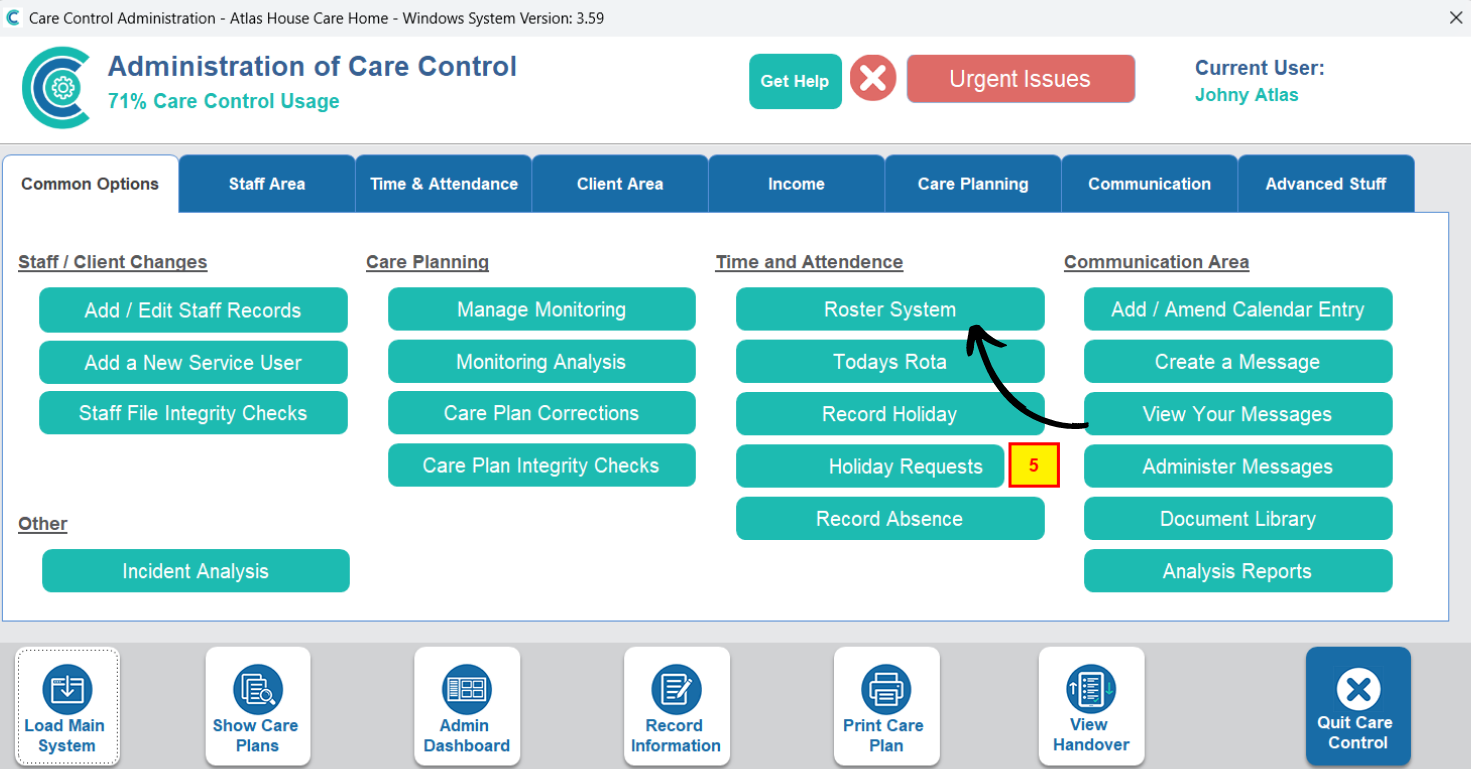
In the Administration of Care Control Windows, open the Roster System, which can be found under the Common Options and Time & Attendance tabs.
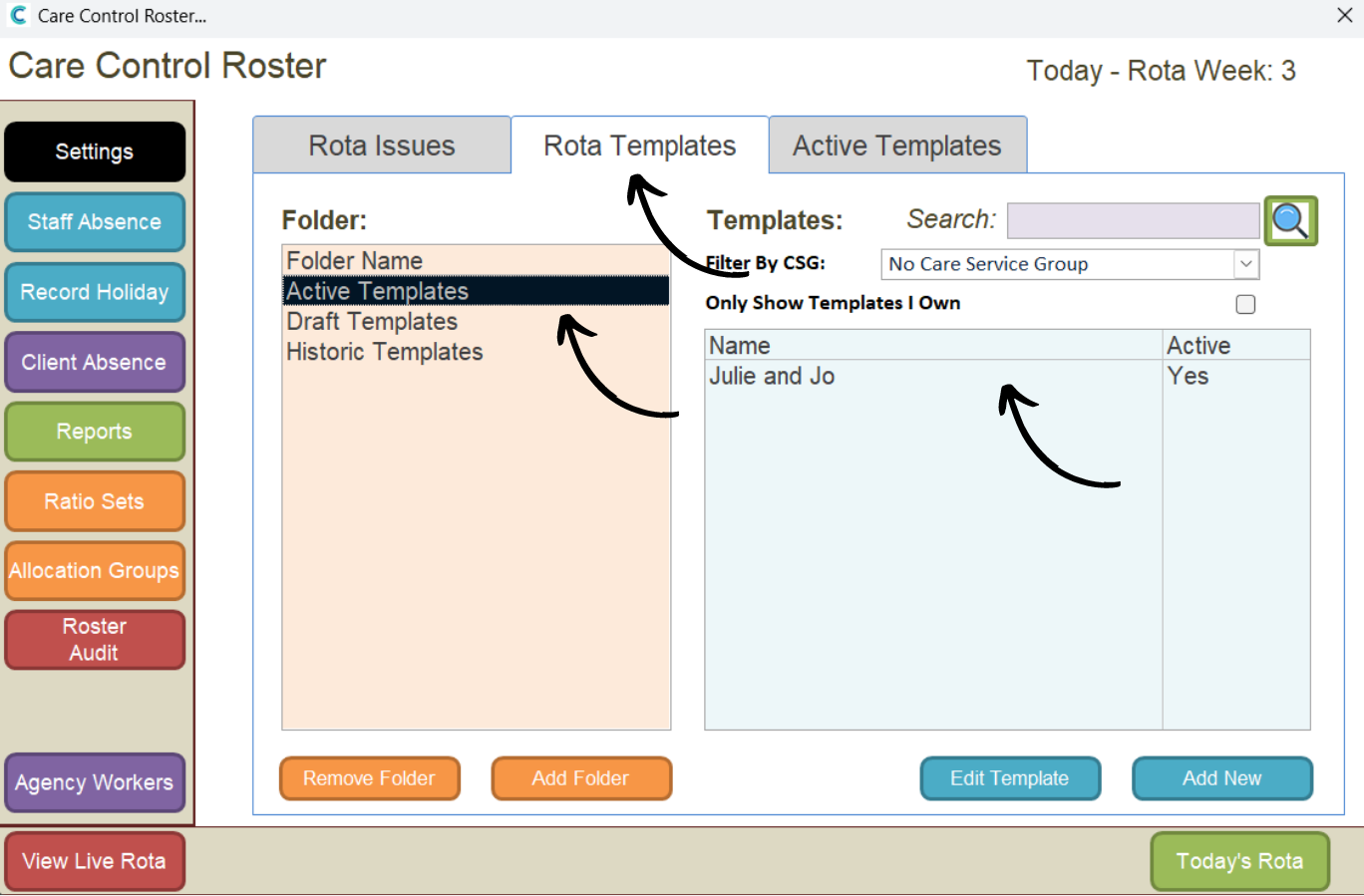
Open your template from the Active Templates.
The rota template will open, here, click on the settings cog or refresh arrows (blue & red) icons at the top of the window.
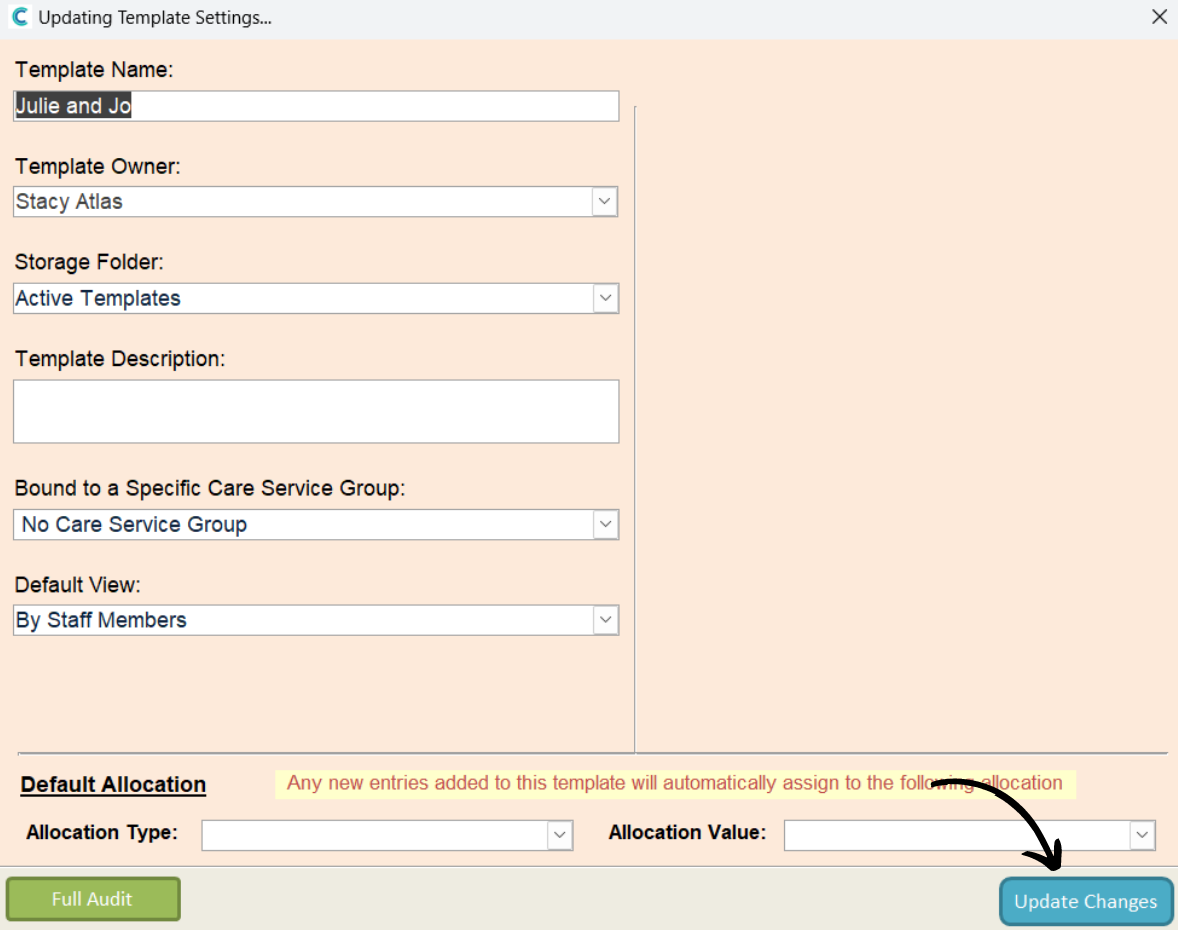
The settings cog will open some basic parameters for the template, including its name, owner and CSG allocation.
The refresh arrows will open the processing settings for the template. For more information on template processing options, see the following guide:
Processing a Rota Template – Care Control Learning Hub (cclearninghub.co.uk)