🚀 UPCOMING WEBINAR: See Payroll in Care Control Cloud in action on Thursday 18th June and discover how to manage payroll more efficiently from one connected system. Click here to find out more!

View Categories

Recording a Medical Visit on Windows

This guide will cover how to record a medical visit for a service user via Care Control Windows.

1

In the Administration of Care Control Windows, navigate to the Record Information button which can be found along the bottom of the screen.

2

A new window will open. Here, find the Medical Visit option under the Common or Medical tabs.

3

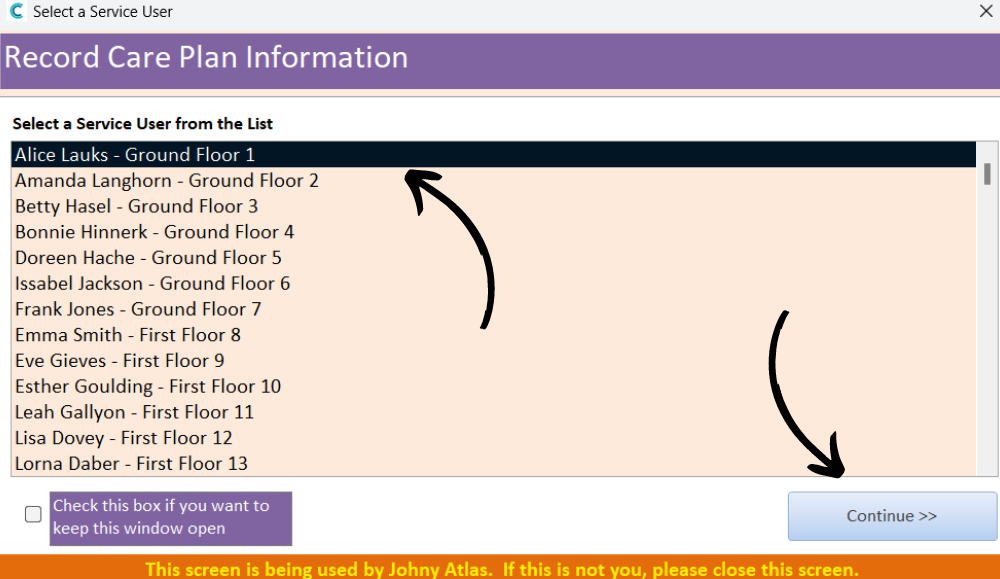
Next, select a service user from the list and press Continue.

4

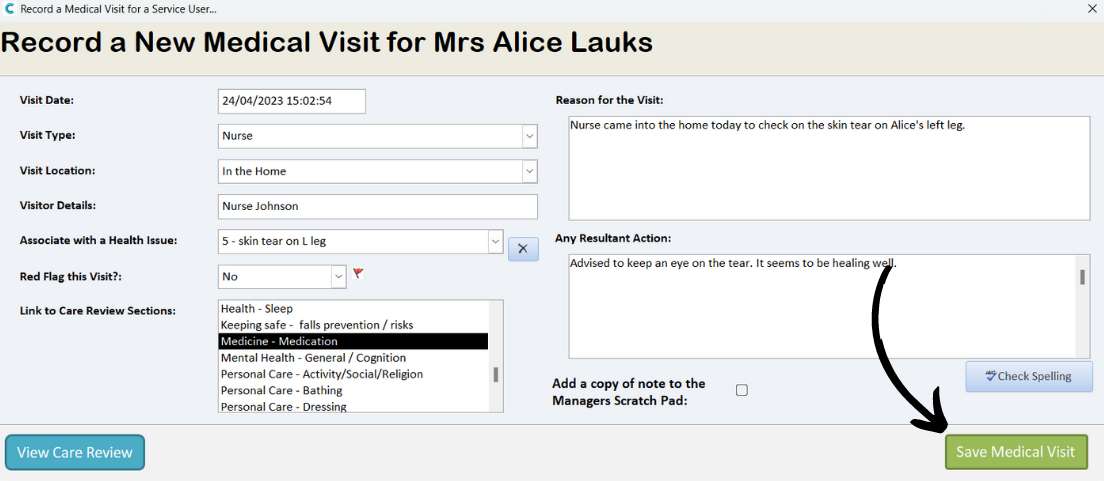
A blank form will be displayed. Complete the form, including the date and visit details. You can also associate the visit with an existing health issue, link to a care review domain and red flag the note.

Finally, enter the reason and resultant action of the visit.

5

After completing the form, press Save Medical Visit.