This guide will cover how to add and remove activity types from the available list when recording activity monitoring. This is completed within Care Control Windows.
1
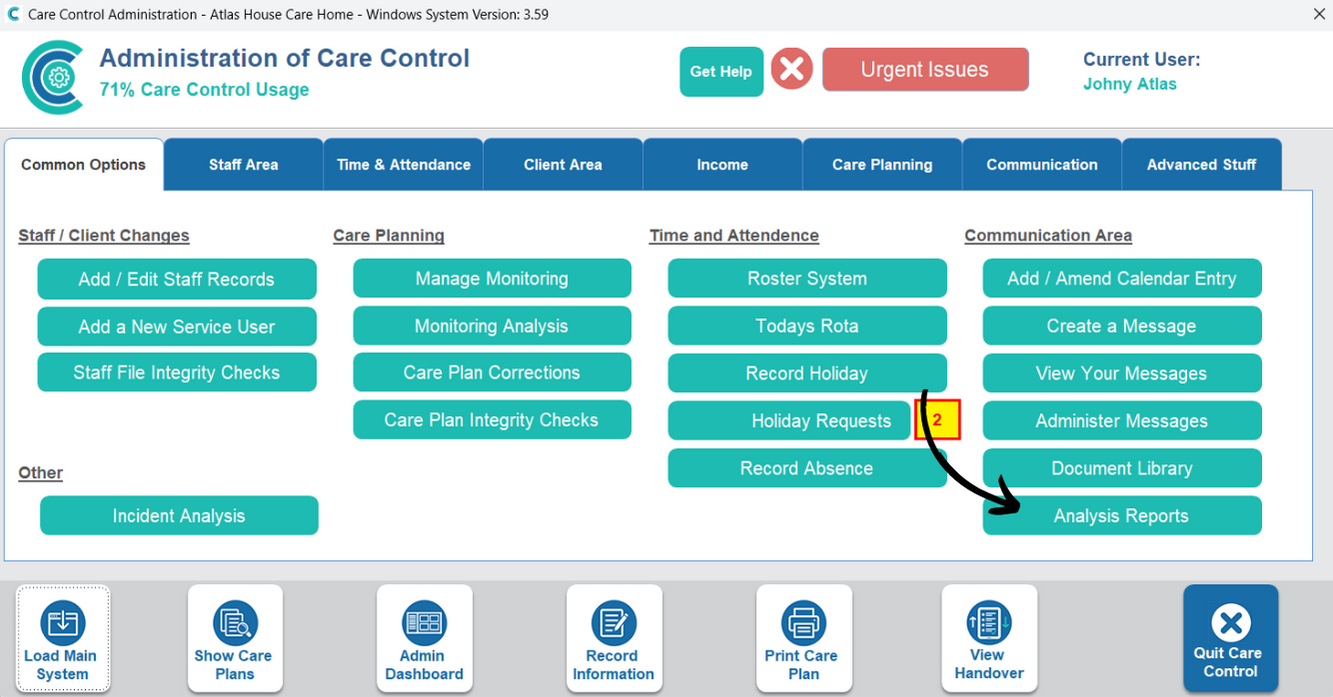
In the Administration of Care Control Windows, navigate to the Analysis Reports tool, which can be found under the Common Options tab.
2
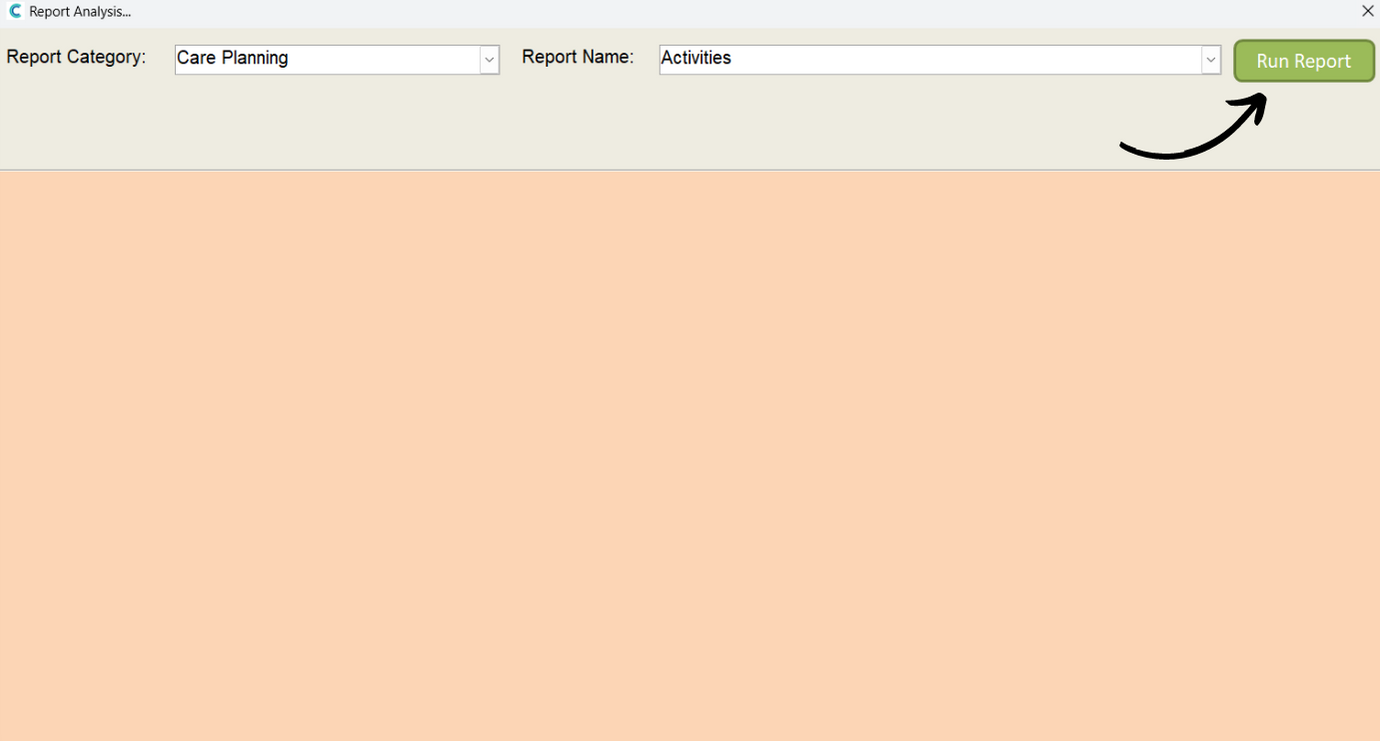
Select Care Planning as the report category and Activities as the report name, then, press Run Report.
3
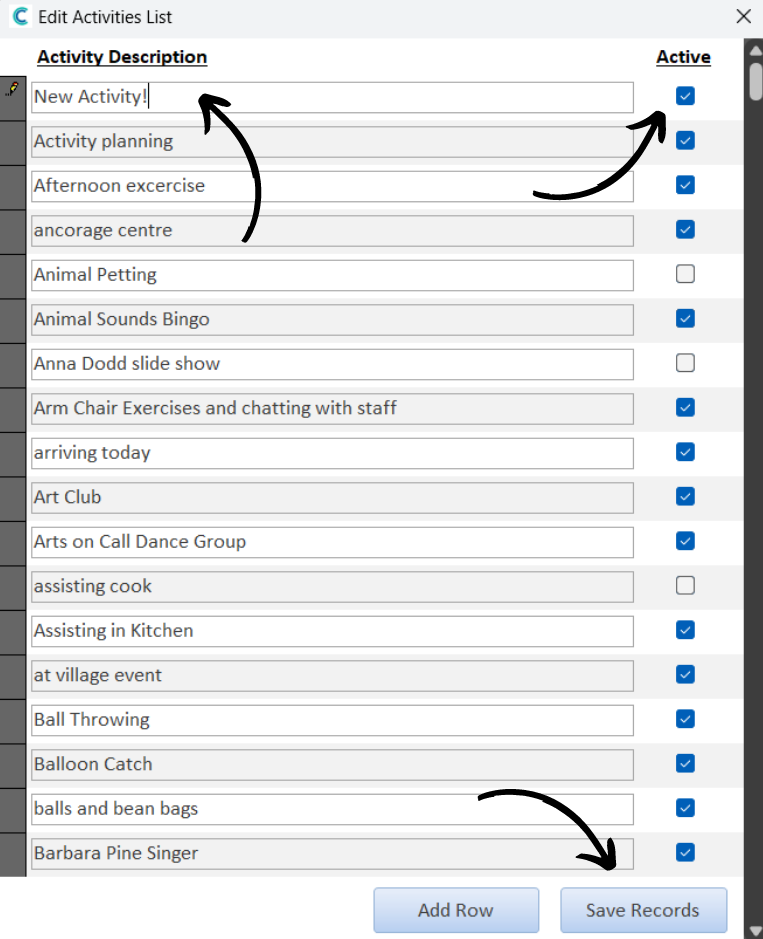
A new window will open. To add a new activity type, press Add Row.
4
A blank row will appear at the top of the list. Type the name of the new activity here. Make sure to Save Records after making any changes.
You can also deactivate activities by unticking the Active tick-box on the right hand side of the list.