This guide will cover how to recreate a Risk Assessment on Care Control Windows. This can be useful if you wish to amend, edit or add to the content of an existing risk assessment.
1
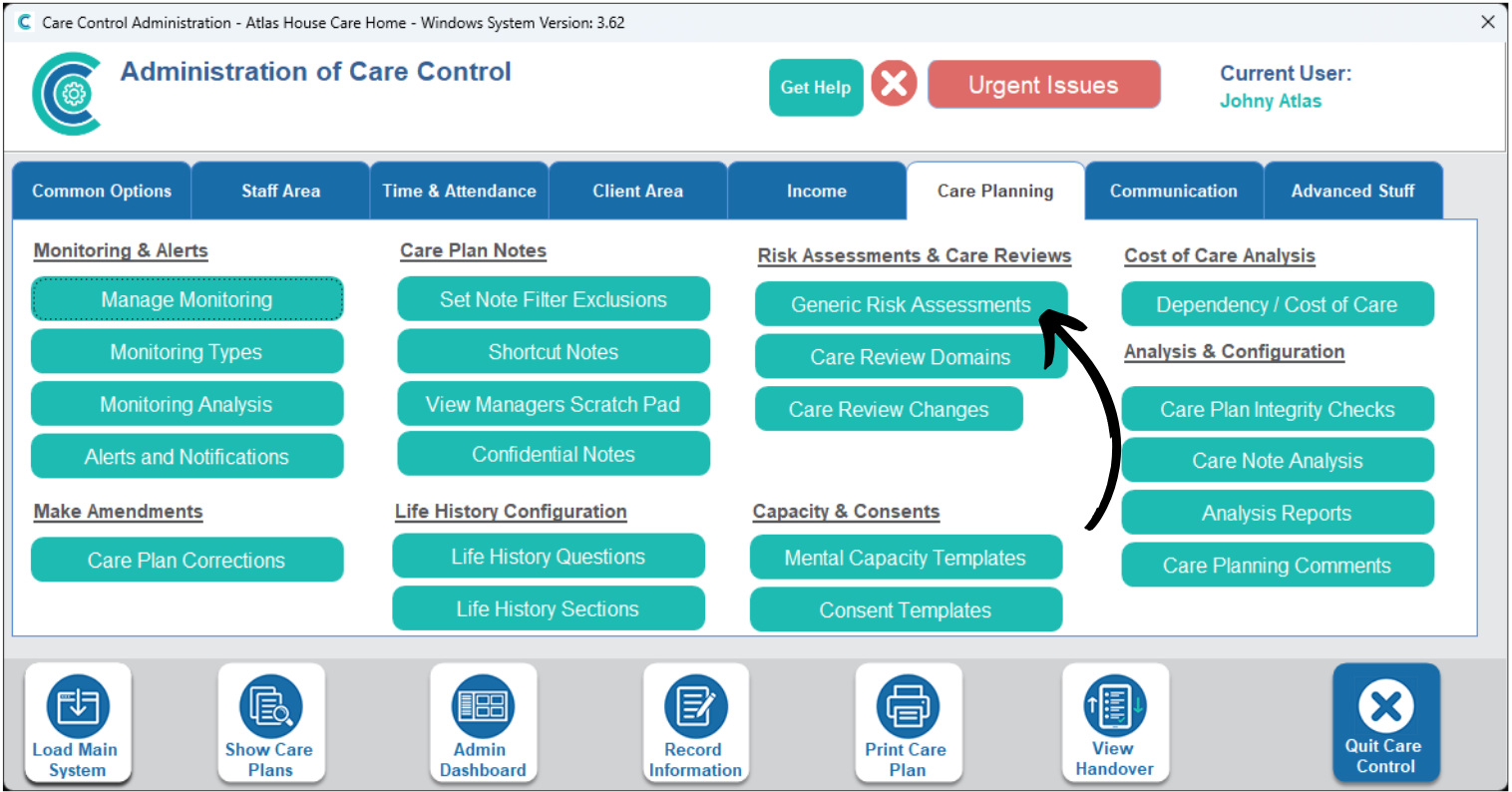
In the Administration of Care Control Windows, navigate to the Generic Risk Assessments tool, which can be found under the Care Planning tab.
2
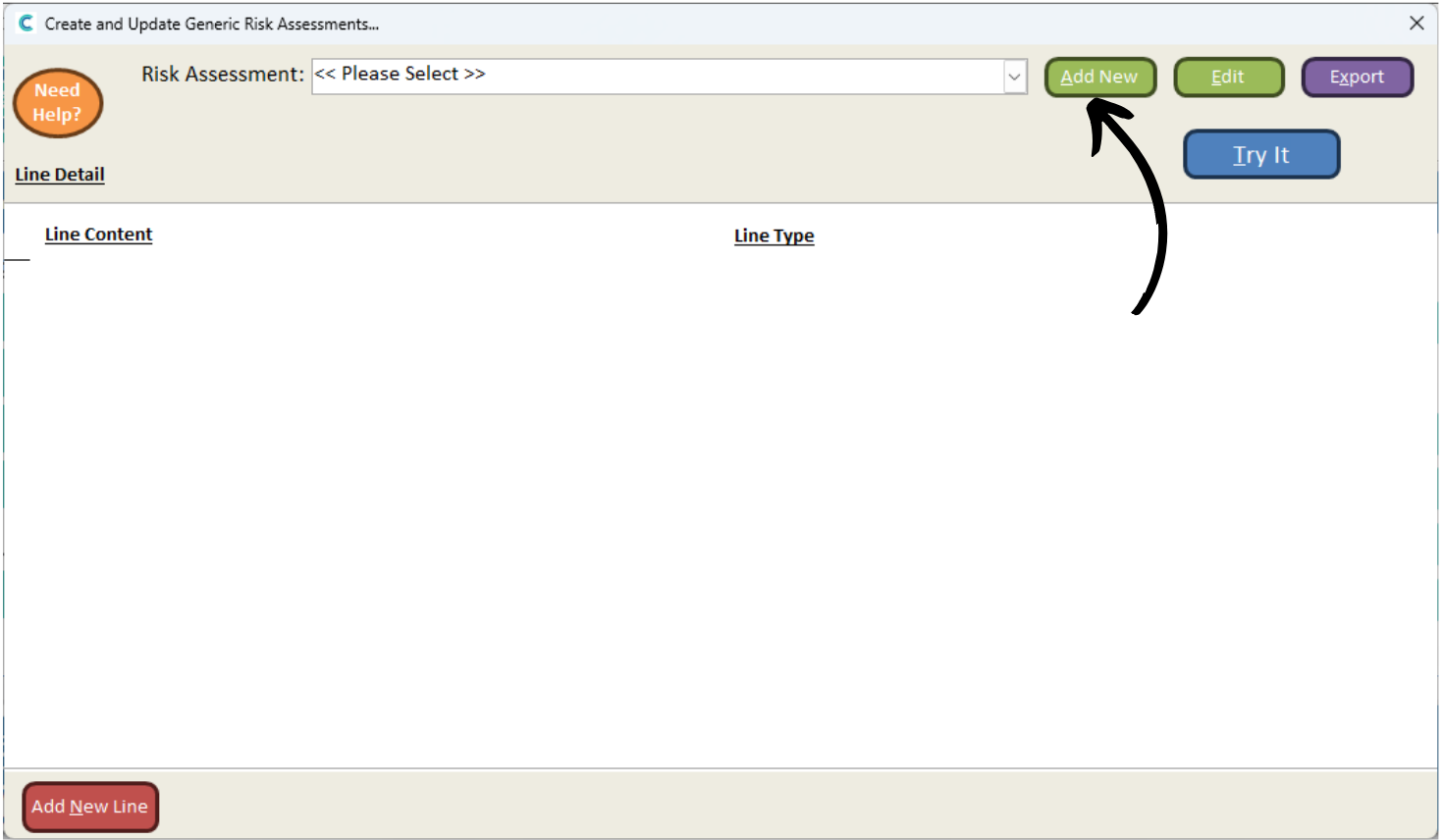
A new window will open. Here, press Add New.
3
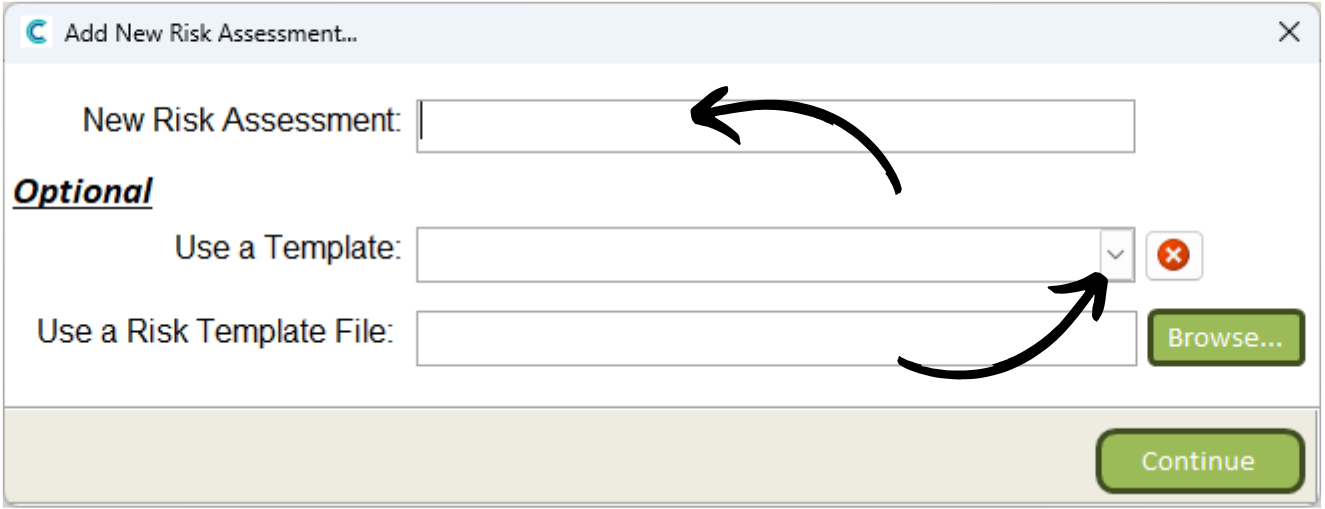
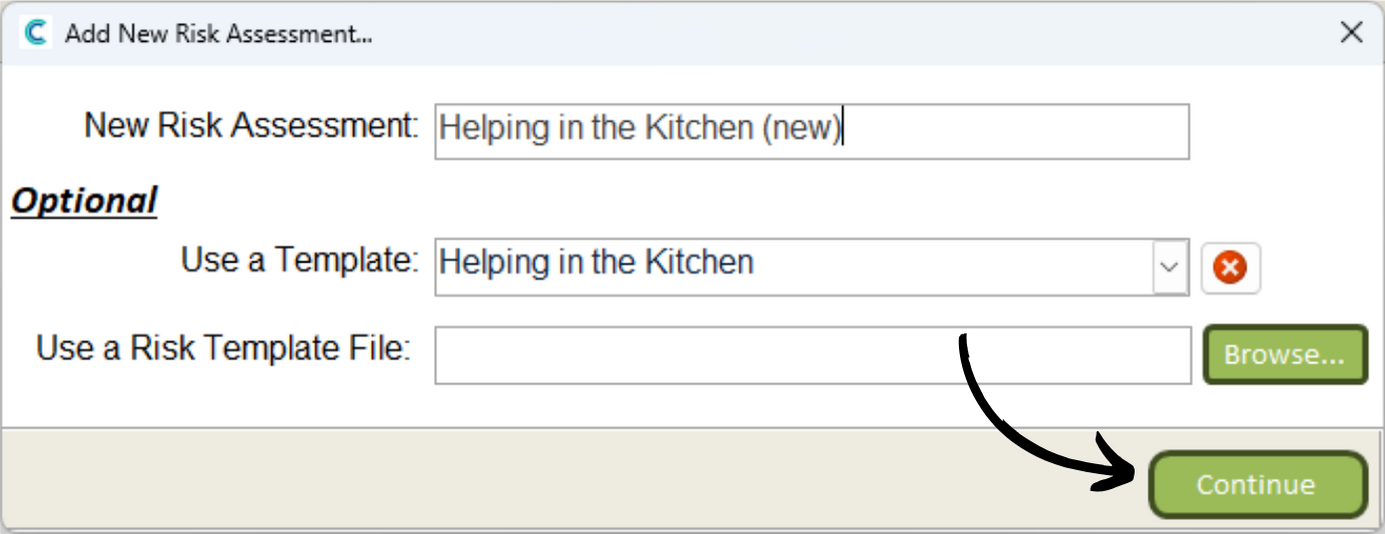
Enter a name for your new risk assessment. Please note, if recreating a risk assessment, you might want to alter the name slightly so that it is not the same as the existing one.
4
Select the existing risk assessment from the Use a Template drop down list. Then, press Continue.
5
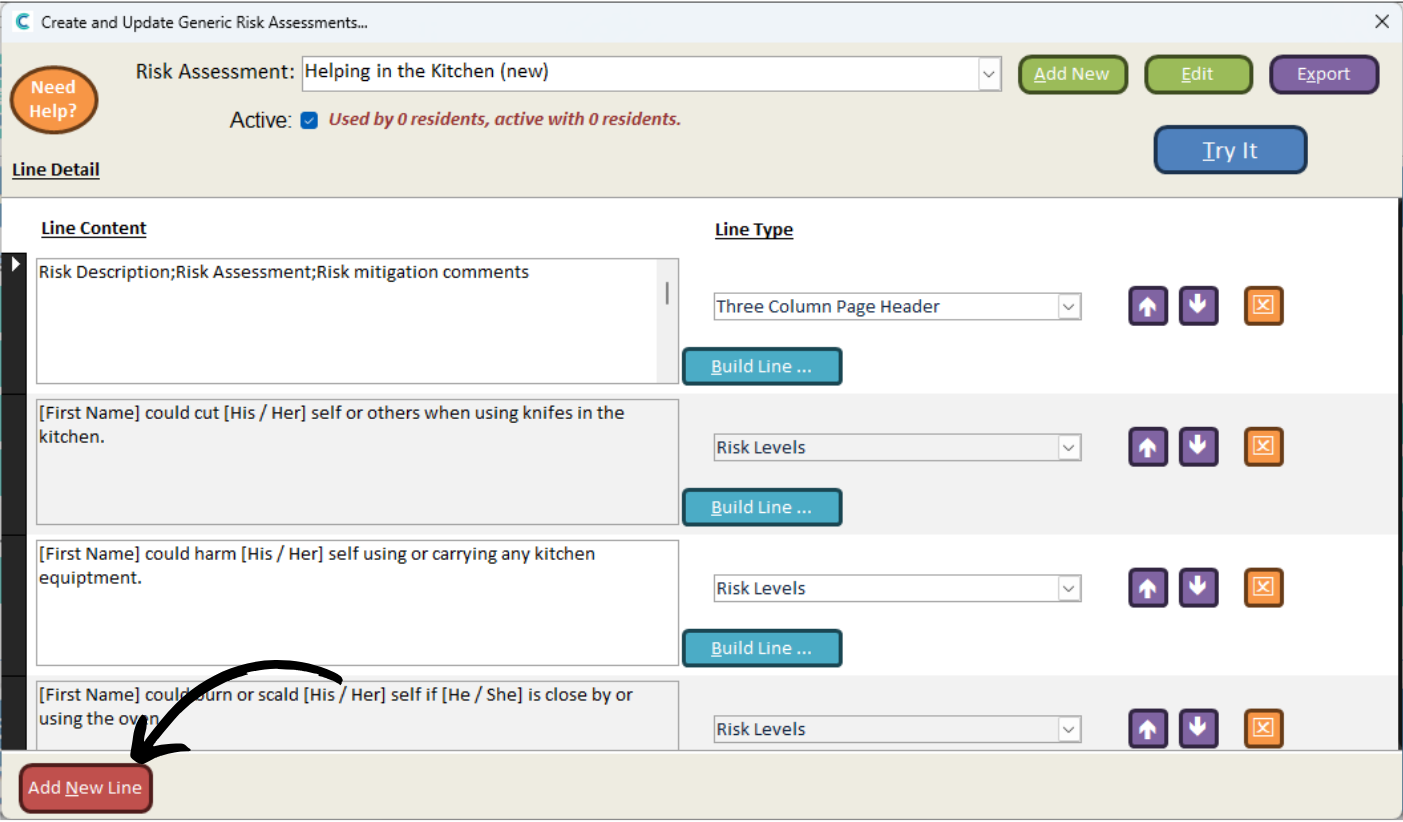
The risk assessment will be created based on the template.
You can now amend any of the existing parts or add new sections via the Add New Line button.