🚀 UPCOMING WEBINAR: See Payroll in Care Control Cloud in action on Thursday 18th June and discover how to manage payroll more efficiently from one connected system. Click here to find out more!

View Categories

Excluding an Incident

This guide will cover how to exclude an incident from a service users Care Plan. Incidents cannot be fully removed from the system as they are some of the most important records for a service user. However, we understand that mistakes happen and sometimes a record needs to be discarded, or in this case excluded. Excluding an incident removes it from the incident analysis and care plan of a service user, but, the record will remain in the master log and can be added back in at any time.
1

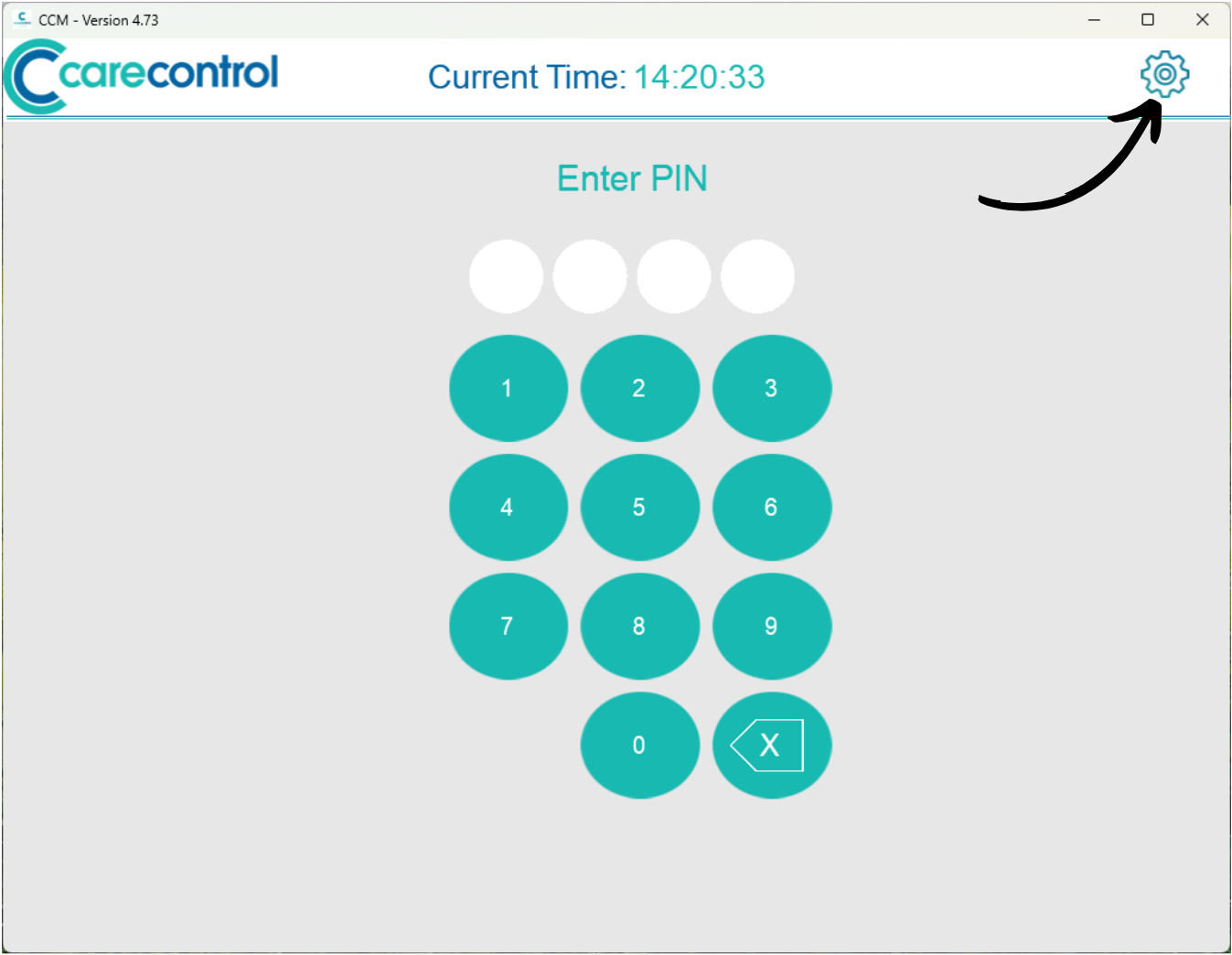
On the Care Control Mobile PIN screen, press the Cog Wheel Icon in the top right corner.

2

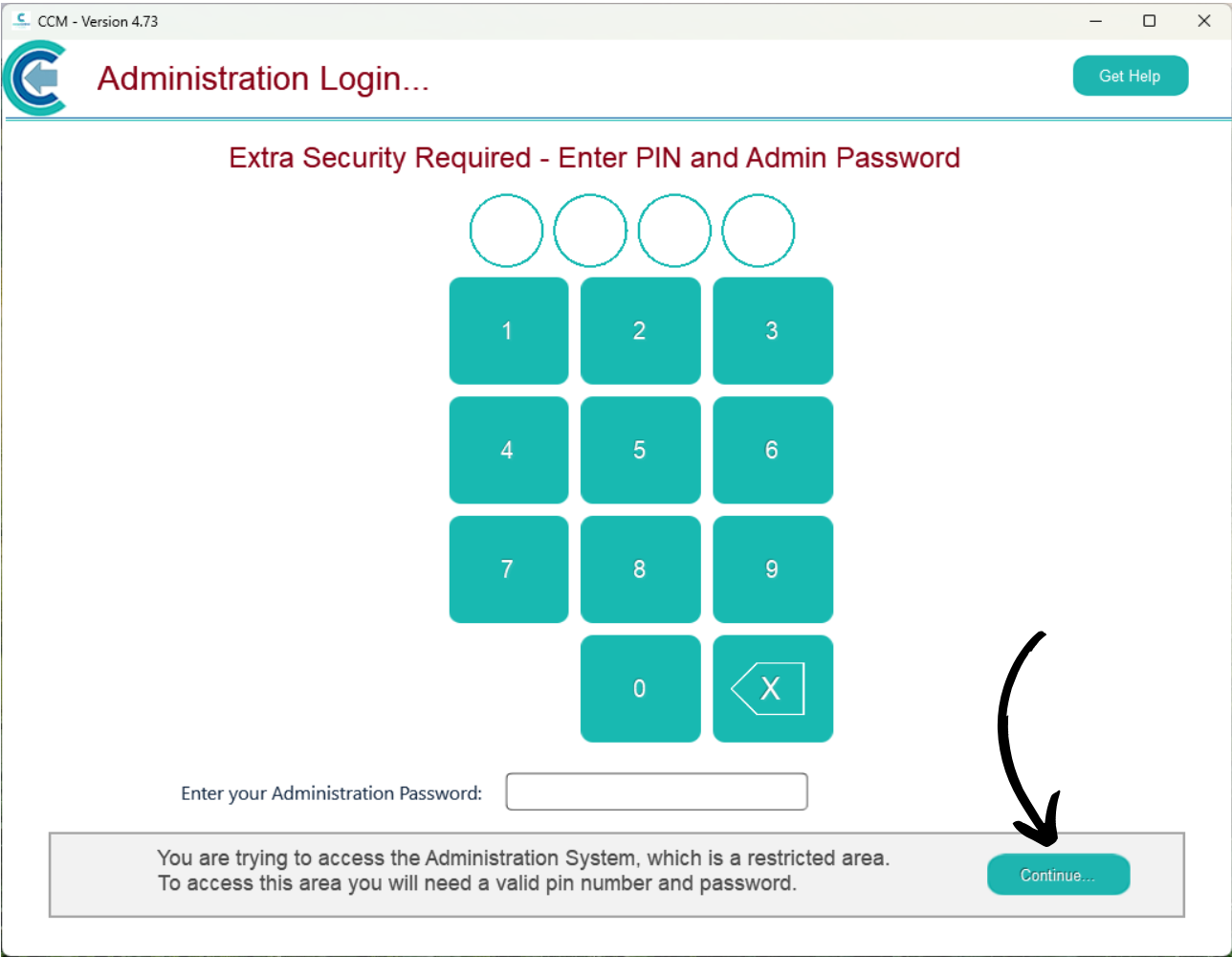
Enter your PIN number as well as the Admin Password for your system. Then, press Continue.

3

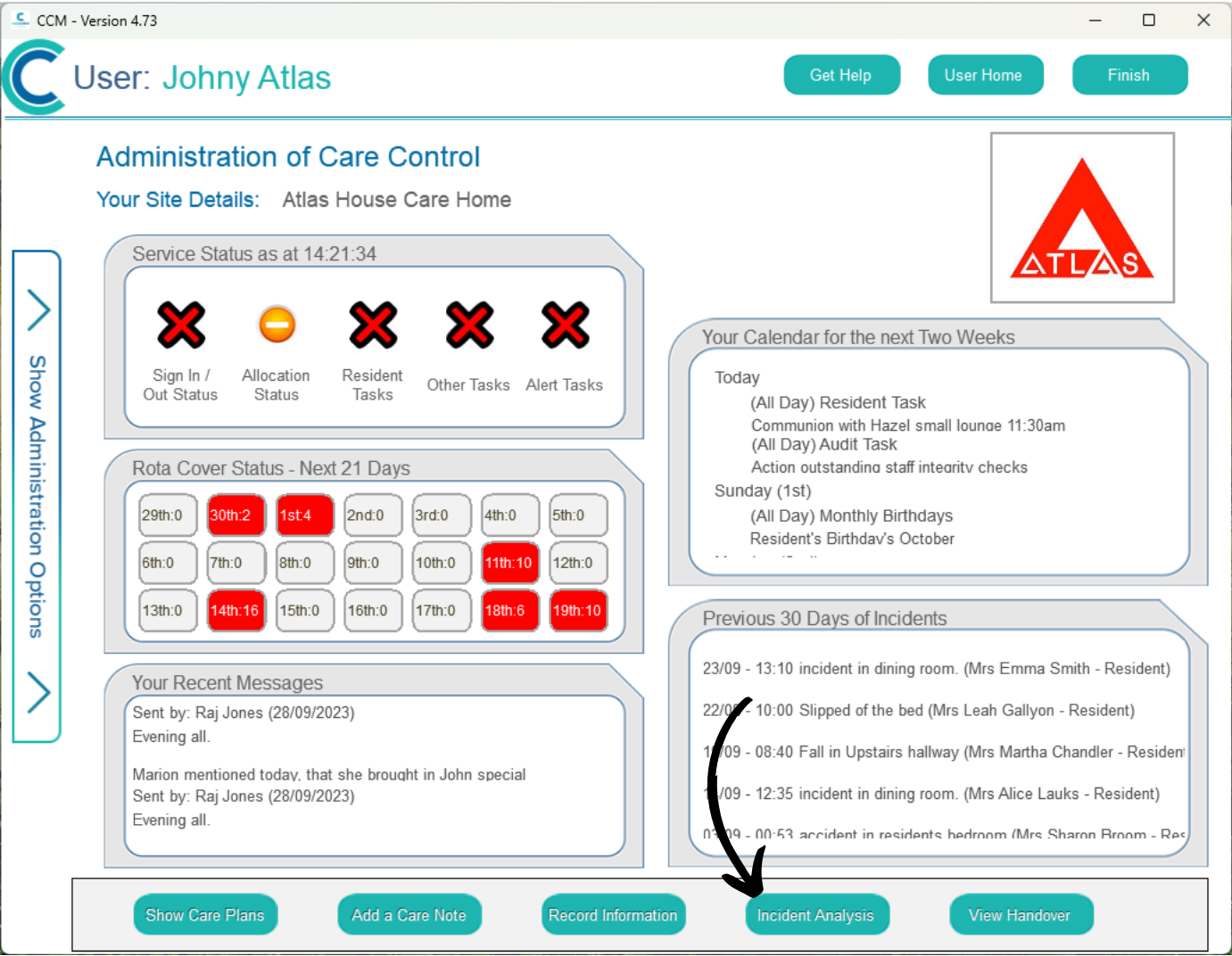
Your administration dashboard will open.

Select the Incident Analysis button at the bottom of the screen.

4

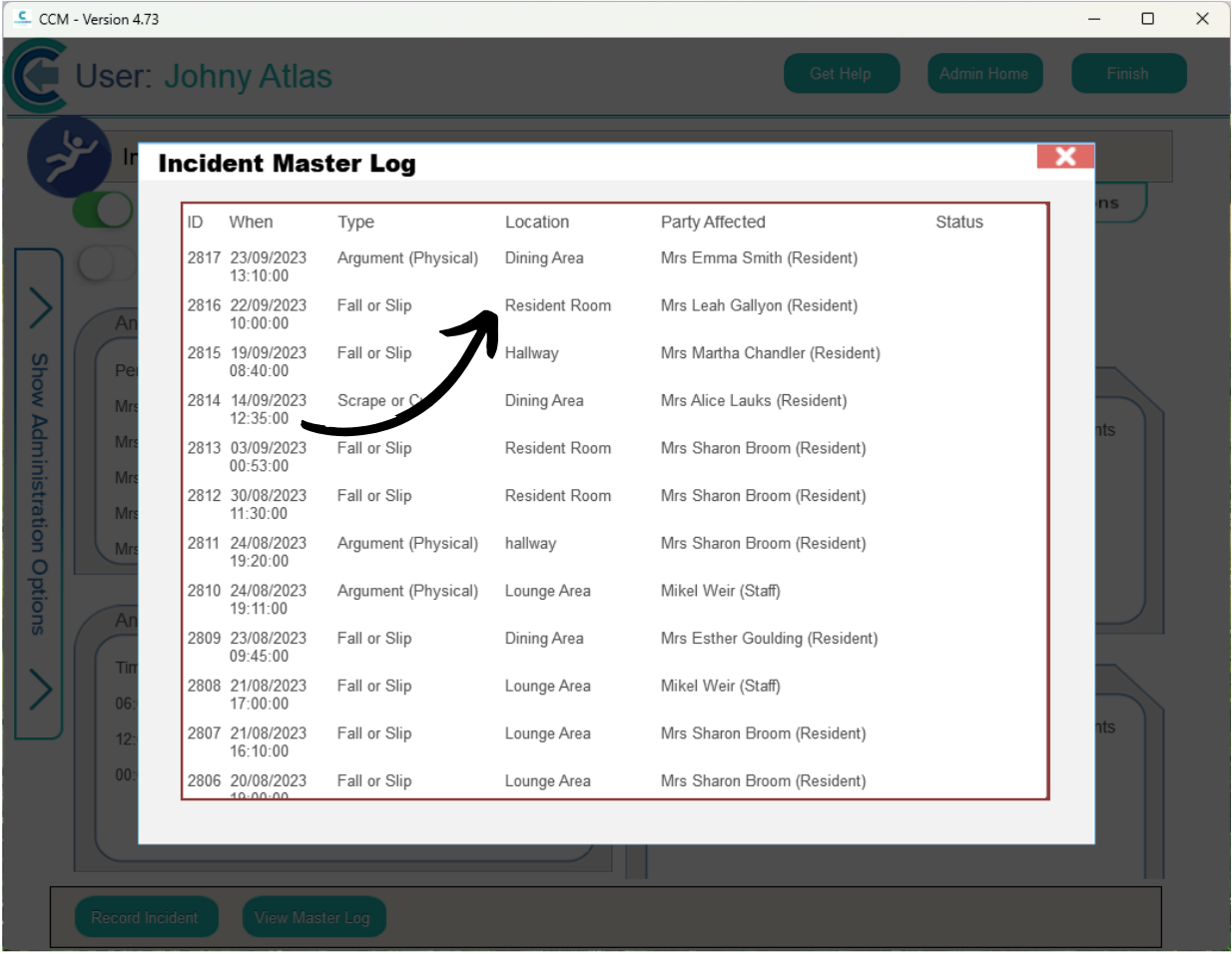
Then, press View Master Log.

5

A list of all incident records will be displayed. Find the one you wish to exclude and tap on it to view more details.

6

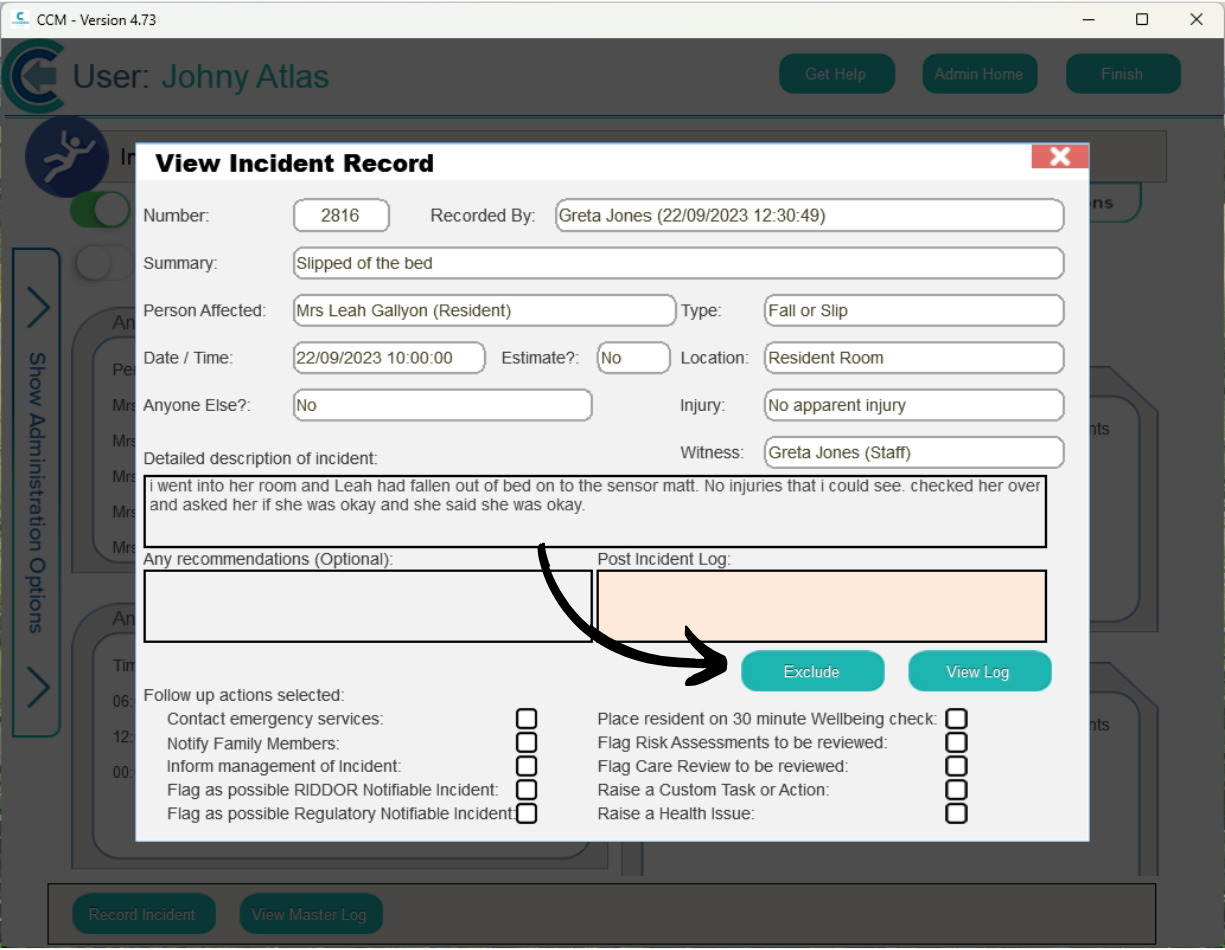
Press the Exclude button.

7

Confirm that you wish to exclude the record by pressing Yes.