This guide will cover how to turn on colour blind options for your Windows laptop / computer. This could make your viewing experience better on the Care Control Apps.
1
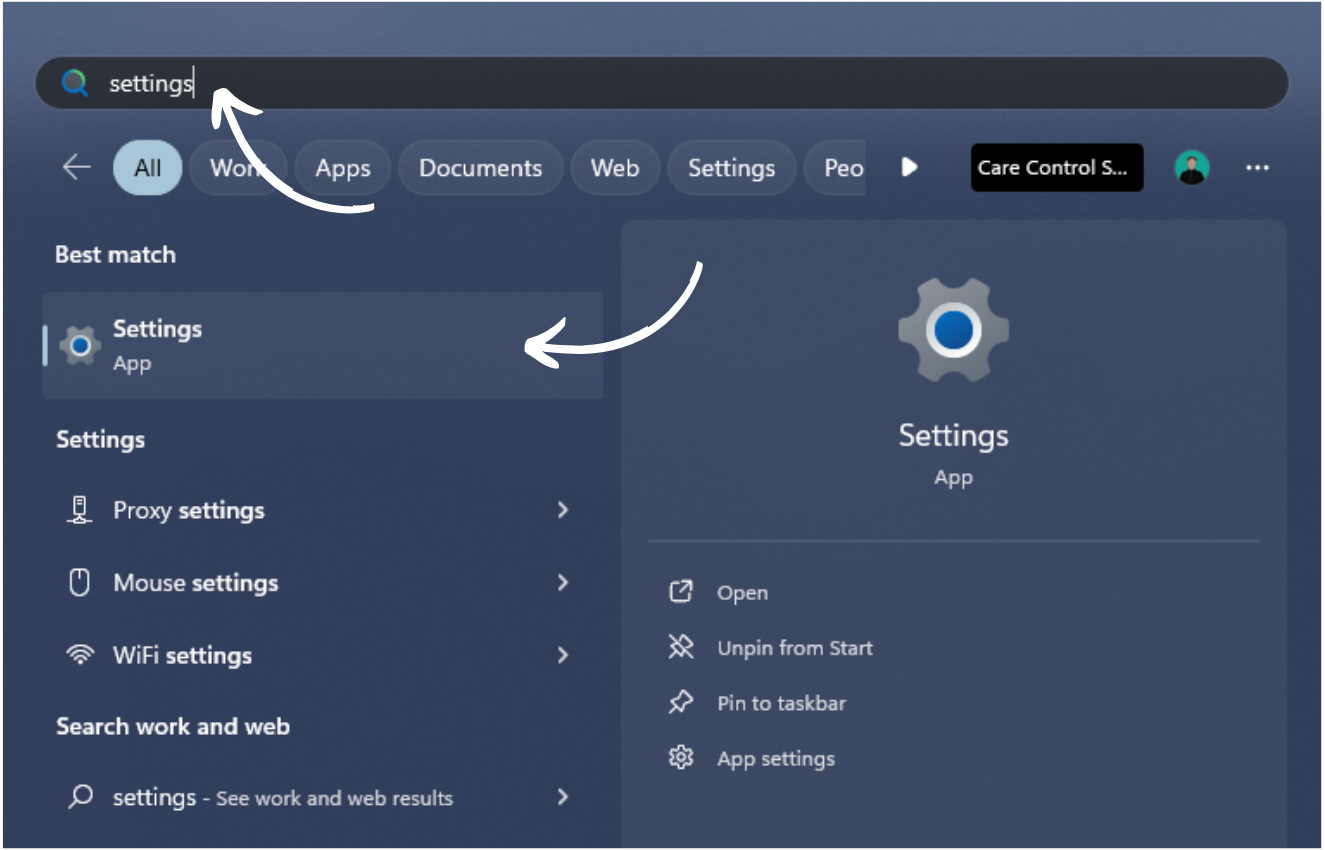
Find and open your devices Settings.
2
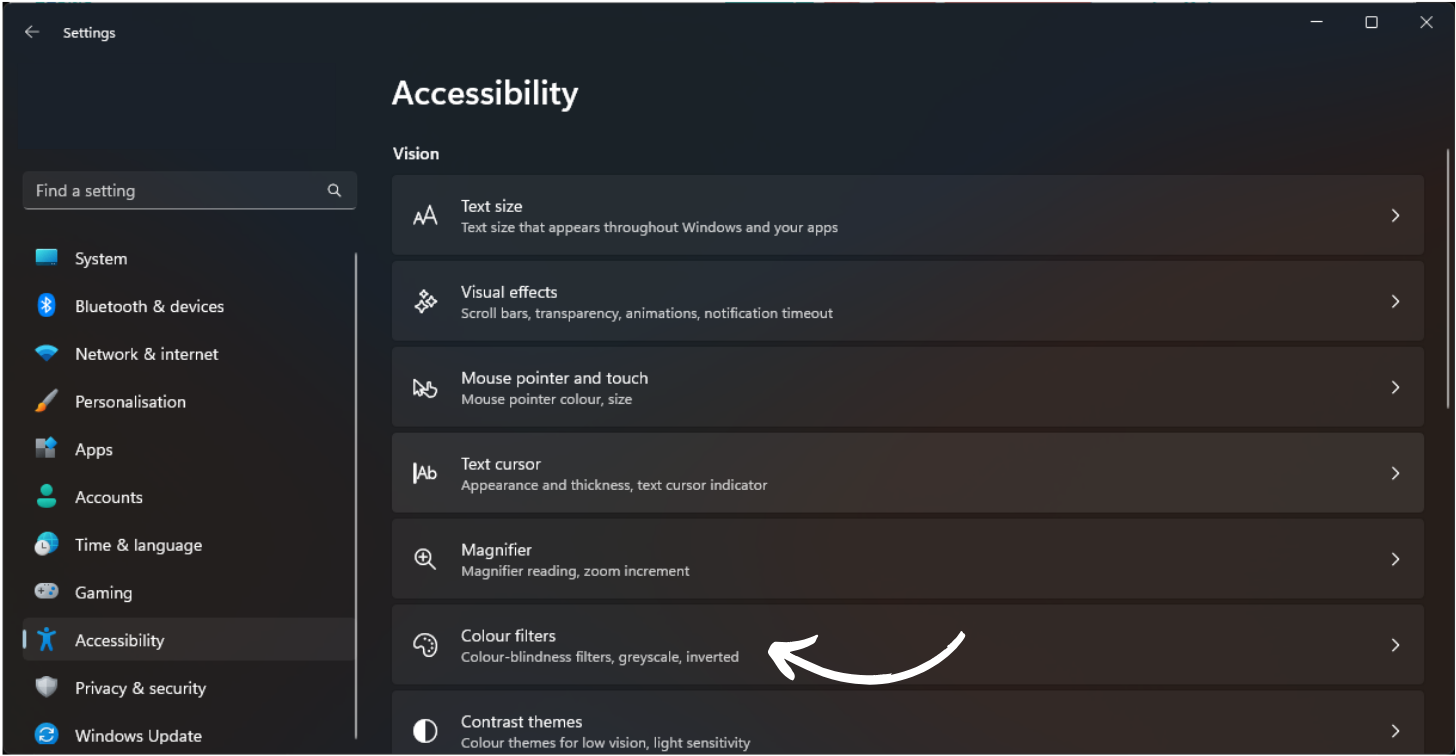
From the options on the left hand side, select Accessibility.
3
Here, choose Colour Filters.
4
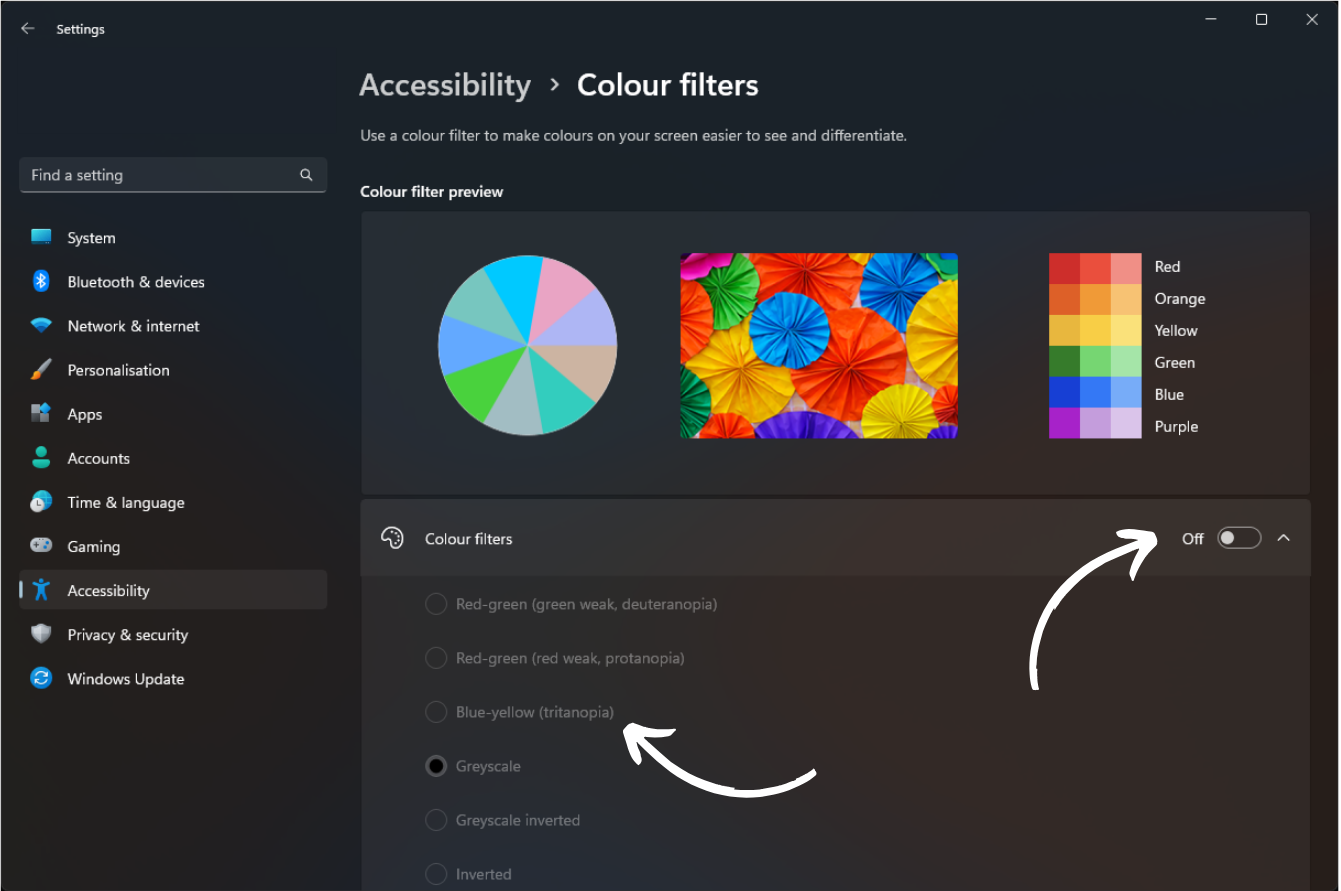
To access the different colour filter options, you will first need to toggle the switch to On, then, choose a filter from the list below.