This guide will cover how to add funds to a service users Personal Allowance on Care Control Windows. These funds can be used in the service user shop.
1
In the Administration of Care Control Windows, navigate to the Personal Allowance tool, which can be found under the Client Area tab.
2
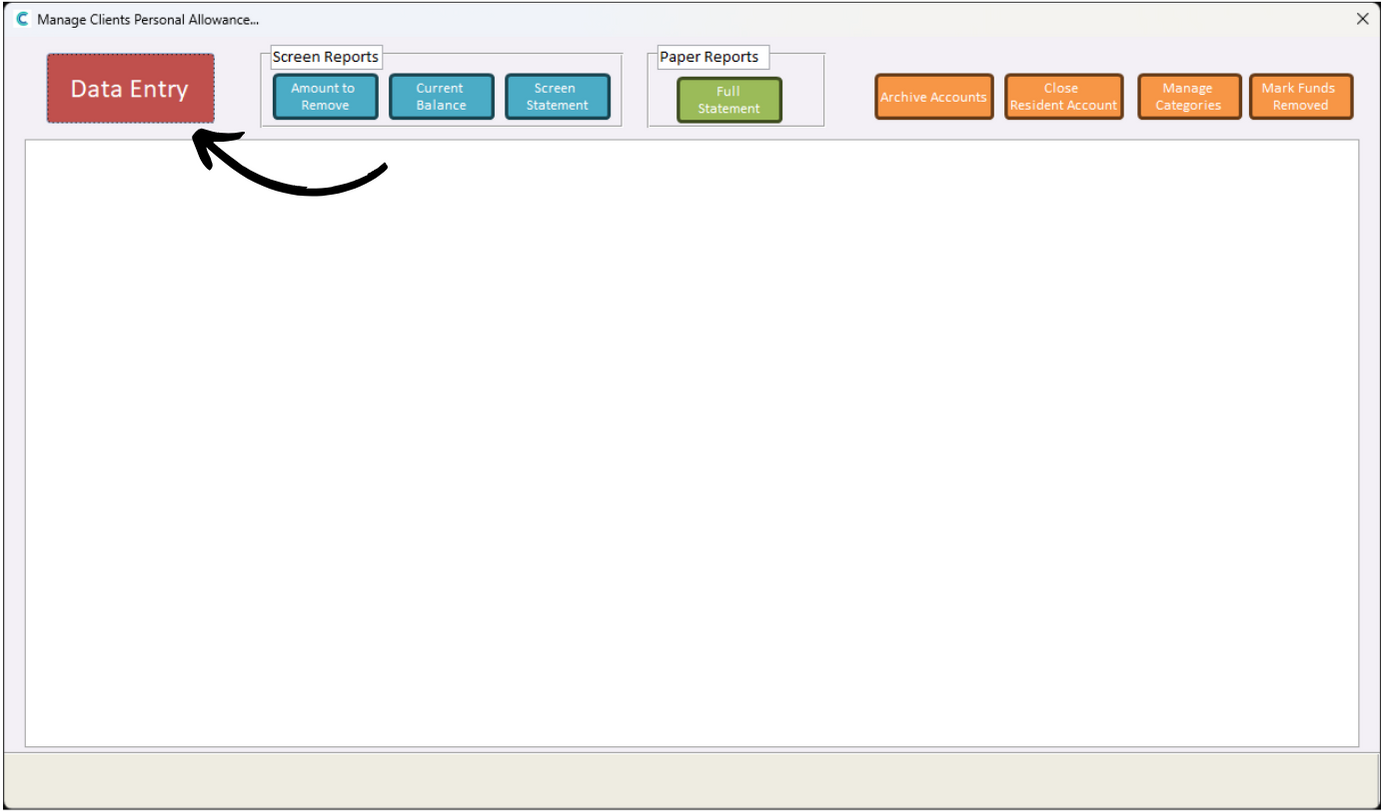
A new window will open, here, press Data Entry.
3
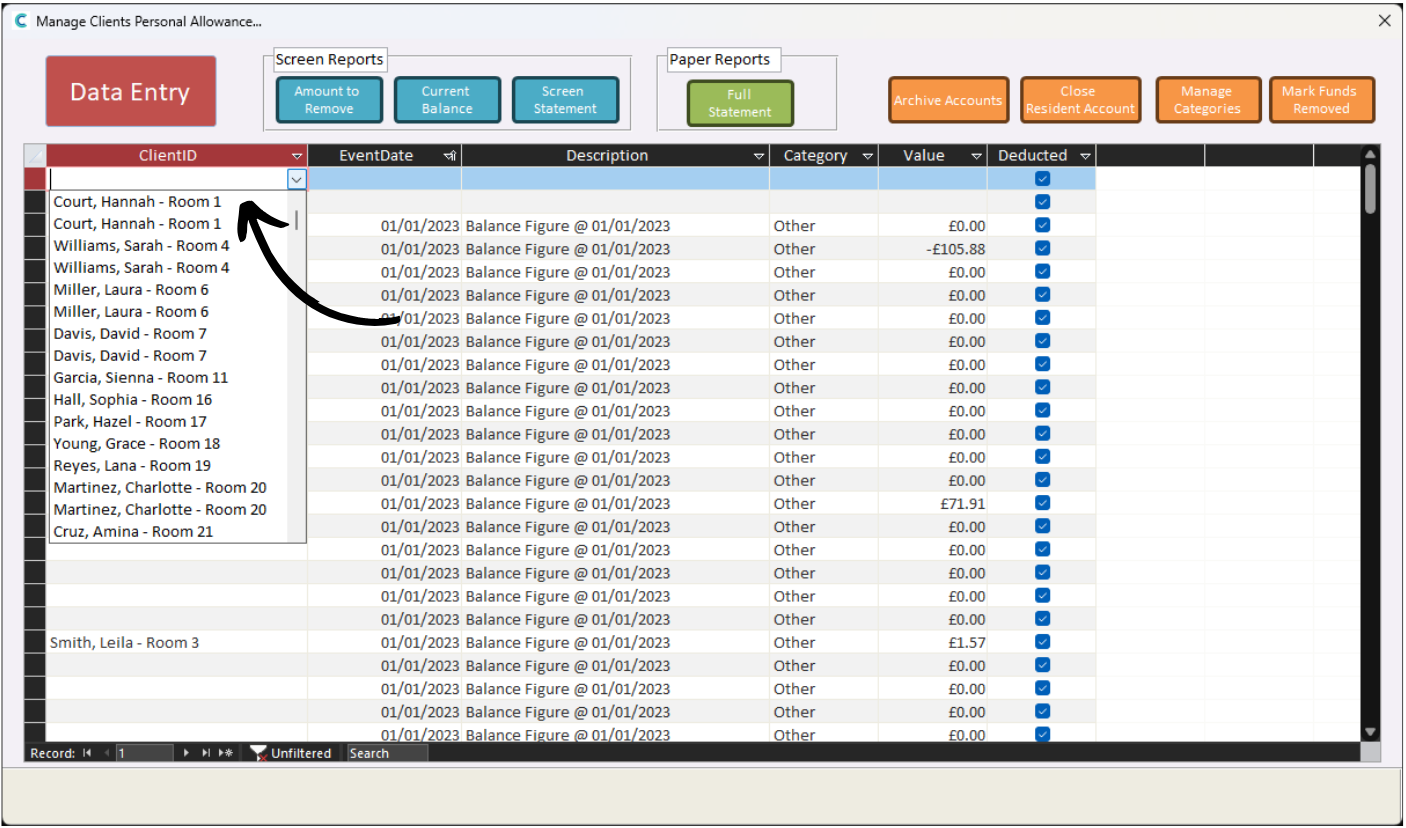
A spreadsheet containing previous data entries will be displayed.
4
In the top row, which should be blank, select a service user from the ClientID column.
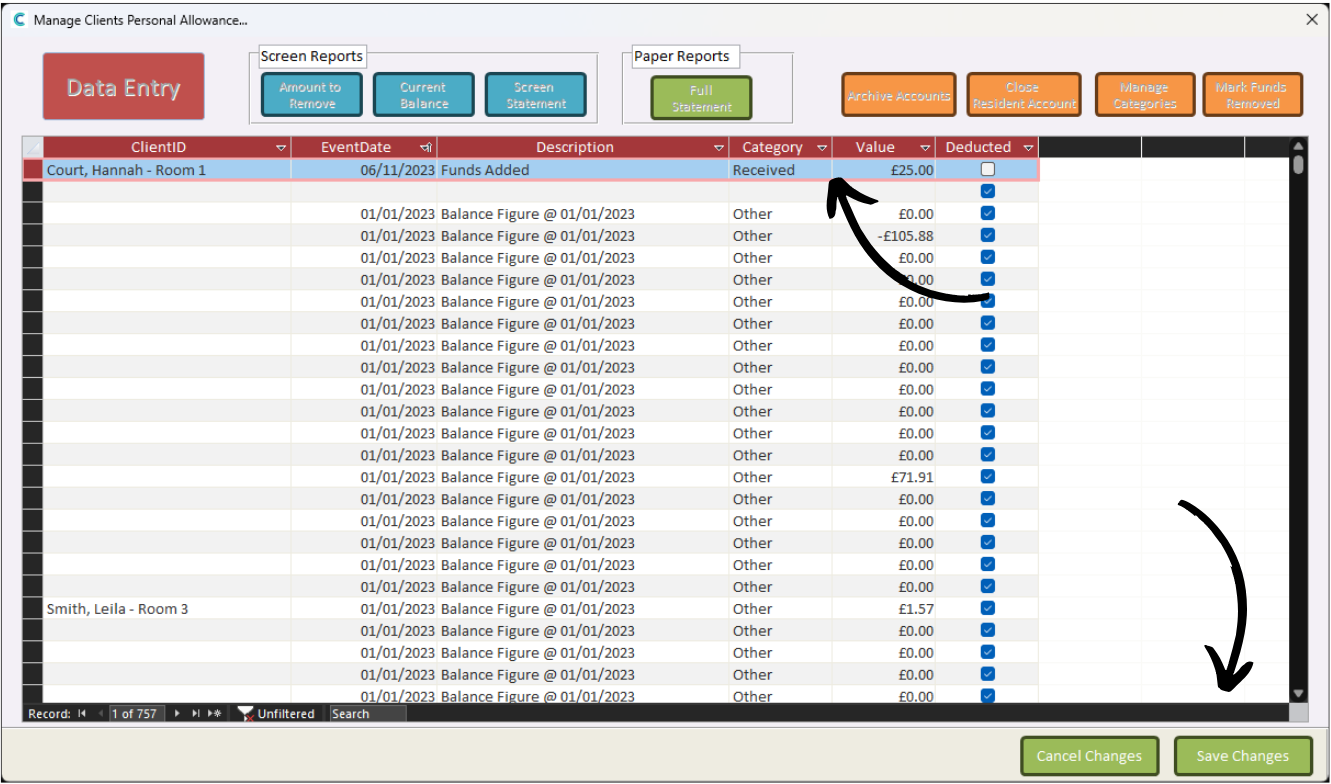
Next, choose a Date and enter a Description for the entry.
5
Finally, select Received from the Category column and enter the amount you wish to add for the service user in the Value column.
Press Save Changes after completing the data entry.