Bring your payroll up to date, join our Cloud Payroll webinar
This guide will cover how to record a service user death on the Care Control Cloud platform.
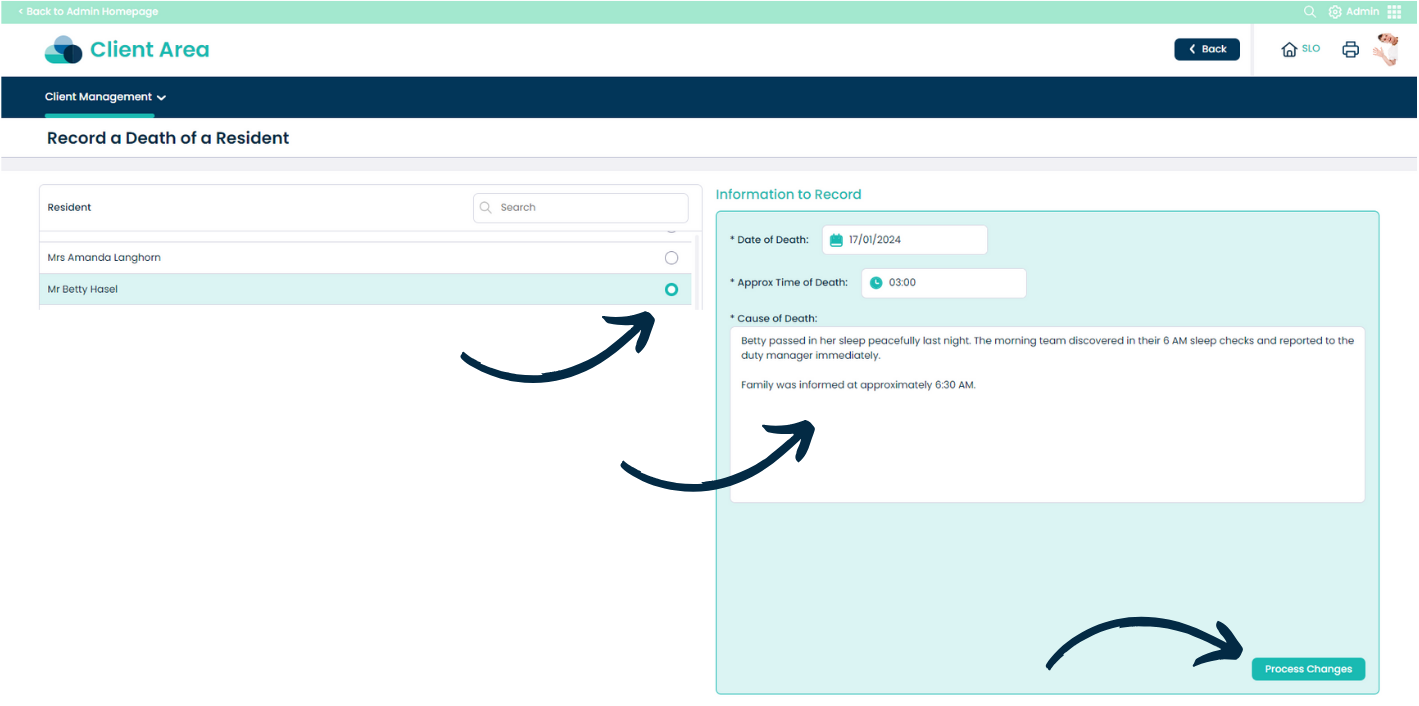
From the Admin app in Care Control Cloud, navigate to the ‘Client Area‘.
Here, select ‘Record a Death‘ from the ‘Client Management‘ drop-down list.
Begin by selecting the service user from the list on the left hand side,
Then, complete the form on the right hand side. This includes the ‘Date‘, ‘Approximate Time‘ and ‘Cause of Death‘.
After completing the form, press ‘Process Changes‘.