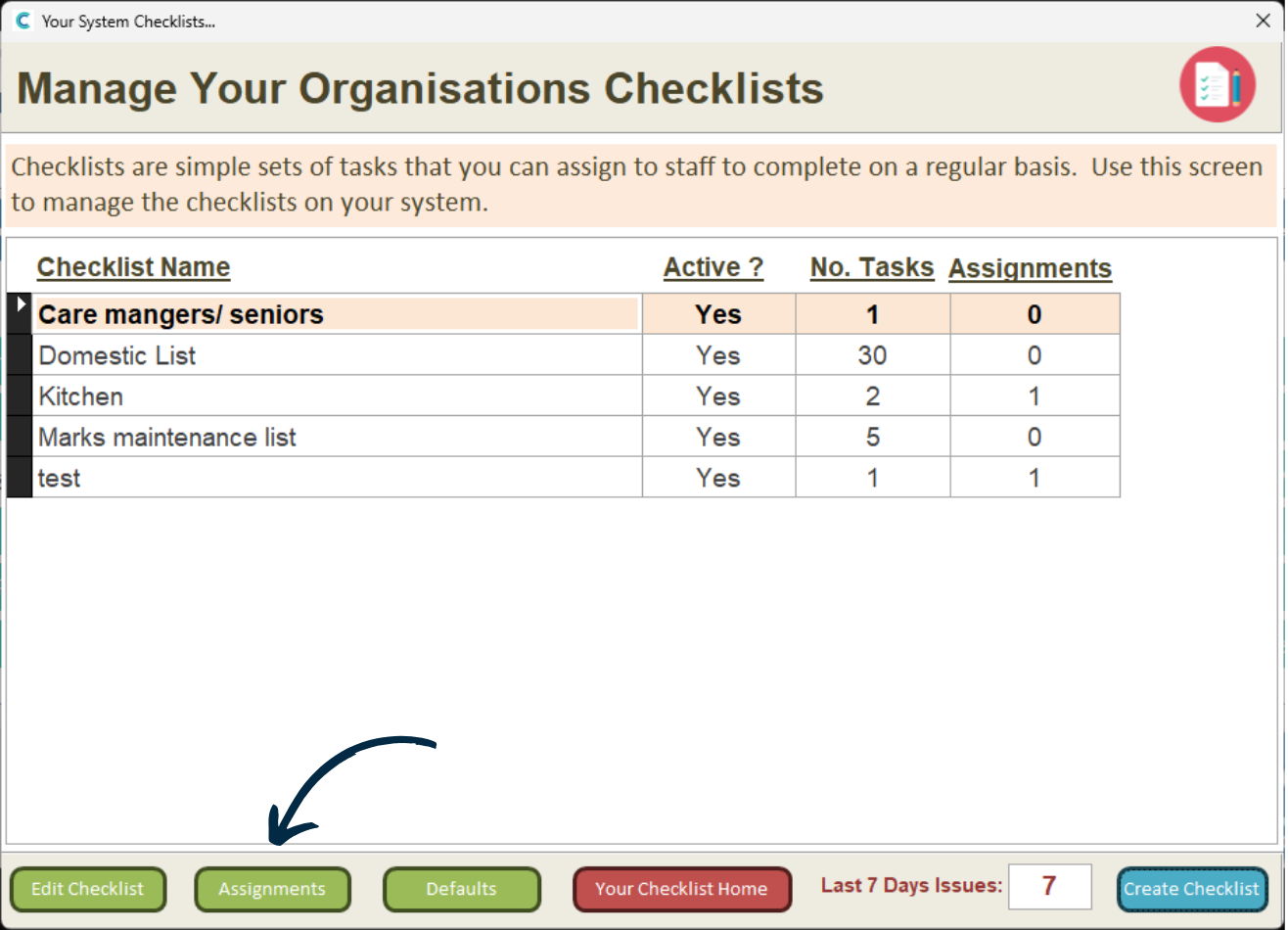
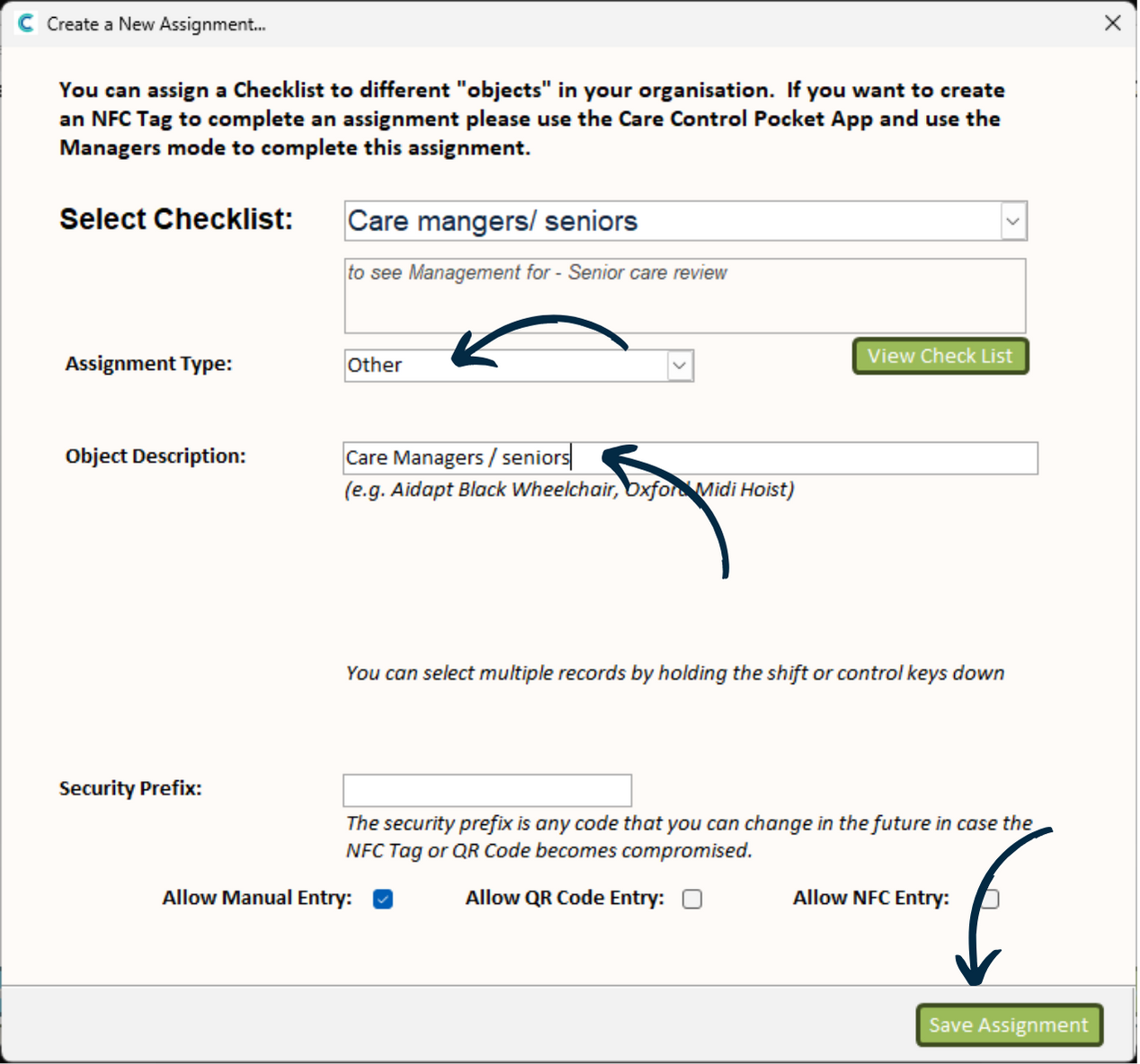
Complete the form as described in this guide.
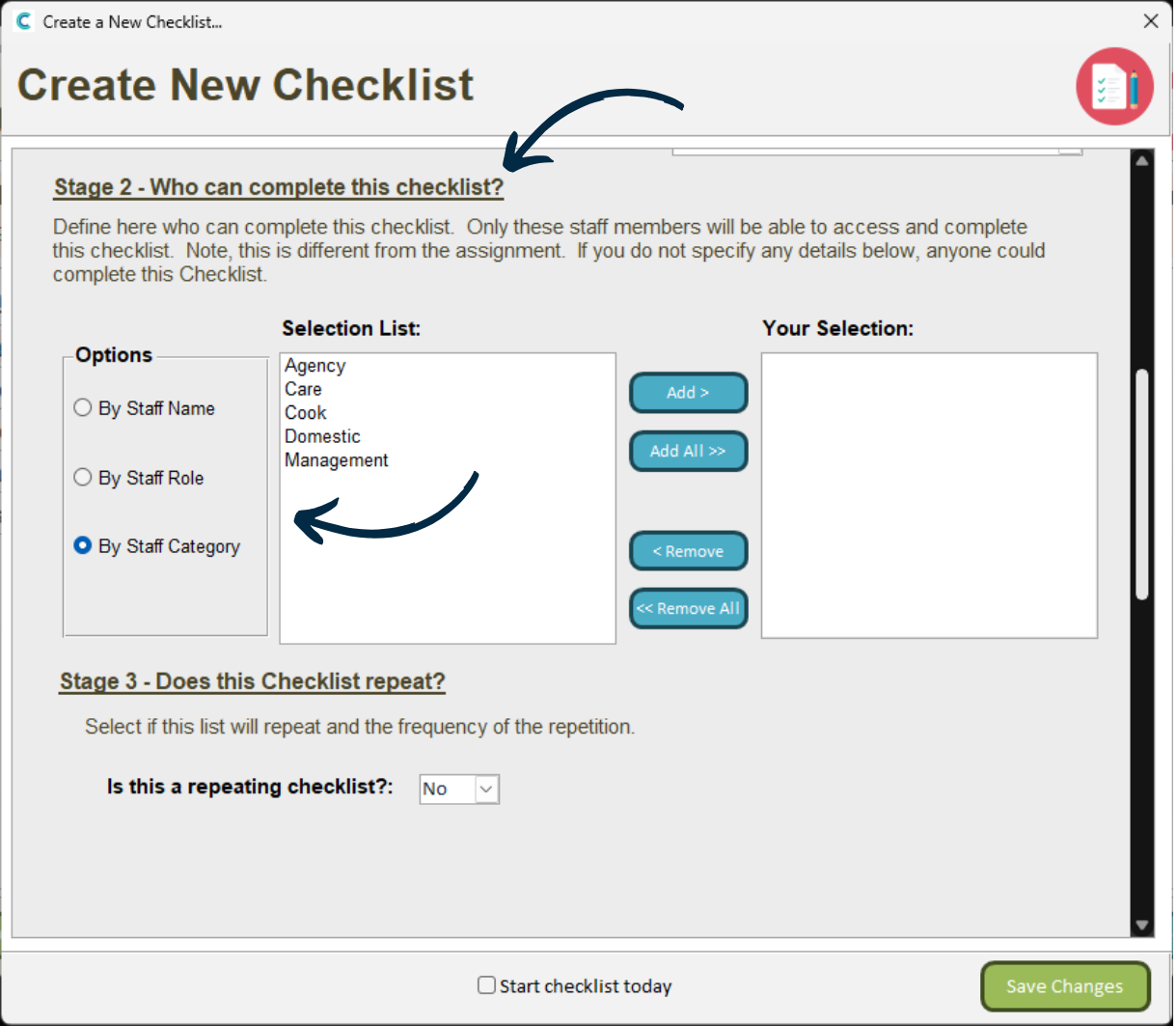
In Stage 2, choose the category or role of the staff you want to be able to collaborate on this checklist.
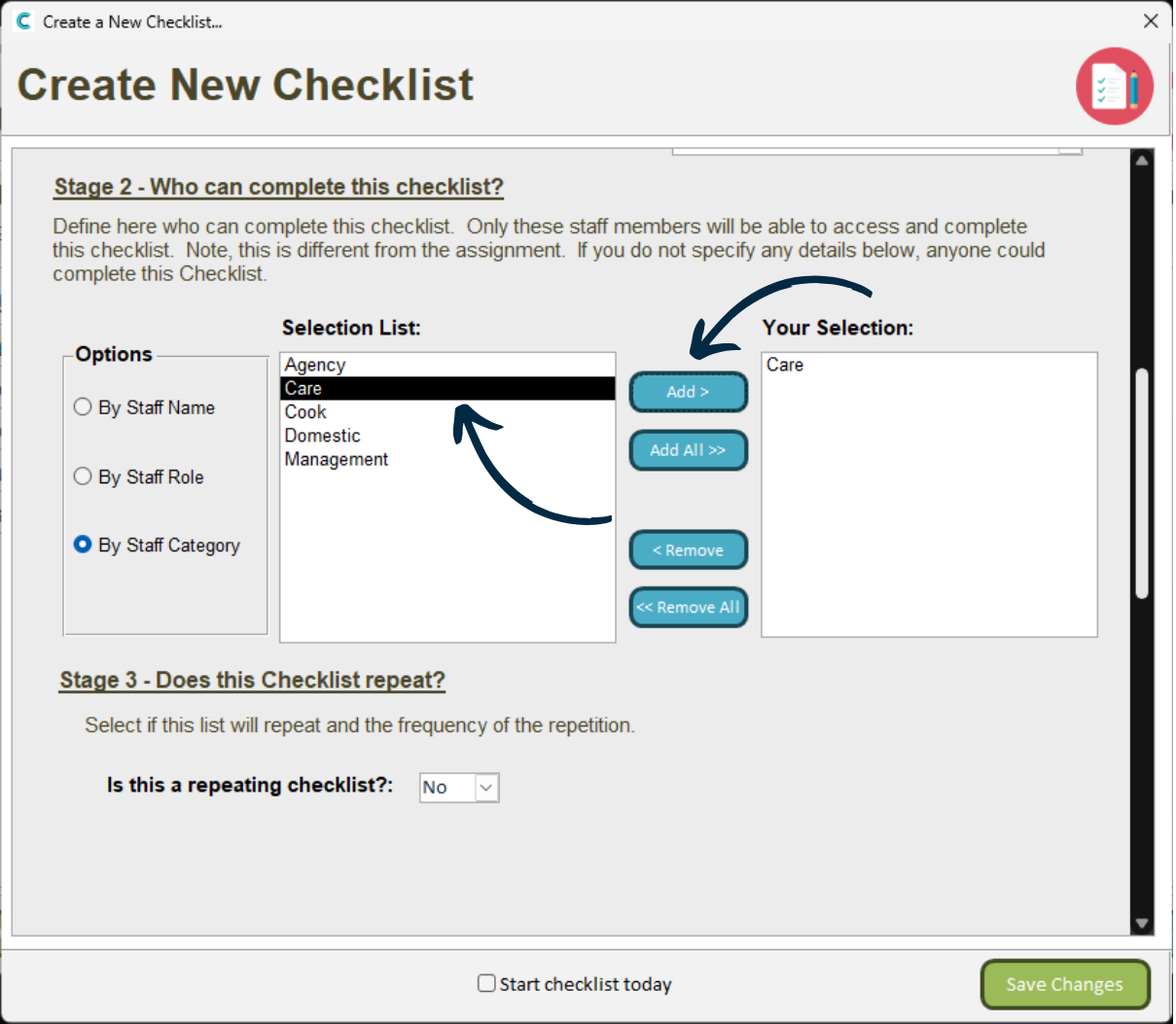
For example, if you want all Care staff to be able to work on this checklist, select them and press Add.