Find out more about Cloud, click here to sign up
This guide will cover how to assign your organisations staff roles to the pre-set dependency roles on Care Control Windows.
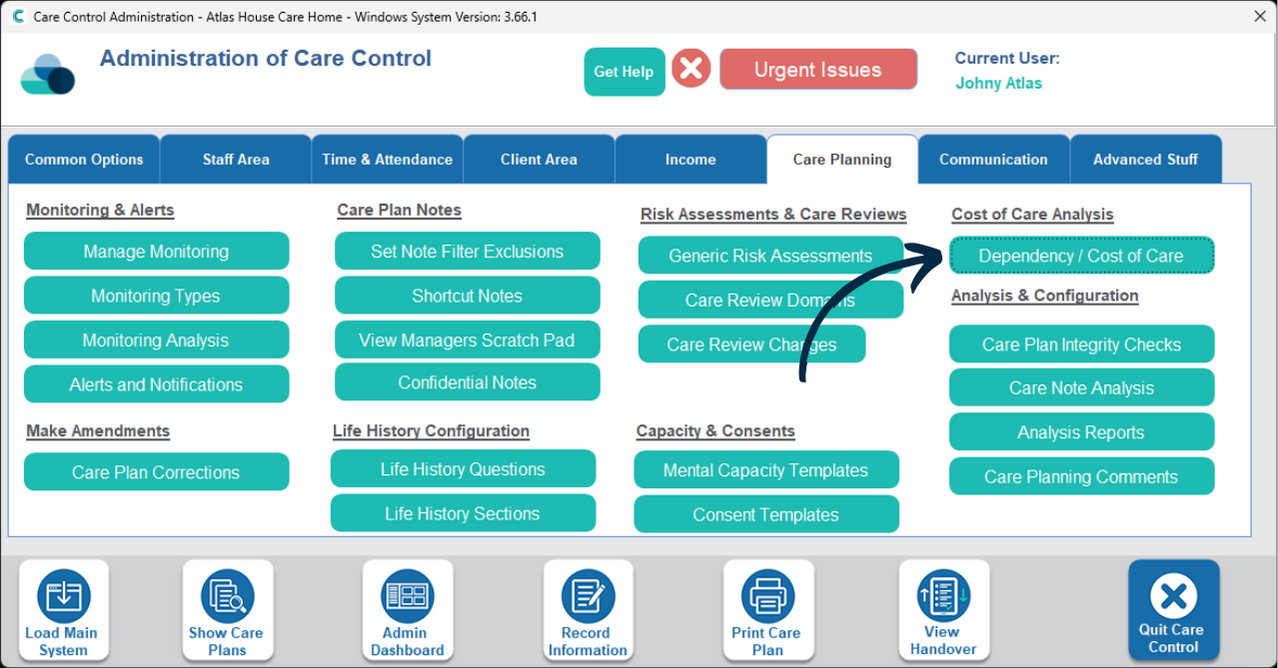
In the Administration of Care Control Windows, navigate to the Dependency / Cost of Care tool, which can be found under the Care Planning tab.
A new window will open. Here, select Staff Role Assignment from the options in the bottom right.
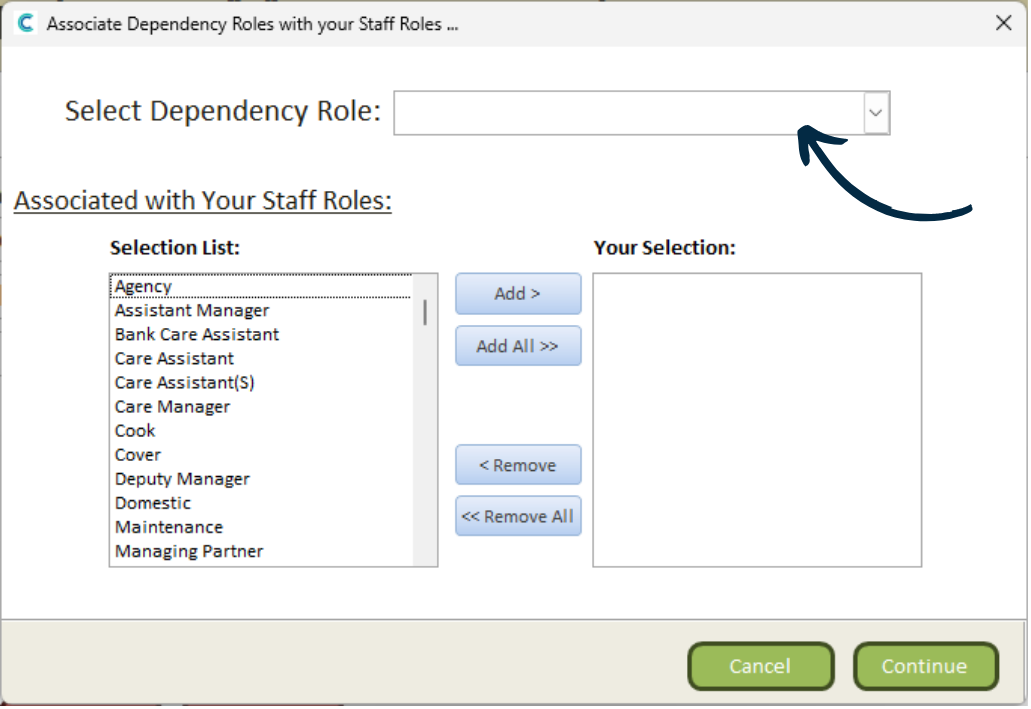
First, select one of the pre-set dependency roles from the drop-down list at the top.
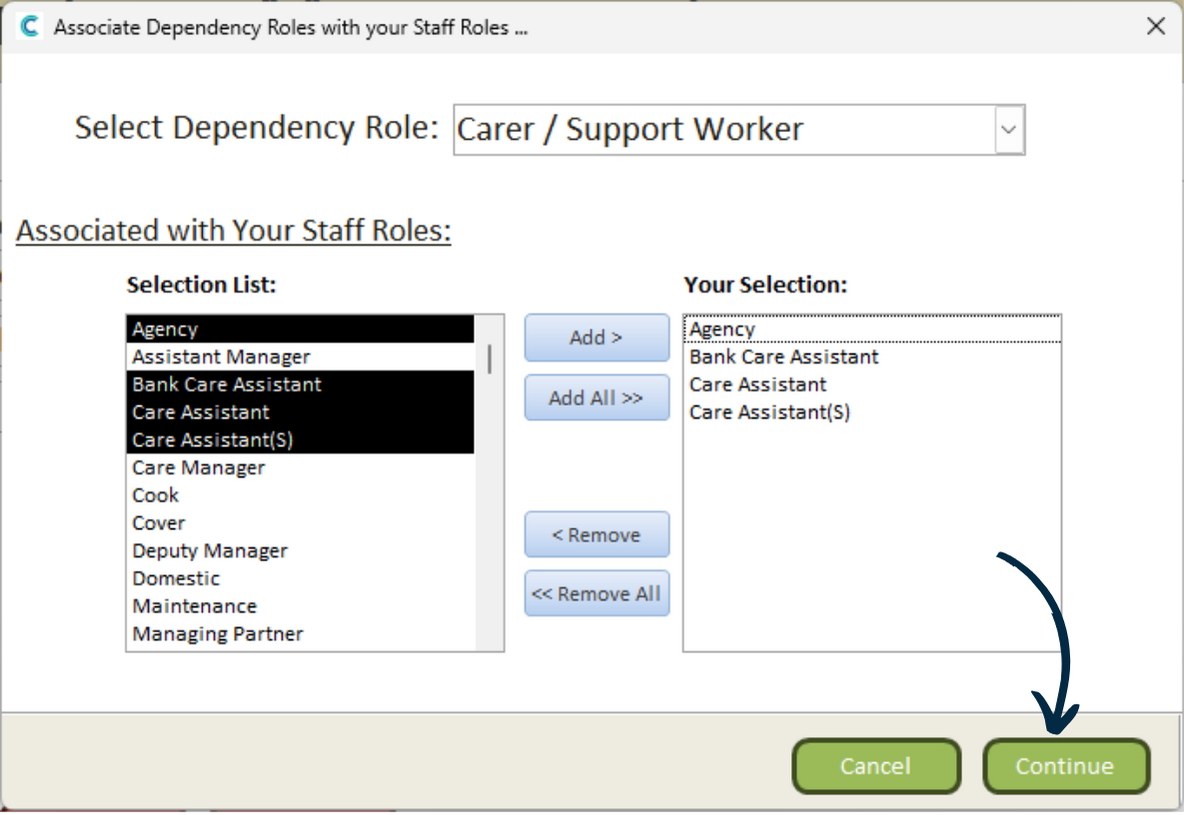
In this example, we have chosen Carer / Support Worker.
Next, select the relevant roles from your organisation from the list on the left hand side. Press Add to move them to the right list.
To save your selection, press Continue.
You can now assign the relevant roles for the other pre-set dependency roles.