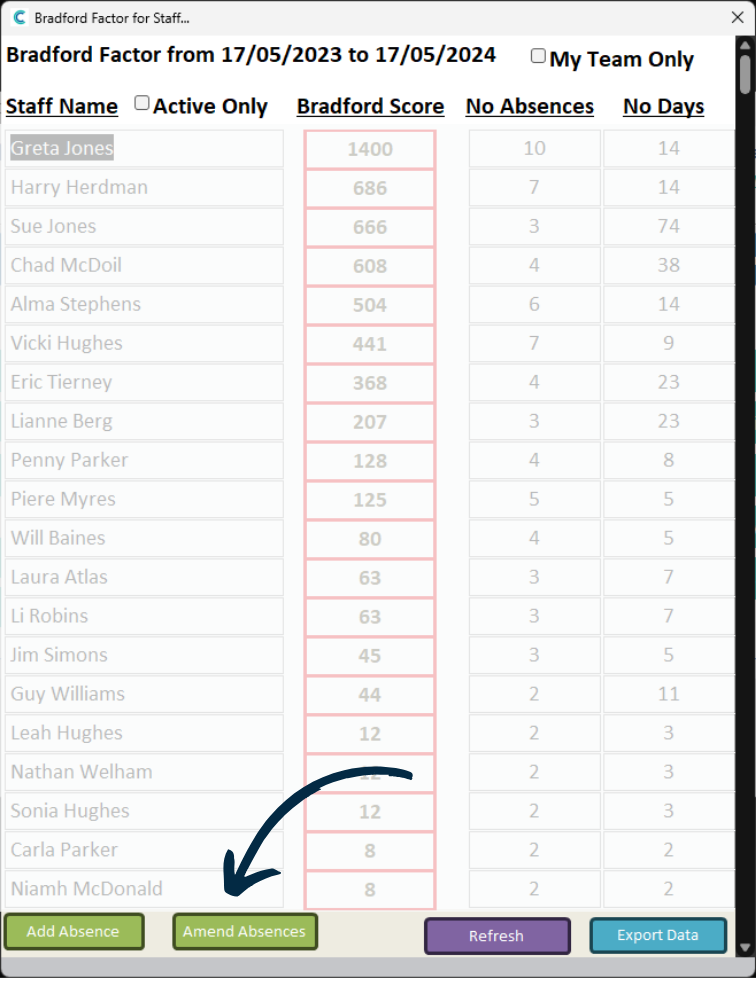
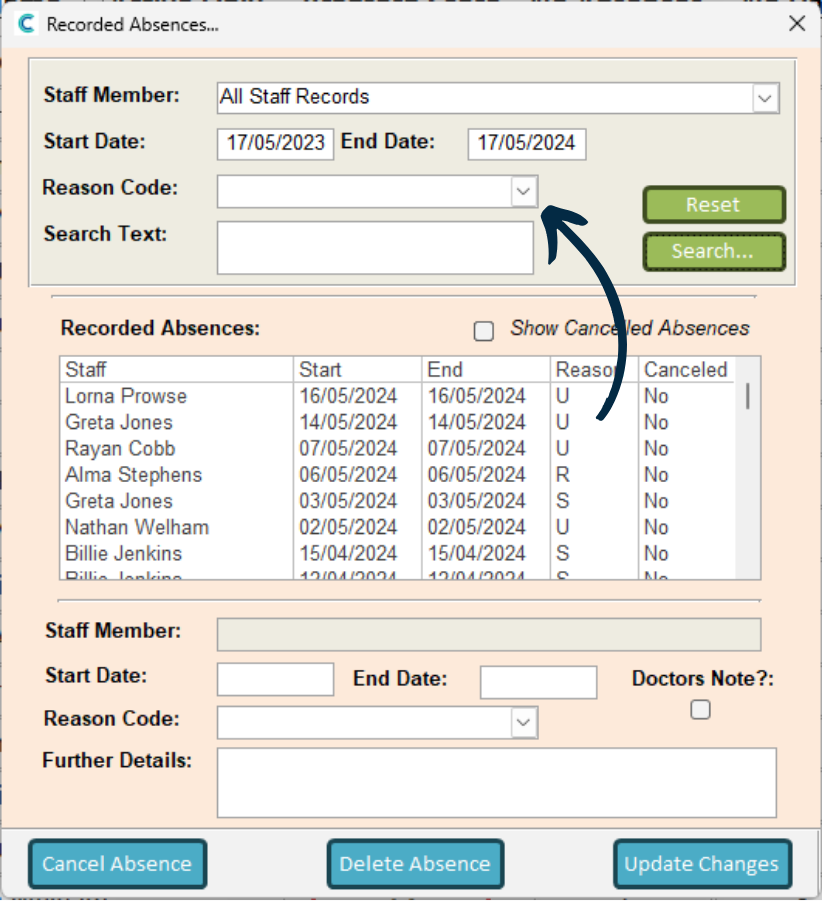
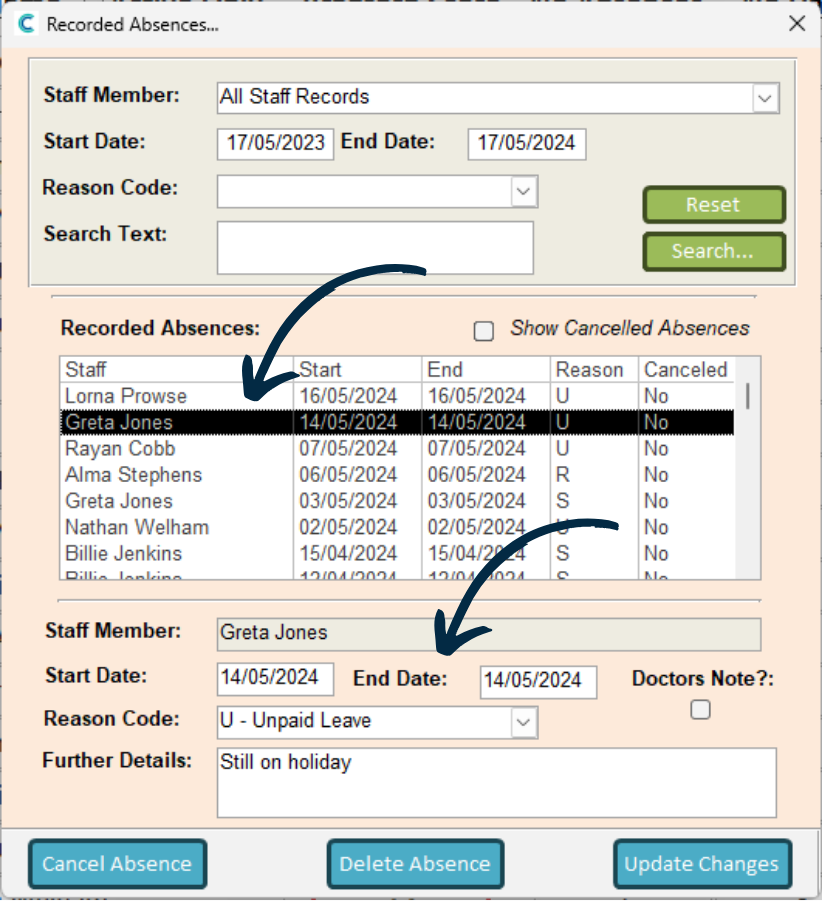
The list below will update. Now, find the absence you wish to amend and select it.
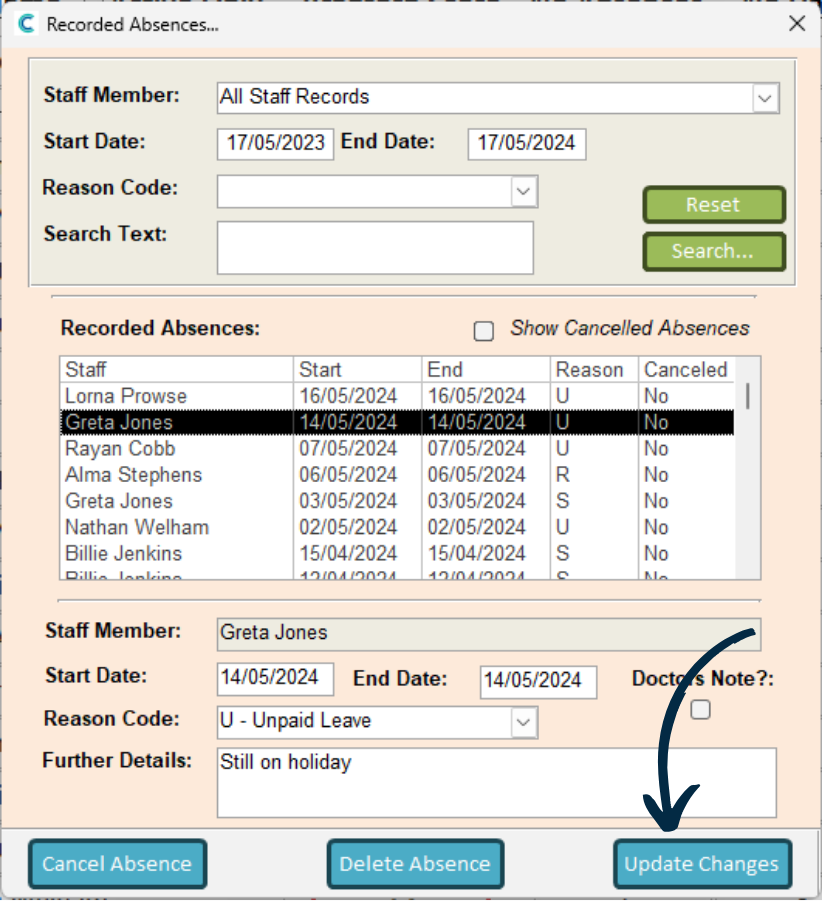
The details of the chosen absence will load below. You can now begin making amendments, such as changing the date, reason or further details.
You can also Cancel or Delete the absence via the options at the bottom.