Bring your payroll up to date, join our Cloud Payroll webinar
This guide will cover how to assign a checklist to a service user via the Checklists tool on Care Control Windows.
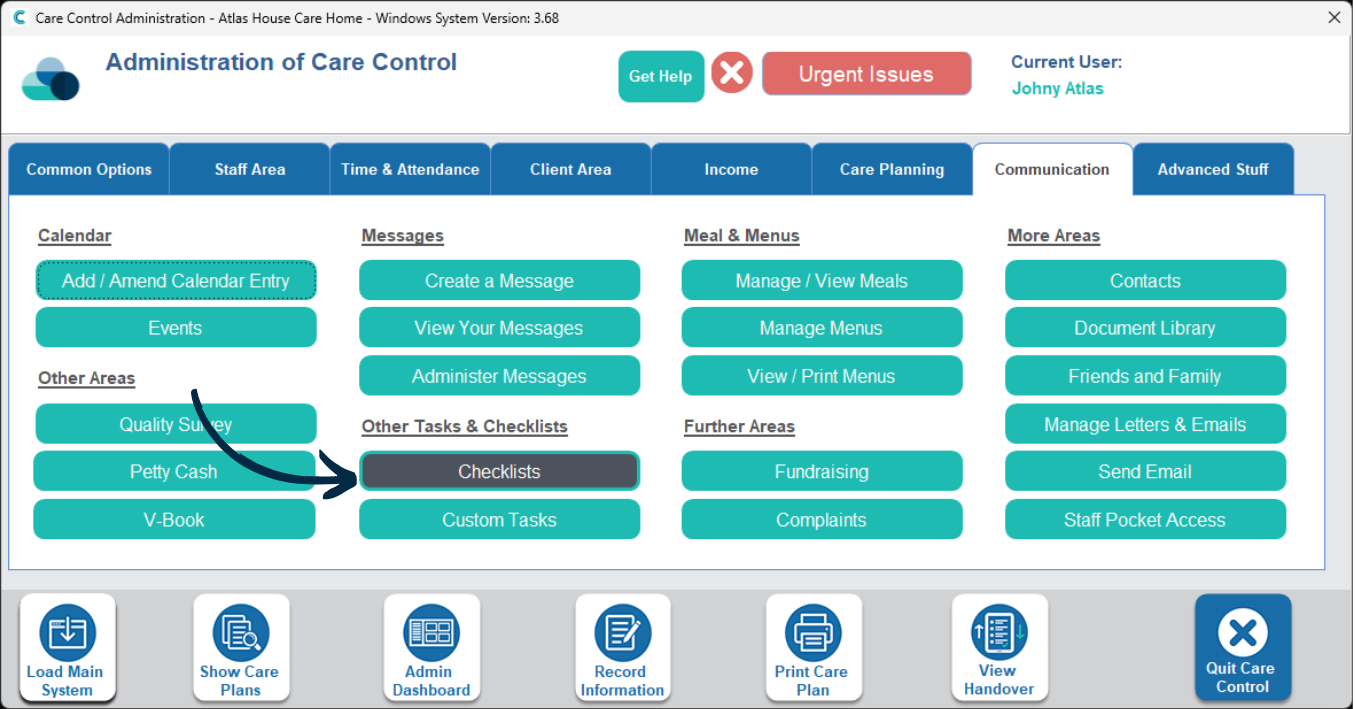
In the Administration of Care Control Windows, navigate to the Checklists tool, which can be found under the Communication tab.
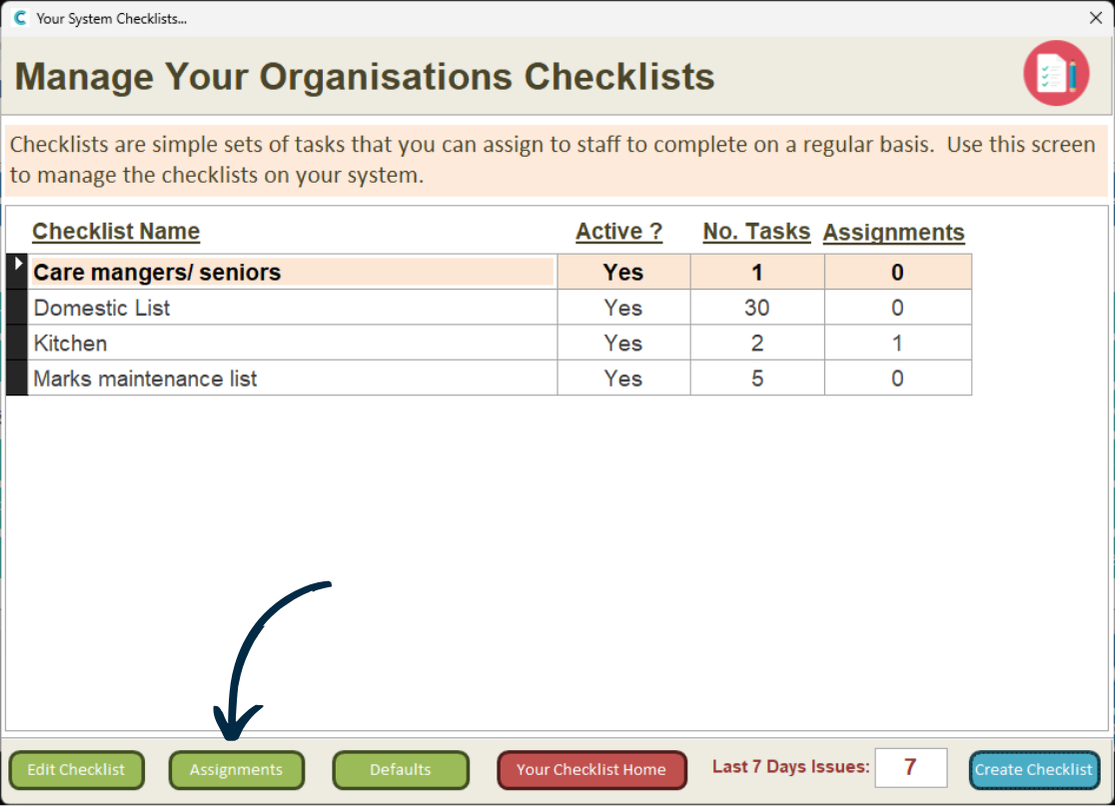
Here, a list of your checklists will be displayed.
Press the Assignments button at the bottom of the window.
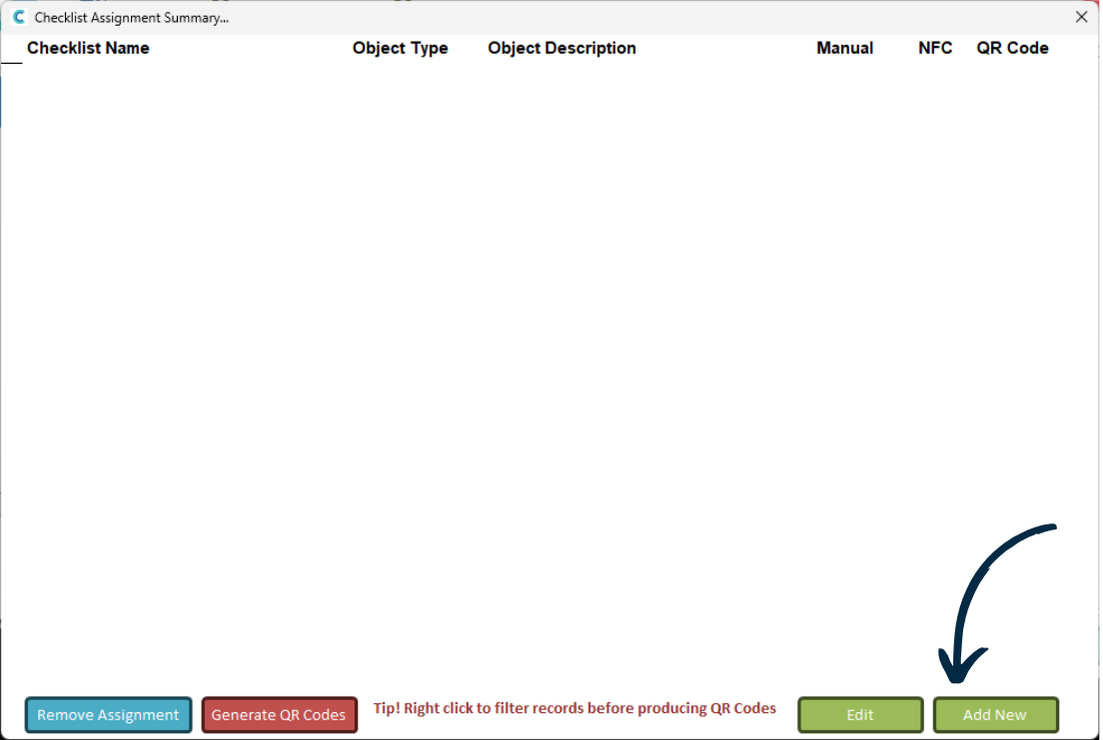
Next, press Add New.
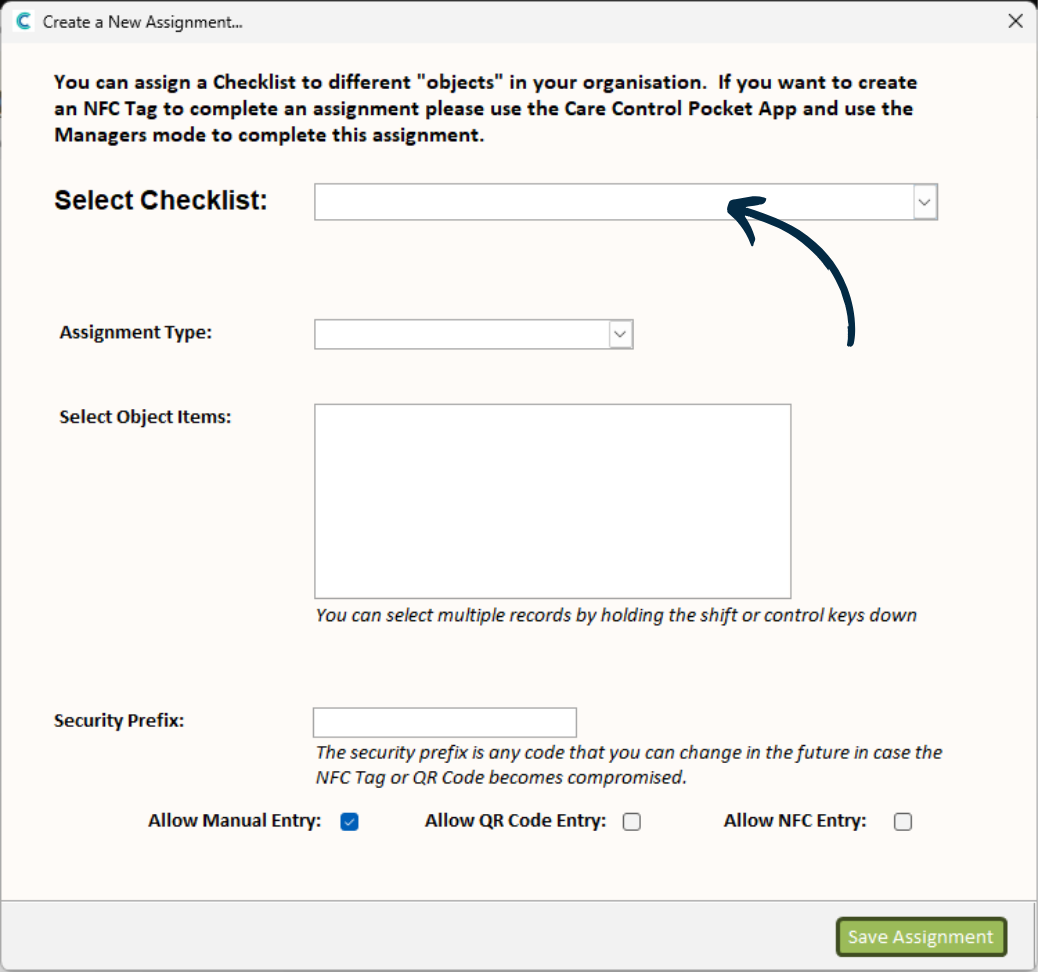
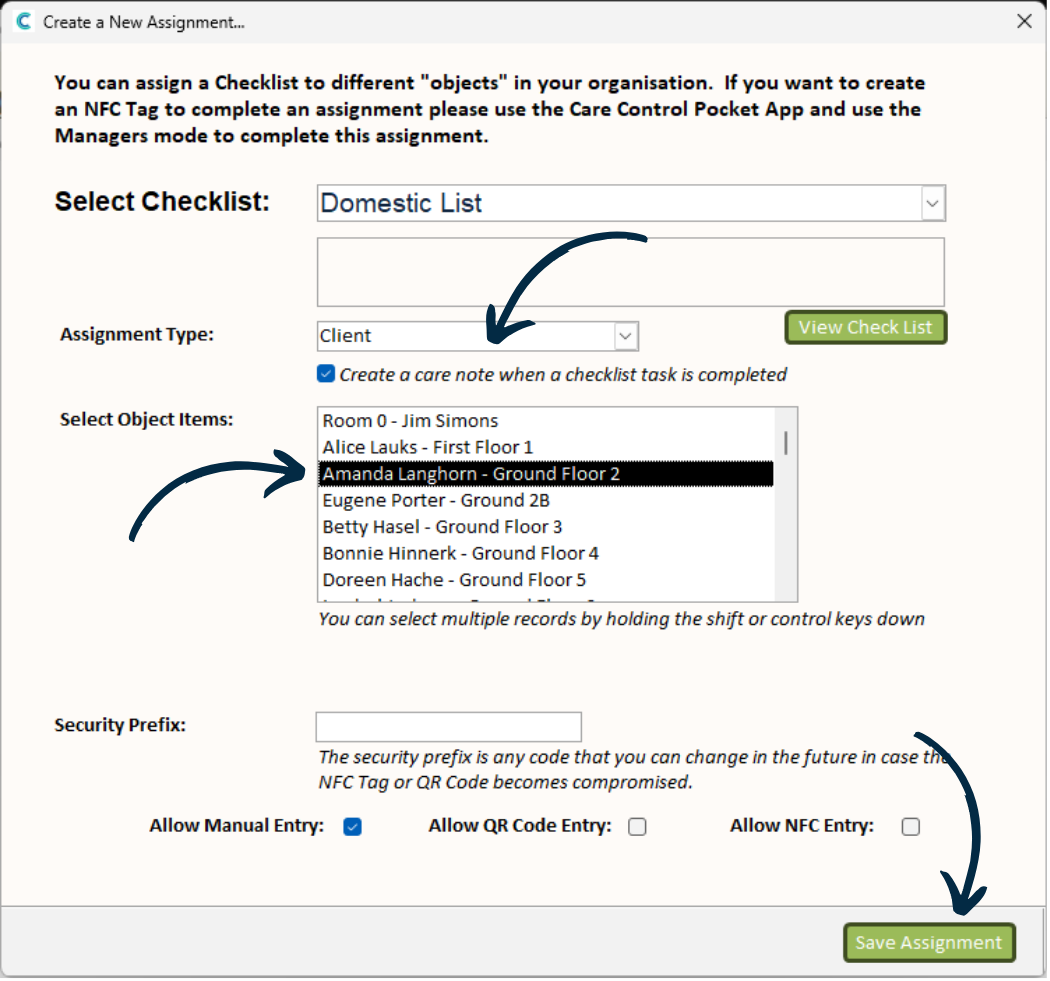
A blank form will open. Begin by choosing the checklist you wish to assign from the drop-down list.
Next, select Client from the Assignment Type drop-down.
After doing this, a list of your service users will be displayed below.
Select the Service User you wish to assign the checklist to.
Finally, press Save Assignment.
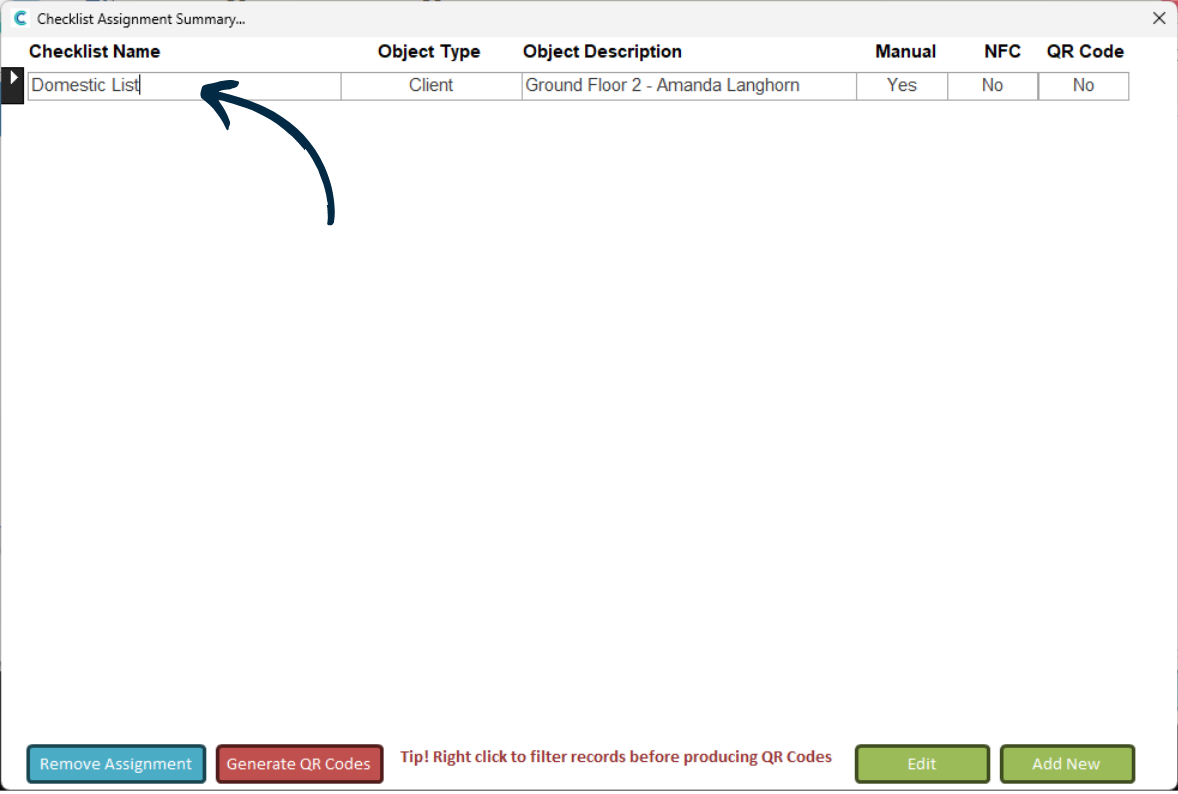
Your new assignment will be displayed in the assignment list.
Checklists which are associated with a service user will generate a note on the respective service users care plan when the checklist is completed.