On Sunday 8th February, our GP Connect service will undergo scheduled maintenance. While we cannot confirm the exact time, this work may result in up to 60 minutes of downtime. We apologise for any inconvenience this may cause and thank you for your understanding.

View Categories

Org Man Giving users Clinical access

With access to GP Connect you need to give your users access

Please follow the interactive guide below, a written guide is also available at the bottom of the page.

Written guide

Before folllowing this guide please visit the GP Connect page to ensure you are set up correctly.

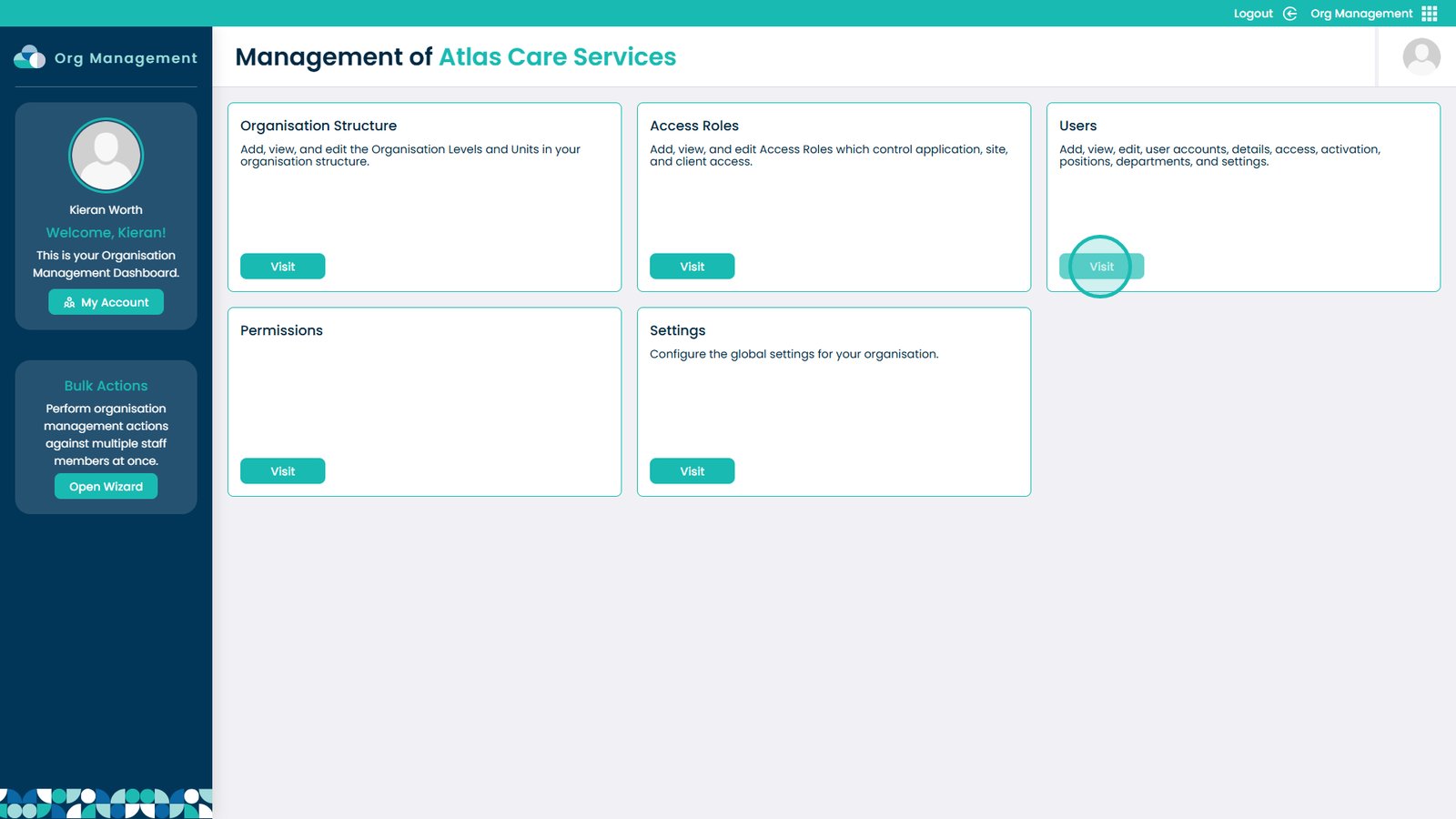
1. Enter the Org Management app
 
2. Select Visit on Users
 
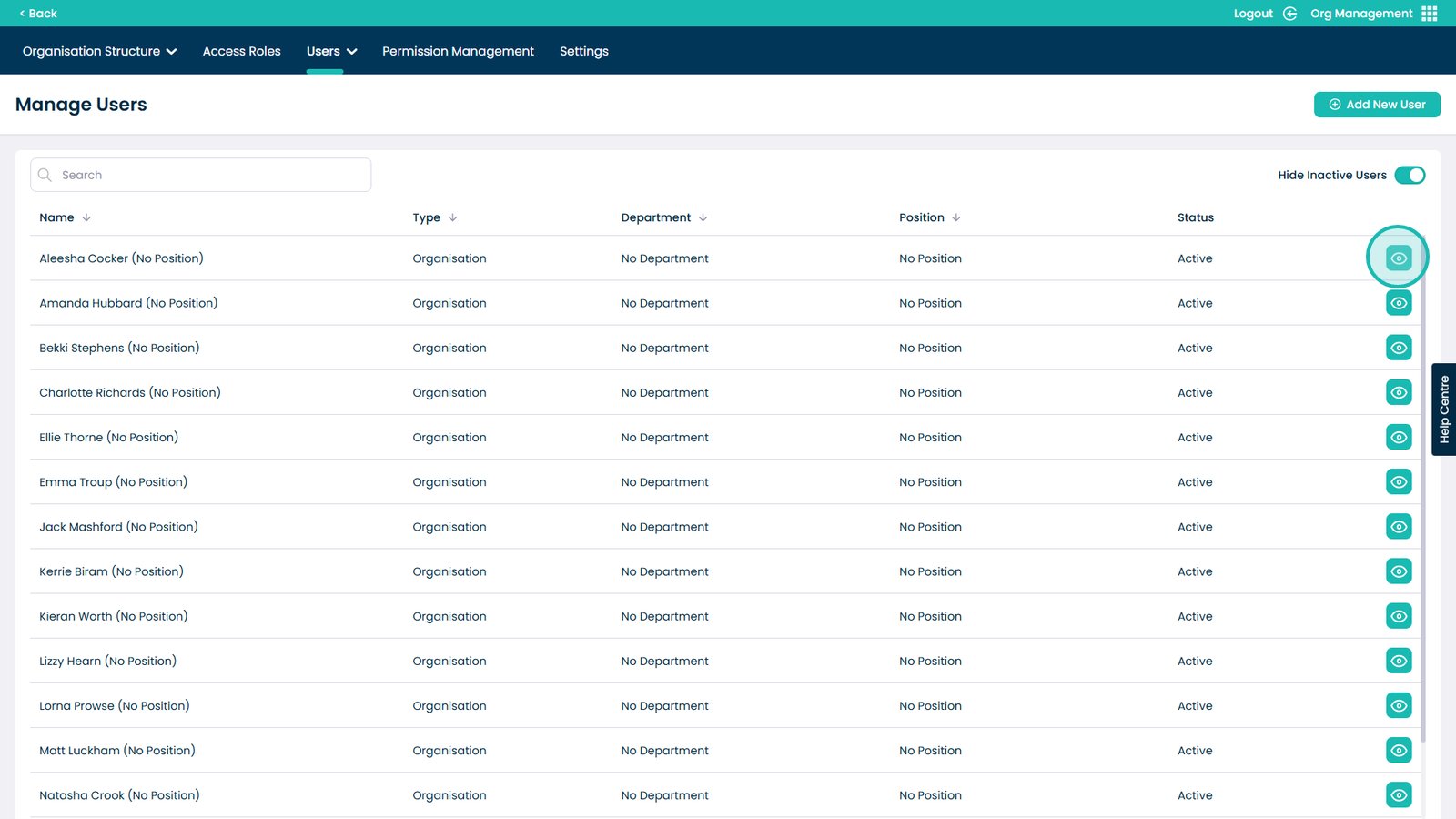
3. Click the eye icon on a user
 
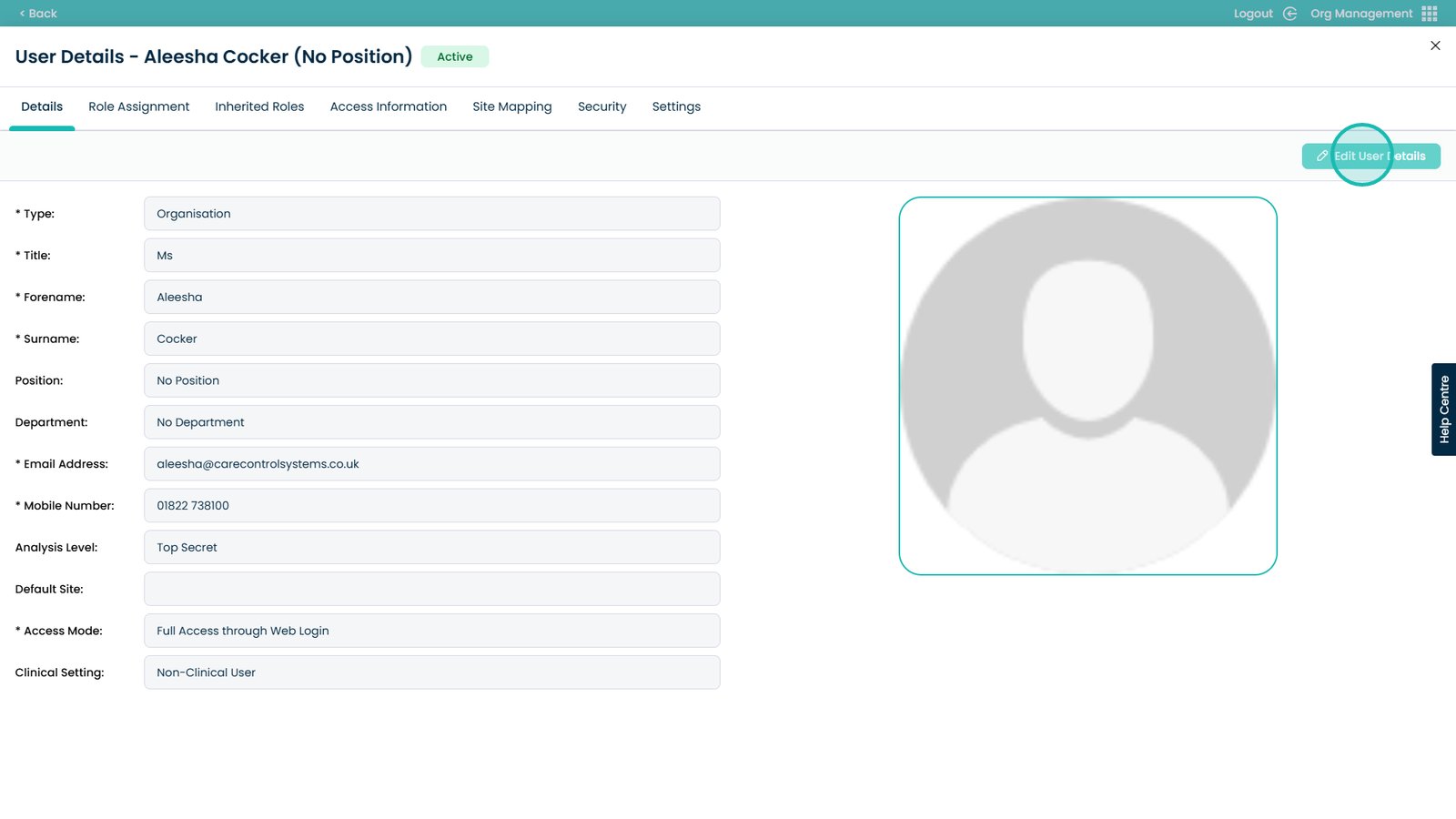
4. Select Edit User Details
 
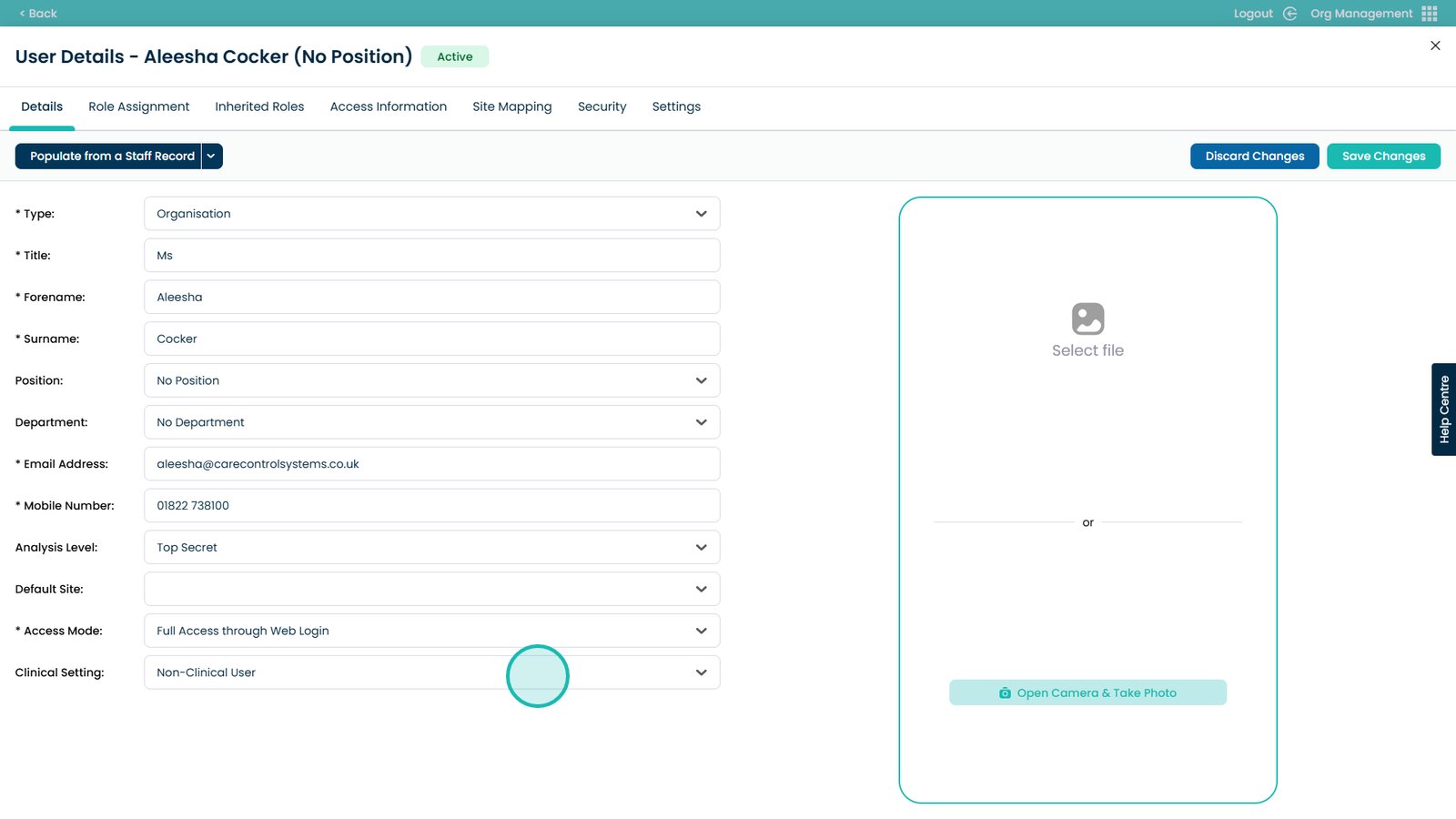
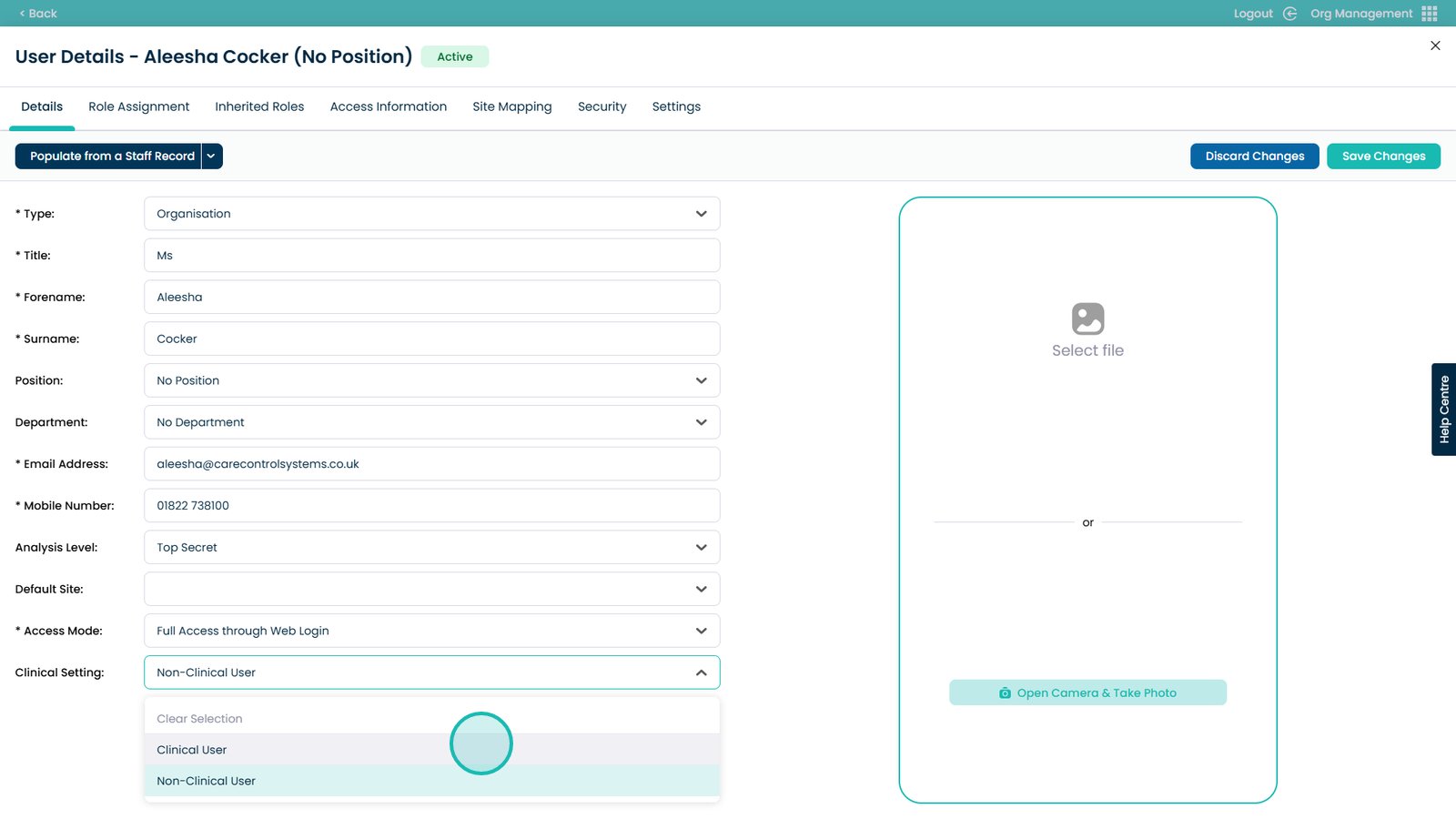
5. Open the Clinical Settings drop-down
 
6. Select Clinical User
 
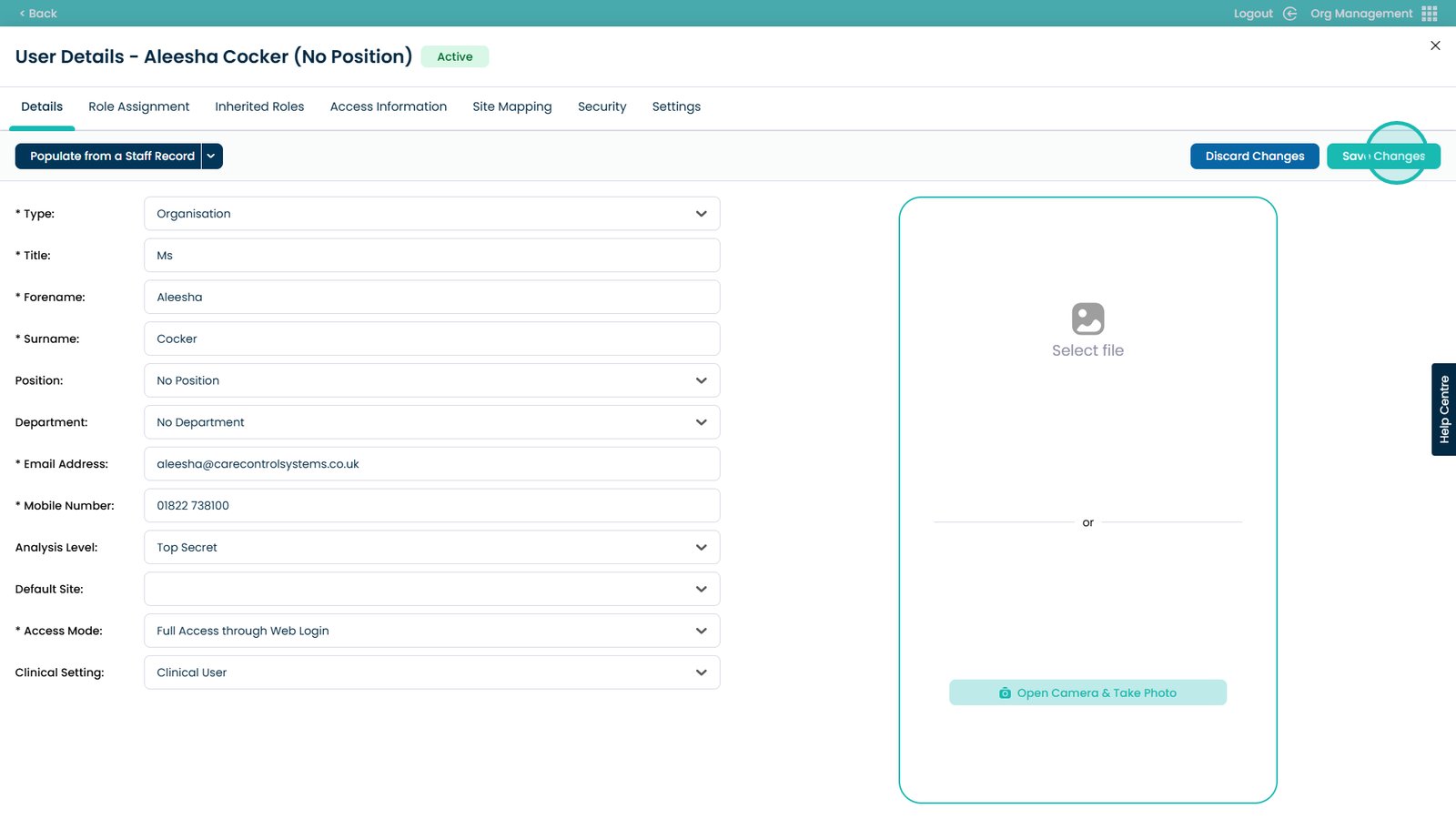
7. Select Save Changes