This guide will cover how to access Single Custom Form monitoring in Care Control Pocket. This tool launches Cloud within the Pocket app to display a form.
1
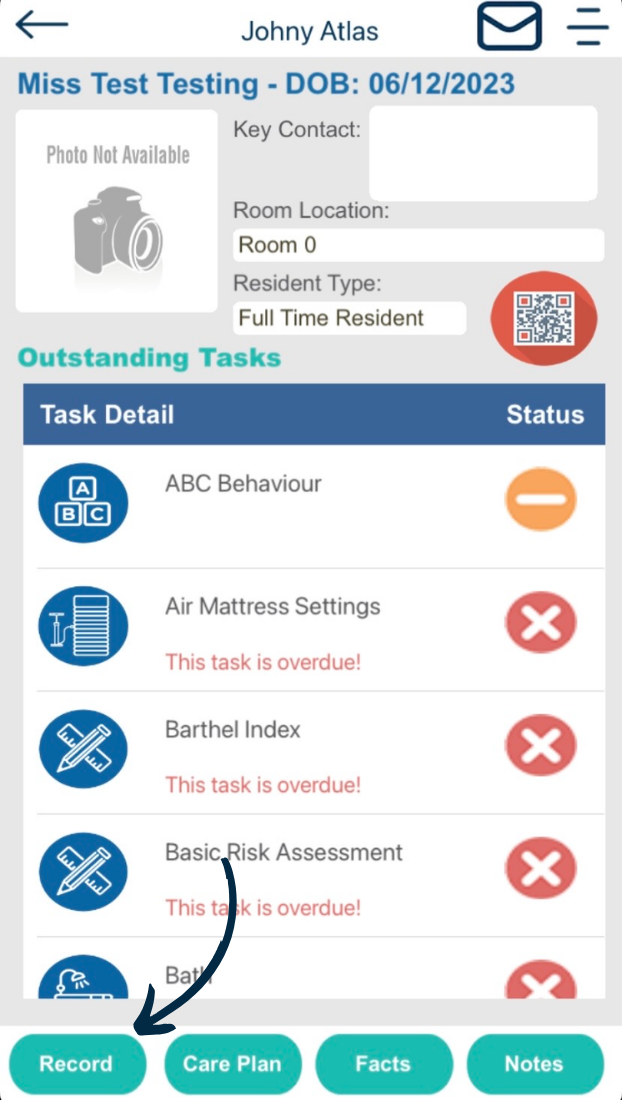
When navigating a service users Care Plan in Care Control Pocket, press the ‘Record‘ button from the options along the bottom of the screen.
2
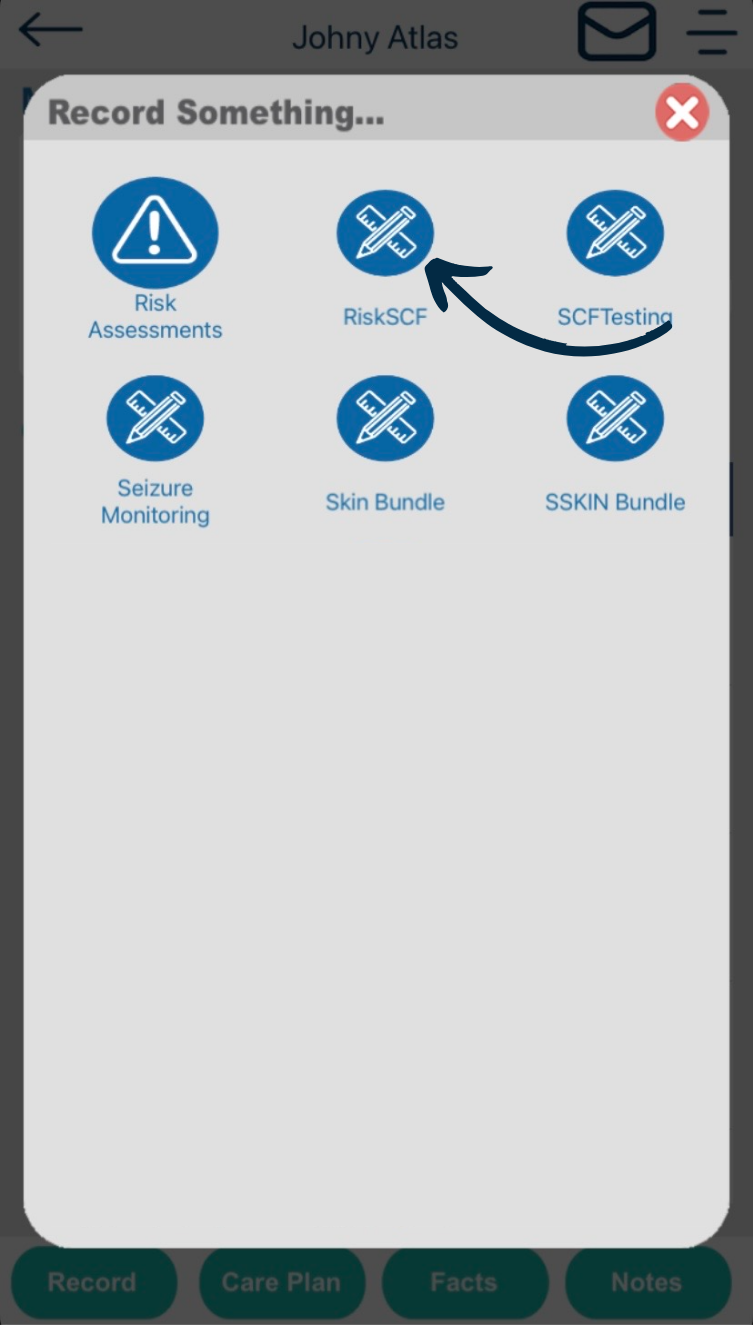
A full list of monitoring areas will be displayed, including those that are Single Custom Form’s.
Select one to begin.
3
The selected form will open in Pocket, by launching Care Control Cloud within the application.
This can only be achieved if the staff member has a Cloud user account, and, if the option to open SCF’s is enabled in Windows (see here).
You can close the form by pressing the back button in the top left corner. Alternatively, continue to complete the form, then press Submit.
4
This will save the record and you will be returned to the service users Care Plan in Pocket.