This guide will cover how to access the Managers Menu on Care Control Mobile. This tool allows users to manager service users from our tablet application.
1
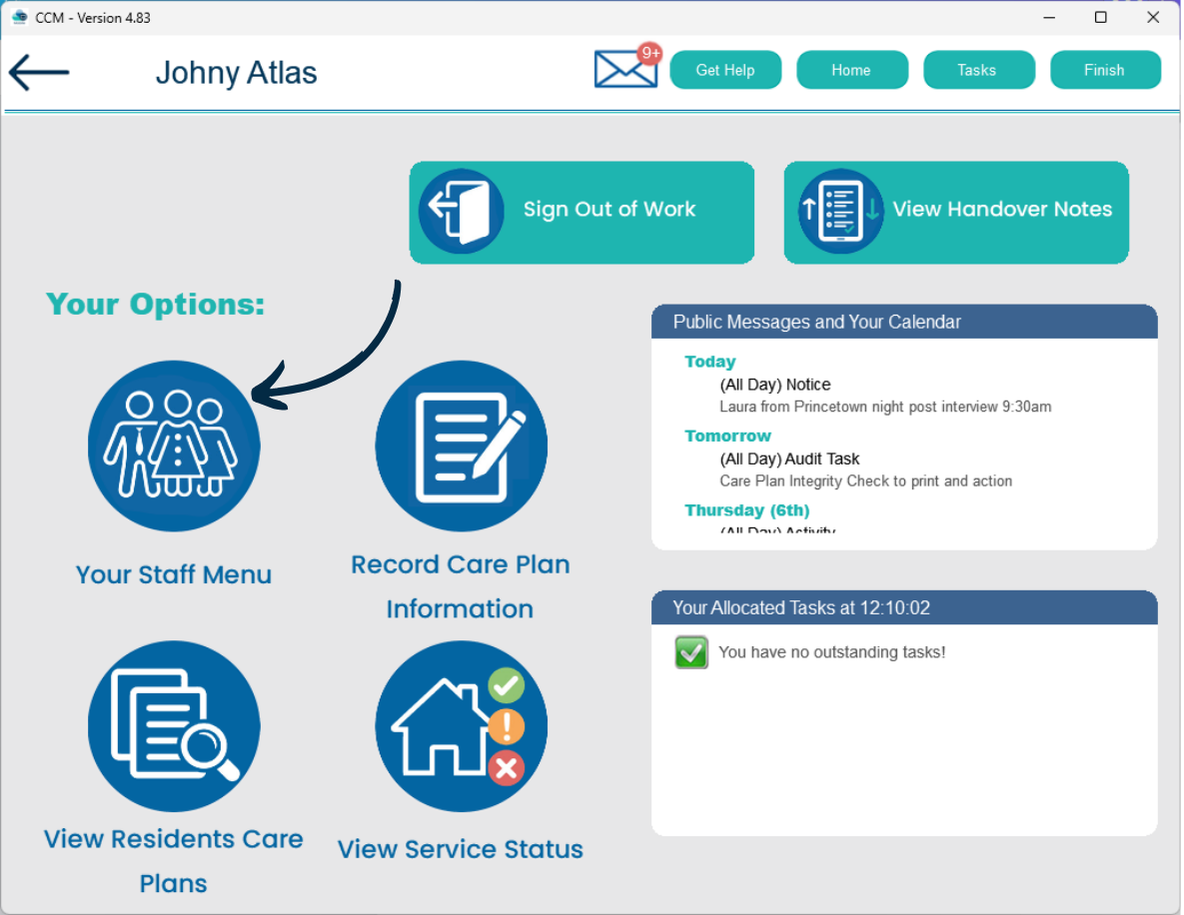
After signing into Care Control Mobile, navigate to Your Staff Menu.
2
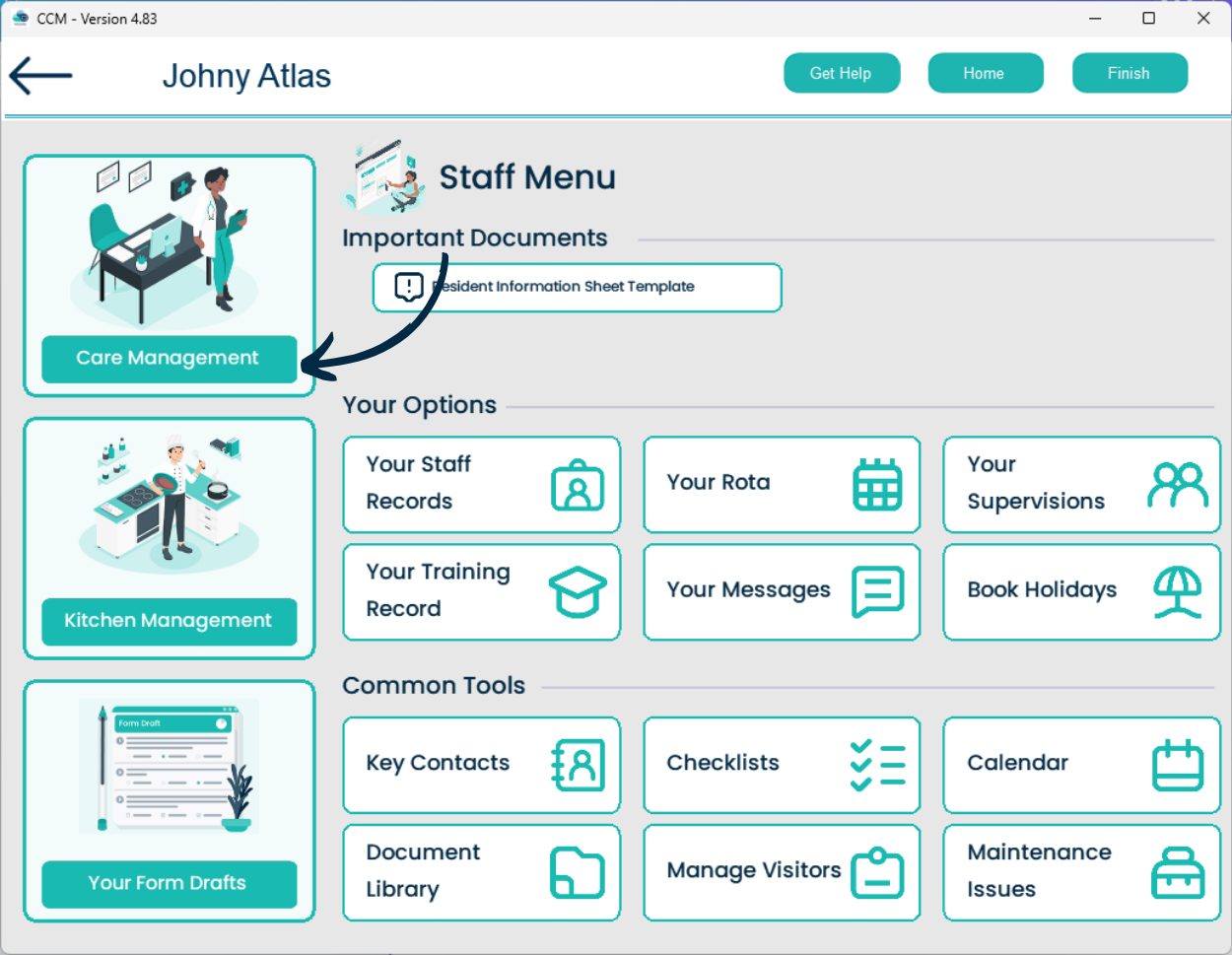
Next, select Care Management from the options on the left hand side.
Note: access to this area will only be granted assuming the user has the correct permissions on Care Control.
3
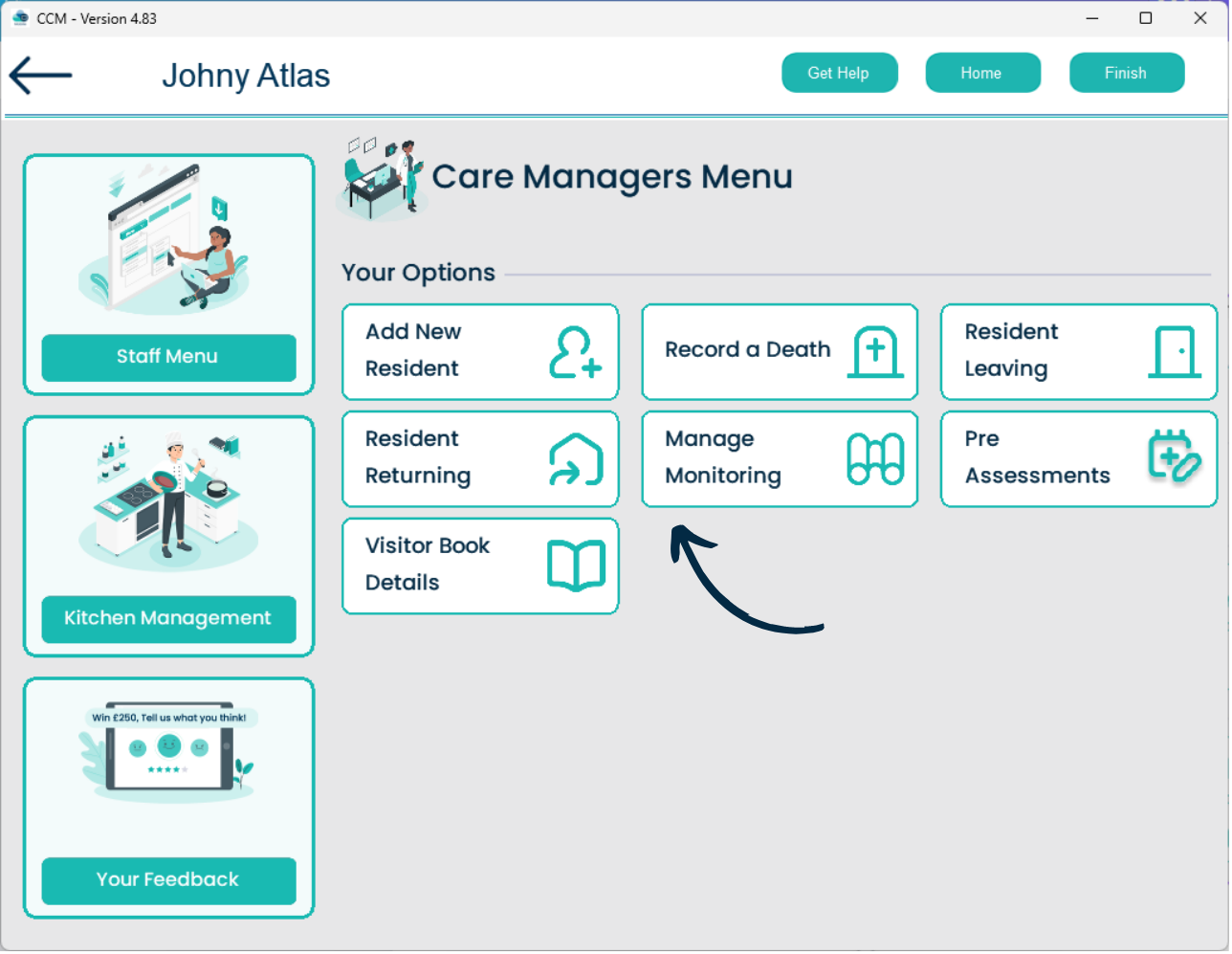
Here, you can:
– Add a new service user.
– Record a service user death / service user leaving or returning.