This guide will cover how to add Key Contacts to a service users Care Plan via Care Control Windows. These might be the family members or friends closest to the service user.
1
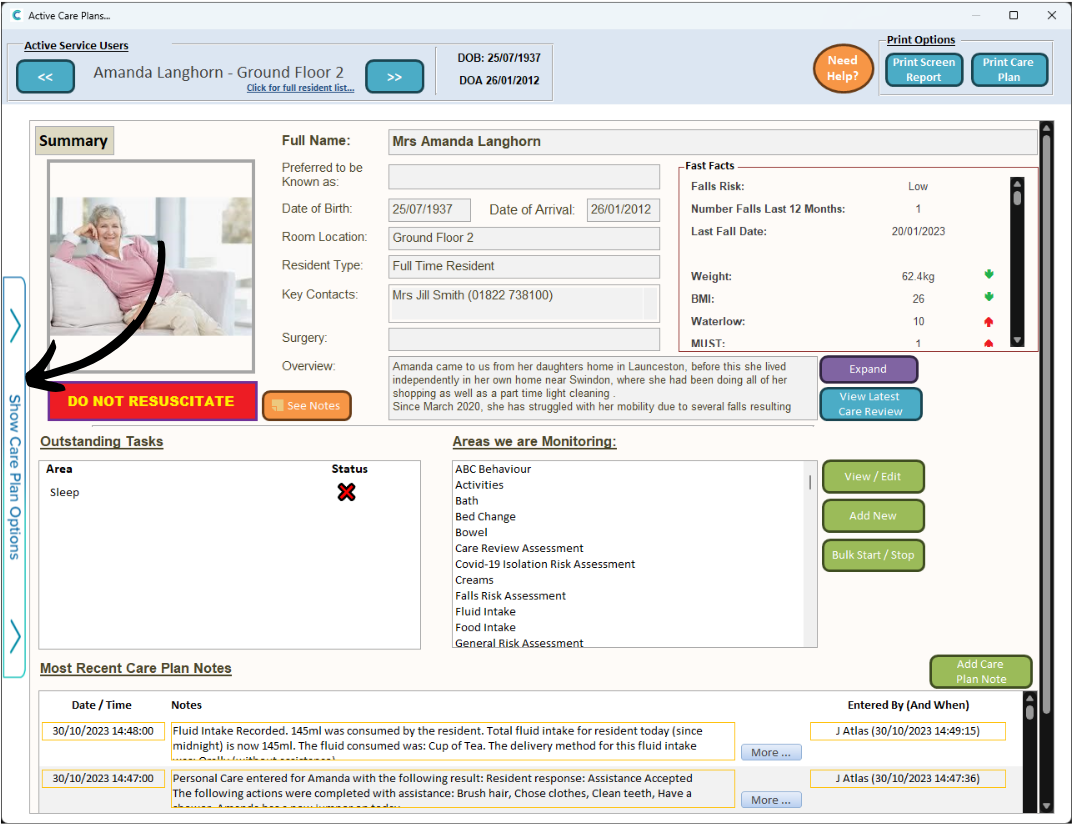
When on a service users Care Plan on Care Control Windows, open the side menu, labelled Show Care Plan Options.
2
Here, select Key Contacts.
3
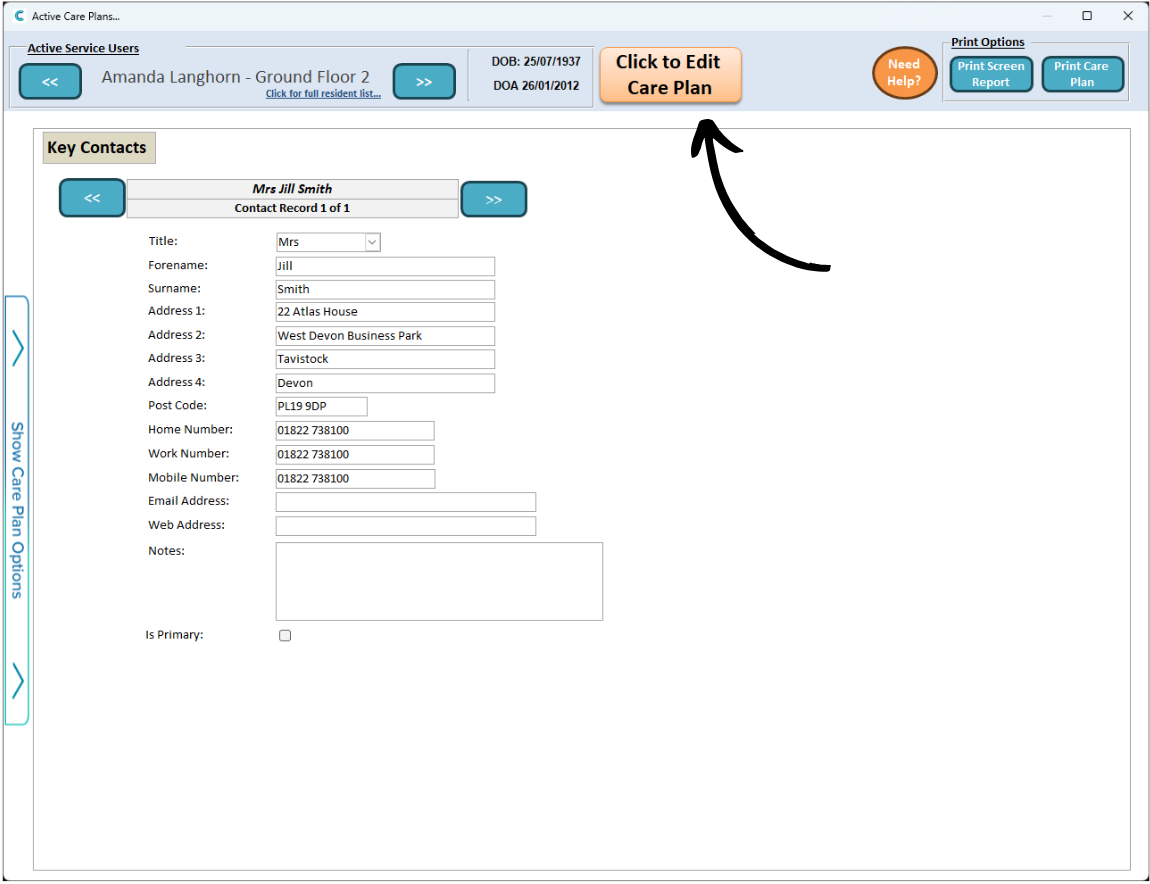
This area of the care plan can contain records of the contacts most important to the service user – this could be family and friends, or GPs and doctors.
Press Edit Care Plan to add a new one.
4
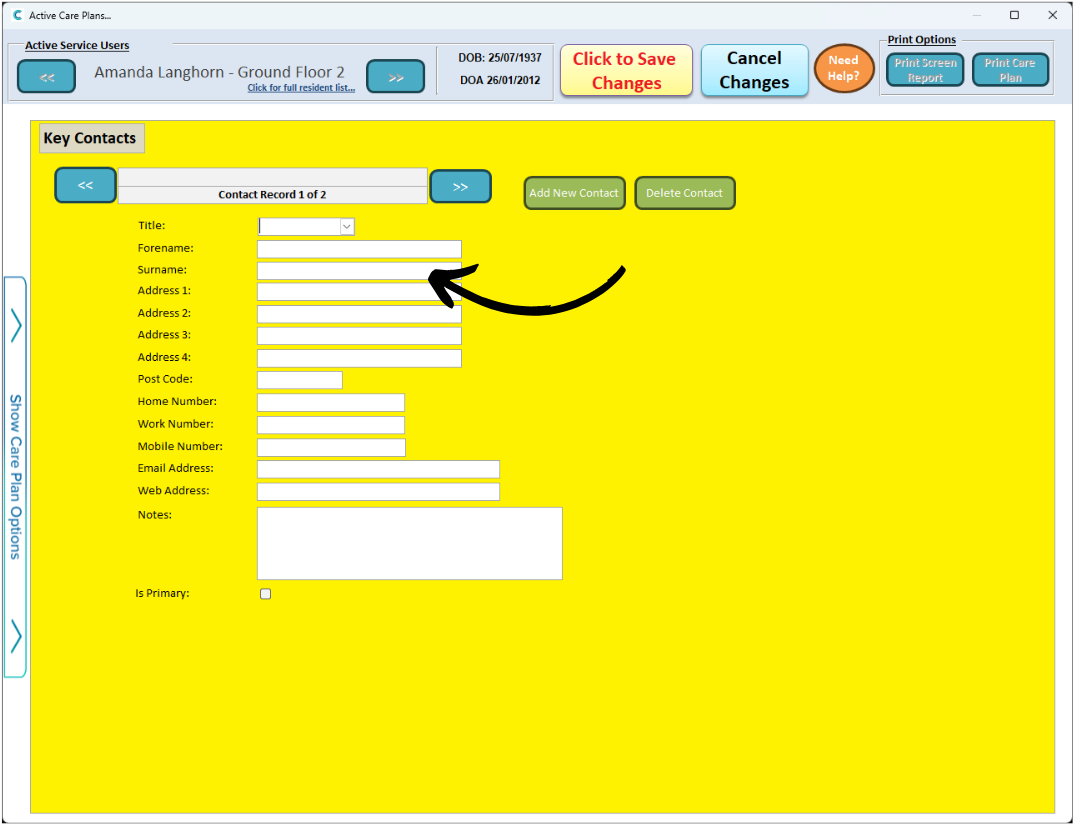
Next, press Add New Contact.
5
A blank contact form will then load. Continue to fill out the details of the contact.
6
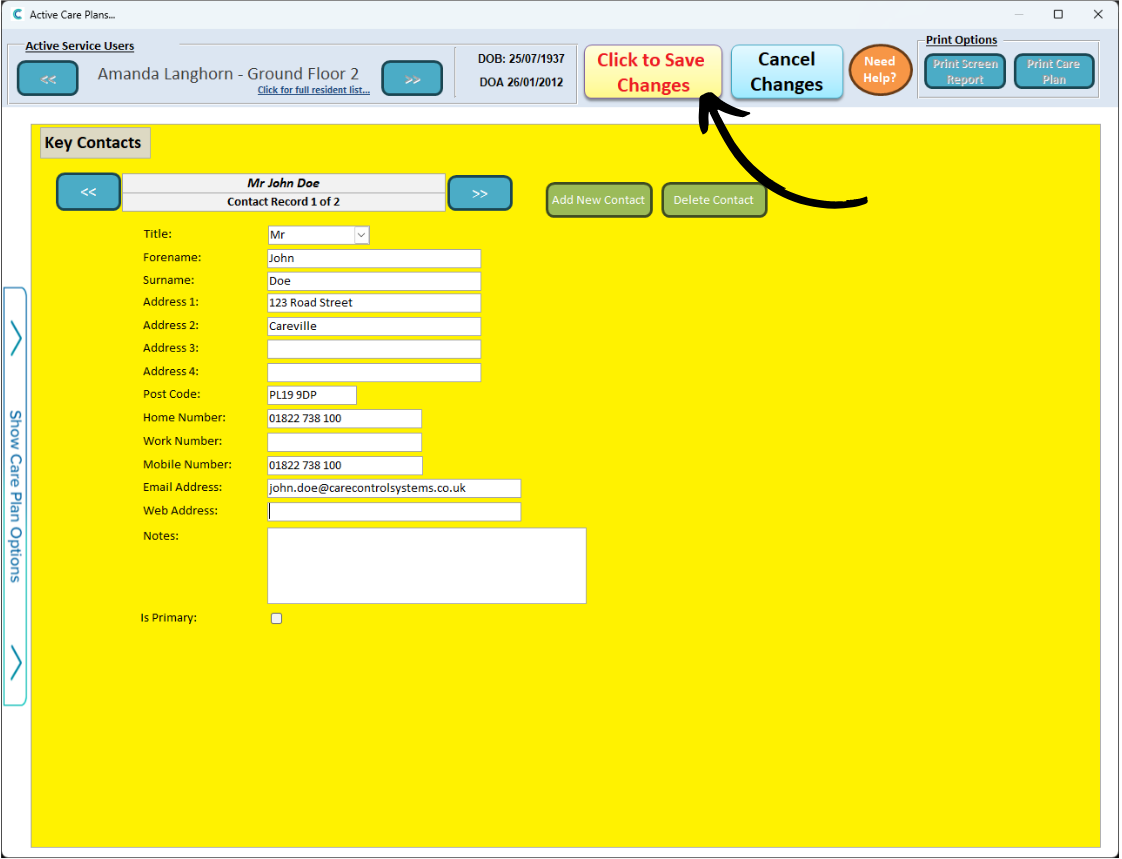
Finally, press Save Changes after completing the form. The contact will be added to the service users Care Plan.