Bank Holiday Closure Notice: We will be closed on the 3rd April for the Easter bank holiday, so our customer service team will not be available on this day. If you need to get in touch, you can still use our customer contact form and we will get back to you as soon as possible. Even better, Margo will still be available on our phone lines to help with your queries whenever you need support. We hope you have a lovely Easter weekend 🐣
View Categories
Adding Medication to the Medication Profile
This guide will cover how to add medication to a service users medication profile via Care Control Windows. This area can be found within the Care Plan and is used to document the medication a service user takes. This is particularly useful if you are not yet using our eMAR system.
1
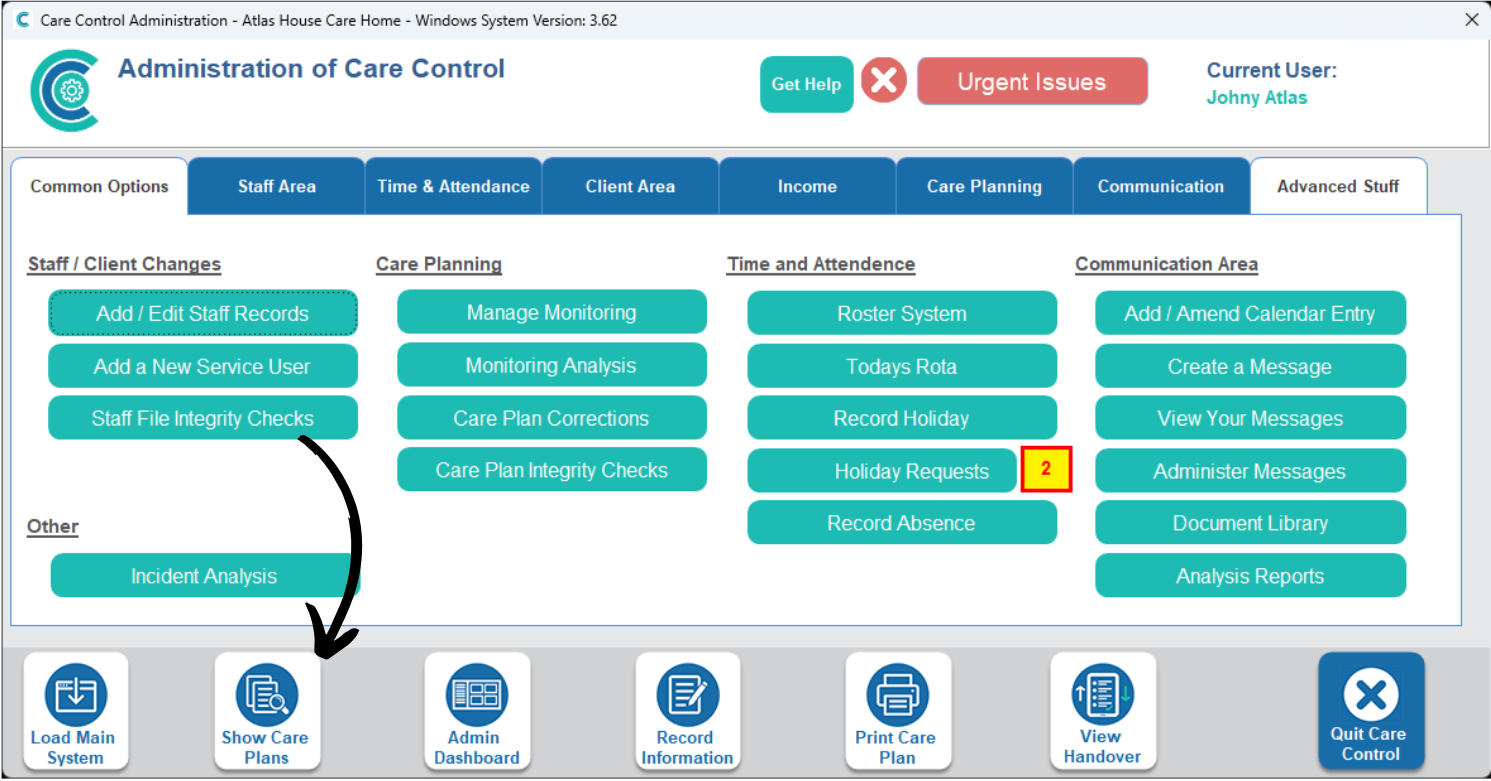
In the Administration of Care Control Windows, navigate to the Show Care Plans tool, which can be found at the bottom of the window.
2
Select a Service User and select Medication Details from the options on the right hand list.
3
A list of currently documented medication will be displayed. To add a new one, press the Click to Edit Care Plan button.
4
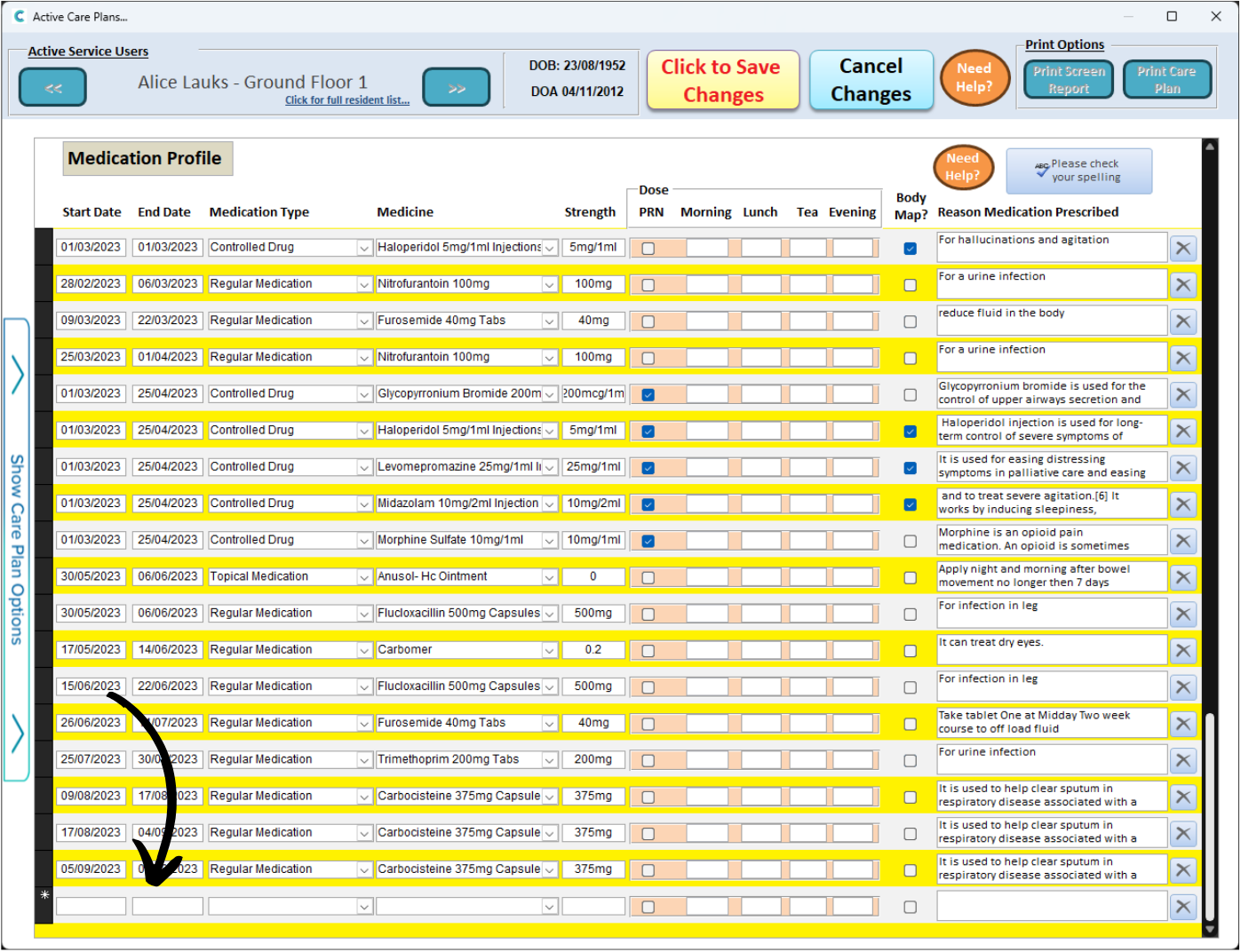
Scroll to the bottom of the list. There should now be a blank row.
Begin by entering in the Start & End Date (if required). Then, select the Medication Type and Medication from the drop-down lists.
Enter the Strength and choose whether the medication is PRN or not. You can then enter the dosages at the different times of the day (Morning, Lunch, Tea, Evening).
Finally, choose whether a Body Map is required and enter a Reason for the medication.
5
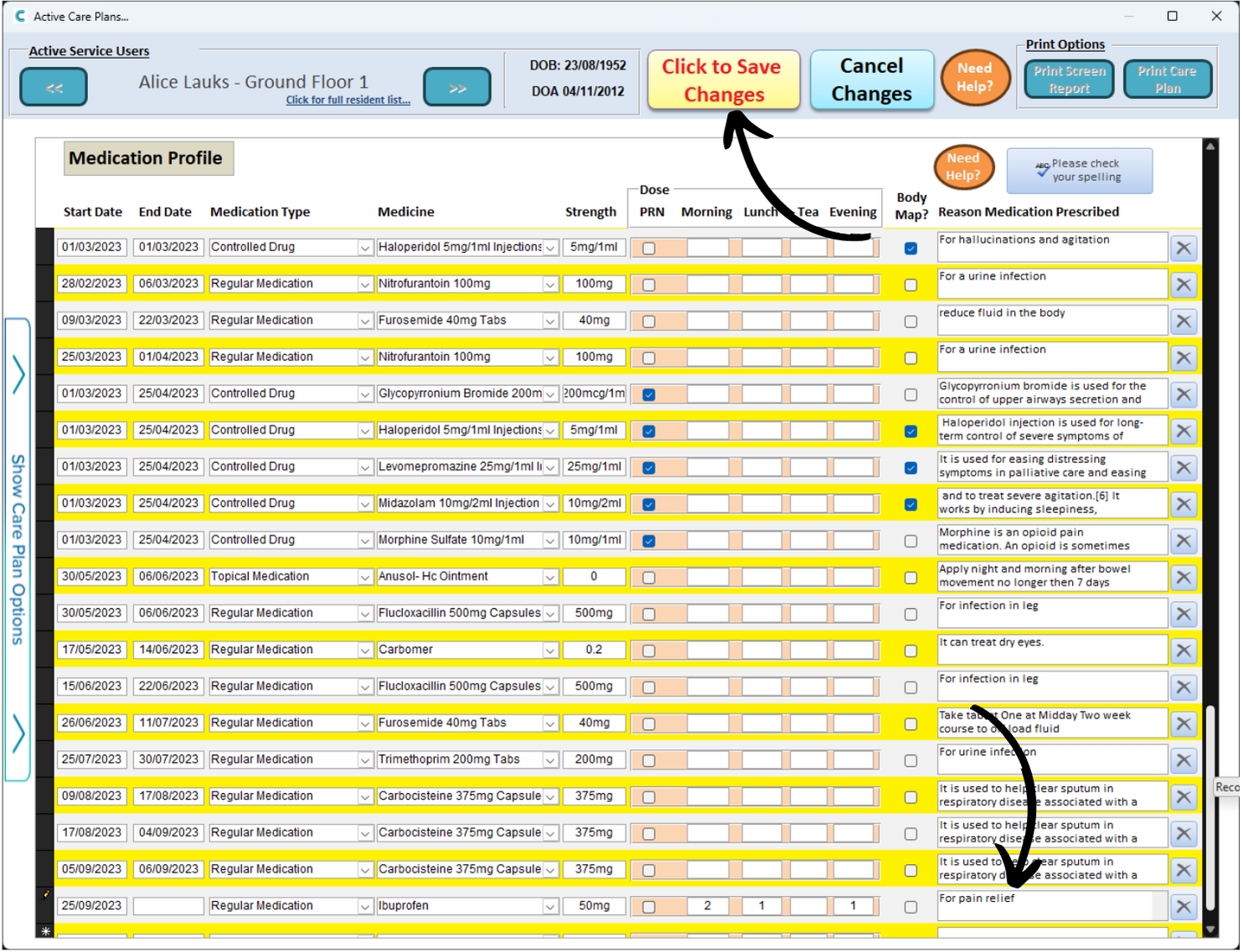
In this example, we have added an Ibuprofen prescription which consists of 2 doses in the morning, 1 at lunch and 1 in the evening.
Press the Click to Save Changes button to complete the process.