Bank Holiday Closure Notice: We will be closed on the 3rd April for the Easter bank holiday, so our customer service team will not be available on this day. If you need to get in touch, you can still use our customer contact form and we will get back to you as soon as possible. Even better, Margo will still be available on our phone lines to help with your queries whenever you need support. We hope you have a lovely Easter weekend 🐣
View Categories
Administer Messages Tool
This guide will cover how to access and use the Administer Messages Tool on Care Control Cloud. This feature allows users to track and analyse messages sent on Care Control.
1
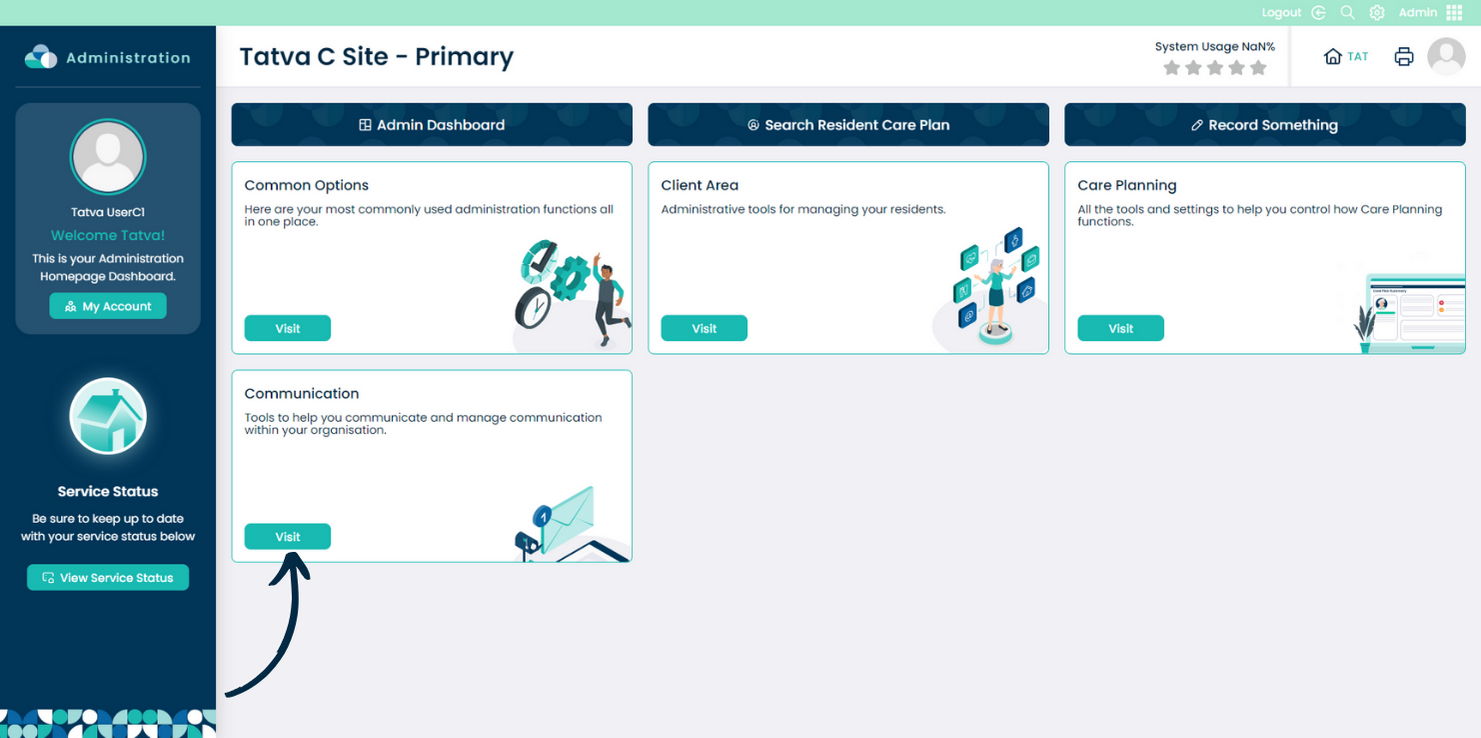
In the Admin Application within Care Control Cloud, navigate to the Communication section.
2
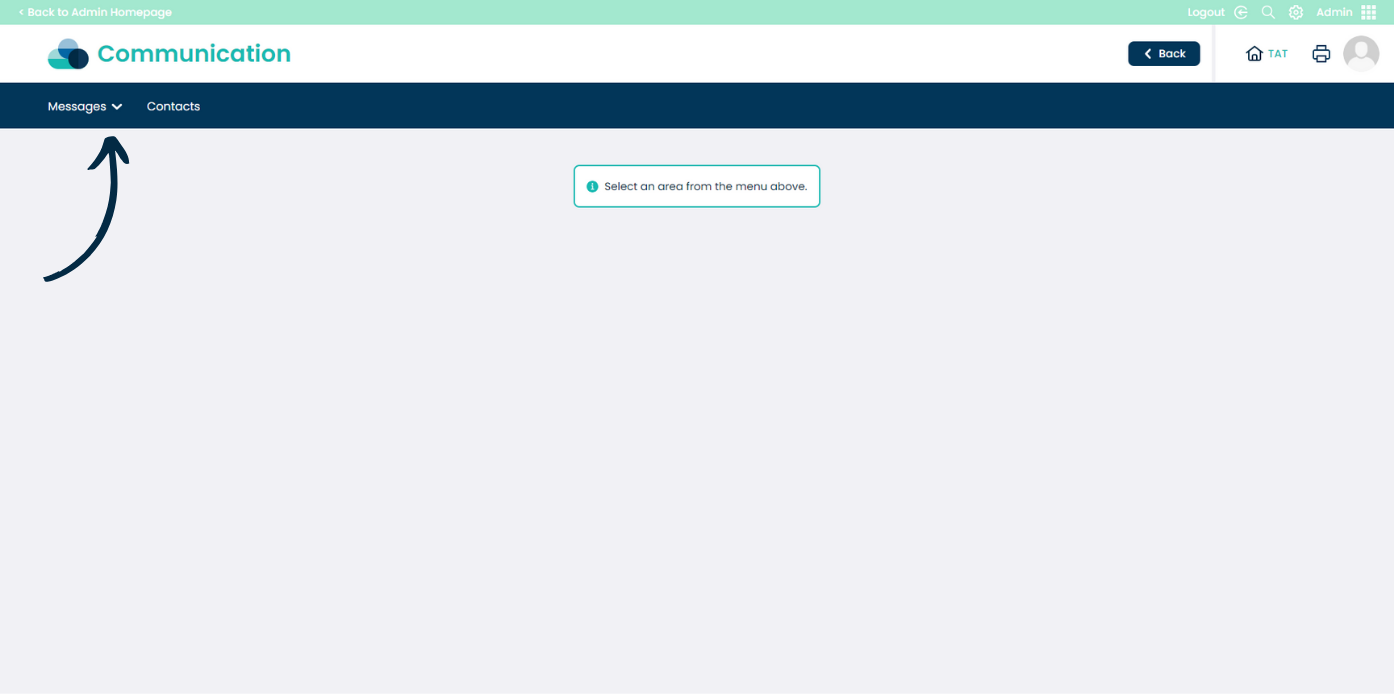
Here, open the Messages drop down list from the options at the top of the page.
3
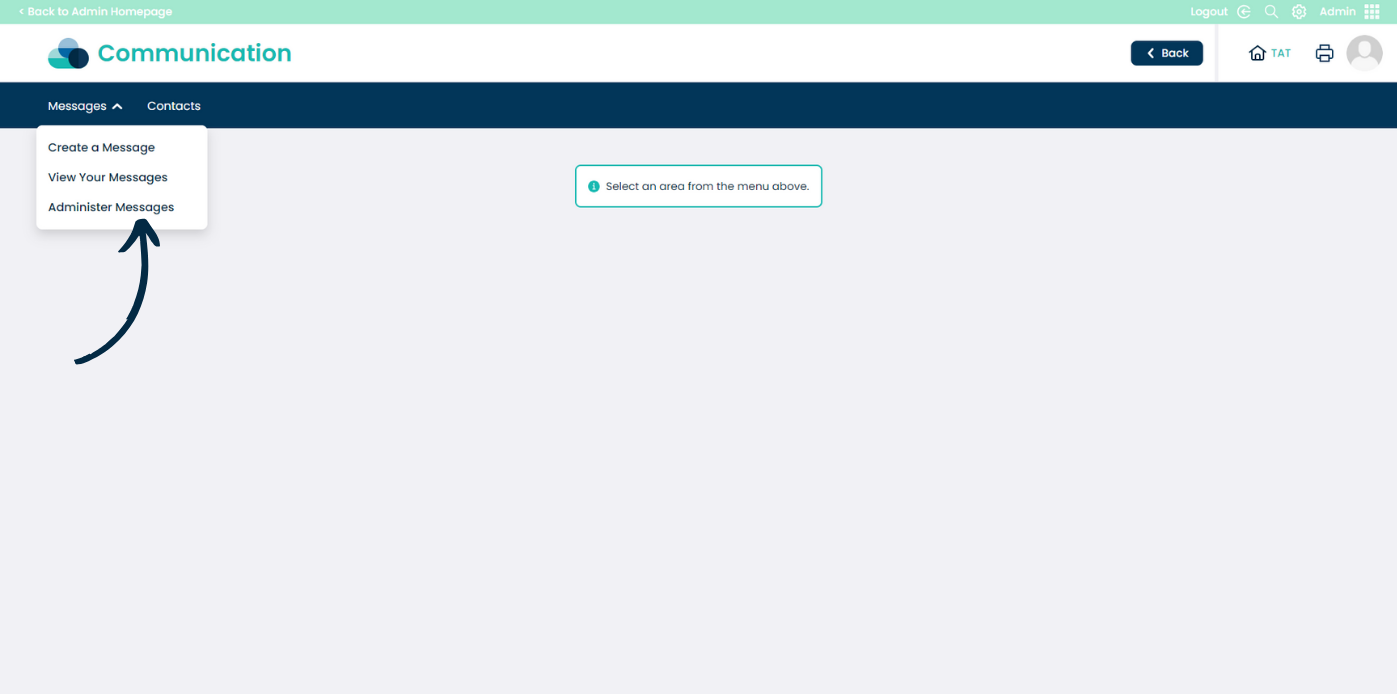
Choose Administer Messages.
4
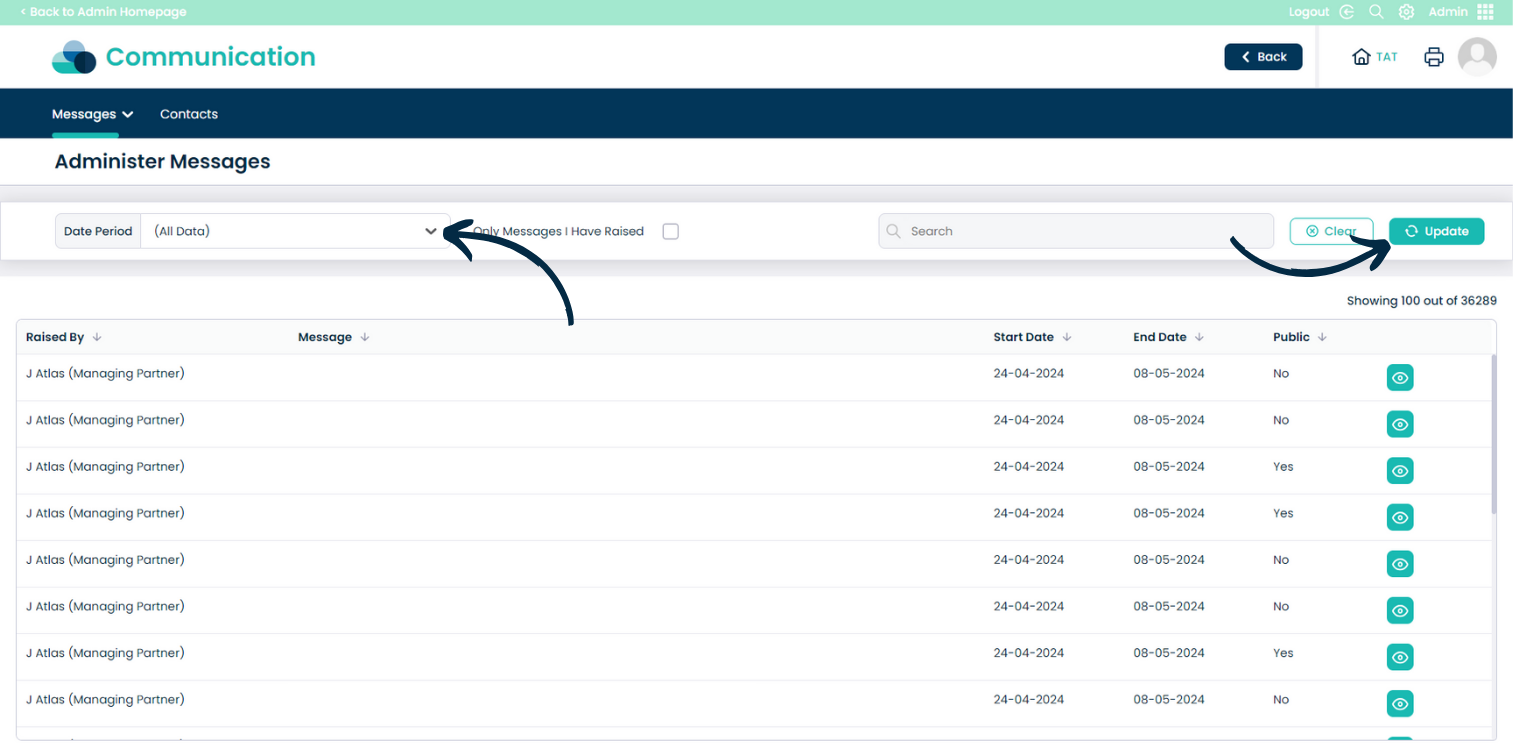
Here, all outgoing messages sent on the system will be stored.
You can filter by Date Period and Search for specific messages – press Update after adding any filters.
5
Press the eye icon next to a message to view its details and analysis.
6
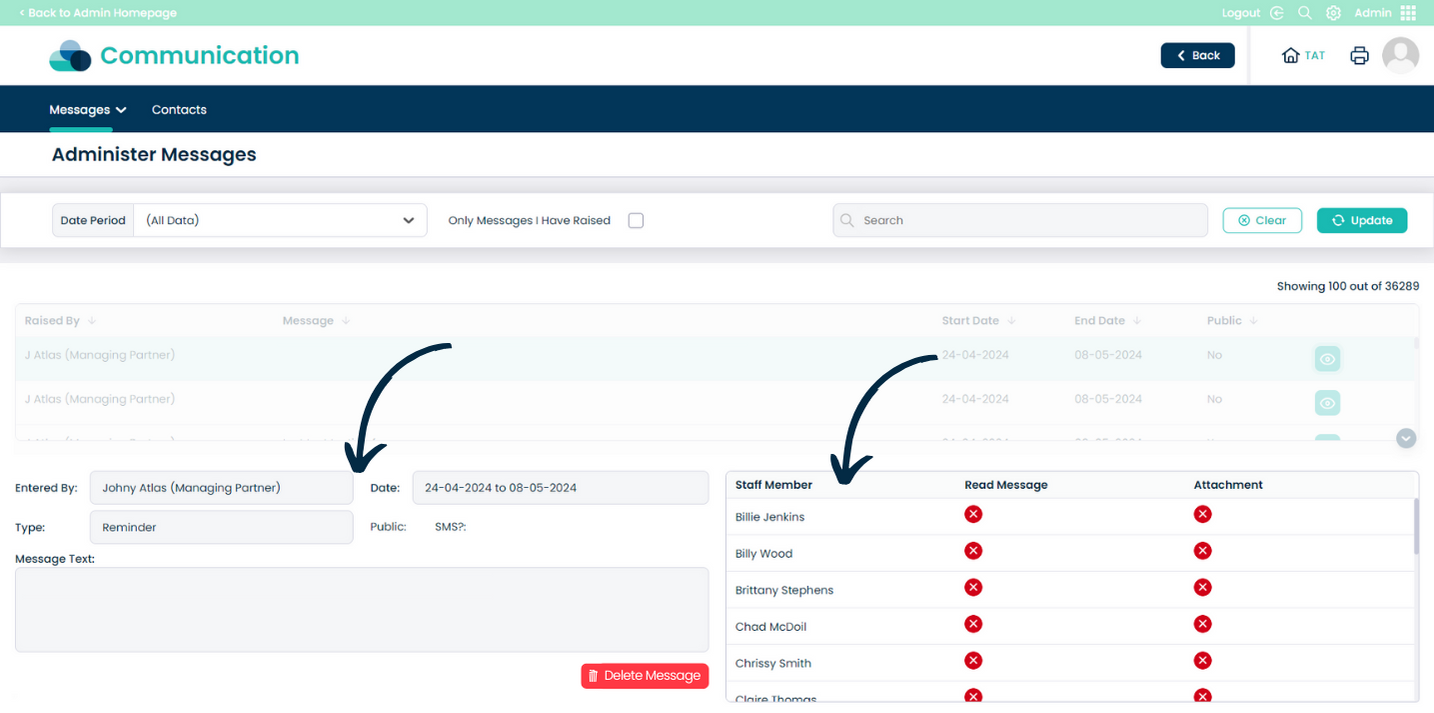
The message will open. On the left hand side you can see the sender, date/time and type of message, as well as the message text.
On the right hand side you can see who the message was sent to, as well as whether each of the recipients has read the message and any associated attachments.
7
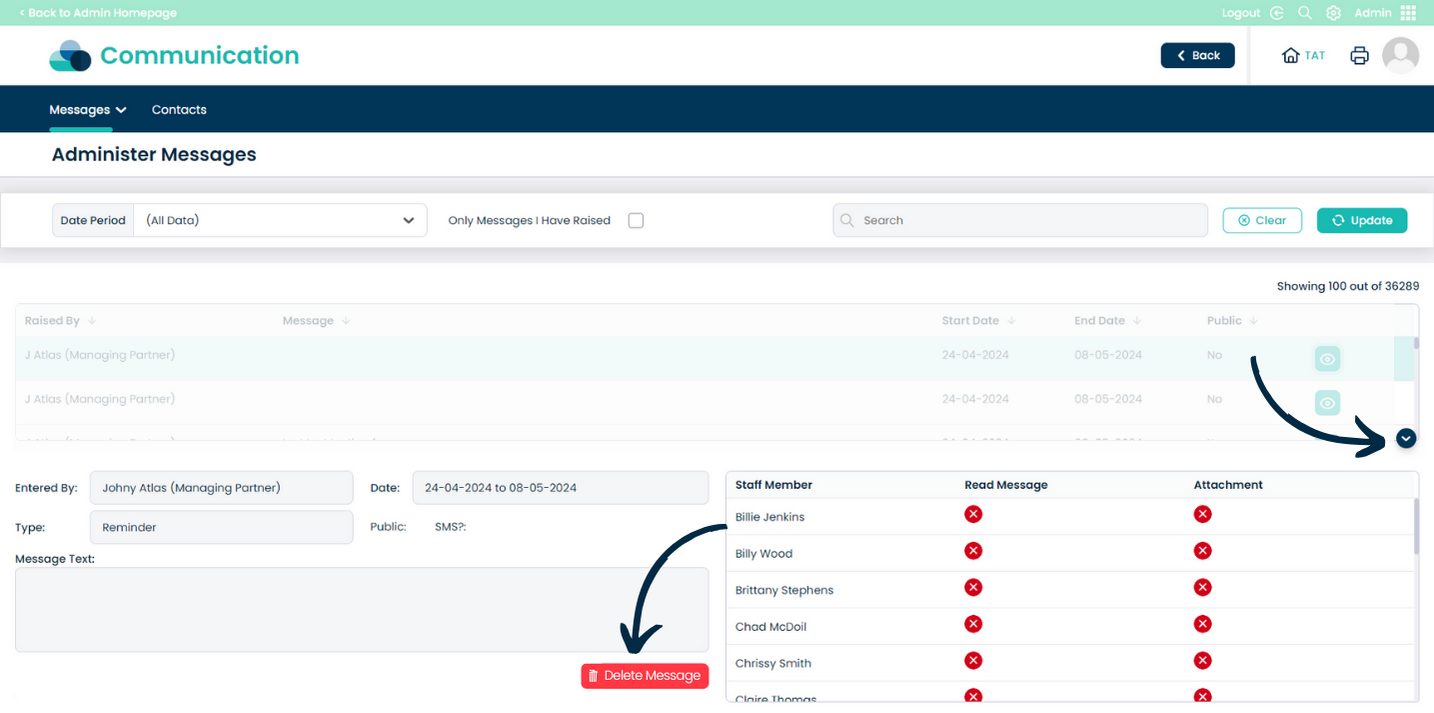
You can remove the message from your system by pressing Delete Message.
To close the current message and return to the list, simply press the down arrow icon.