This guide will cover how to administer homely remedies to service users. Homely remedies are medication which can be recorded on an ad hoc basis and do not need to be scheduled to be administered. This can be useful for things like paracetamol, eye drops or even hot lemon and honey tea!
1
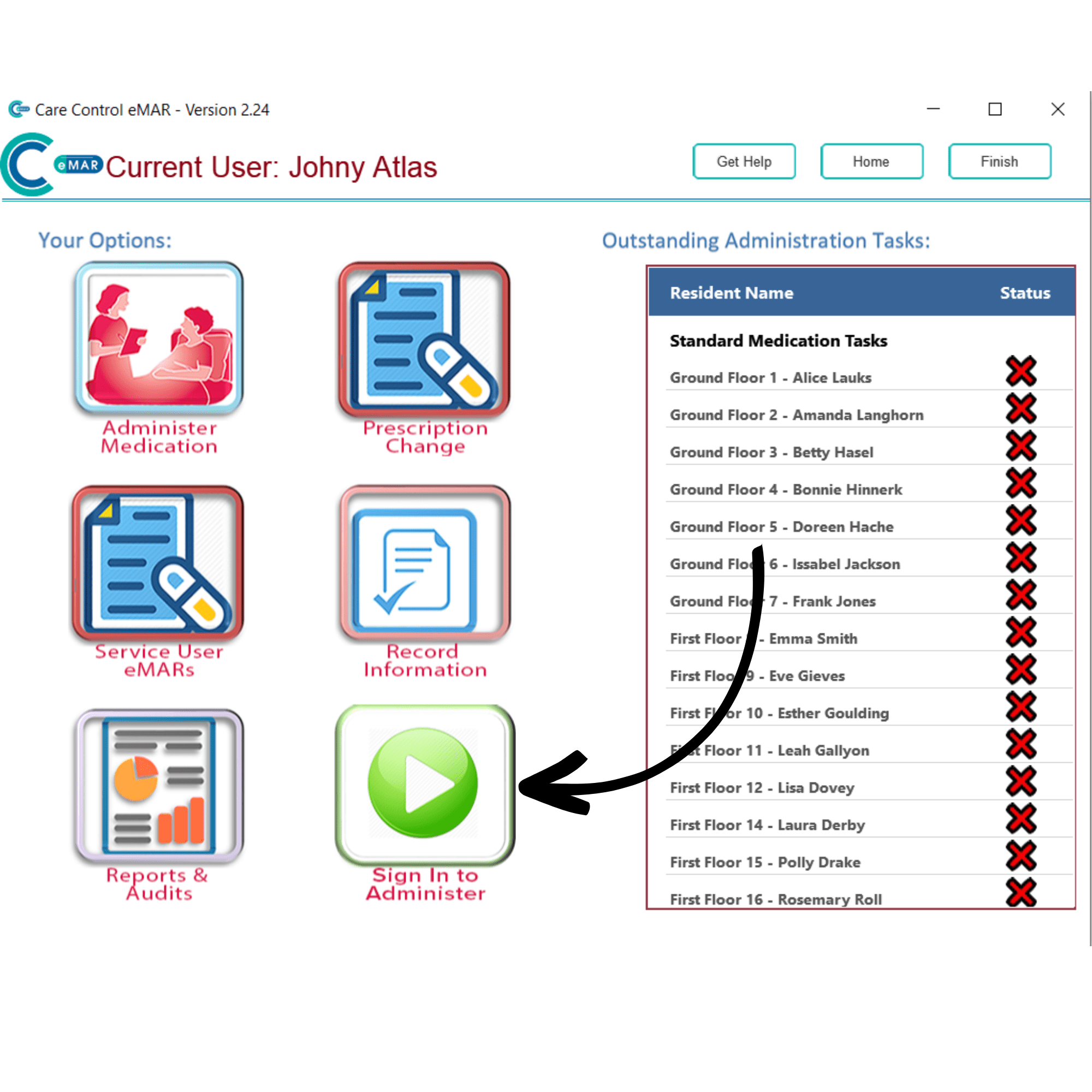
Begin by signing into eMAR and selecting a drug trolley if your organisation has them set up. On the eMAR home page, select Sign In to Administer.
2
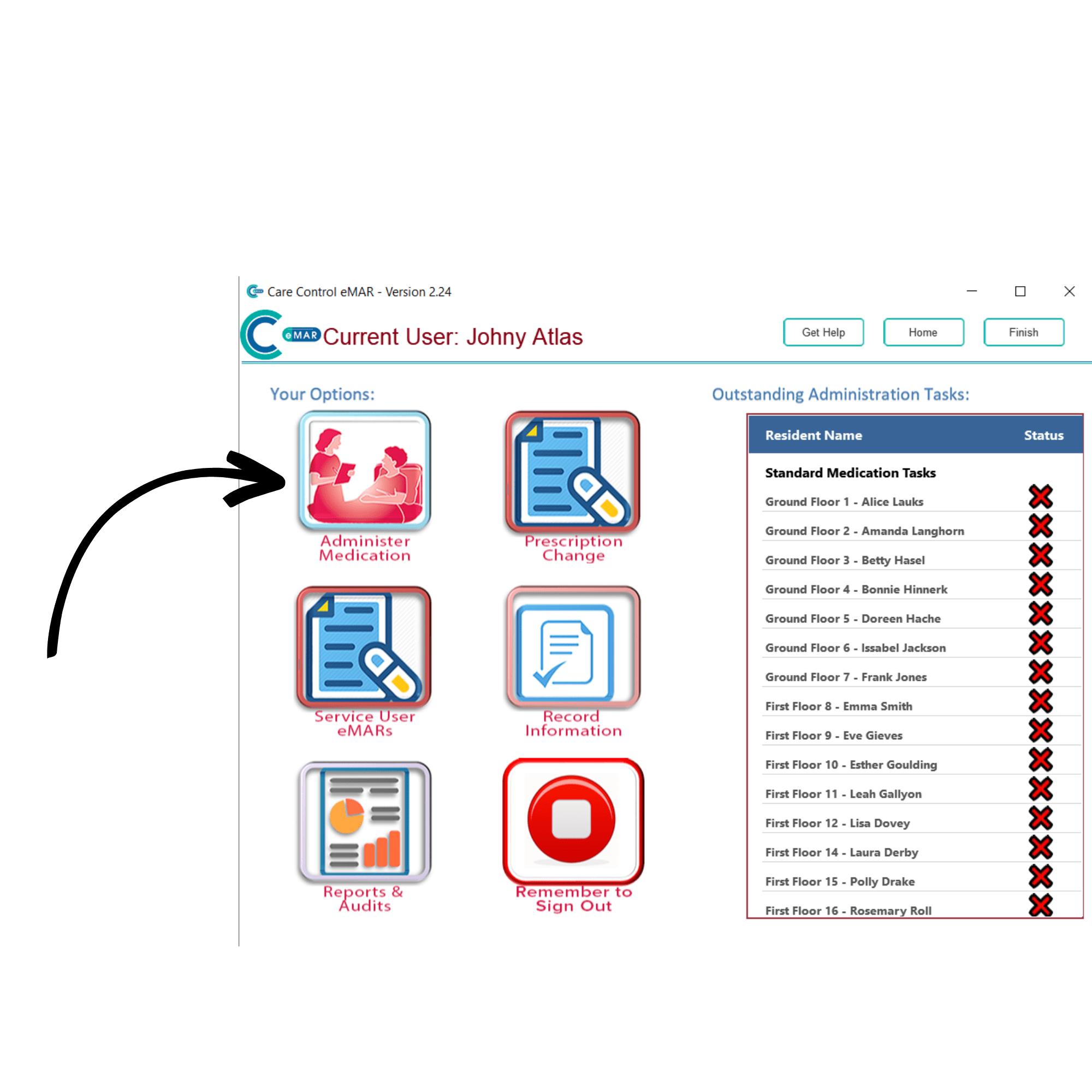
The green button should now be red. Press Administer Medication to continue.
3
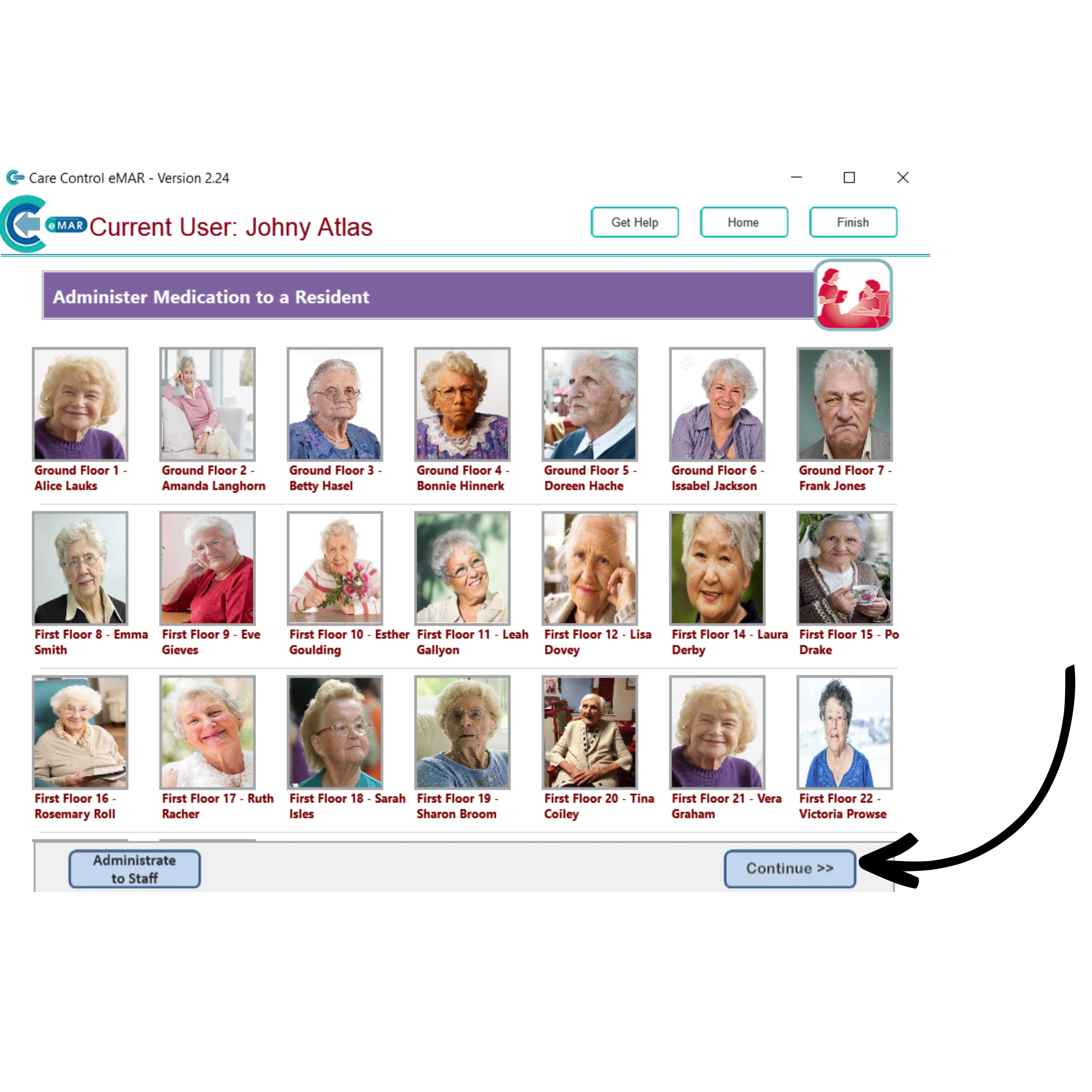
A list of your service users will be displayed. Select the one you wish to administer to, and press Continue.
4
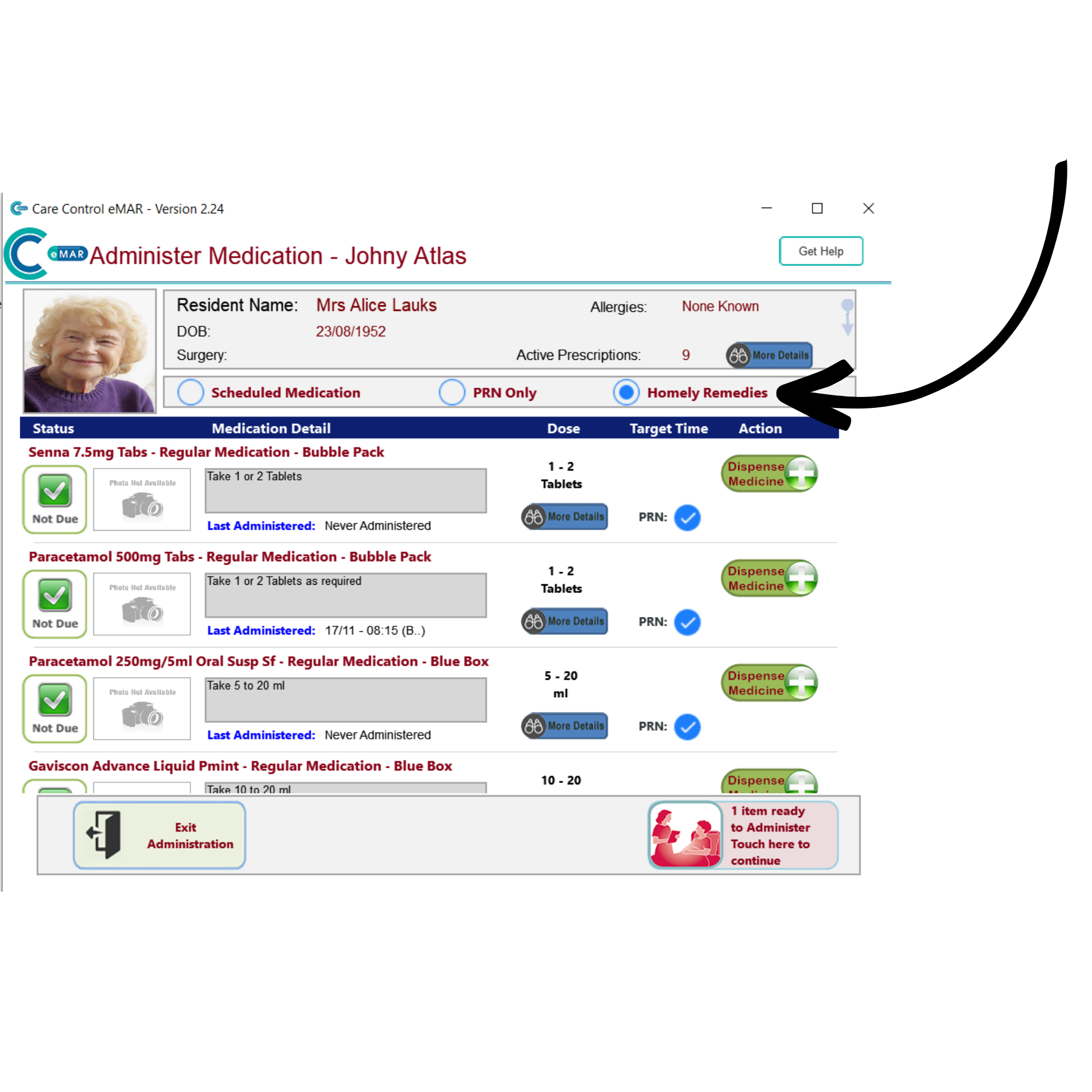
A new window will open. Here select the Homely Remedies option from the 3 medication types. A list of all homely remedy medications on your system will be displayed. Add the medication to dispense by pressing the green Dispense Medicine button to the right of the medication.
It will disappear from the list, and the red button in the bottom right of the screen will update to say 1 item ready to administer, touch here to continue. Press this button to continue.
5
A dispensing review window will open and the medication ready to be administered will be listed. Press the red button labelled Touch Here to Continue.
6
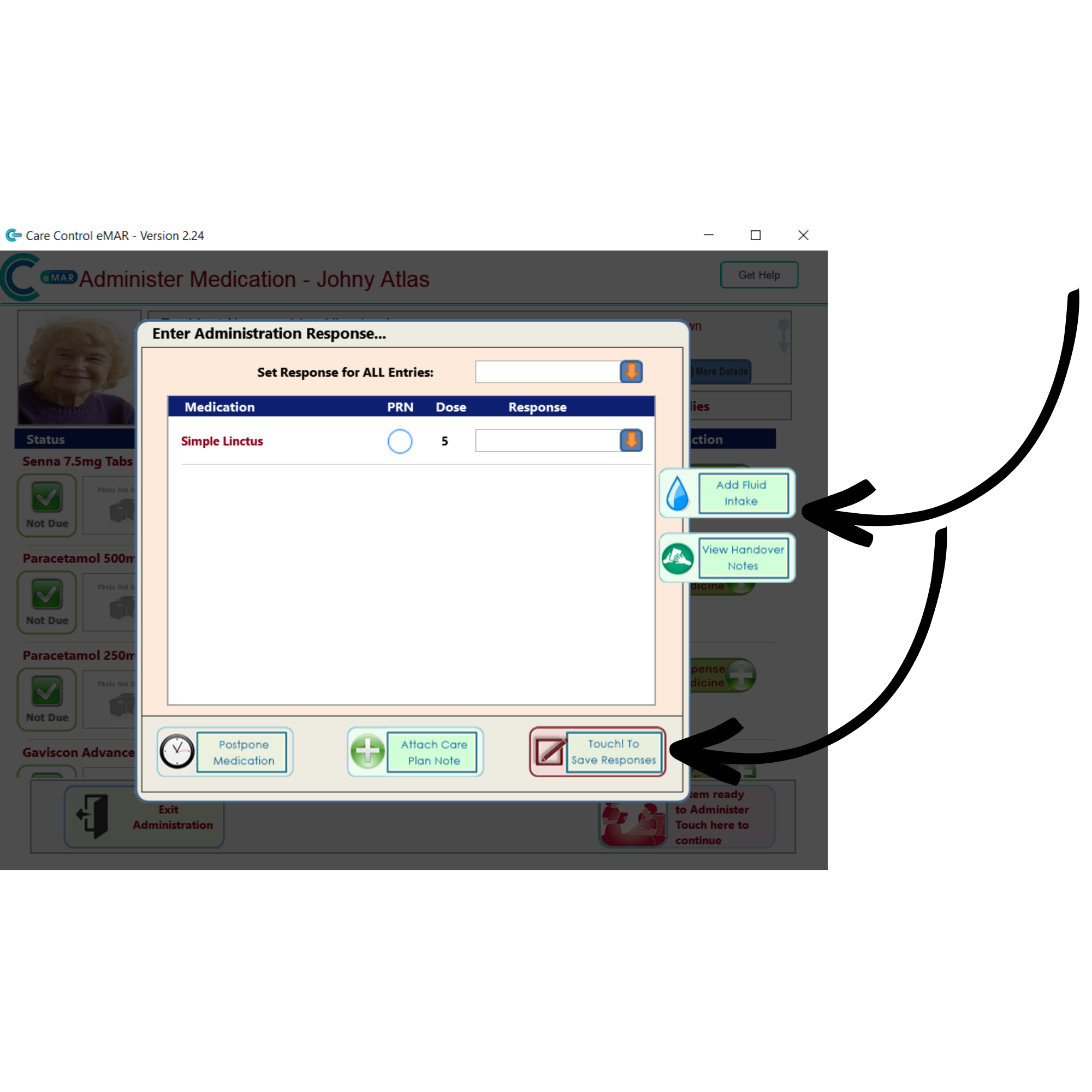
An administration window will open, here you can fill out the responses for each medication, as well as set responses for all medications in the list by using the drop-down list at the top of the window.
This window also has options to Add Fluid Intake, View the Handover Notes, Postpone Medicationand Attach a Care Plan Note.
After completing this page, press the red button labelled Touch to save Responses in order to finish the administration process.