You could win a £250 Amazon gift card! All you need to do is spare us 3 minutes of your time. Click here to find out more!
This guide covers how to view the Audit of Changes for a services users Care Plan within Care Control Cloud.
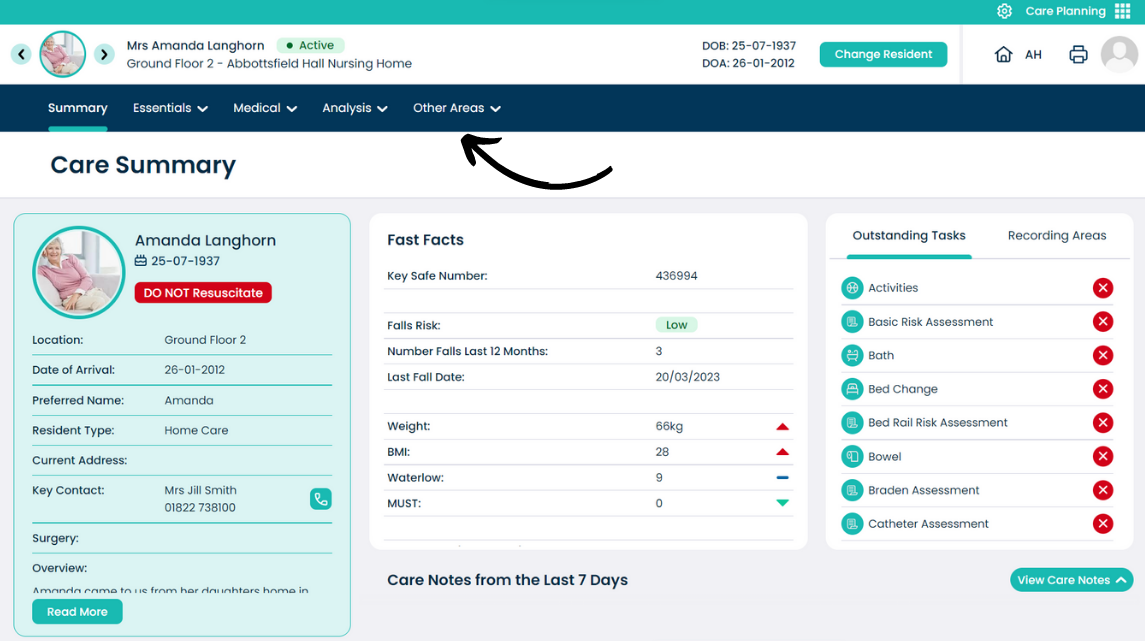
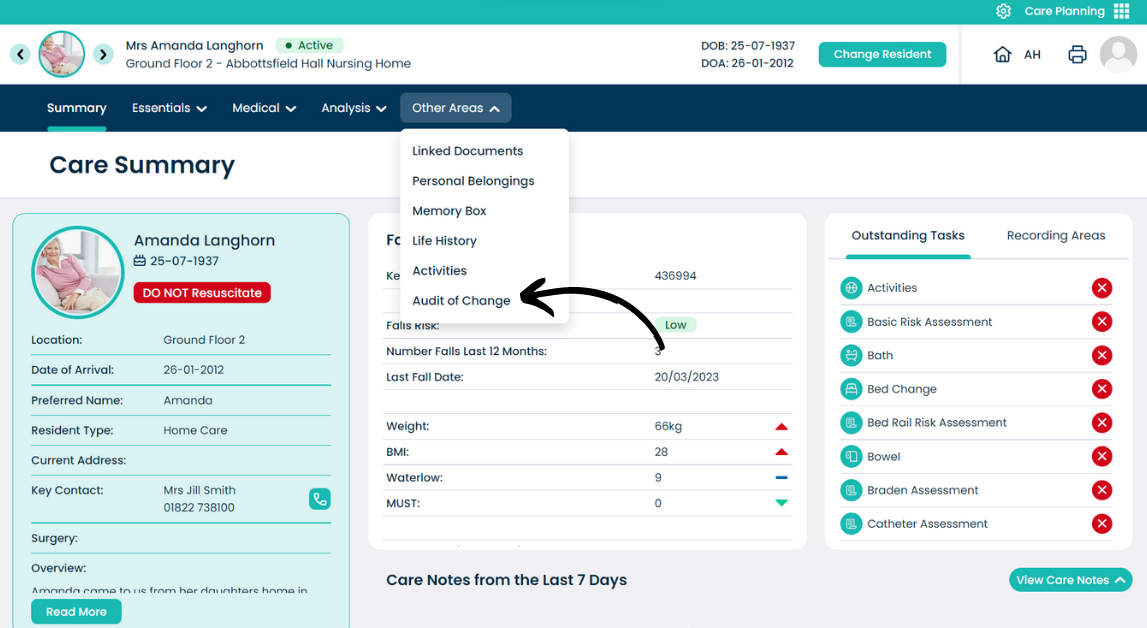
From the Care Plan Summary screen, open the Other Areas menu.
Select Audit of Changes.
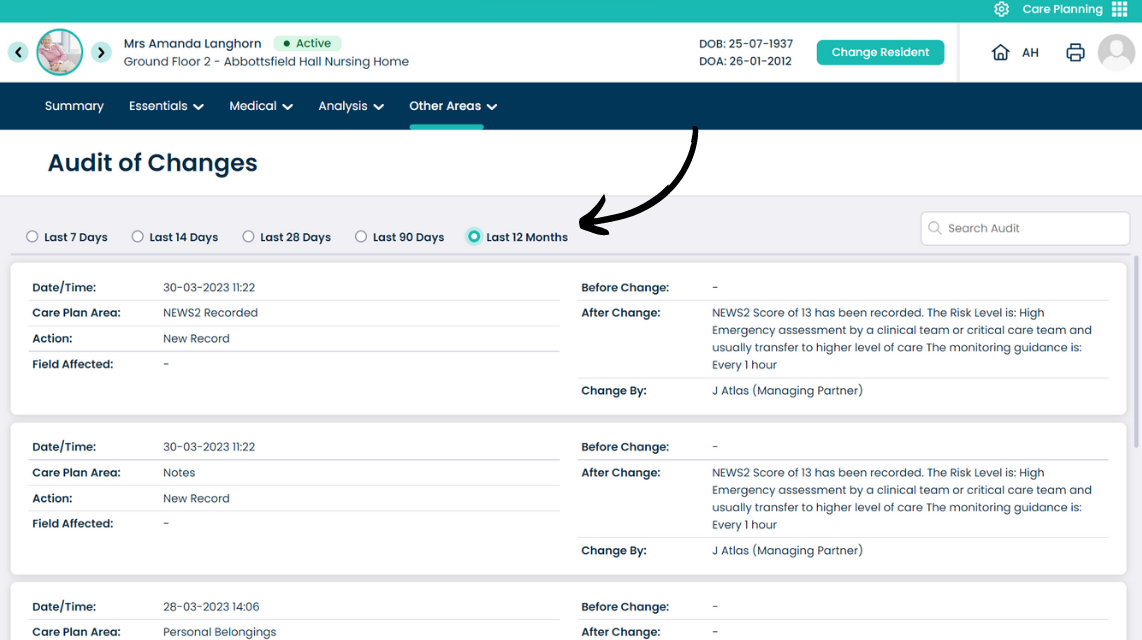
The Audit of Changes can be filtered by a date range as well as by keywords via the use of the search box.
The audit shows the area of the care plan which has been changed, who it was changed by and the before / after.