This guide will cover how to access and amend a service user’s Care Review within Care Control Cloud. This area contains updated information about different aspects of a clients care and level of need.
1
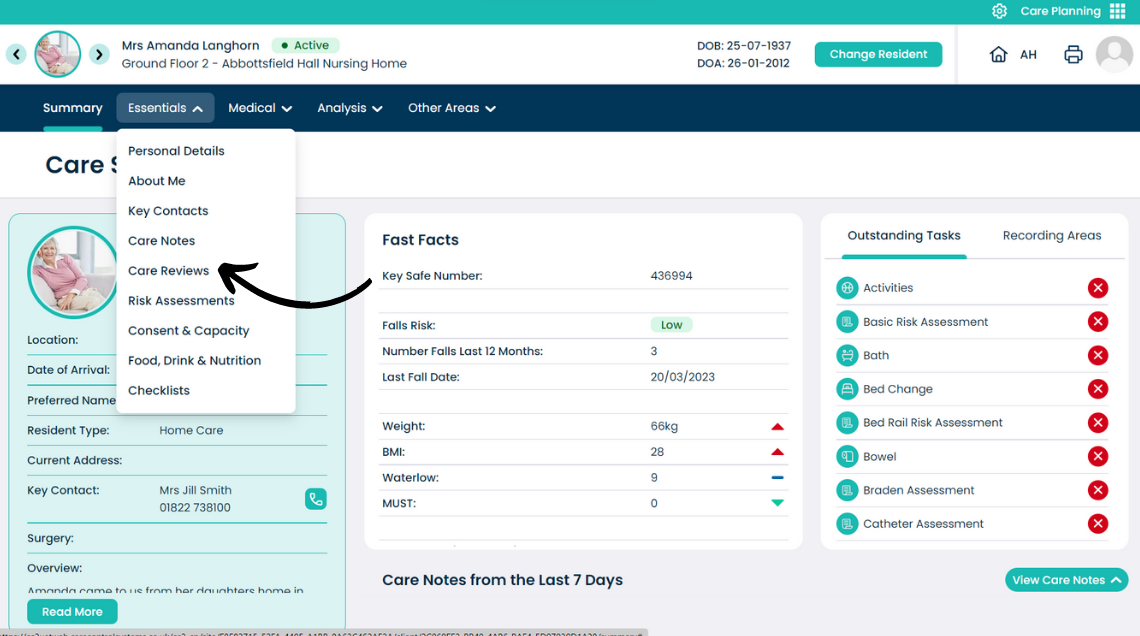
From the Care Plan summary screen, open the Essentials menu.
2
From the drop-down list, select Care Reviews.
3
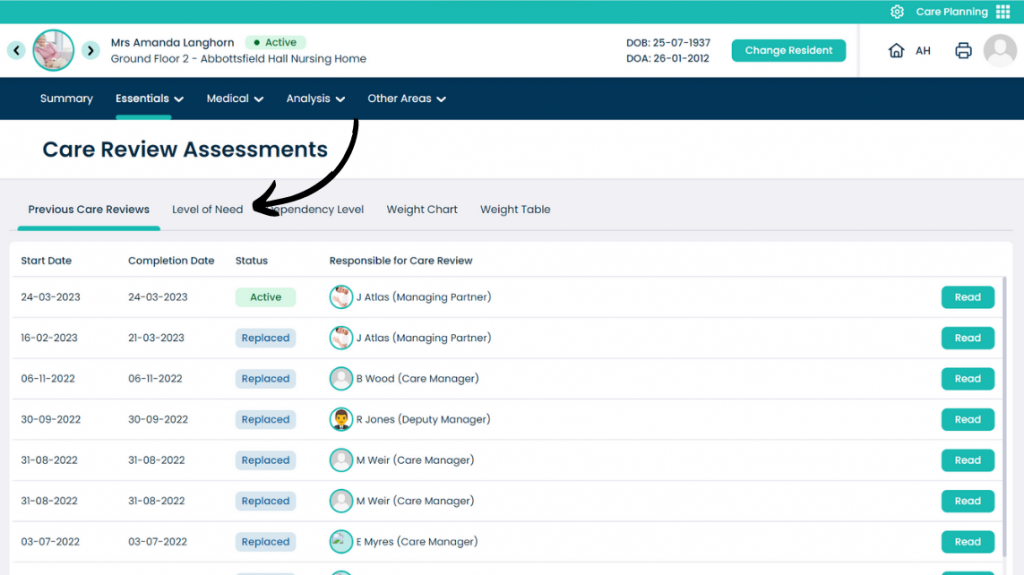
A list of reviews will be displayed. To open one, select Read.
4
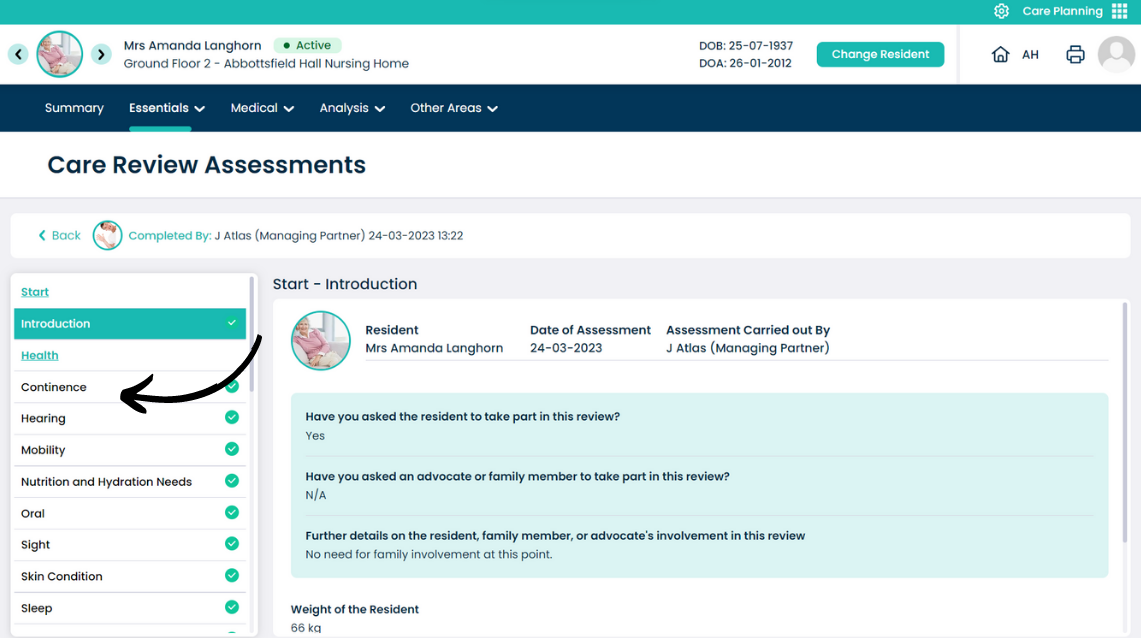
The review will open. On the left-hand side is a list of the sub-sections to the care review, on the right-hand side is the associated information.
Simply click on a sub-section to open it.
5
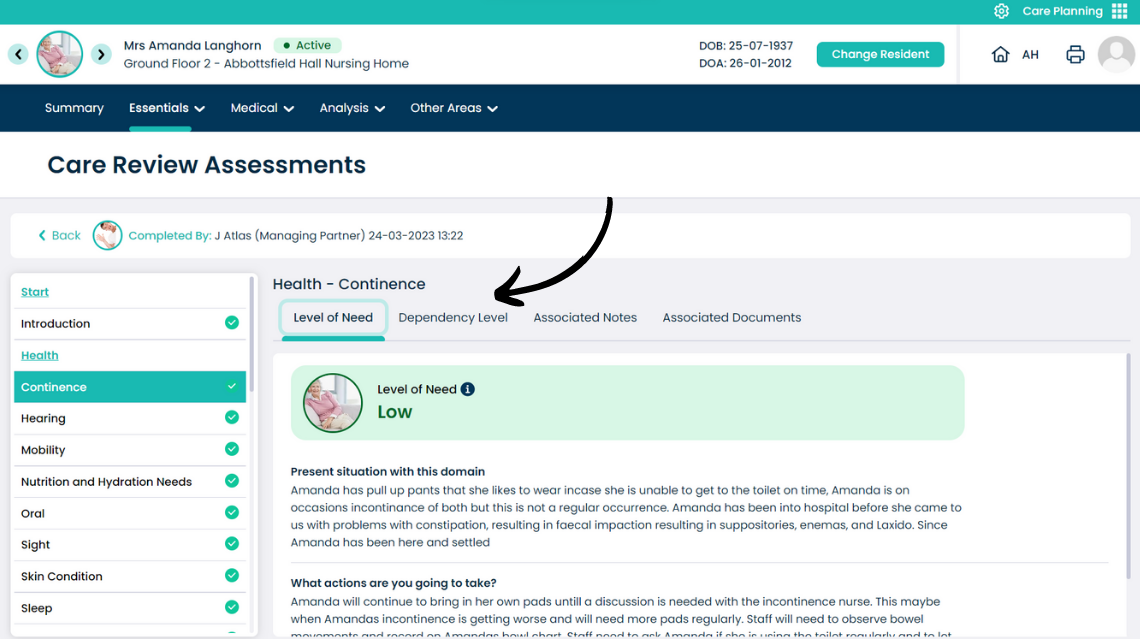
Each sub-section is broken into parts:
Level of Need – written information about the sub-section, including the present situation and steps taken to mitigate any issues.
Press Dependency Level.
6
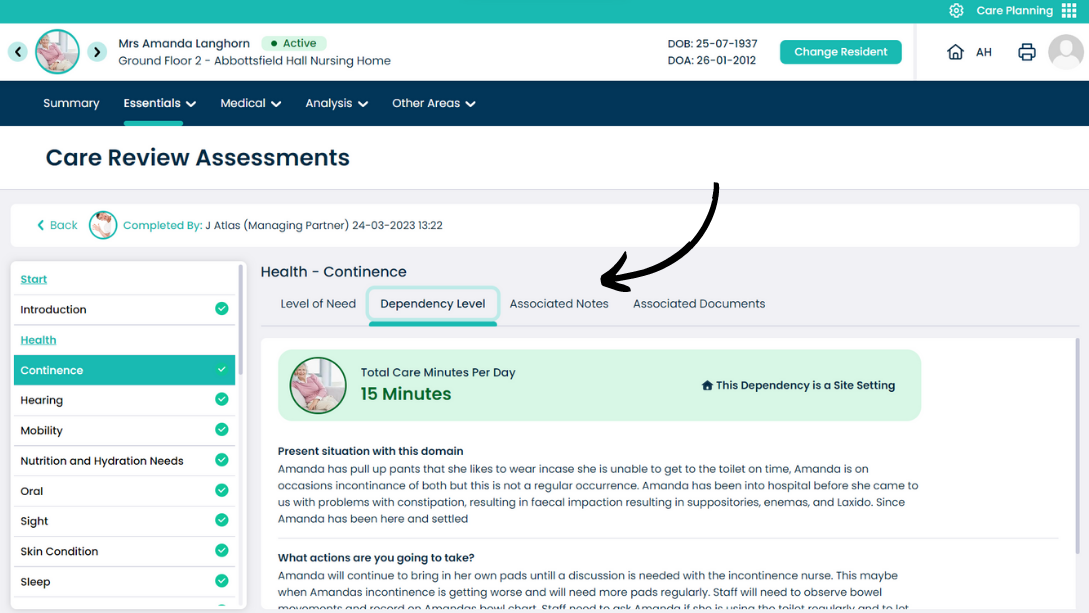
This tab displays the calculated time of care per day, for the open sub-section.
You can also view attached Notes and Documents in the respective tabs.
Press Return to go back to the Care Review list.
7
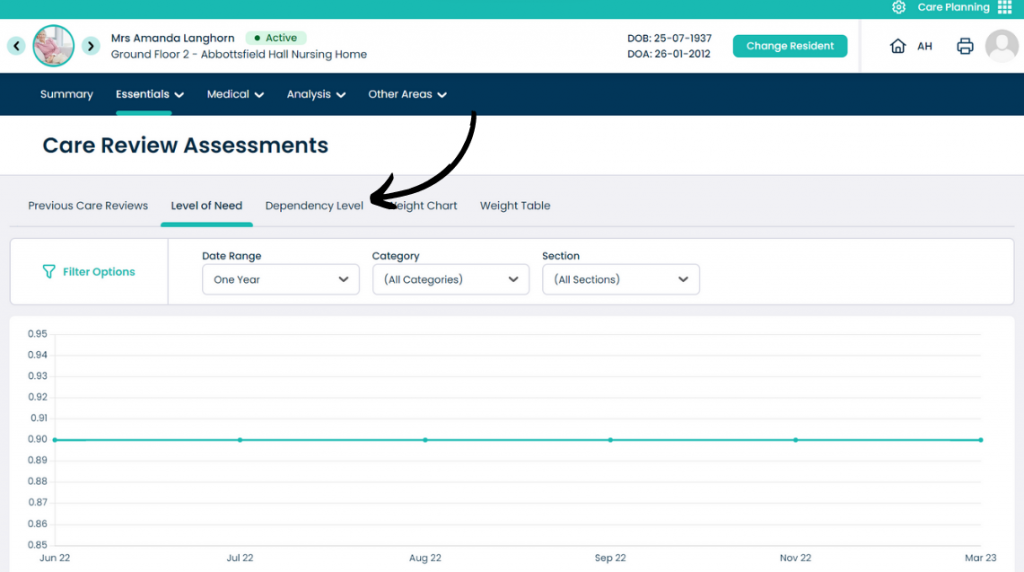
Press Level of Need.
8
This tab shows a graphic to display the change of level of need over a set time.
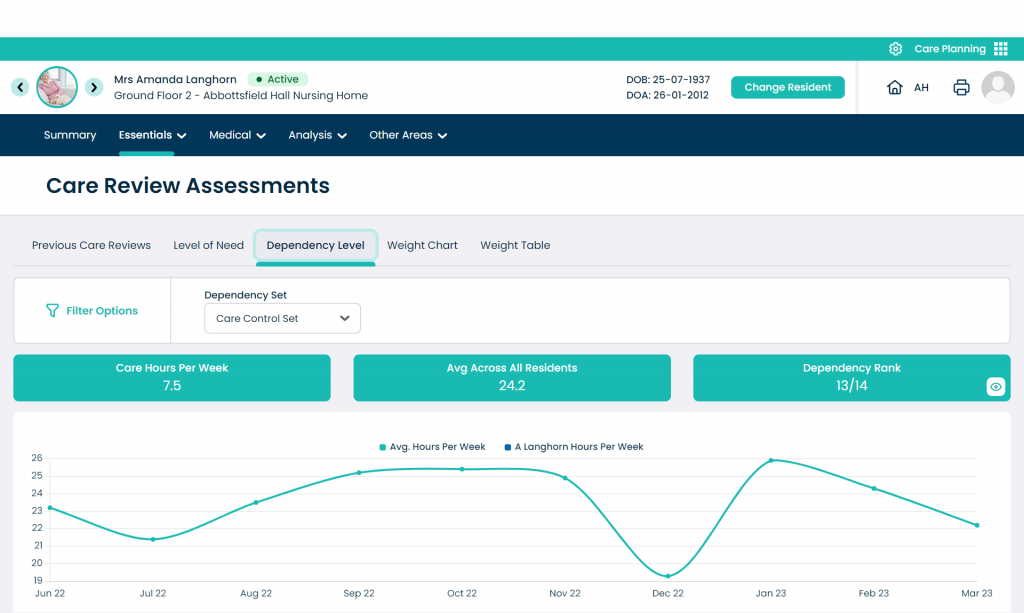
Press Dependency Level.
9
This tab shows a graphic to display the change of dependency level over a set time. A comparison to the organisation average is also shown.
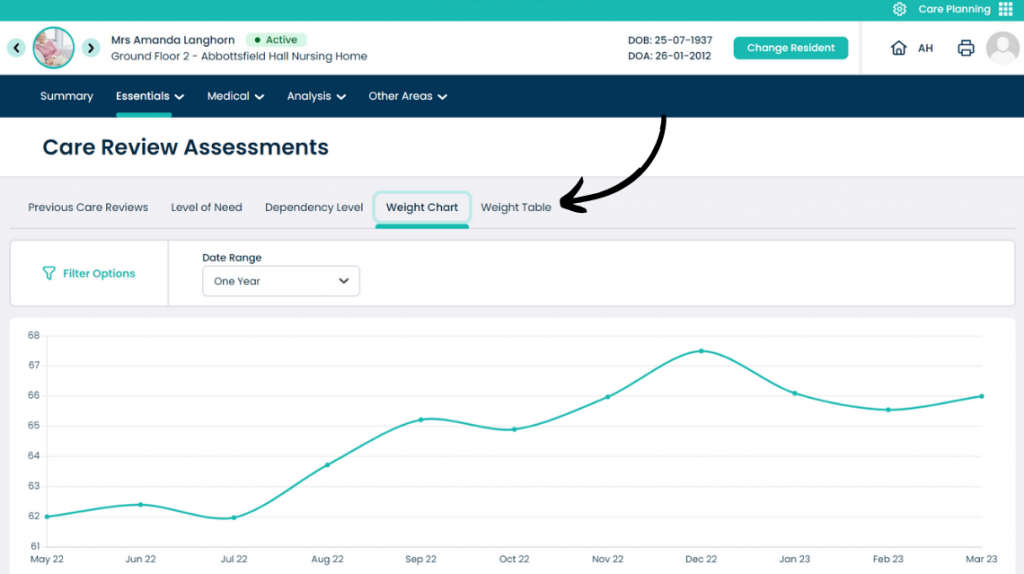
Press Weight Chart.
10
This tab shows a graphic to display the change in weight of the service user over a set time.
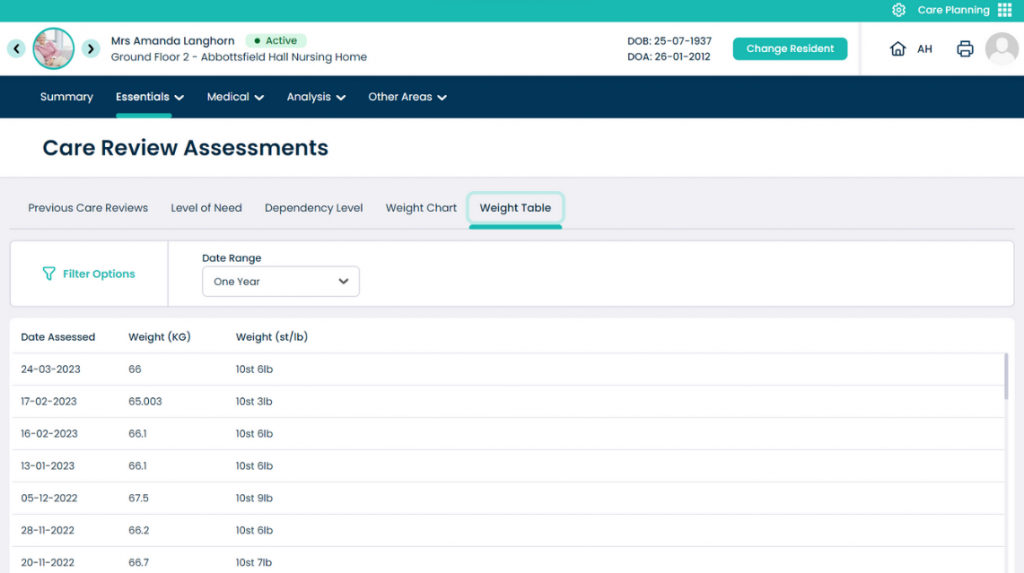
Open Weight Table.
11
This table shows the individual weight recordings for the service user.