You could win a £250 Amazon gift card! All you need to do is spare us 3 minutes of your time. Click here to find out more!
This guide will cover how to configure the sign in settings for use with Care Control Biometric.
In the Administration of Care Control Windows, navigate to the System Settings which can be found under the Advanced Stuff tab.
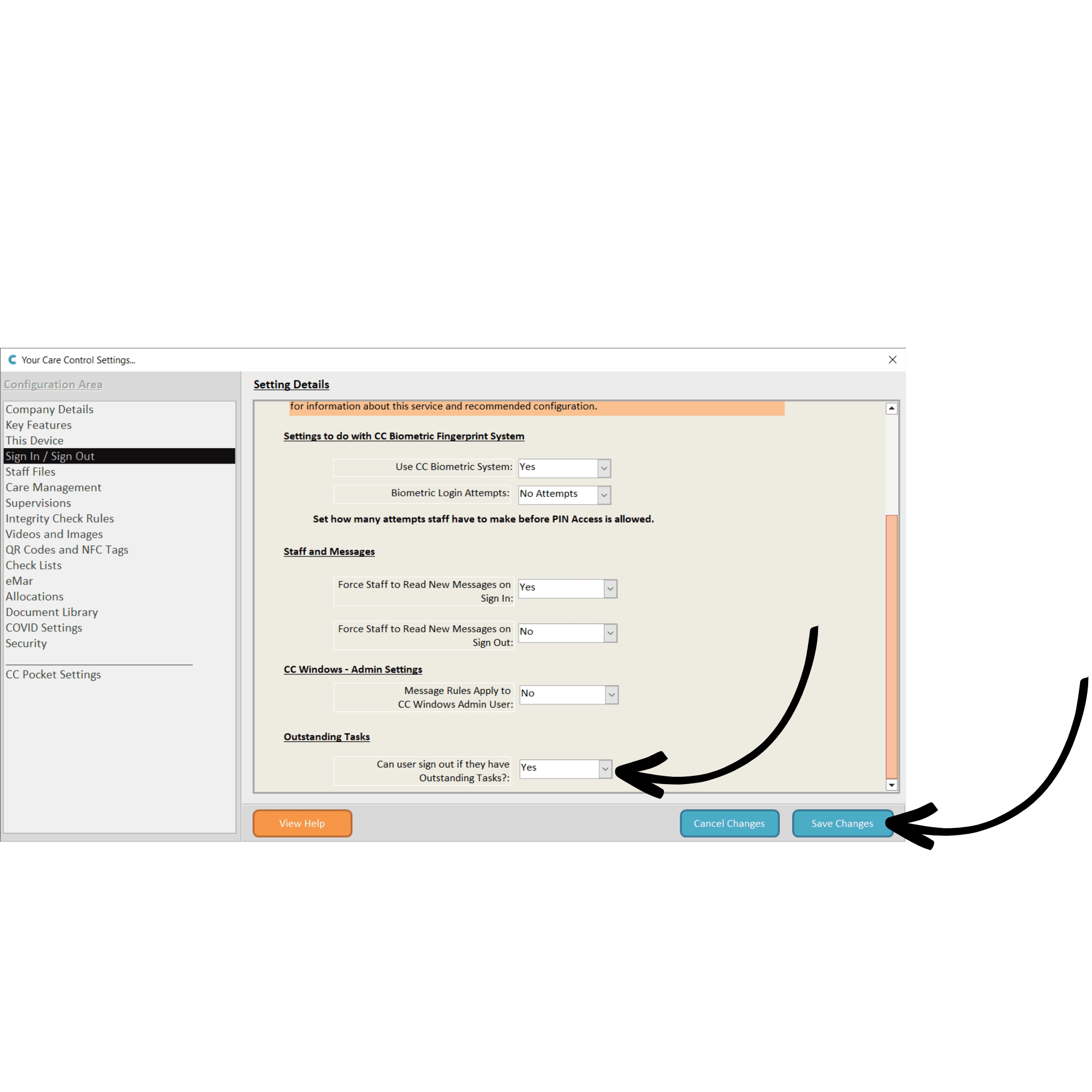
Next, select Sign In / Sign Out settings from the menu on the left-hand side of the window.
In the first section of settings:
The next section covers Staff and Messages:
Next, you can choose whether Message Rules Apply to Admin Users and whether Users Can Sign Out with Outstanding Tasks.
After making any amendments to the settings here, press Save Changes.