Bank Holiday Closure Notice: We will be closed on the 3rd April for the Easter bank holiday, so our customer service team will not be available on this day. If you need to get in touch, you can still use our customer contact form and we will get back to you as soon as possible. Even better, Margo will still be available on our phone lines to help with your queries whenever you need support. We hope you have a lovely Easter weekend 🐣
View Categories
COVID PCR & Lateral Flow Tests
This guide will cover how to record COVID test results for both staff members and service users on Care Control Windows.
1
In the Administration of Care Control Windows, navigate to the Record Staff COVID Test tool which can be found under the Staff Area tab.
2
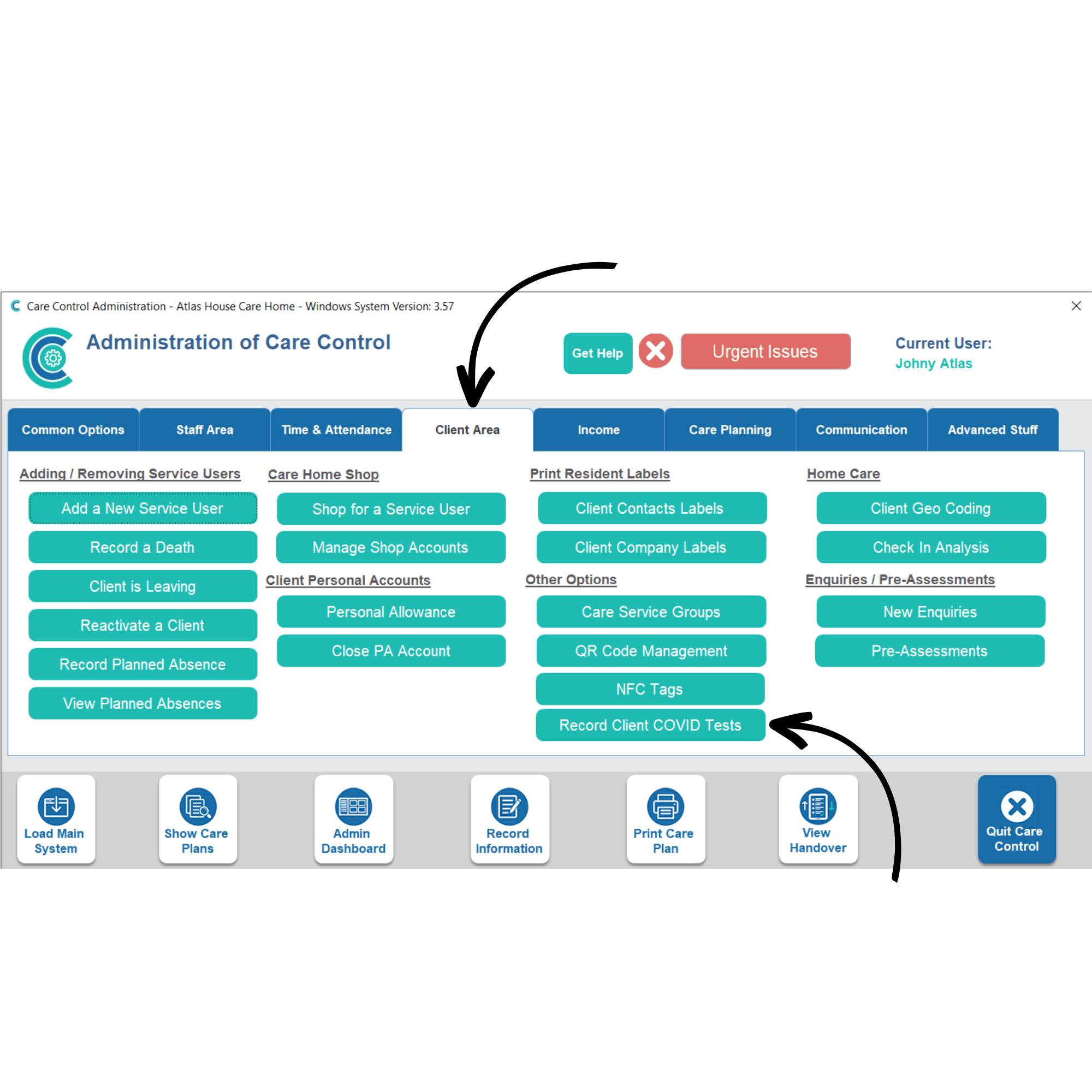
For service users, navigate to the Record Client COVID Test tool which can be found under the Client Area tab.
3
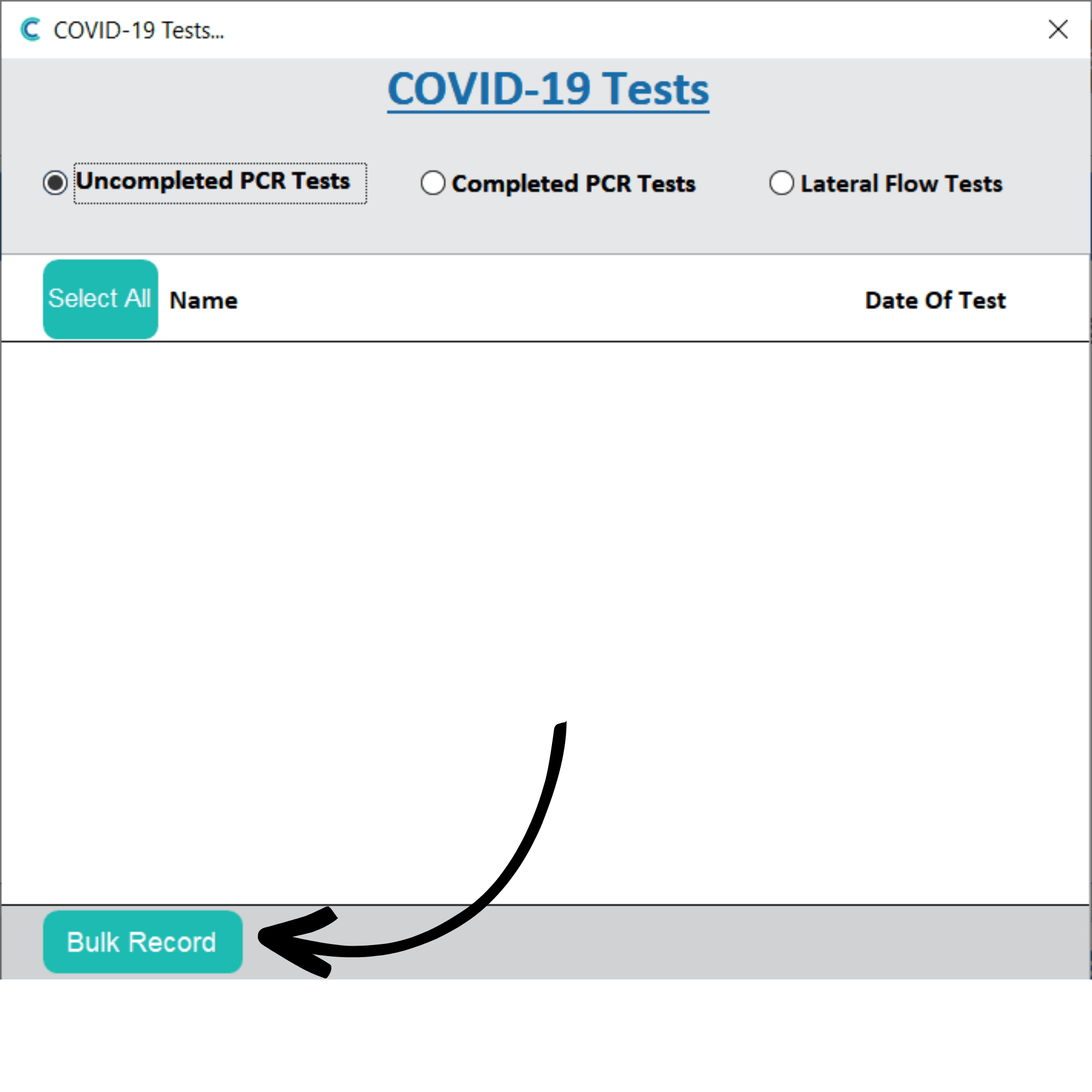
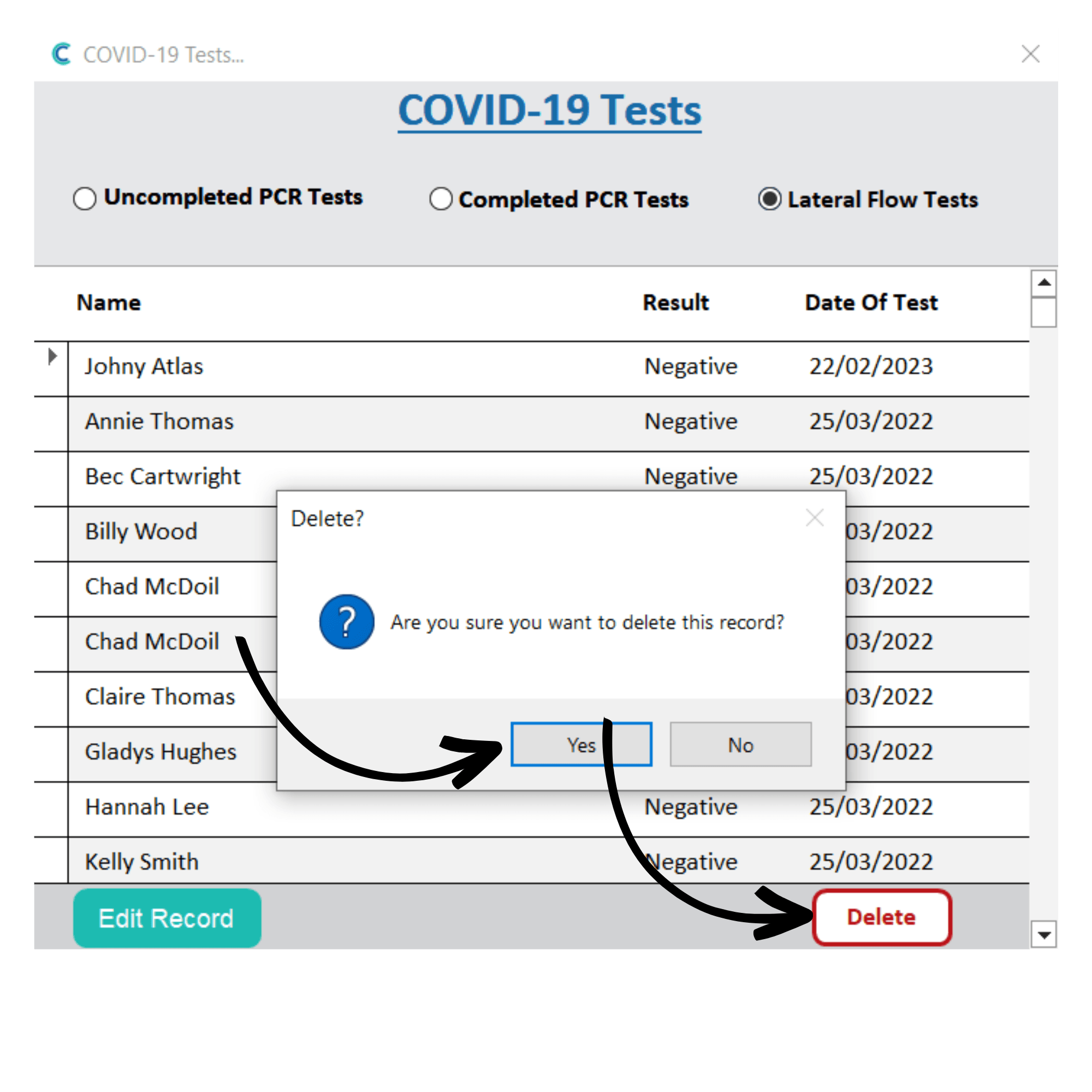
Opening either the staff or service user testing tool will open a new window. Here, you can view uncompleted PCR tests, completed PCR tests and lateral flow tests by using the options at the top of the window.
To record a test result, select Bulk Record.
4
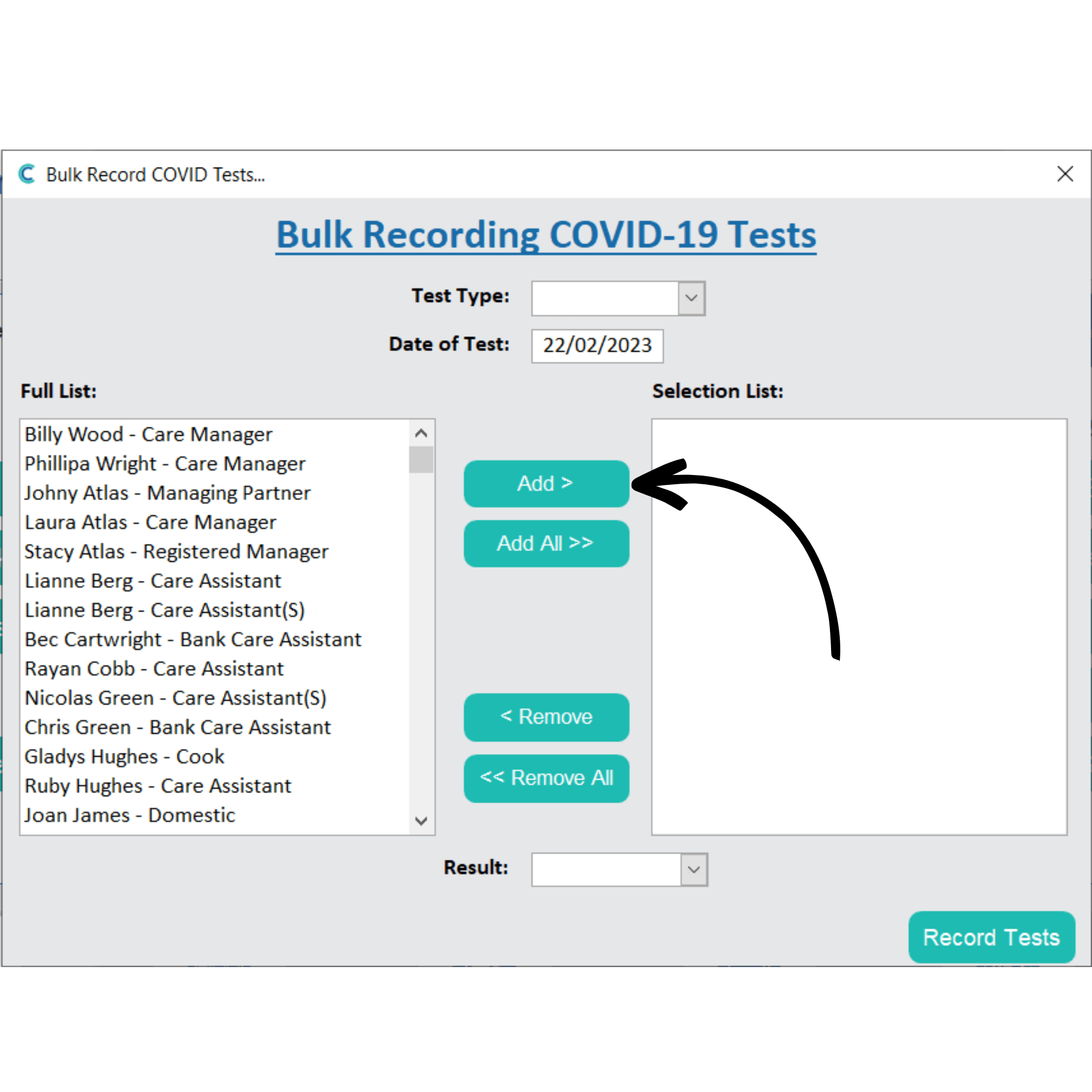
A blank form will open. First, select the Test Type using the drop-down list.
Then, select the staff members (or service users) you wish to record the result for by selecting their names and pressing Add.
Finally, enter a Result using the drop-down list.
Note: the same test result can be recorded for multiple staff members or service users in one go.
5
After completing the form, press Record Tests.
6
In this example, we recorded a Lateral Flow Test. This can now be viewed in the LFT results list.
You can edit a result by selecting the entry and pressing Edit Record.
7
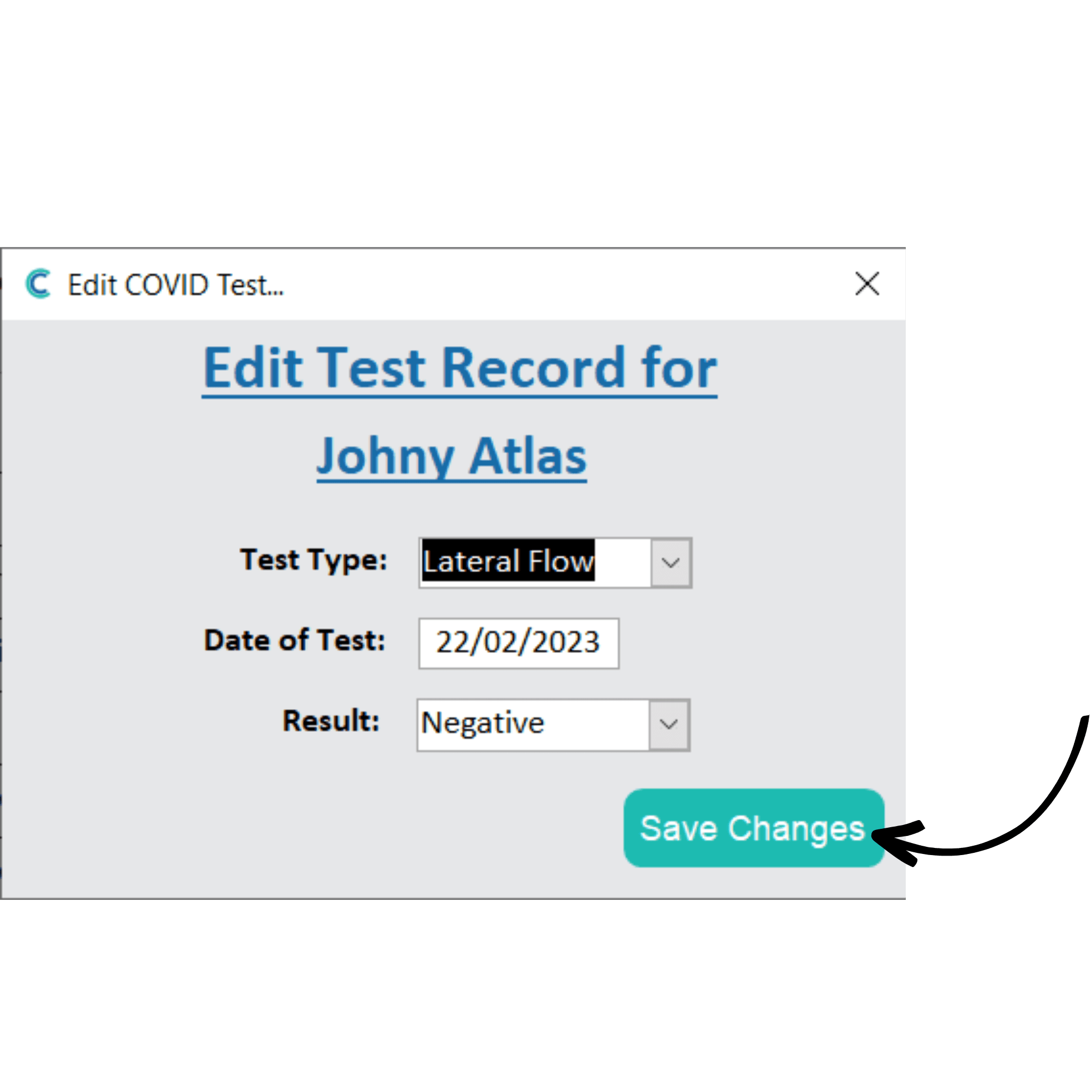
A new window will open, here you can amend the details of the result. Press Save Changes after making any adjustments.
8
You can also remove test results by selecting an entry and pressing Delete. You will then be asked to confirm the removal, press Yes.
9
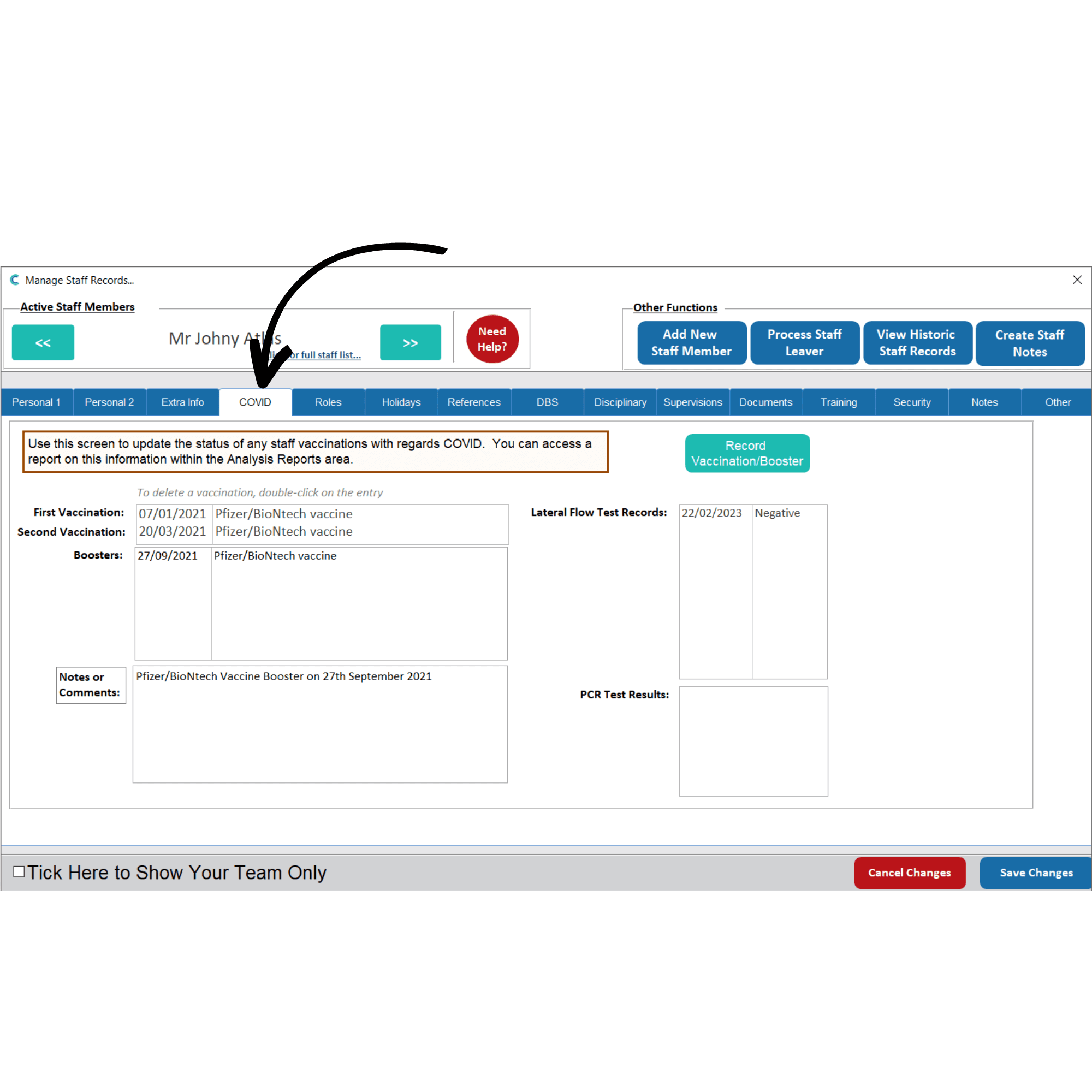
Staff member test results are also displayed within their Staff Profile, under the COVID tab.