This guide will cover how to create a message on Care Control Windows. This could be to specific staff, groups of staff or sent as public messages to all in the organisation.
1
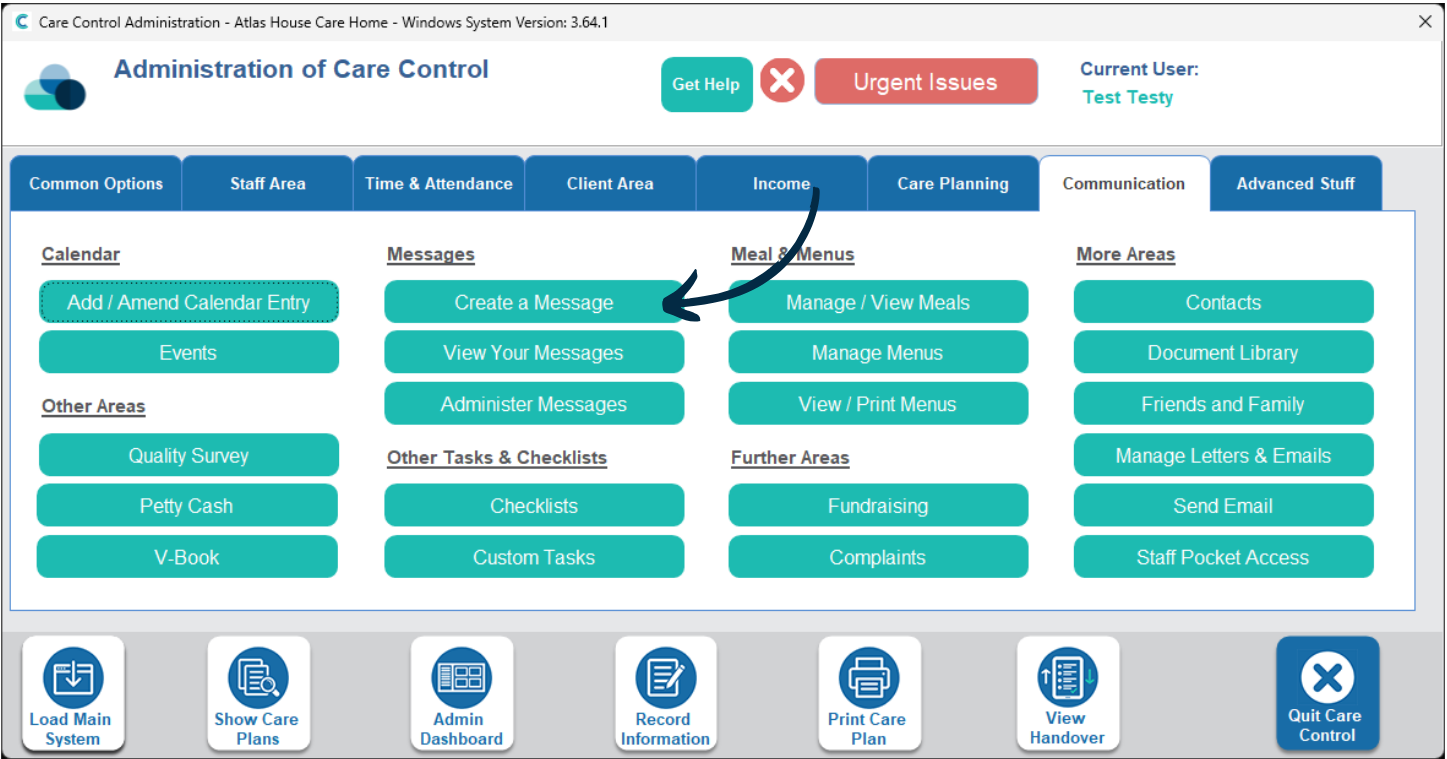
In the Administration of Care Control Windows, navigate the the Create a Message tool, which can be found under the Communication tab.
2
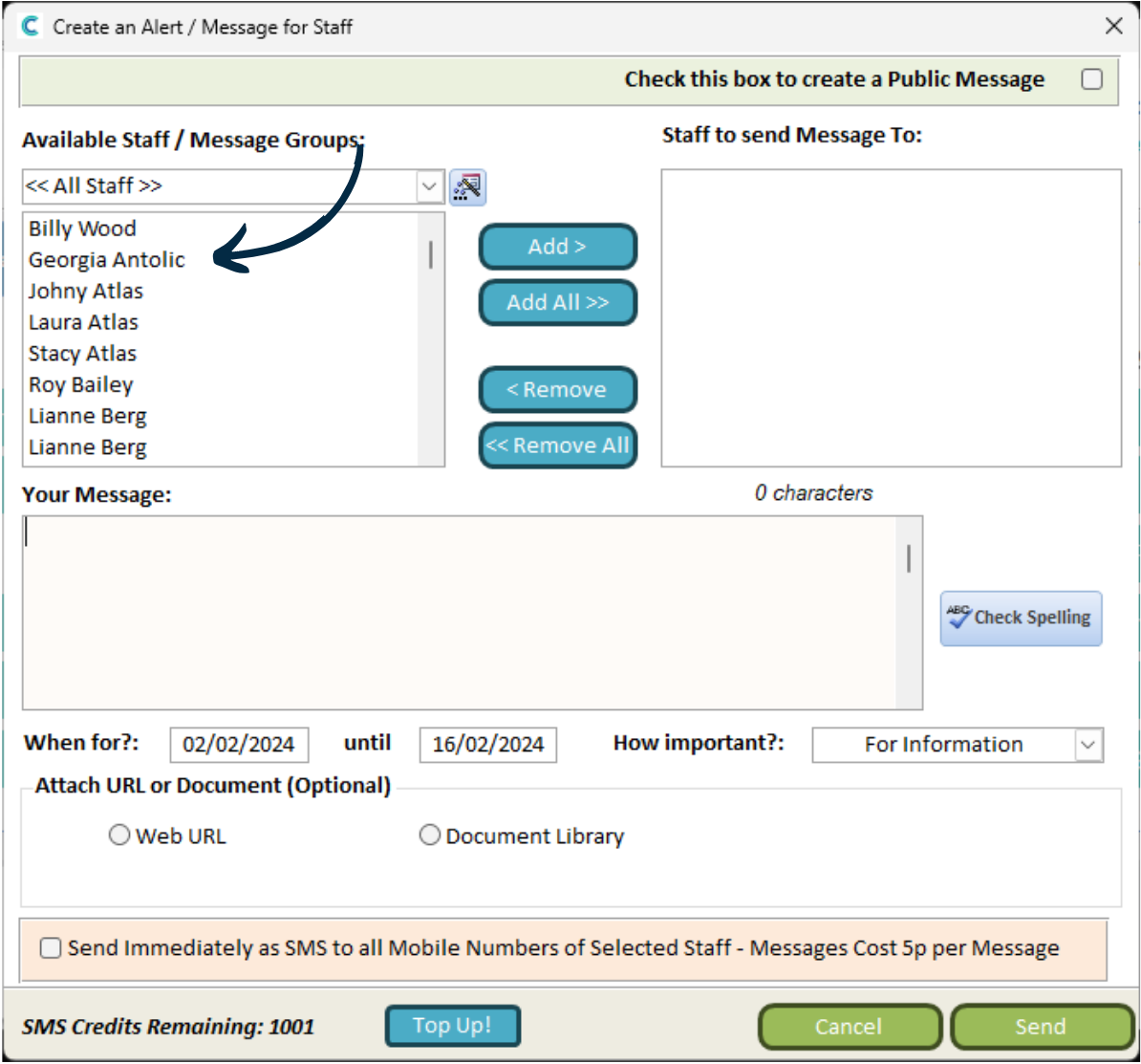
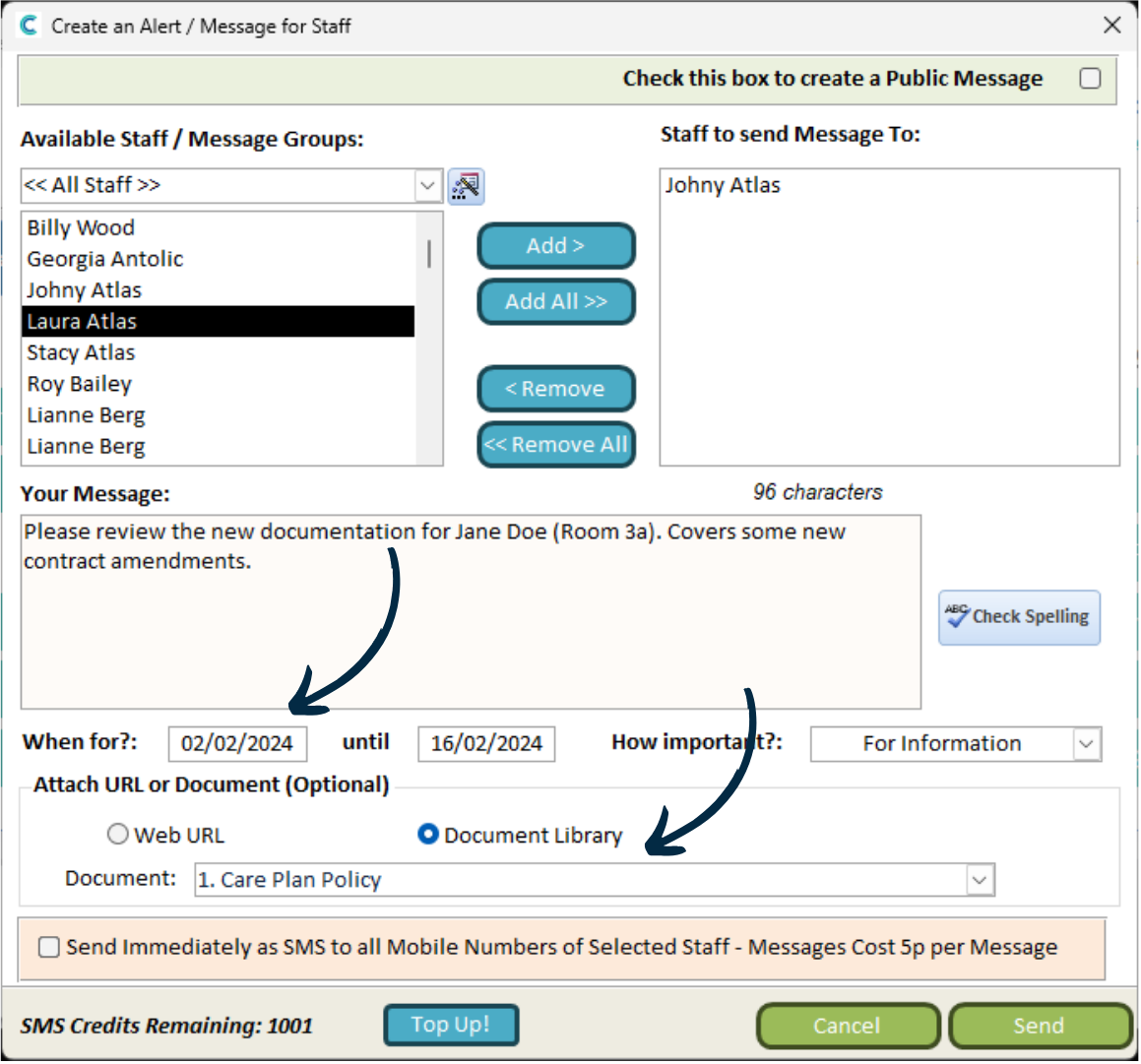
A new window will open. Here, you can choose the recipients and build the content of your message.
Begin by selecting the Staff or Message Group who the message will be sent to.
3
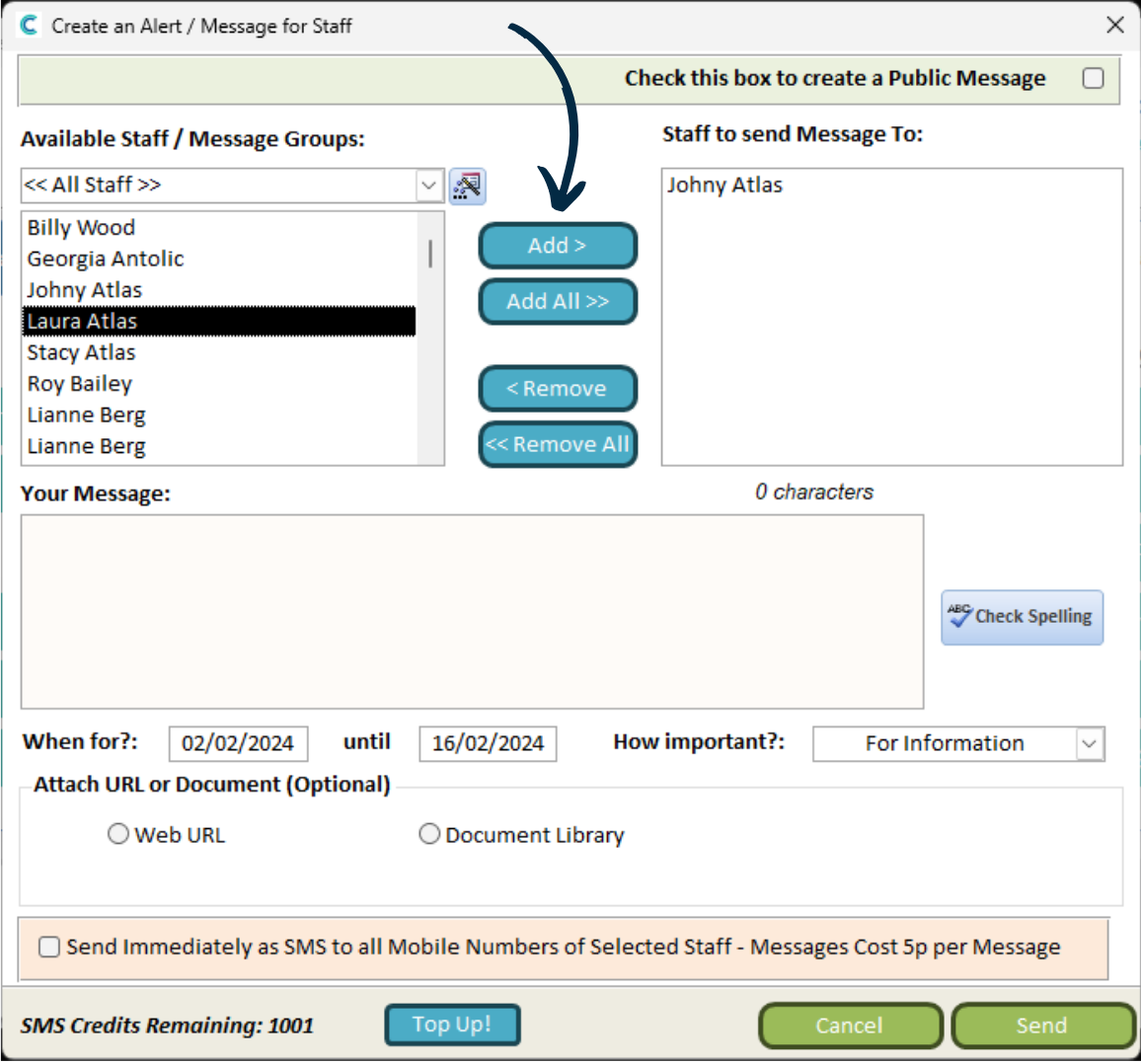
Select the staff or group from the left hand list, then press Add to move them to the right hand list.
4
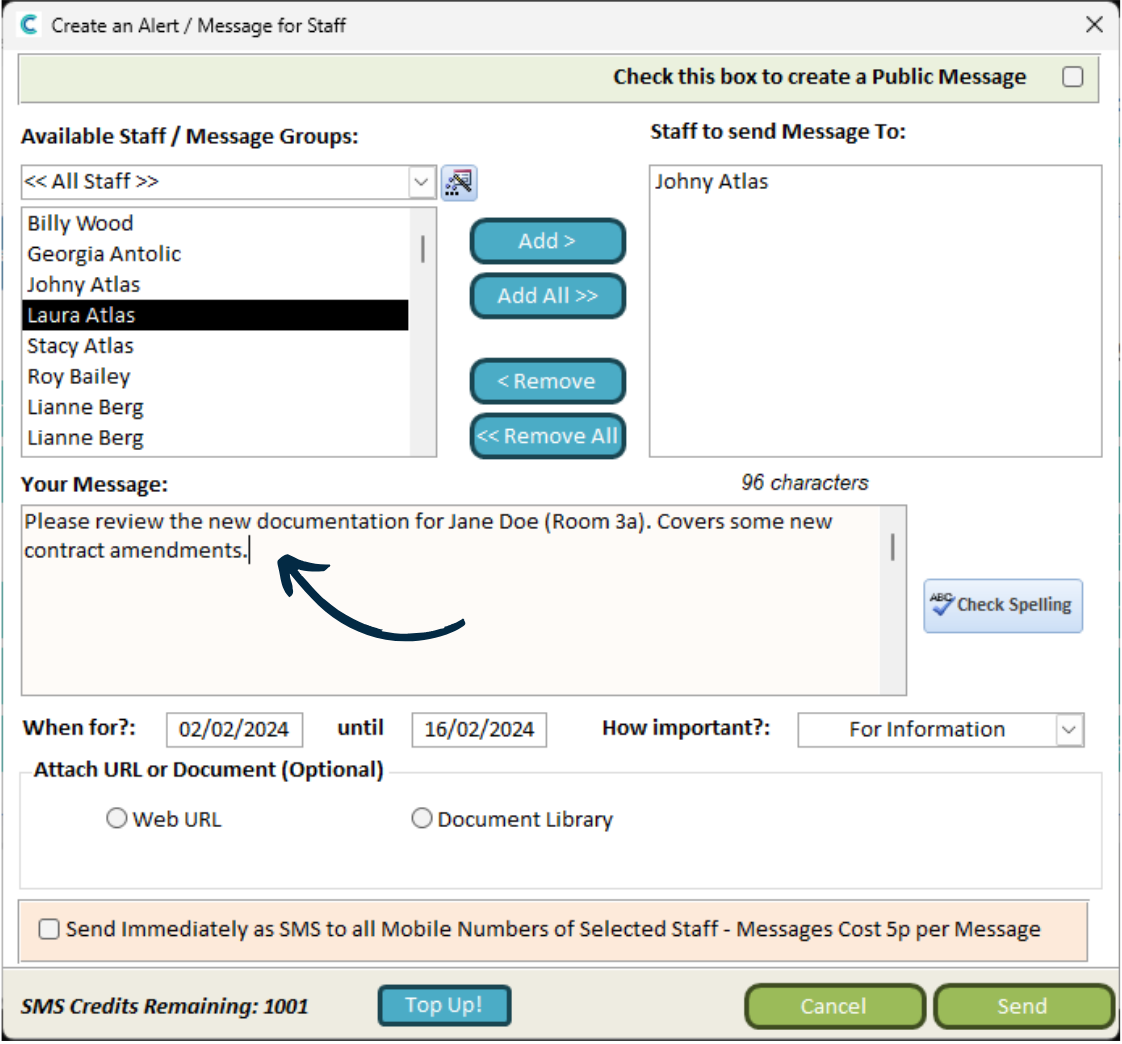
Next, you can type in the contents of the message in the Your Message box.
5
You can also set the message to send on a date in the future, and an end date for when the message will stop being displayed.
Finally, you can attach Web URL‘s and uploads in your Document Library.
6
You can send the message via SMS to the mobile numbers of the selected staff by ticking the SMS check box, highlighted in orange, at the bottom of the page. Each message to each staff member will use 1 credit. Please contact us to ‘top-up’ your credits (1000 for £50 +VAT).