This guide will cover how to create custom Mental Capacity Assessments for a decision area relating to a service user. This process is completed within Care Control Windows.
1
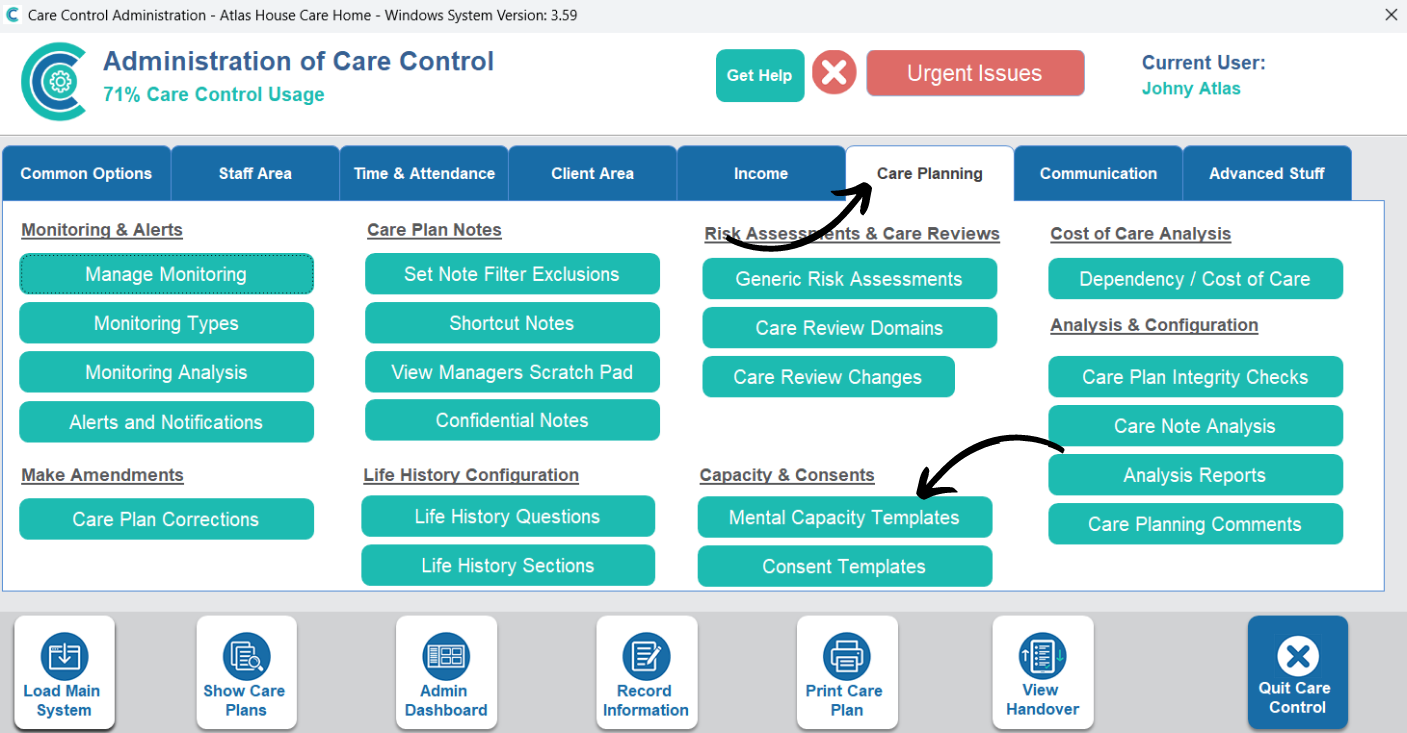
In the Administration of Care Control Windows, open the Mental Capacity Templates tool, which can be found under the Care Planning tab.
2
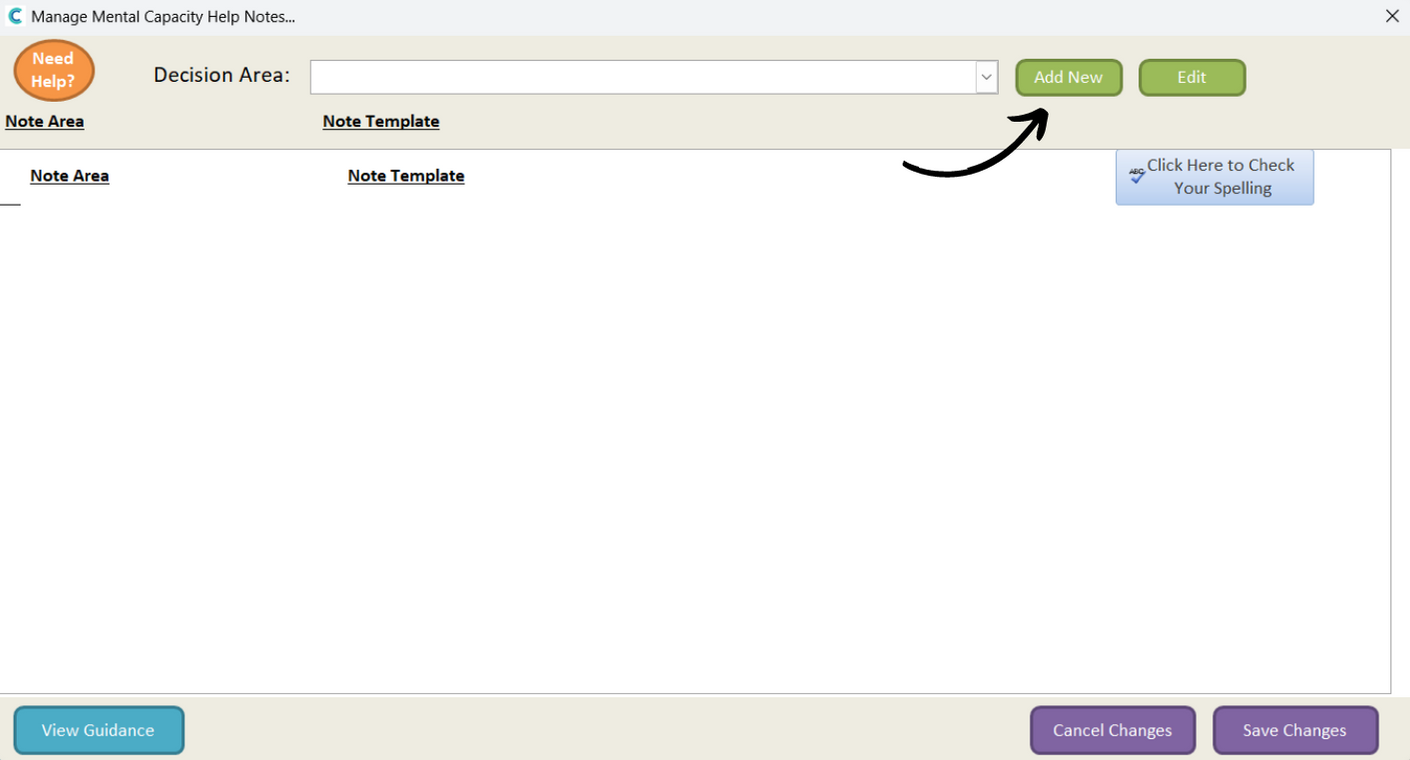
A new window will open, here, press Add New.
3
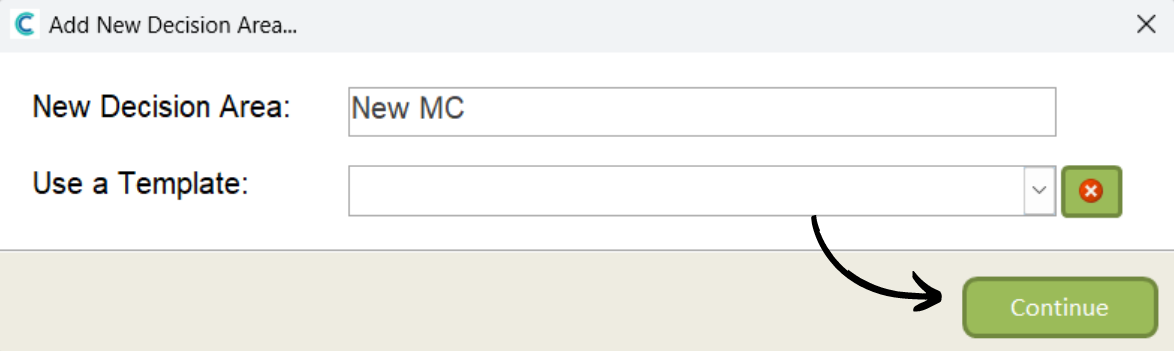
Enter a name for the new template. You can also choose to base the new form on an existing template from the drop-down list. Then, press Continue.
4
The blank form will open. Begin by choosing a Note Area:
Detail description is where you explain the decision area.
Impairment Brain is where you explain the reason this particular service user needs the assessment.
Understanding information explains the service user cannot understand the information.
Retaining information explains the service user cannot retain the information.
Assessing information explains the service user cannot assess the information.
Communicate Decision explains if the service user is able to communicate their decision.
Follow up action is any actions you are going to take for this decision area.
Then, press Build Template to create the section.
5
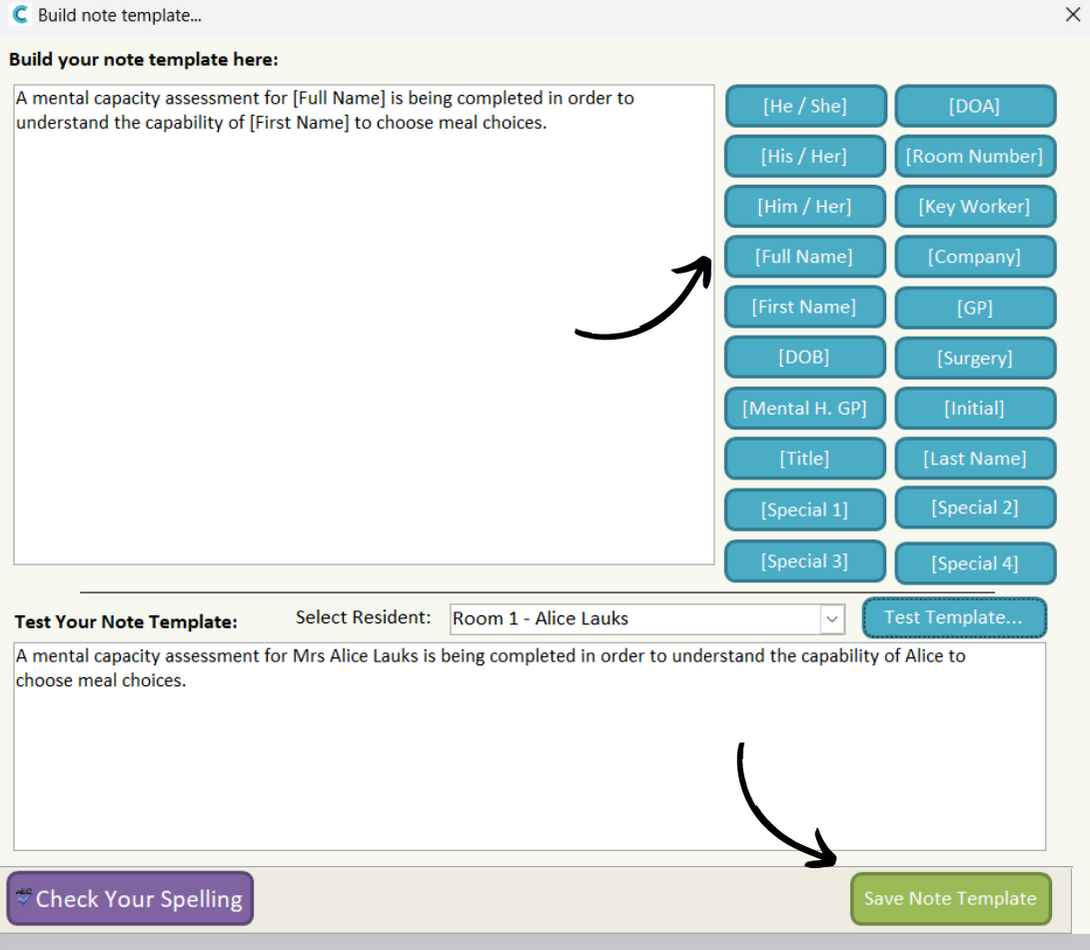
You can type the information for the section in the text box, and also use note build tools which auto-populate information when the form is completed. Compare the note build to the test template beneath in this screenshot to understand the functionality.
After completing this, press Save Note Template. You can continue to complete the rest of the form. Make sure to save after making any changes.