
Creating & Viewing Documents on Pocket
This guide covers how to create and view documents on Care Control Pocket using the Document Builder tool.


1
After signing into Care Control Pocket, open the menu by pressing the 3 lines in the top right corner of the screen.
2
Select Staff Menu from the options.

3
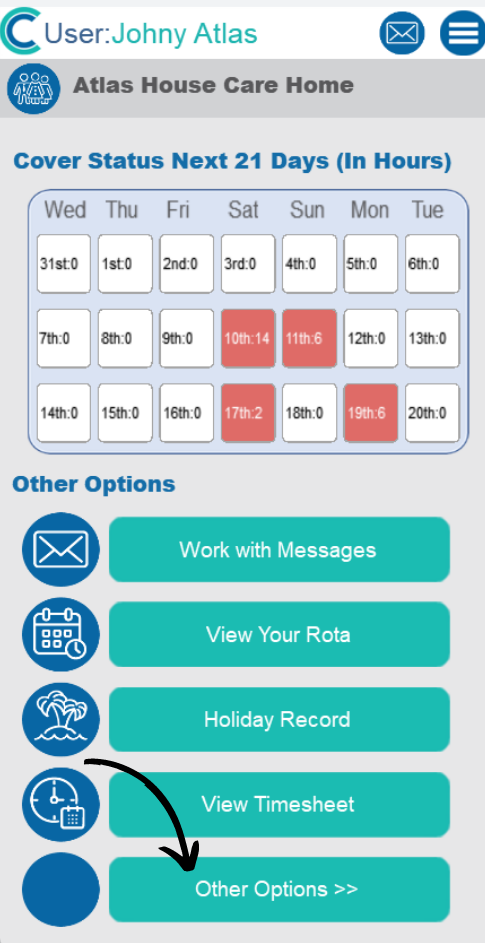
Next, select Other Options
4
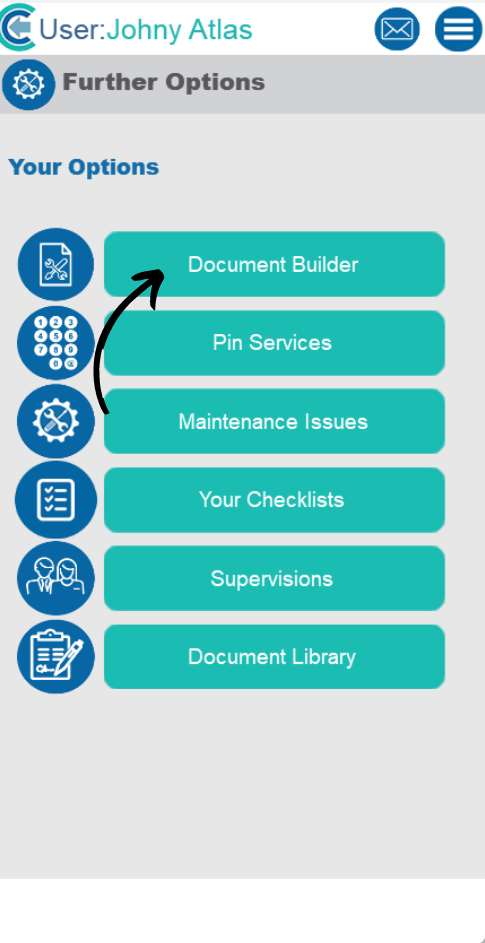
Then, select Document Builder
5
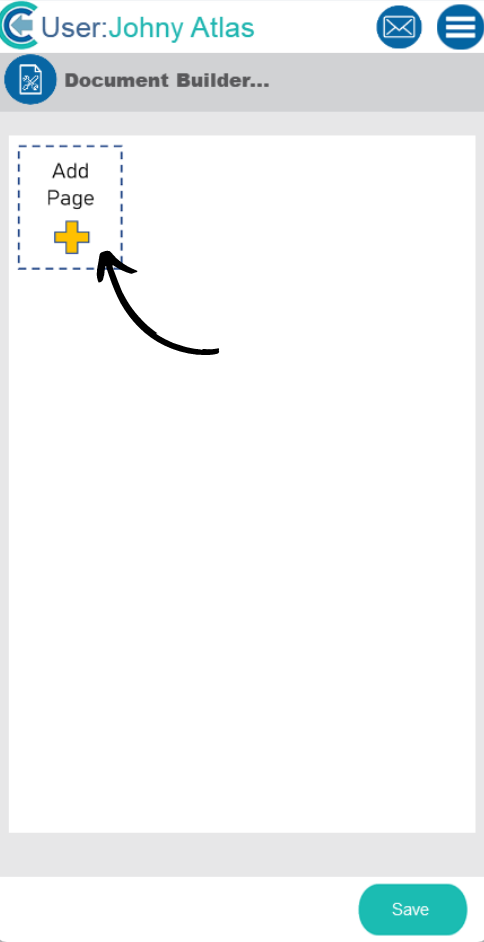
A new page will open. Here, select Add Page.
6
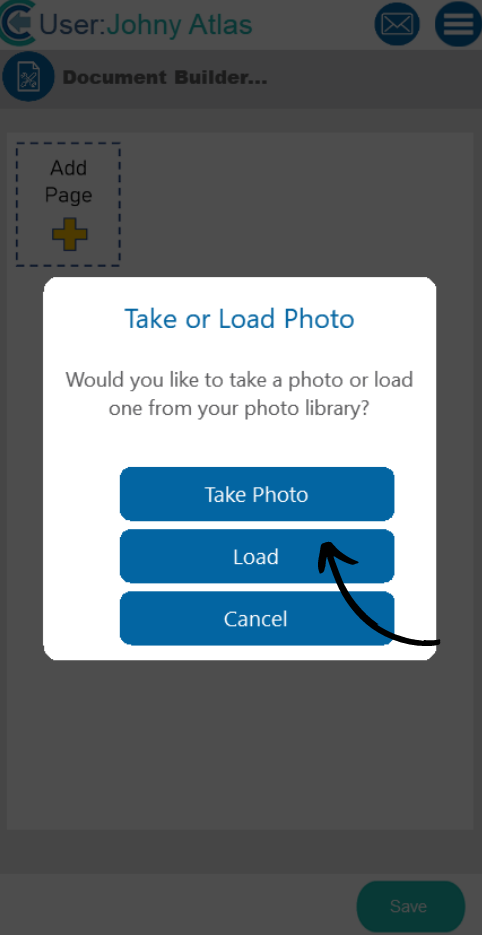
You will be presented with two options for document building. Select Take Photo to open the camera or select Load to open the devices photo gallery.
7
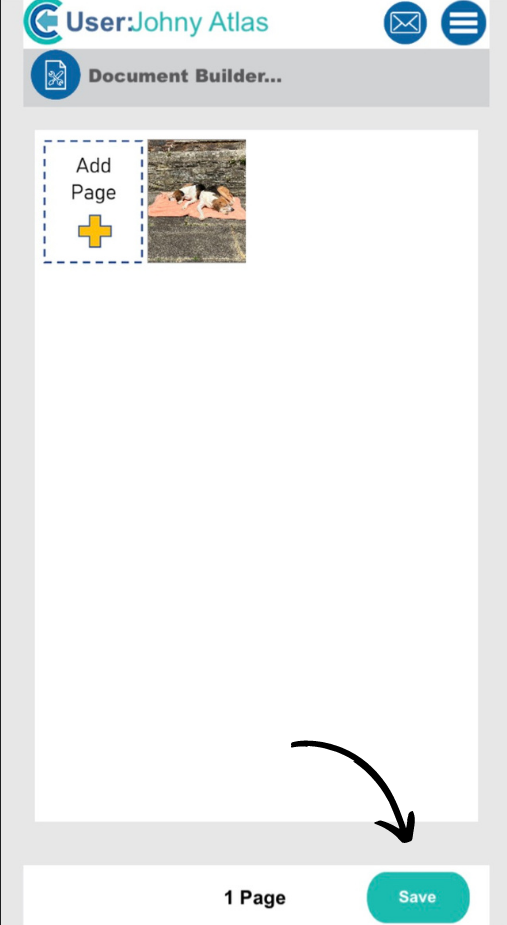
After taking or loading the photo, it will show on the screen. You can choose to add more using the Add Page button, or press Save to complete the process.
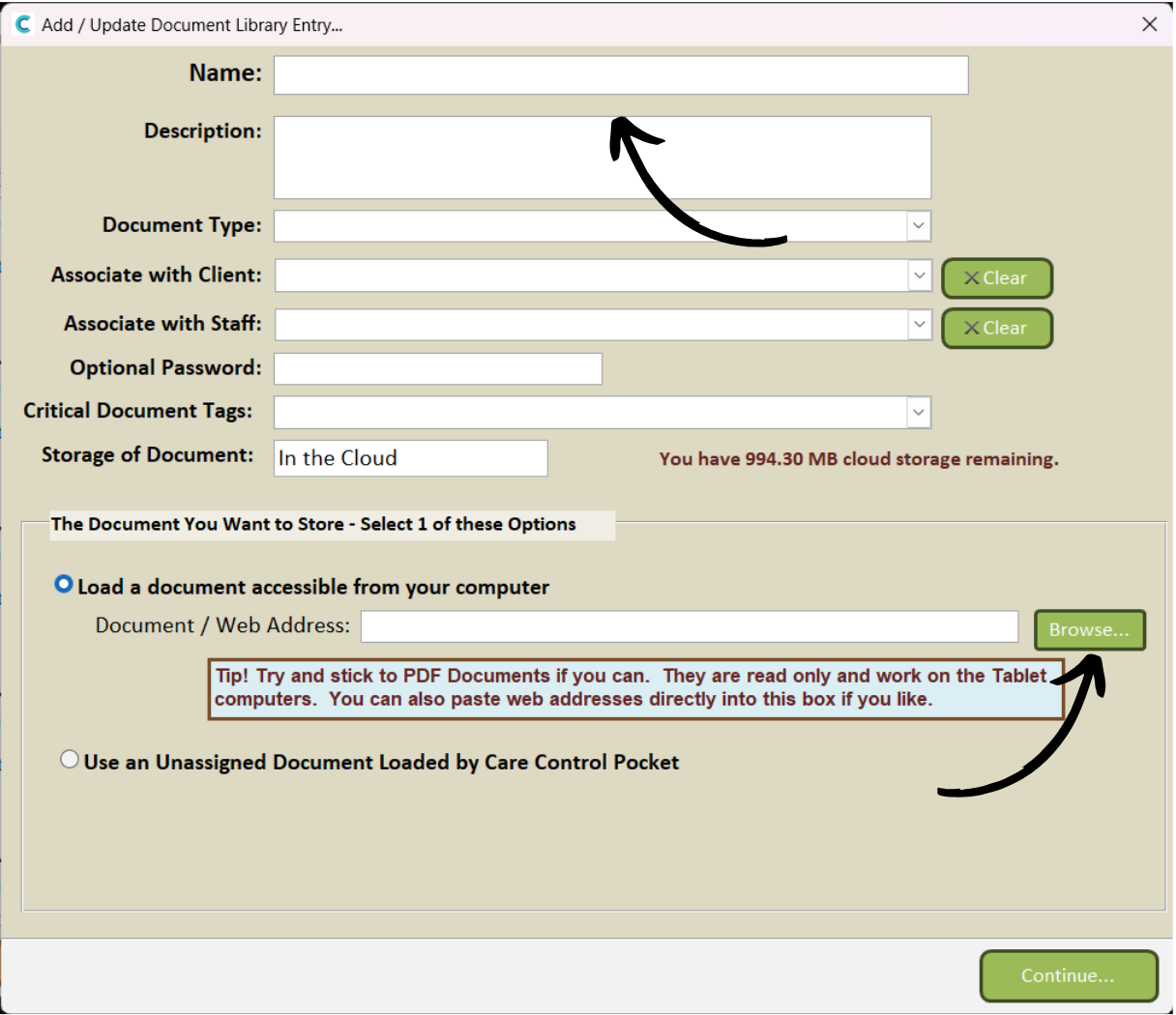
This image will now be available on Care Control Windows when adding a document to the document library. In Step 3 of the guide linked below, you can see the option labelled ‘Use an Unassigned Document Loaded by Care Control Pocket‘. Select this and then find the image you uploaded from Pocket.
Uploading a Document – Care Control Learning Hub (cclearninghub.co.uk)
8
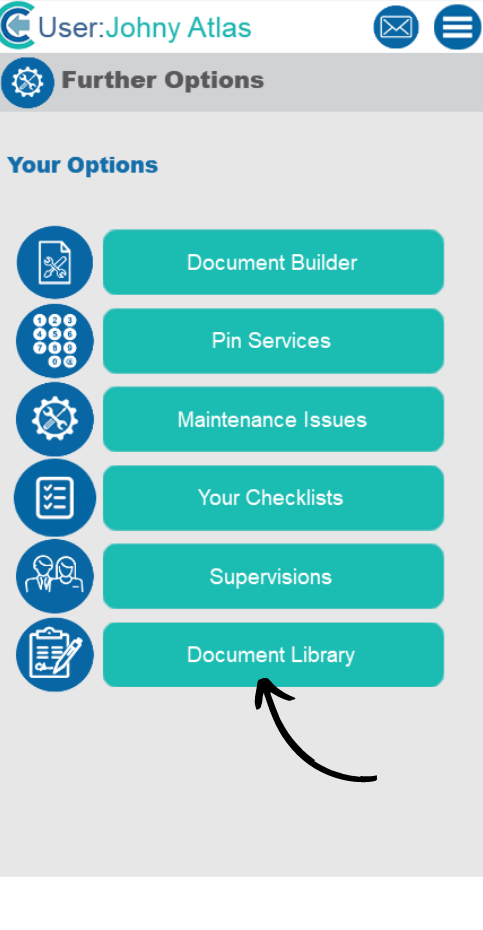
To view a document, open the Document Library from the Staff Menu.
9
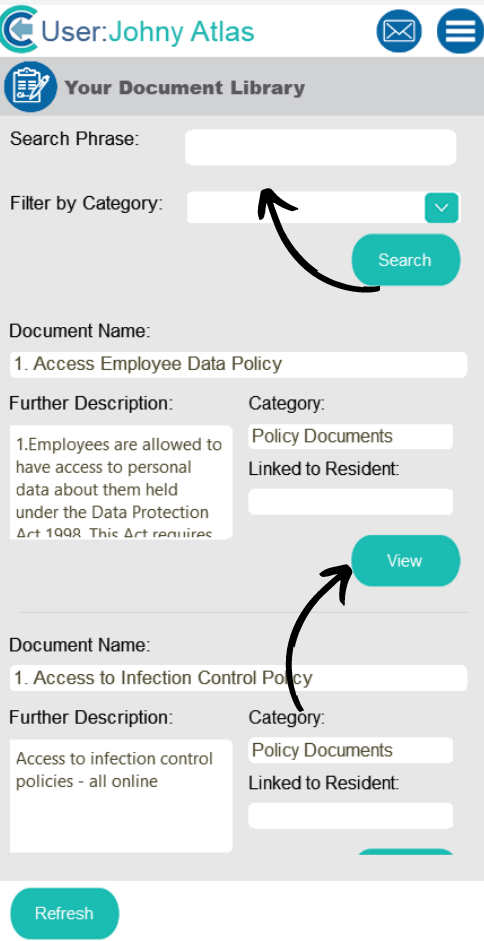
You can search and filter the documents using the options at the top of the screen.
To open one, press View. The document will open within the devices web browser.