There are multiple ways to duplicate a shift on Roster Cloud, this guide will show you how to perform both functions.
Step 1:
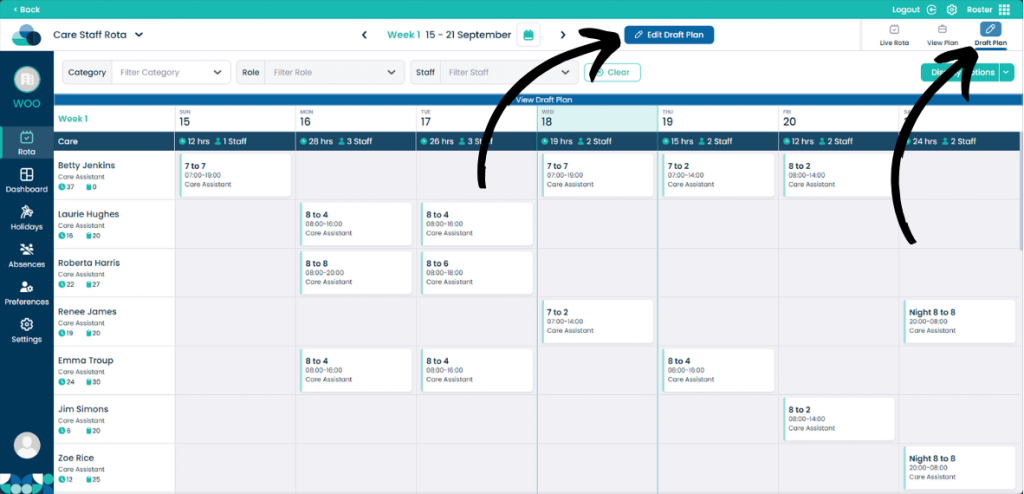
When on your rota screen, select Draft Plan and then Edit Draft Plan.
Step 2:
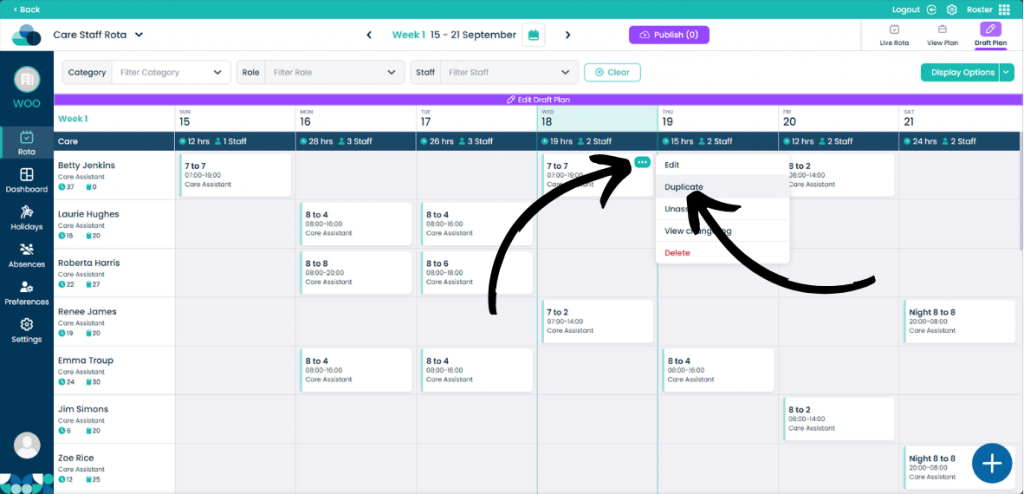
Over a shift, click the 3 dots in the top right of the shift. Then click Duplicate to create a new version of that shift.
Step 3:
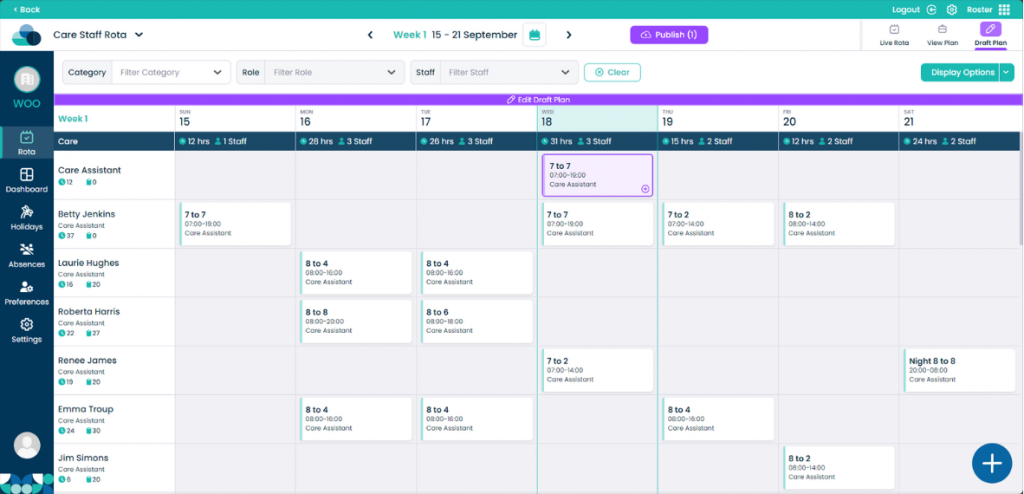
That shift will now appear under the Role of the staff member it was duplicated from. You can now move this shift to a new staff member.
Step 4:
You can also perform this function with the use of your keyboard and mouse. This will make the duplication of shifts even faster.
By holding both Shift and Left Click on a cell, you can drag it onto an empty cell and let go of both the keys at the same time. This will duplicate the shift into that empty cell.