Offline Mode is a feature on Care Control Pocket to allow care recording when Wi-Fi or mobile data is unavailable. This guide assumes the Offline Mode is set up for your organisation, please refer to the relevant guide for instructions on configuring Offline Mode.
1
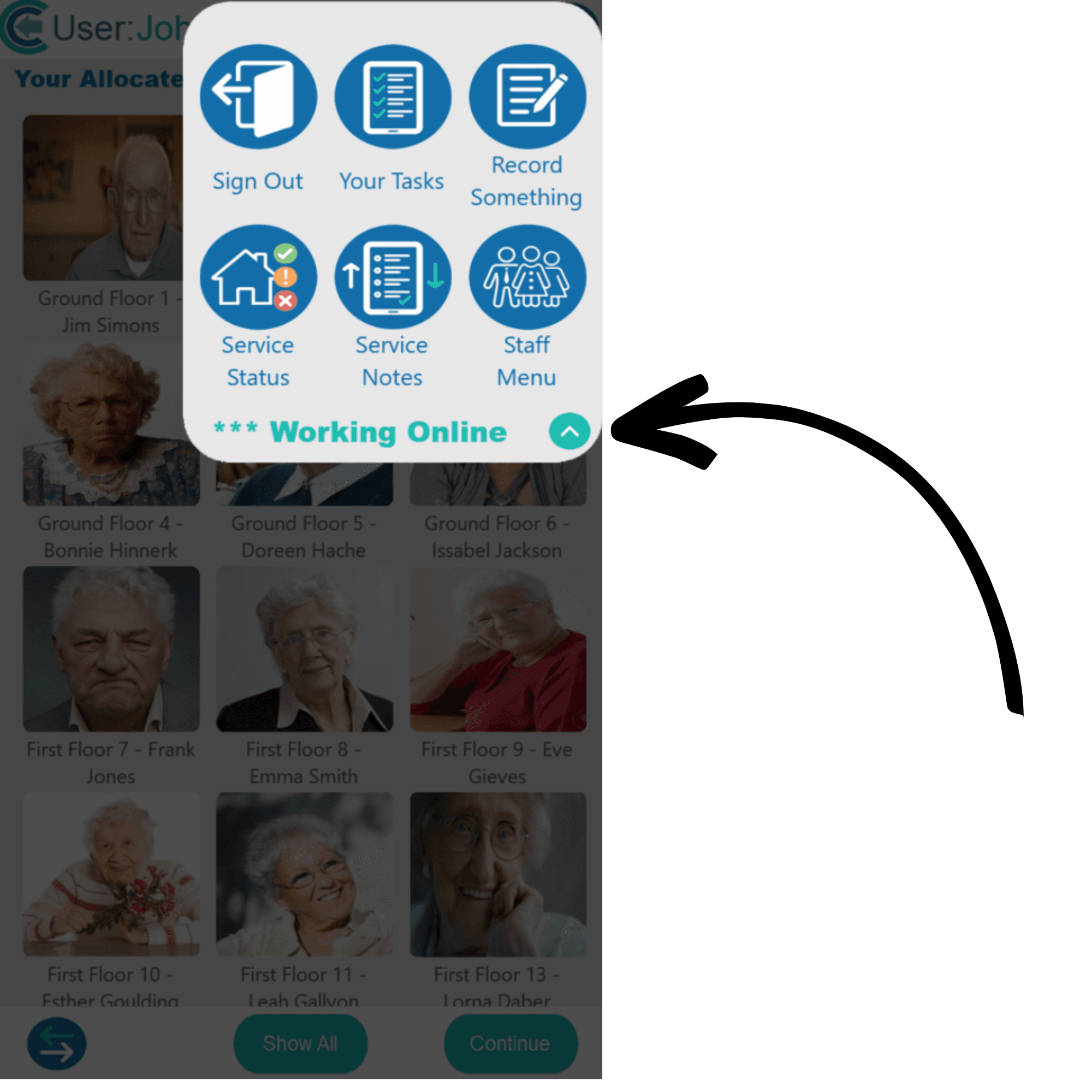
In order to manually go into Offline Mode on Care Control Pocket, first select the menu icon in the top right corner.
2
This will display the menu items for Care Control Pocket. Below these options will be a connection status and this will likely read Working Online. Tap on this to continue.
3
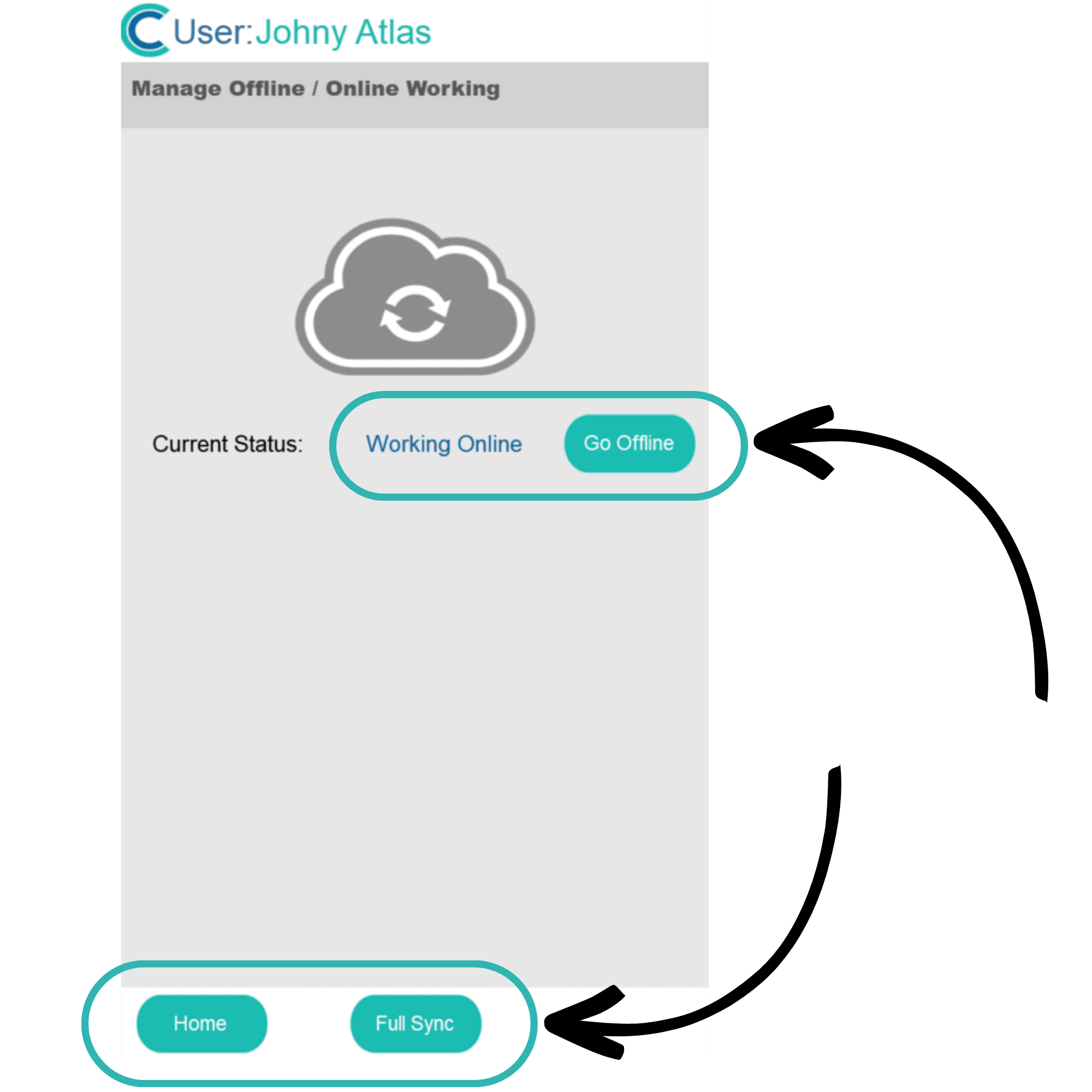
You will be taken to a new screen, titled Manage Offline / Online Working. Here you can press:
Go Offline – takes Care Control Pocket into Offline Mode
Home – takes you back to the start screen
Full Sync – updates Care Control Pocket with the latest information from the cloud, including care notes and any other changes made since signing in.
Note: It can be useful to use the Full Sync feature before going offline so that the information available offline is up to date.
4
Selecting Go Offline will take you back to the home screen, but now you should see an offline symbol next to the menu button. To go back online, tap on this icon.
5
You will be taken back to the screen titled Manage Offline / Online Working. Here, you can see the data that is ready to save once going back online. You have 2 options here:
Full Sync – uploads the data recorded offline, as well as downloading any new data on the system since your last full sync
Save Data – uploads the data recorded offline without downloading new data
After selecting one of these options, Care Control Pocket will return to online mode.