You could win a £250 Amazon gift card! All you need to do is spare us 3 minutes of your time. Click here to find out more!
This guide will cover what to do if the eMAR stock audit does not clear after completion.
If a stock audit is being displayed like the below with a red cross, despite having been completed then you will have to force a new audit.
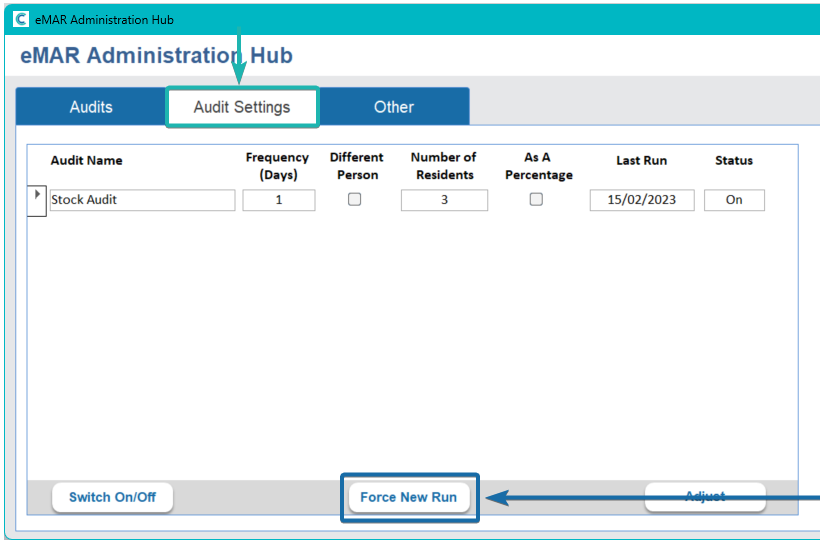
In order to do this go into CC Windows > Advanced Stuff > eMAR
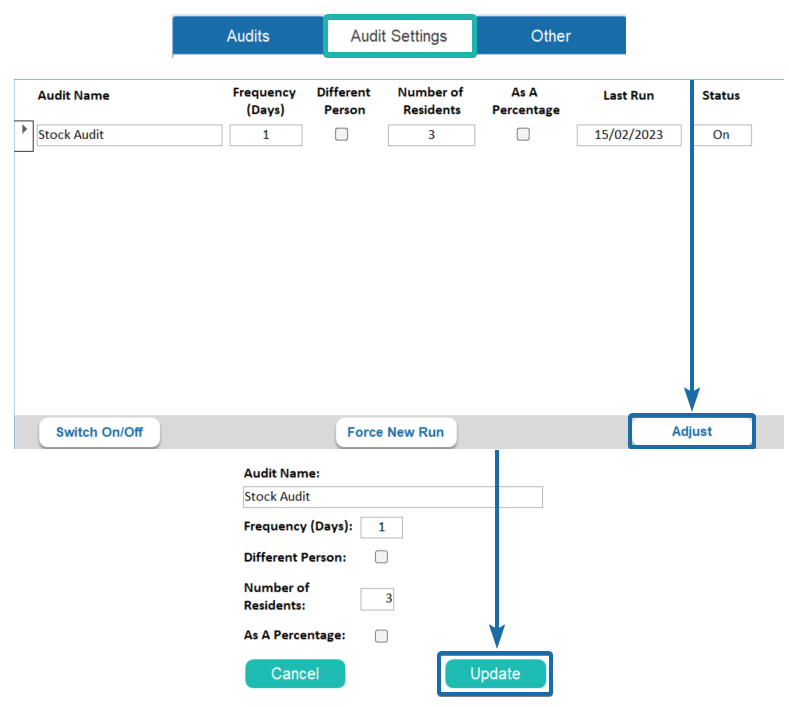
Click on Audit Settings > If you want a different Frequency and Number of Residents click Adjust > Amend the details > Update
Then Click Force New Run > This will end the current audit and run in a new one.