FAQ - Supervisions showing as active despite completion
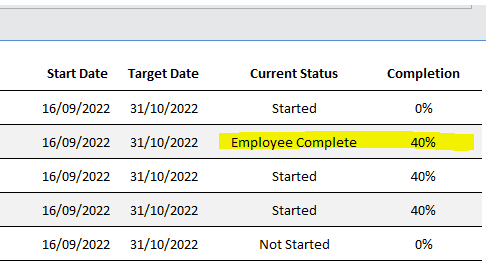
If a supervision is showing as active in the supervision status, even though the staff member has completed their questions, the template may have some incomplete questions for the supervisor.
1
The supervision will not show as 100% complete until the supervisor has answered their questions.
If the supervisor questions are not answered, but not marked as mandatory, then the status can be changed manually.
2
In the Administration of Care Control Windows, select Supervision Status under the Staff Area tab.
Under the Active tab, select the supervision in question, and press View / Amend.
Then press Change Status and select the relevant status option. This will move the supervision from the active to completed tab.