
FindMeACareJob.co.uk
This guide will cover how to access and use the ‘Find Me A Care Job’ website. This was designed to help care professionals find employment in the care industry.

1
In your web browser, navigate to www.FindMeACareJob.co.uk
You will be welcomed to our home page. To begin, enter your location to search for jobs in your area.
2
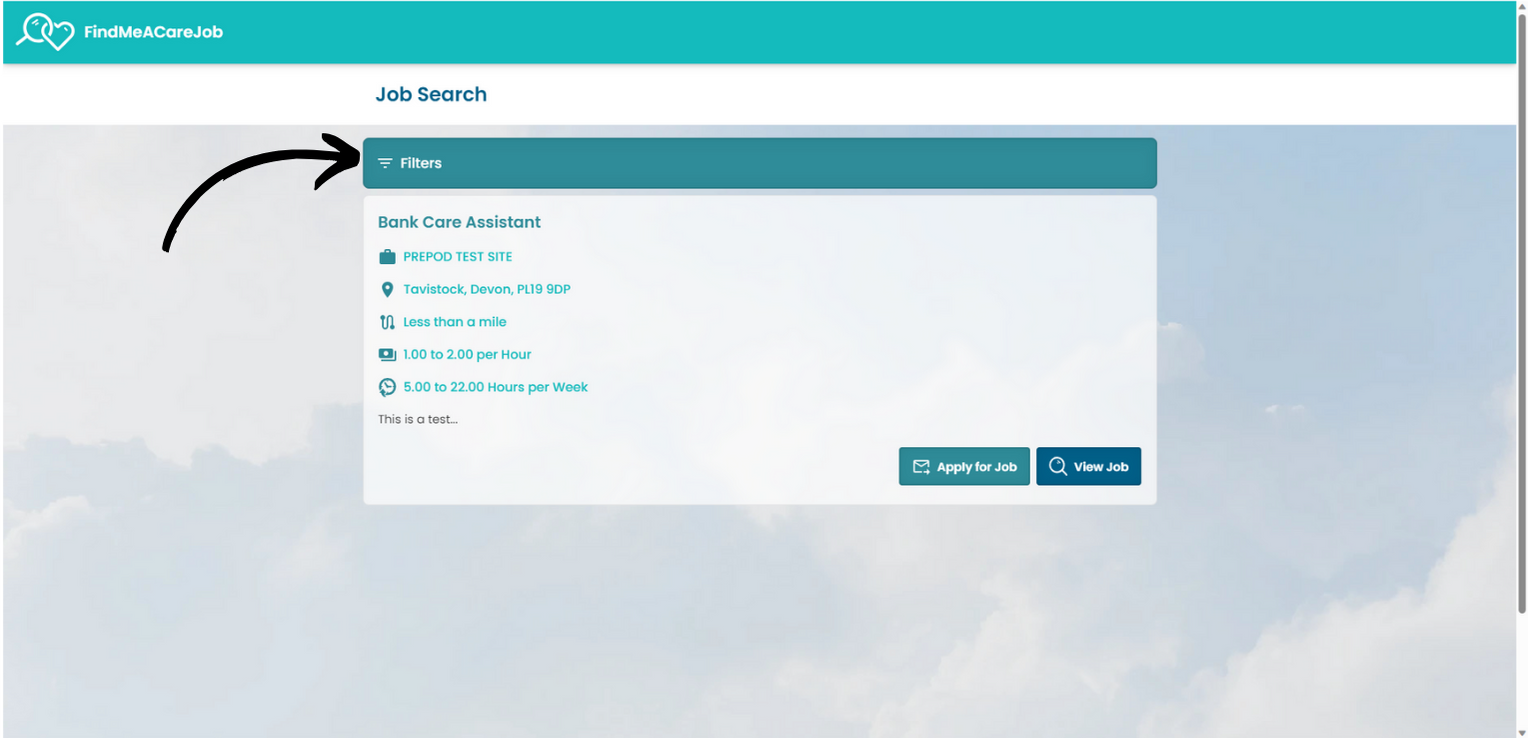
You can filter the results by pressing the dedicated button.
3
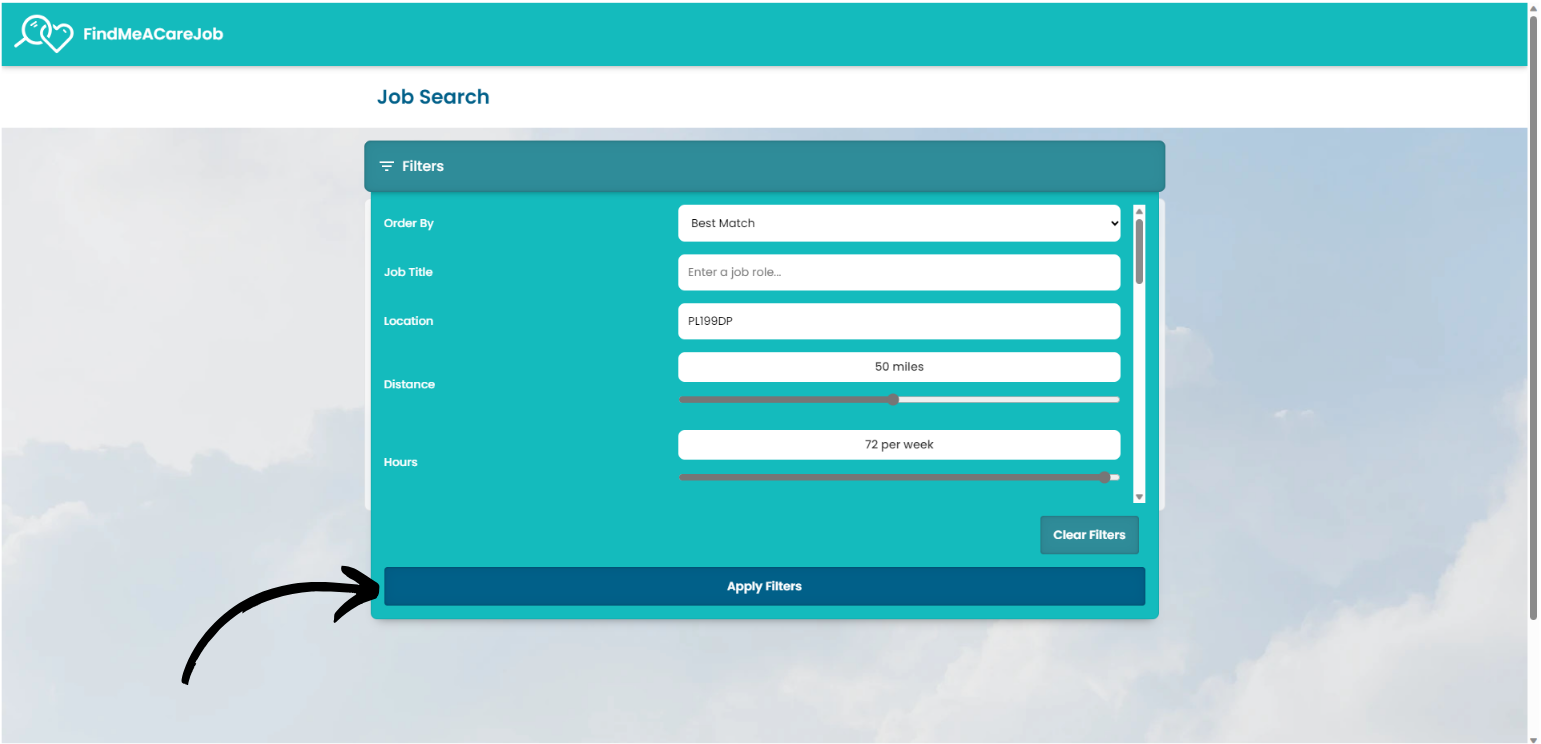
There are lots of filter options to help you find the best job for your needs. A full list of the filters available can be seen below.
After adding any filters, press Apply.
- The first filter available is the Order By option, which controls in what order the results are displayed.
- You can enter a specific Job Title to narrow down the results to match your experience.
- The next filters relate to location. You can enter a specific Location as well as Distance, which controls the radius of the search.
- Next, the Hours filter narrows down results to suit the number of hours you are looking to work. This is then followed by a Wage / Salary filter to best find jobs at your pay grade. There are also options for Paid Breaks and Joining Bonuses.
- You can choose whether the jobs displayed require you to have a car or not via the Requires Car filter.
- There are options for what Type of Contract you are looking for – whether its part/full time, zero hours etc.
- This is followed by a filter for what kind of Industry you are qualified in – Domiciliary, Supported Living or Older Clients.
- The last filter narrows the results down by Working Days – simply tick the days that suit you best.
Note – if you are finding that no results are showing after adding your filters, try removing some or increasing the distance to open up the search further.
4
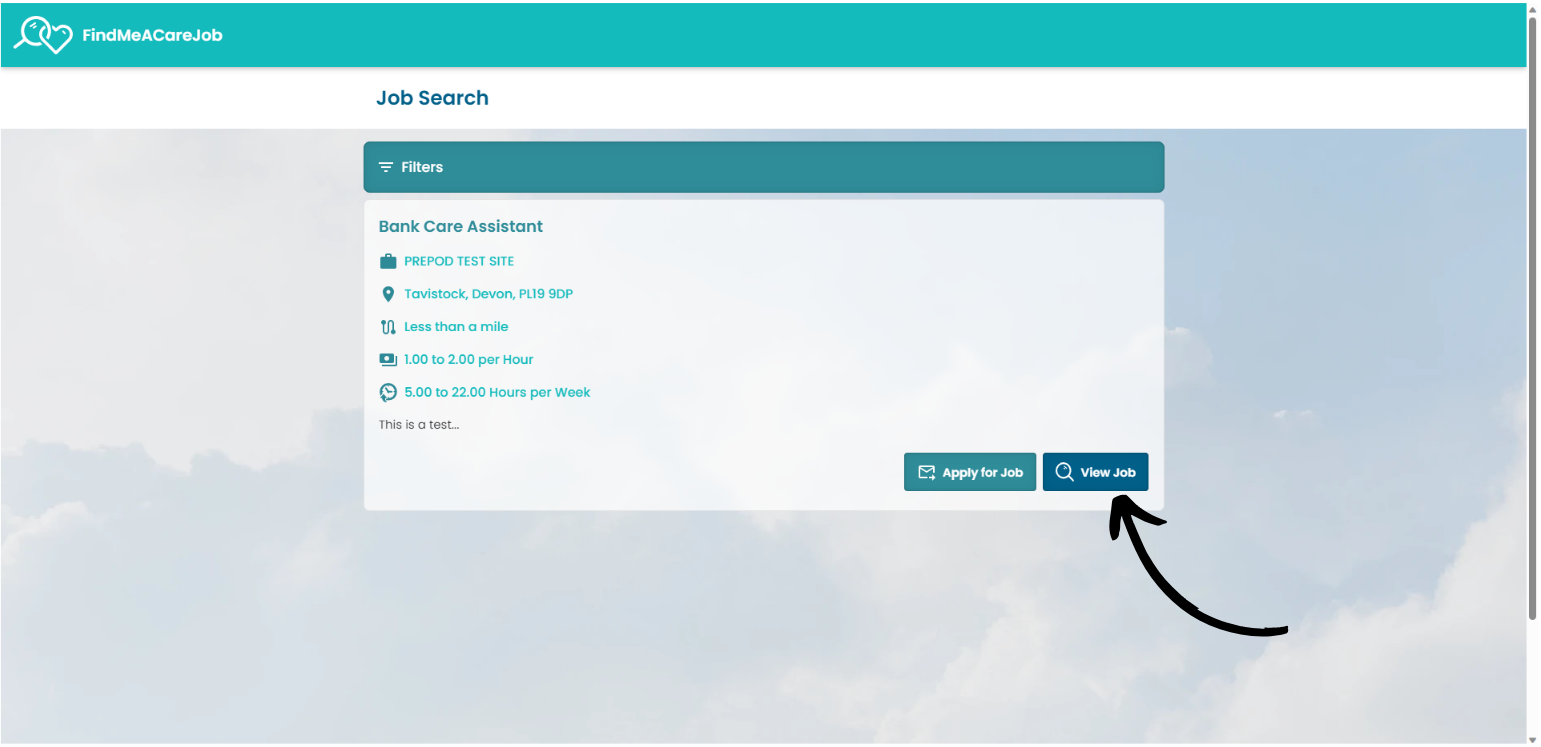
If an advert has caught your eye, press View Job to see more information about it.
5
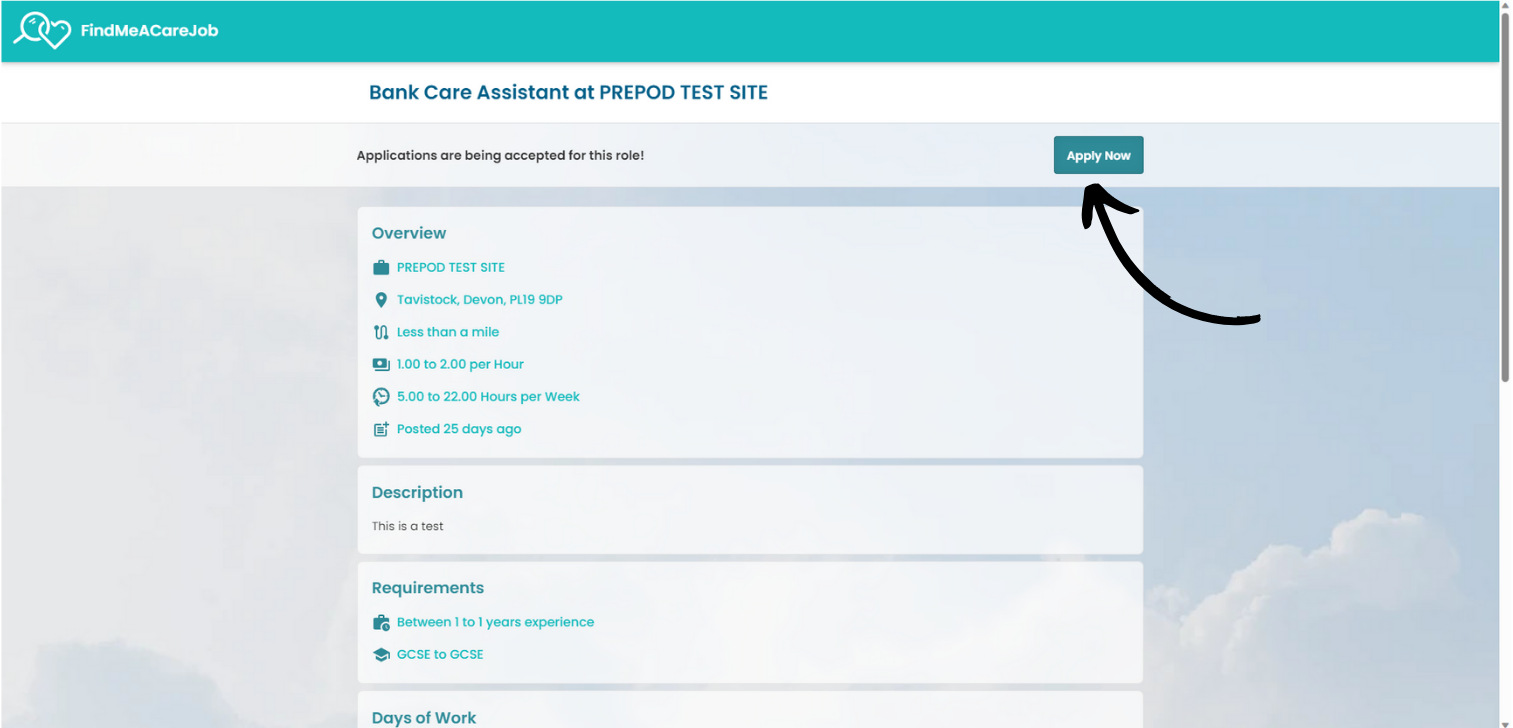
Here, the details of the job are displayed.
You can open the associated application form by pressing Apply Now.
Good Luck!