You could win a £250 Amazon gift card! All you need to do is spare us 3 minutes of your time. Click here to find out more!
This guide will cover how to access and amend the Food & Nutrition module within a service users Care Plan in Care Control Cloud.
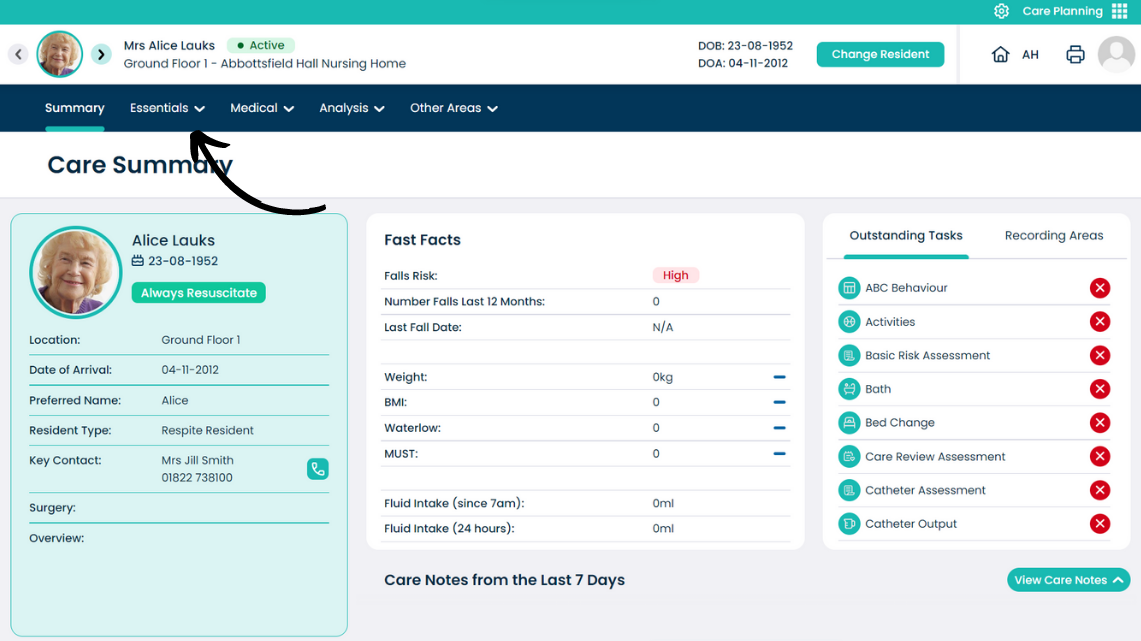
From the Care Plan Summary screen, open the Essentials menu.
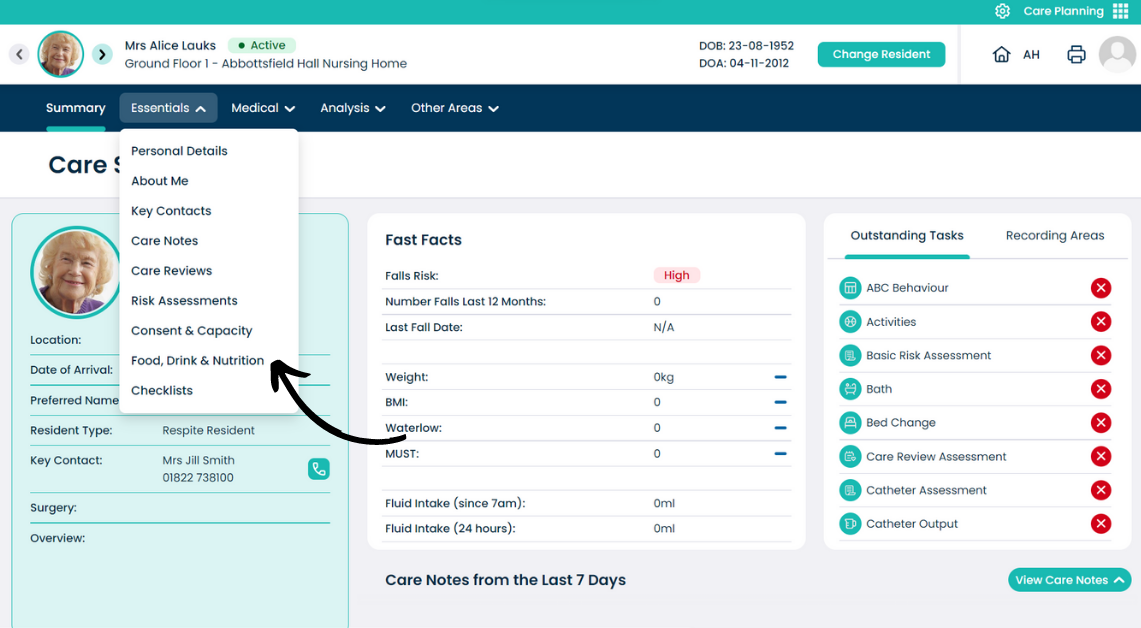
From the drop-down menu, select Food & Nutrition.
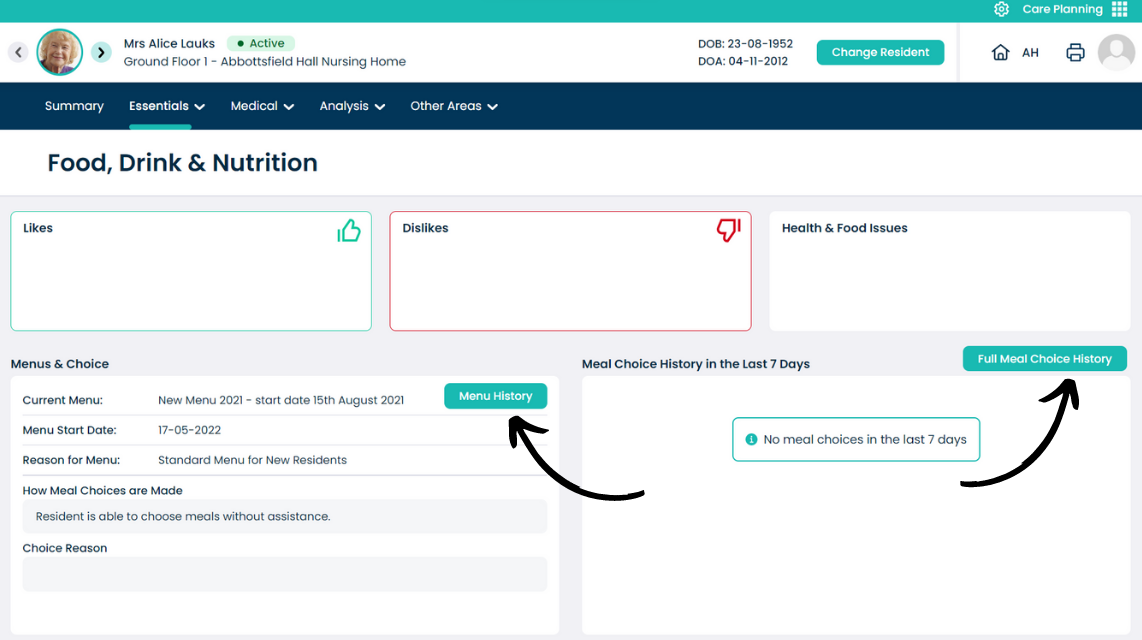
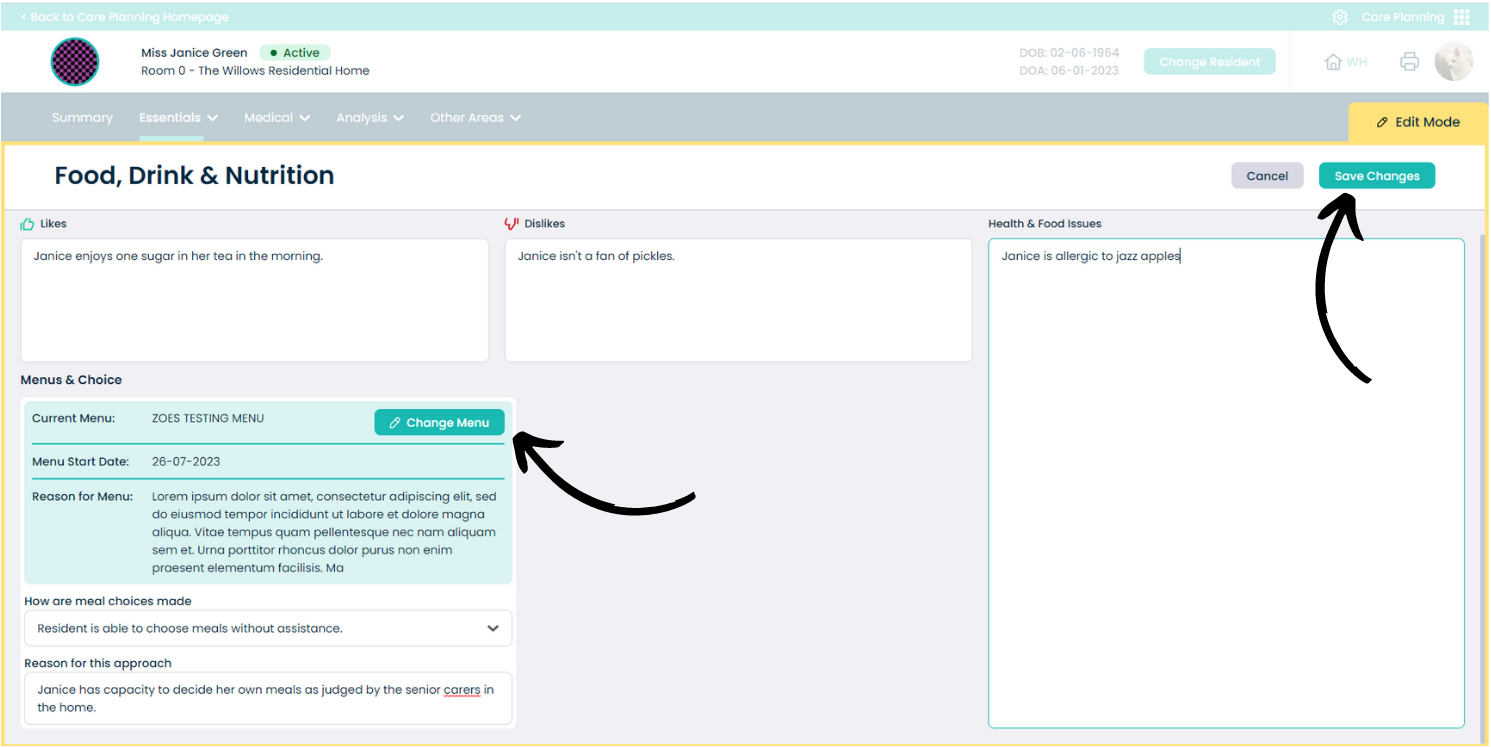
This page is split up into 5 sections:
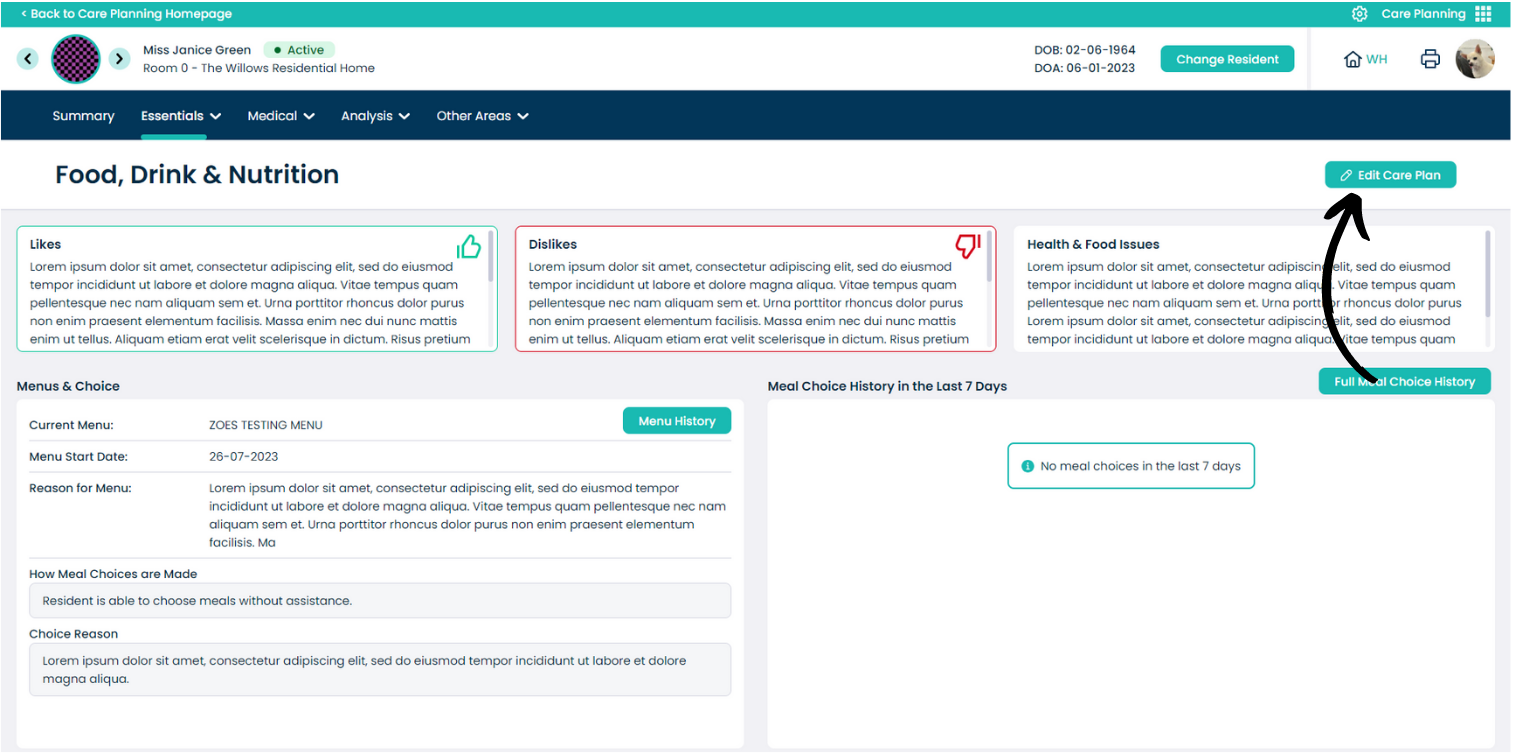
Press Edit Care Plan to amend the information within Food, Drink & Nutrition.
A yellow border will surround the page, indicating it is in edit mode.
You can type relevant text in the boxes and also change the associated menu via the dedicated button.
After making any amendments, press Save Changes.