This guide will cover how to view and serve kitchen orders on Care Control Mobile. This feature works in conjunction with the Meal Choice and Food Intake recording areas.
1
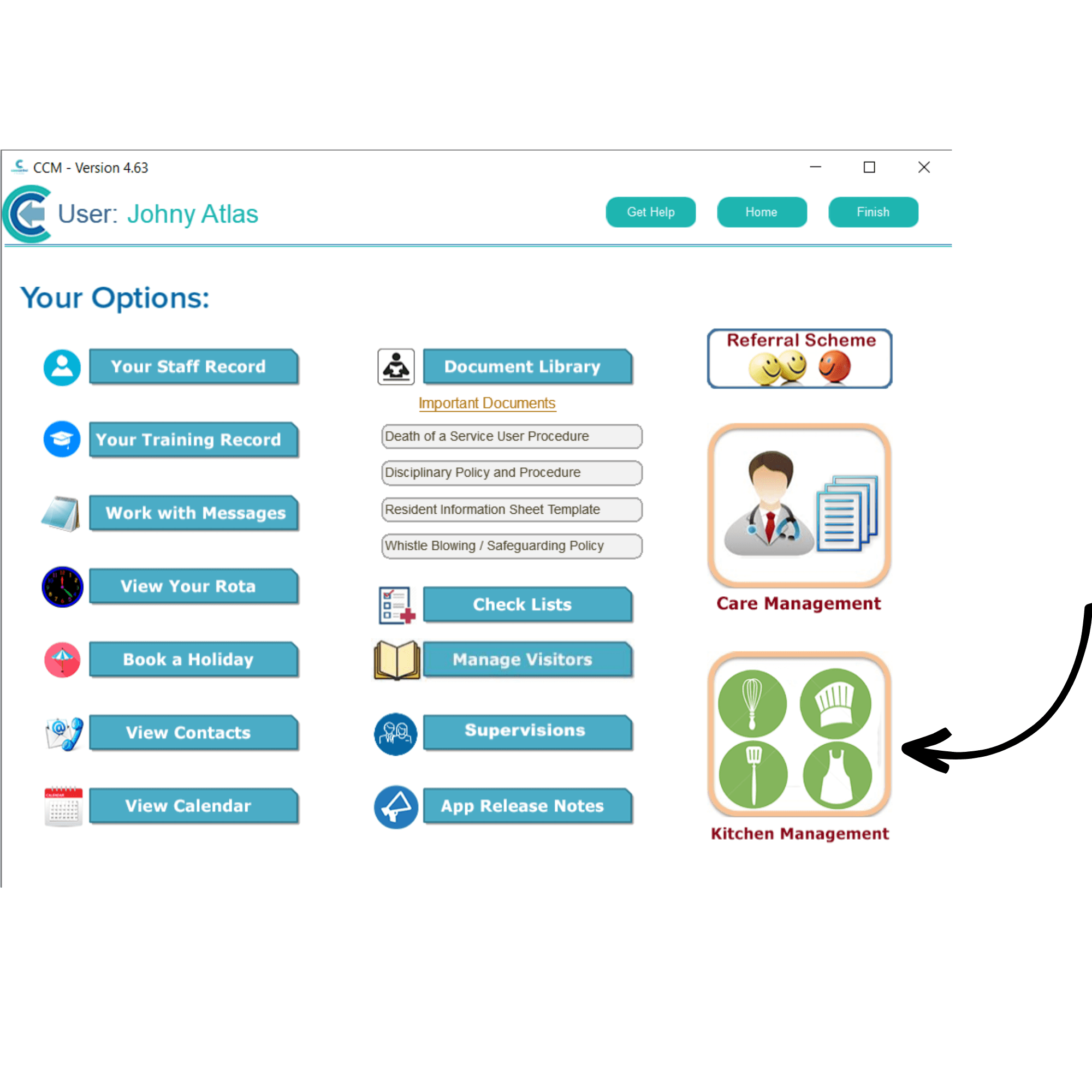
In Care Control Mobile, select Staff Menu.
2
Here, select Kitchen Management.
3
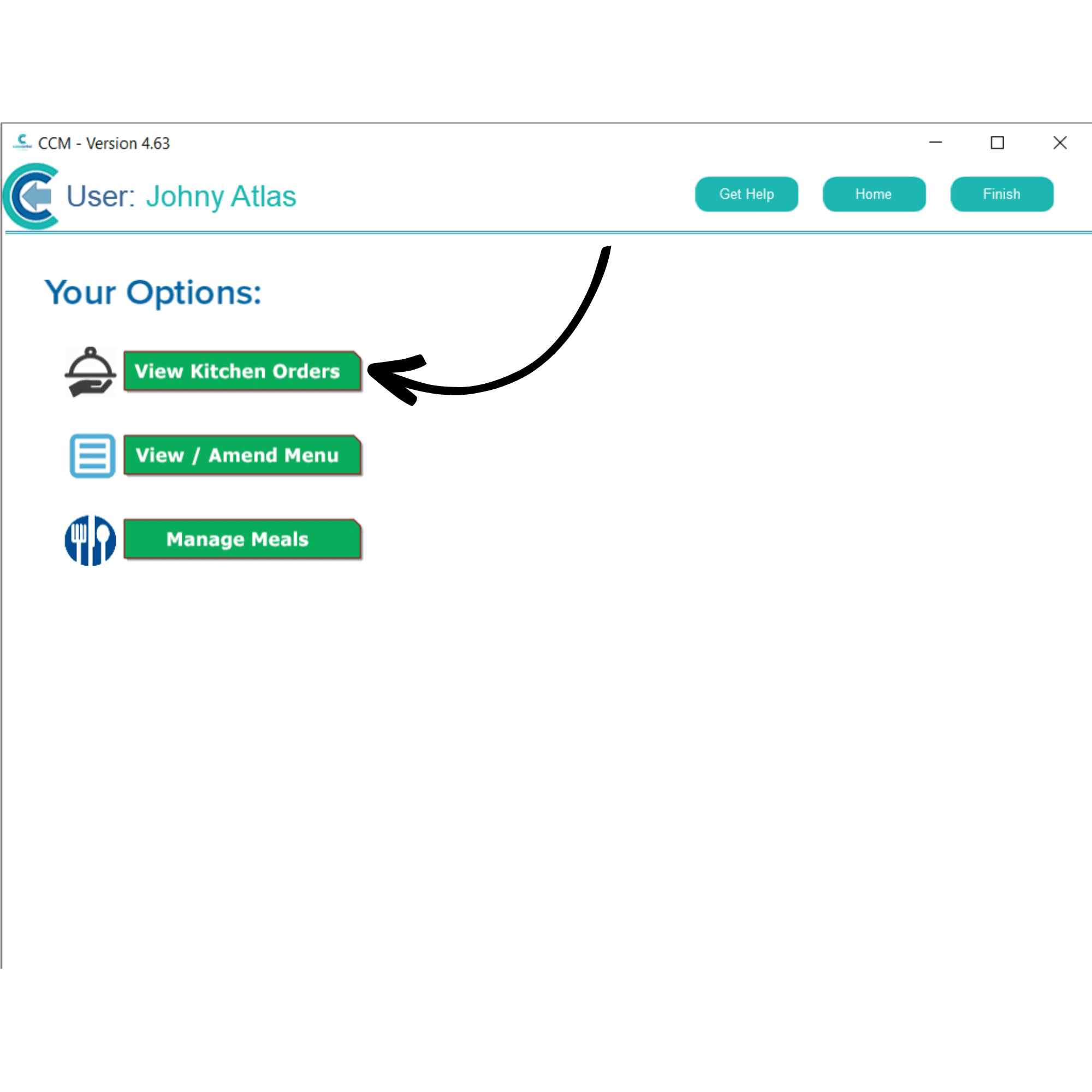
Next, choose View Kitchen Orders from the Kitchen Management options.
4
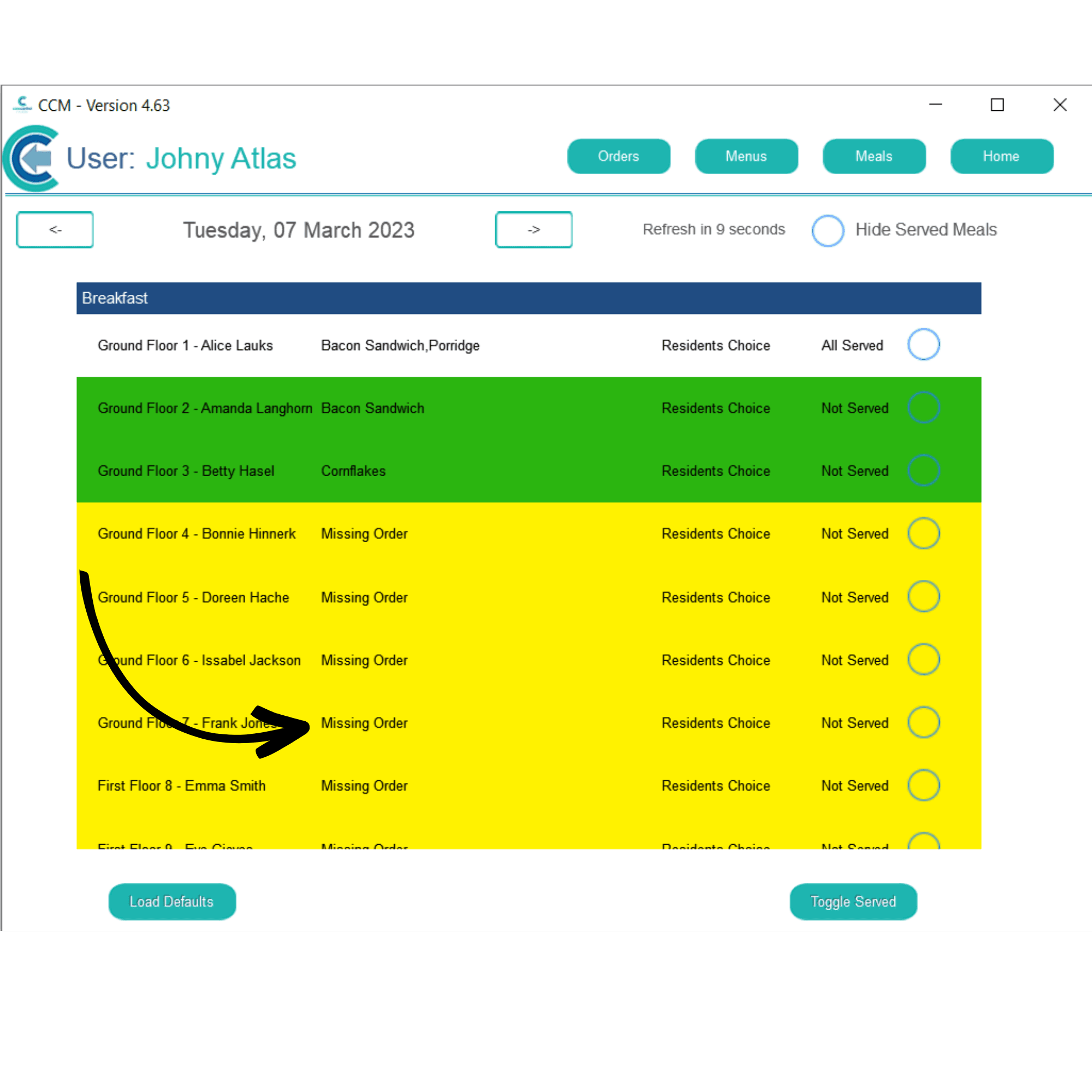
A list of your service users will be displayed for each meal type. If Meal Choices have been recorded, the service user will be highlighted in green and their choice will be shown.
When the kitchen has served the meal to the service user, select the service user using the tick-box on the right-hand side, and press Toggle Served.
5
The service user will now be marked as All Served, and they will no longer be highlighted in green. Service users who have not had a meal choice recorded are highlighted in yellow. You can add a choice here by tapping on Missing Order next to their name.
6
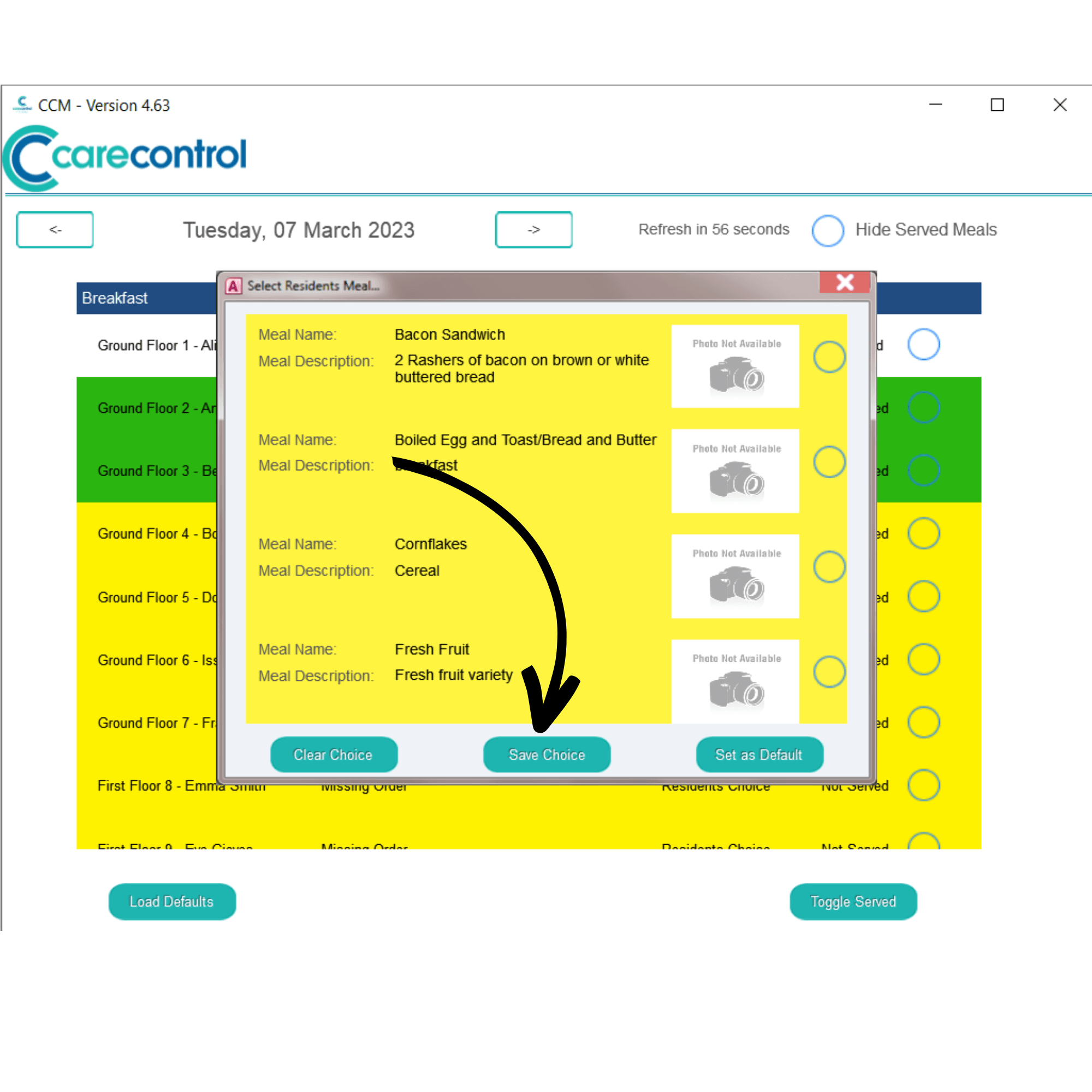
Tick their choice and press Save Choice. You will now be able to serve their meal.
Note: After meals have been served, they will show up for recording in Food Intake monitoring.