Bank Holiday Closure Notice: We will be closed on the 3rd April for the Easter bank holiday, so our customer service team will not be available on this day. If you need to get in touch, you can still use our customer contact form and we will get back to you as soon as possible. Even better, Margo will still be available on our phone lines to help with your queries whenever you need support. We hope you have a lovely Easter weekend 🐣
View Categories
Life History
This guide will cover how to access the Life History section of a service users Care Plan within Care Control Cloud. Here, information about a service users life can be recorded.
1
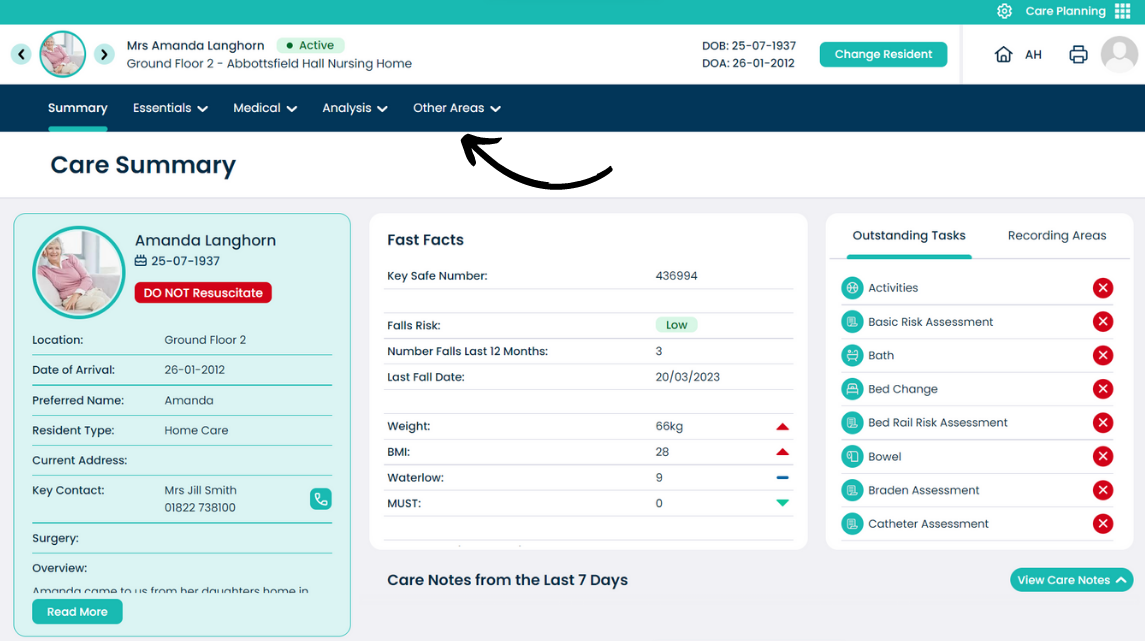
From the Care Plan Summary screen, open the Other Areas menu.
2
Select Life History.
3
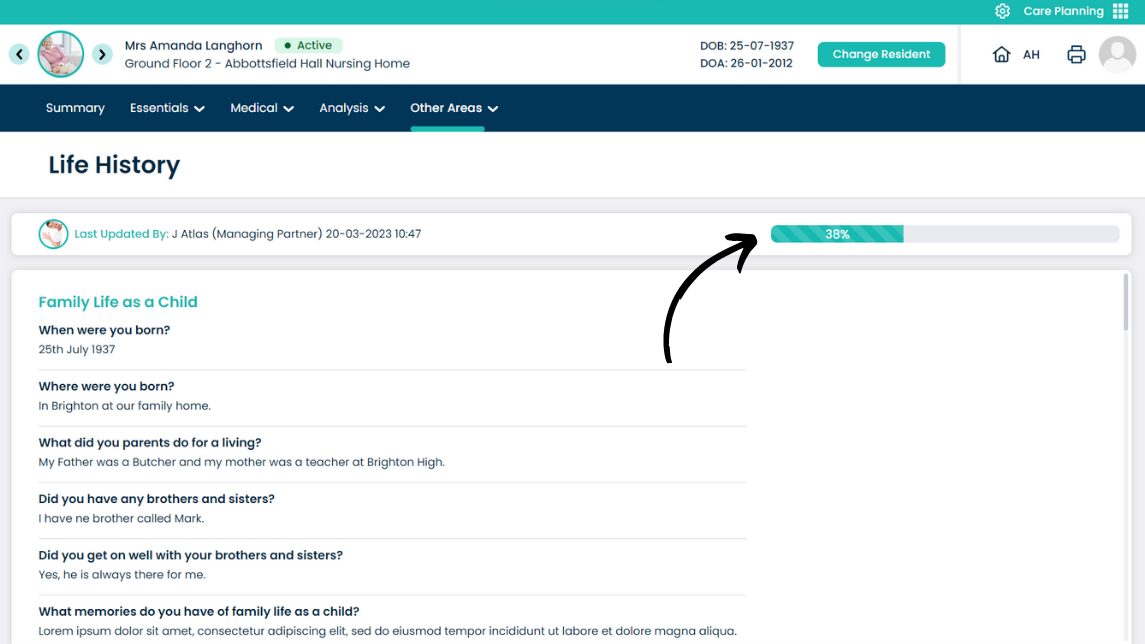
The Life History section is a series of questions about a service users’ life. This includes things like sibling relationships and memories.
A completion status of the questions can be seen at the top of the page.
4
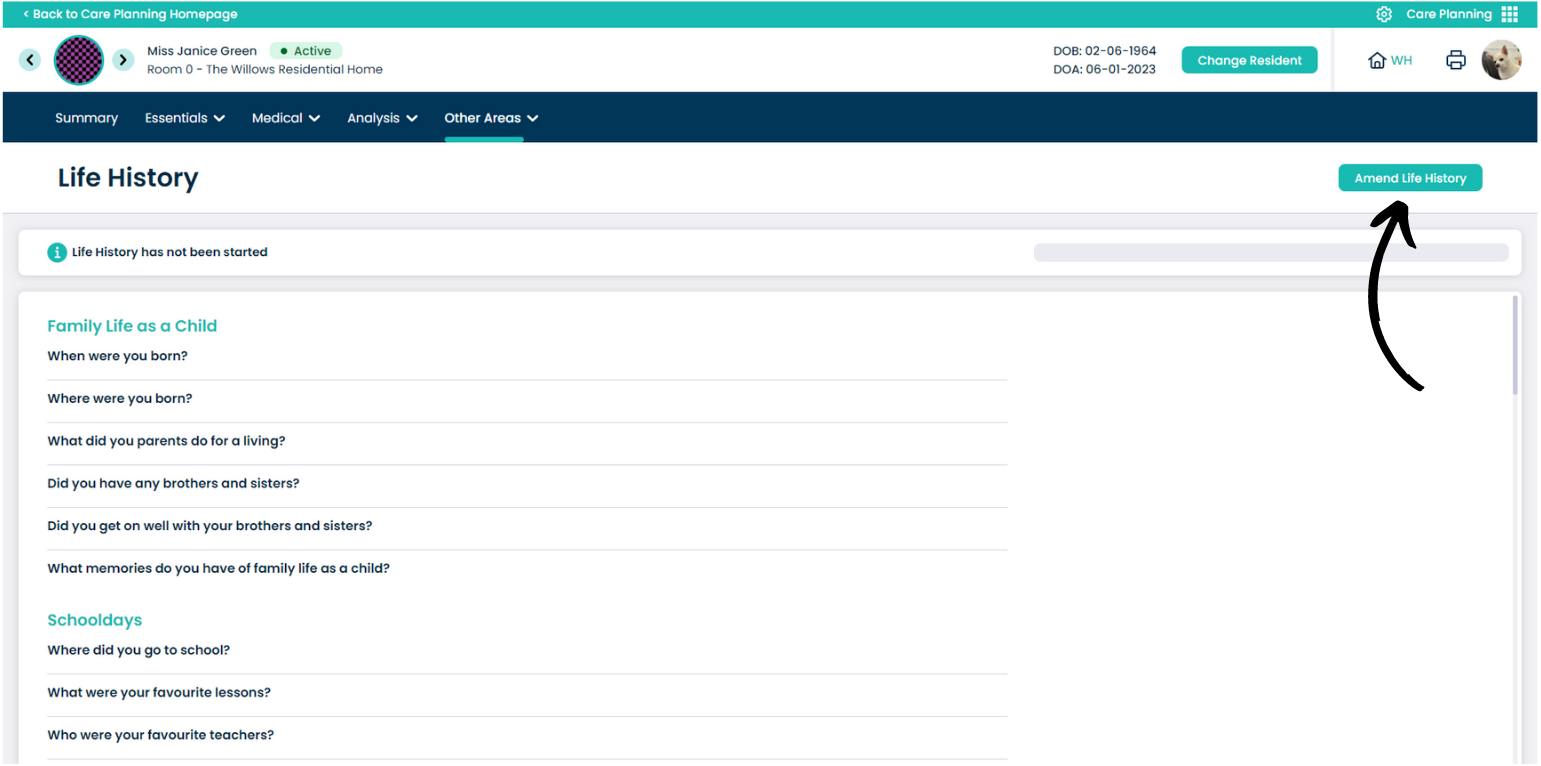
To edit this section, press Amend Life History.
5
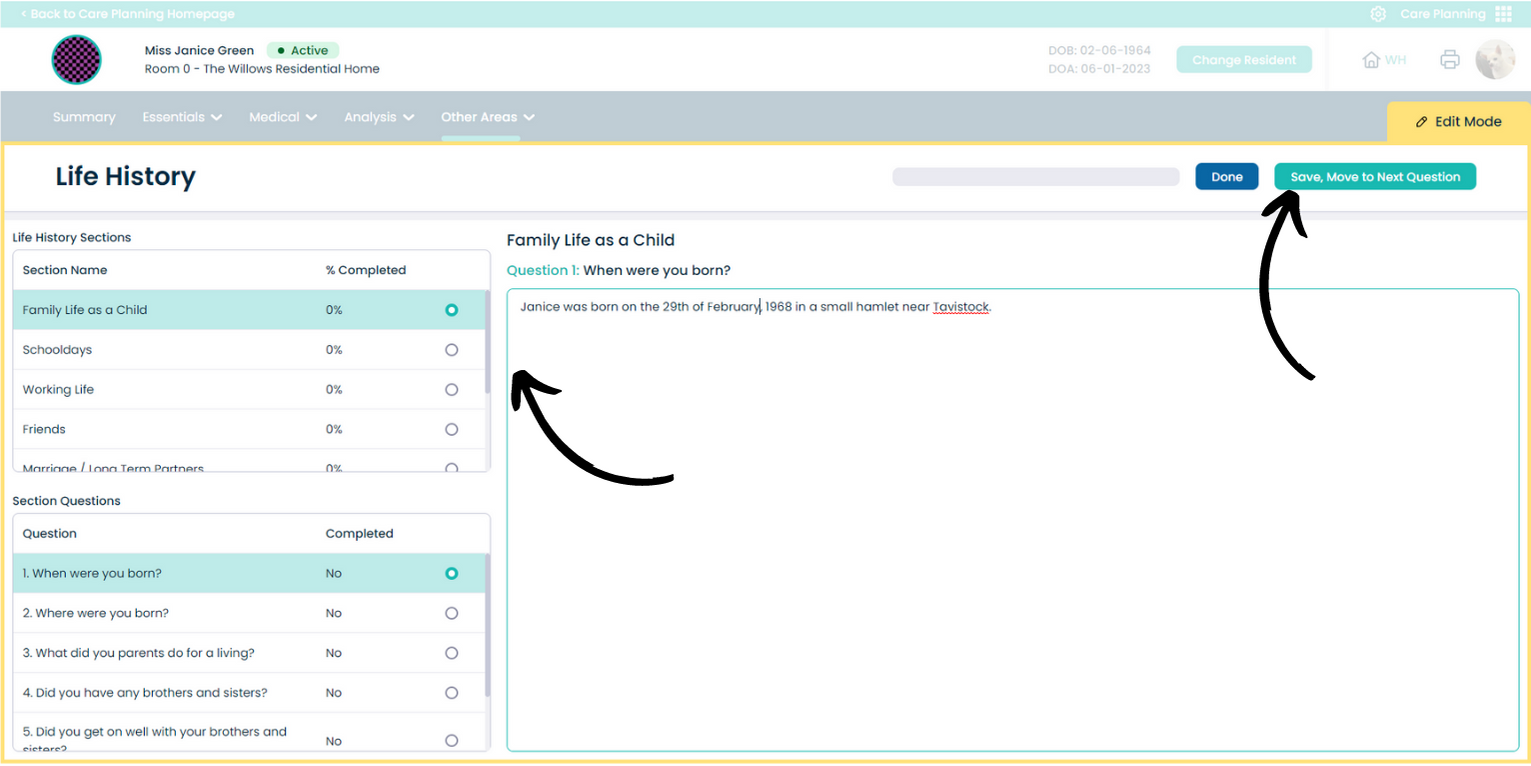
A yellow border will surround the page, indicating that the page is in edit mode.
The left of the window contains the sections and questions to answer. Simply click through them to open the contents on the right hand side.
Type or edit the answers in the right hand text box, and press Done to leave edit mode, or press Save & Move to Next Question to continue editing the section.