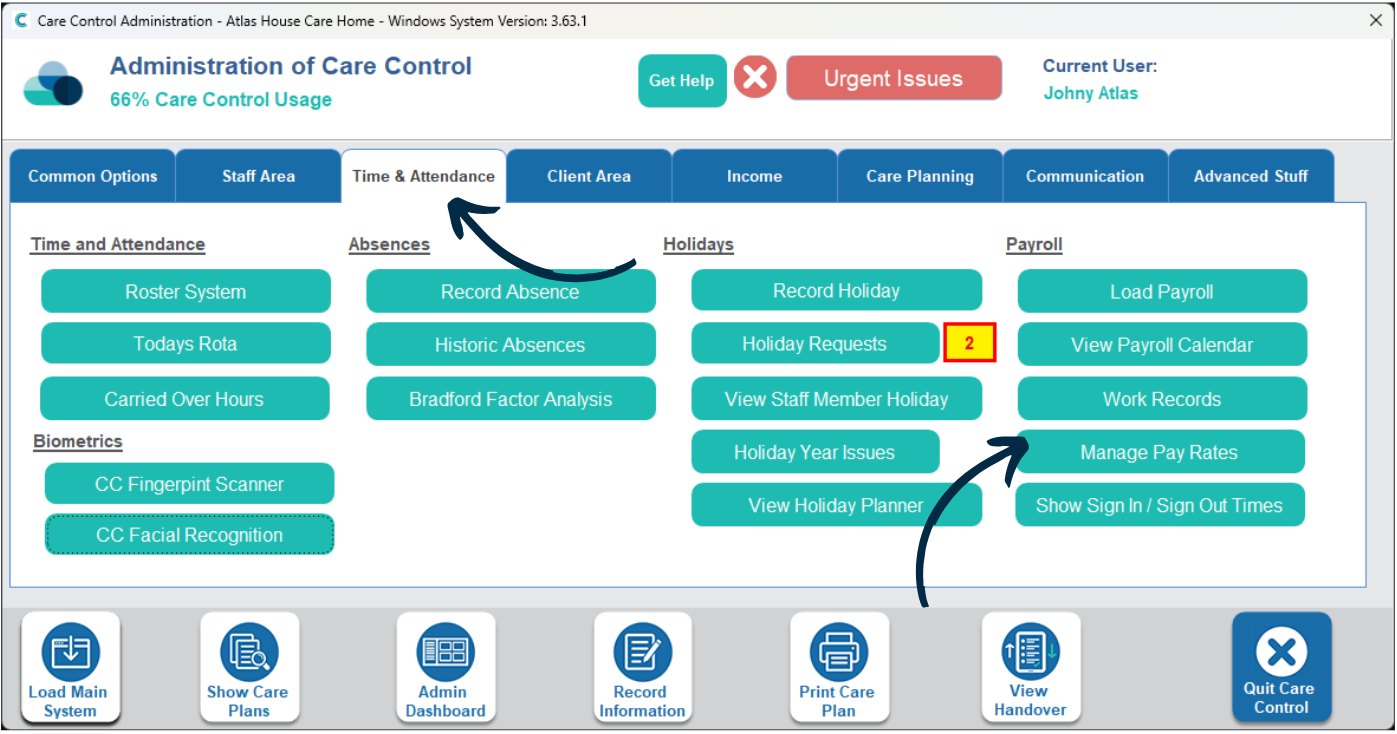
This guide will cover how to access and amend staff pay rates on Care Control Windows. These can be different for the different roles a staff member might cover. For example, if a Care Assistant also works Kitchen shifts.
1
In the Administration of Care Control Windows, navigate to the Manage Pay Rates tool, which can be found under the Time & Attendance tab.
2
A new window will open. First, find the staff member whose pay rate you wish to amend. You can flick through the staff via the blue arrows or click to view full staff list.
Next, select the role from the left hand list and press Edit Pay Rates.
3
A table will open. This will display the current and historic rates of pay this staff member has had for this role.
The Start – End Dates show the period for which the staff member received the rate. Notice how the bottom row doesn’t have an end date because it is the current rate.
If you wish to update this, begin by entering an end date for the current rate. On the next row, enter a start date and hourly rate for the new rate of pay. Please note, the end date of a rate cannot be the same date as the new start date, it must be the following, consecutive day. For example if one rate of pay was ending 29/11/2023 then the next rate must start 30/11/2023.