This guide will cover managing and editing the holiday requests within Care Control Cloud HR.
1
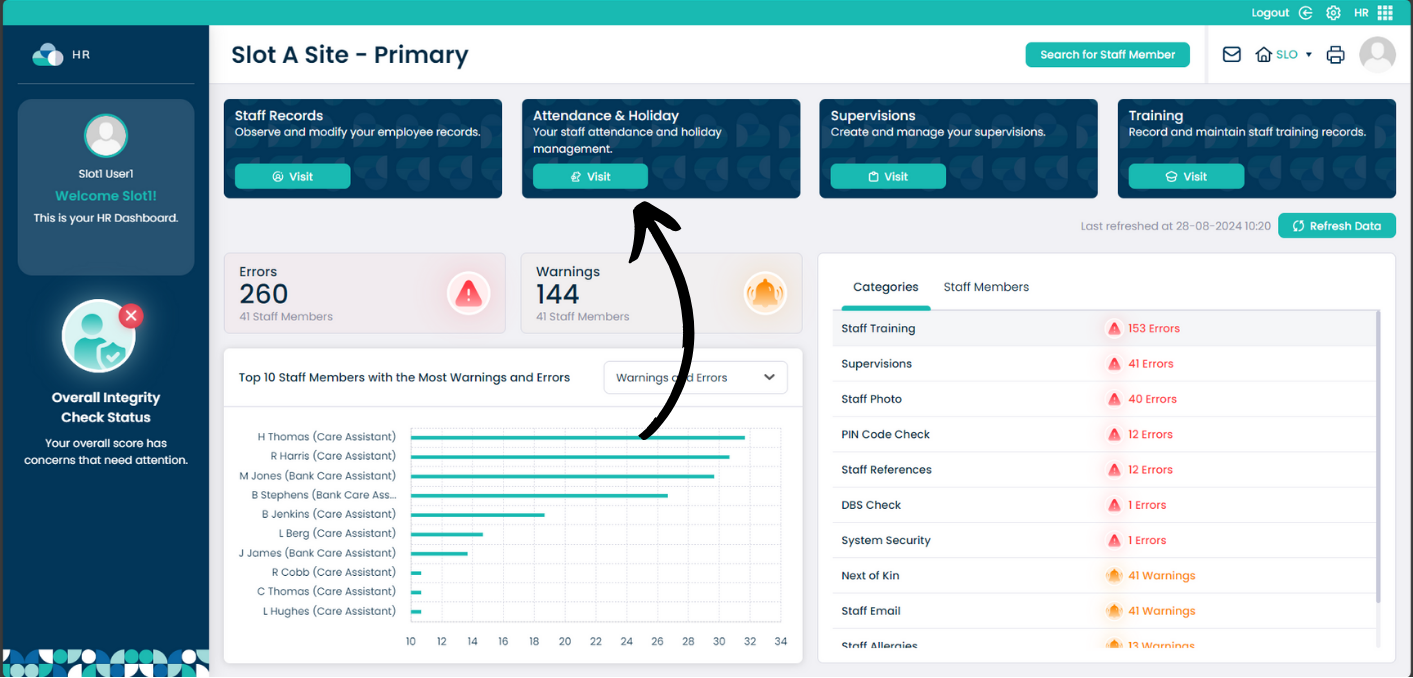
From the HR page, select Visit on the Attendance & Holiday section.
2
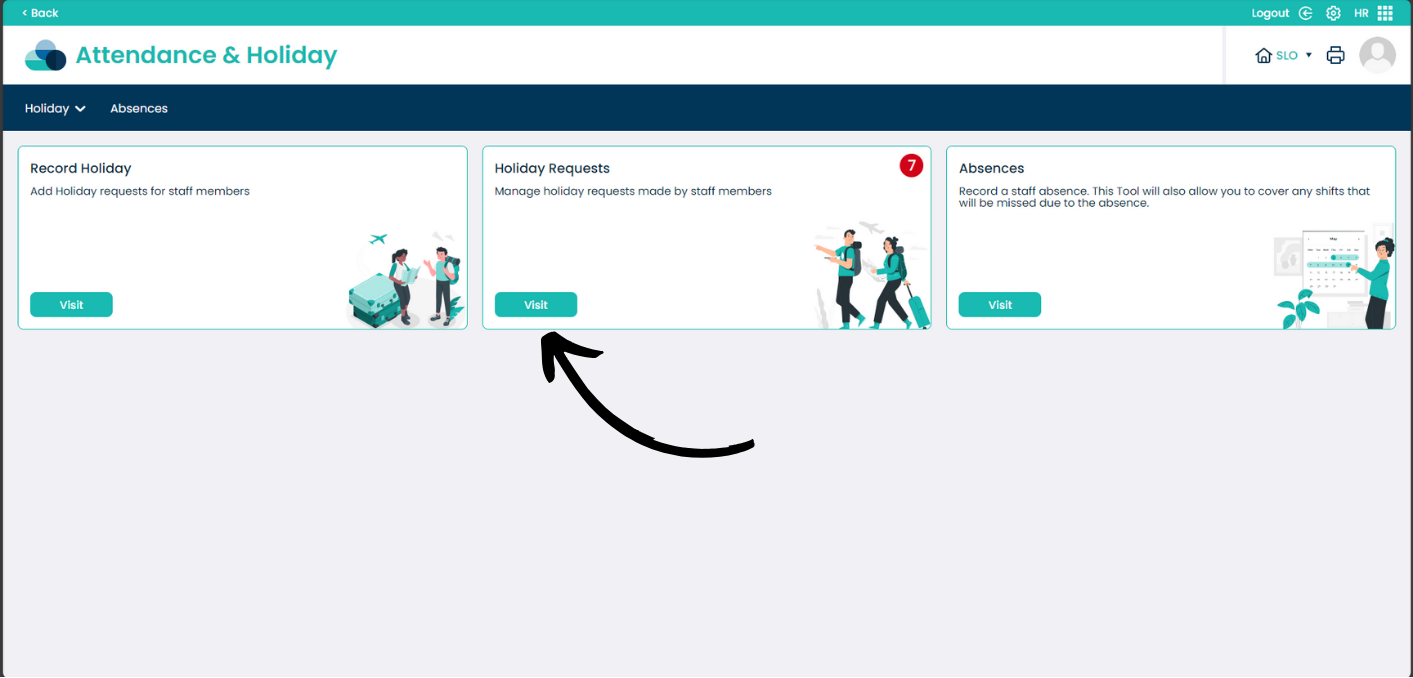
Within the Attendance & Holiday section, select Visit on Holiday Requests.
The number at the top of the box indicates how many Holiday Requests need attention.
3
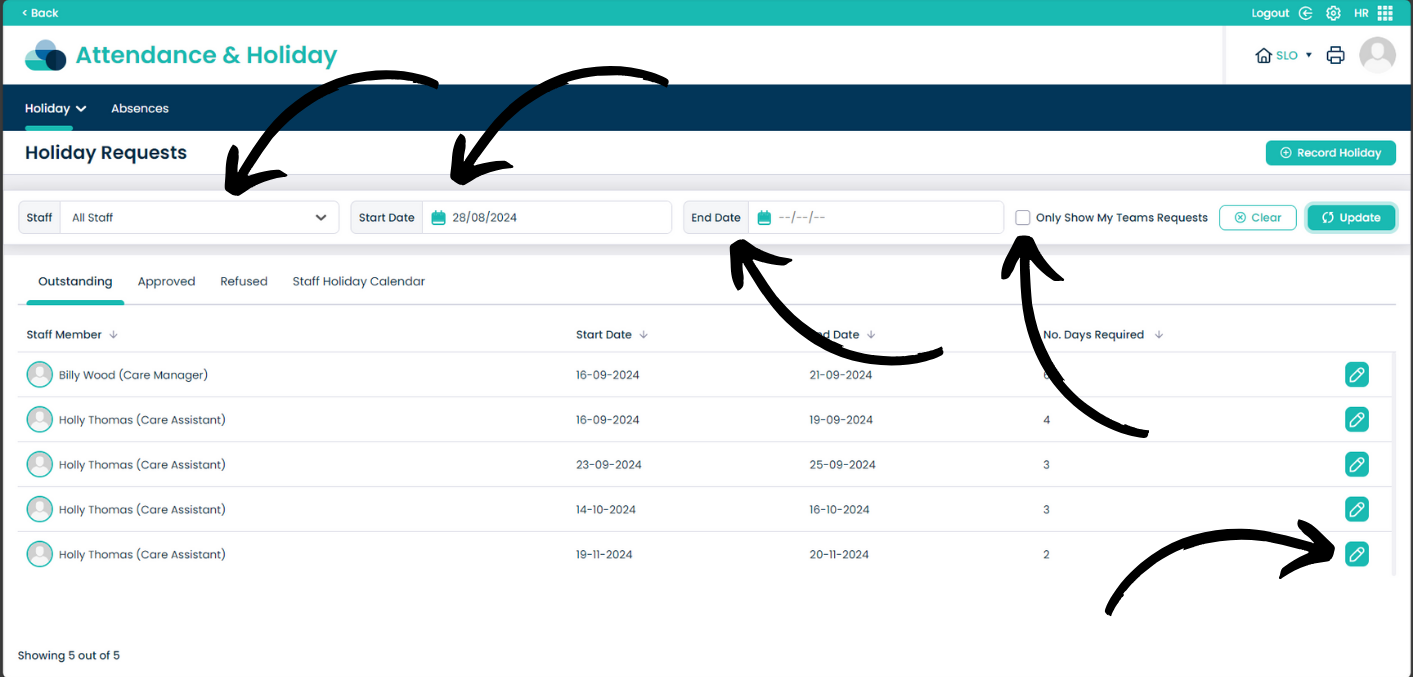
On this page you can see the Outstanding holiday requests first. From here you can Filter the Staff group, dates and your team’s requests.
You can also see Approved holidays, Refused holidays and the Staff Holiday Calendar (coming soon).
To modify the request select the pencil icon next to the users name.
4
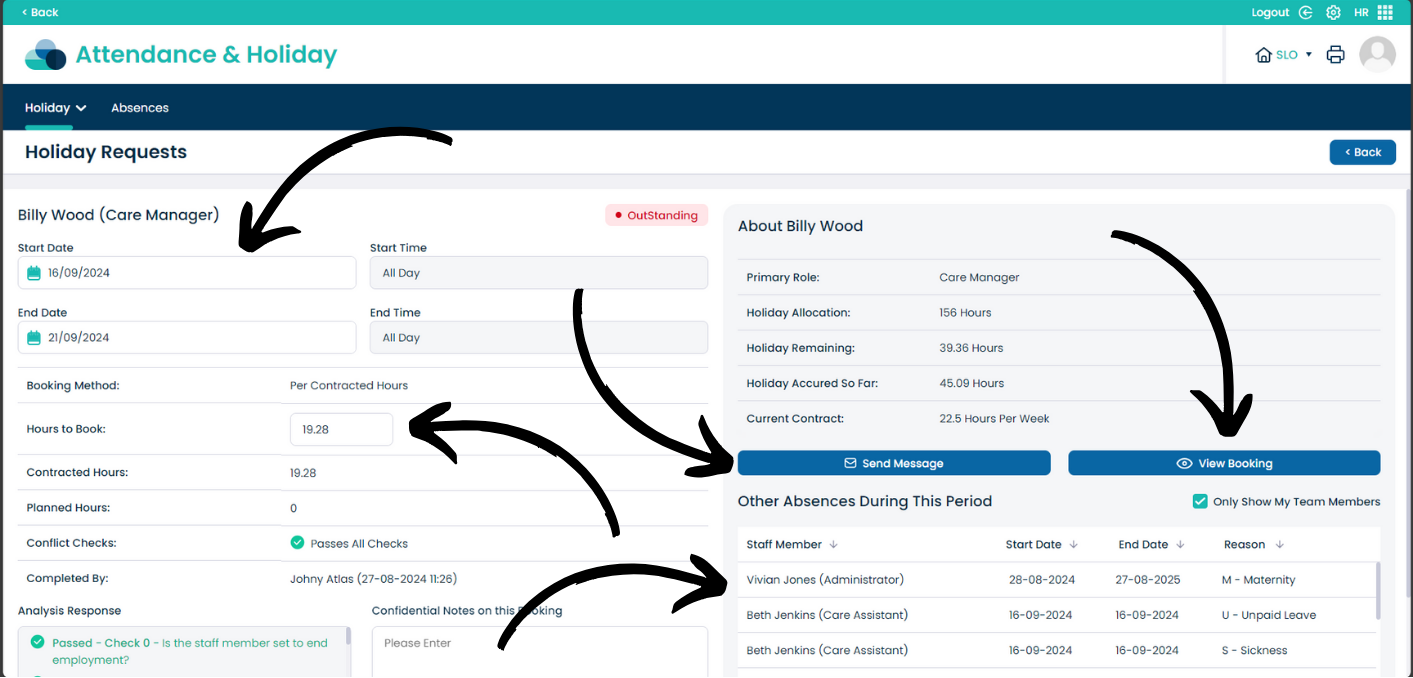
From this page you can see all of the information regarding the request. You can modify the start and end date As well as the amount of hours to book.
On the About section you can see all of the information regarding holiday information. From there you can also Send a Message to the employee. View Booking will be available soon.
From this page you can also see all of the Other Absences that are within the same time frame as the request.
5
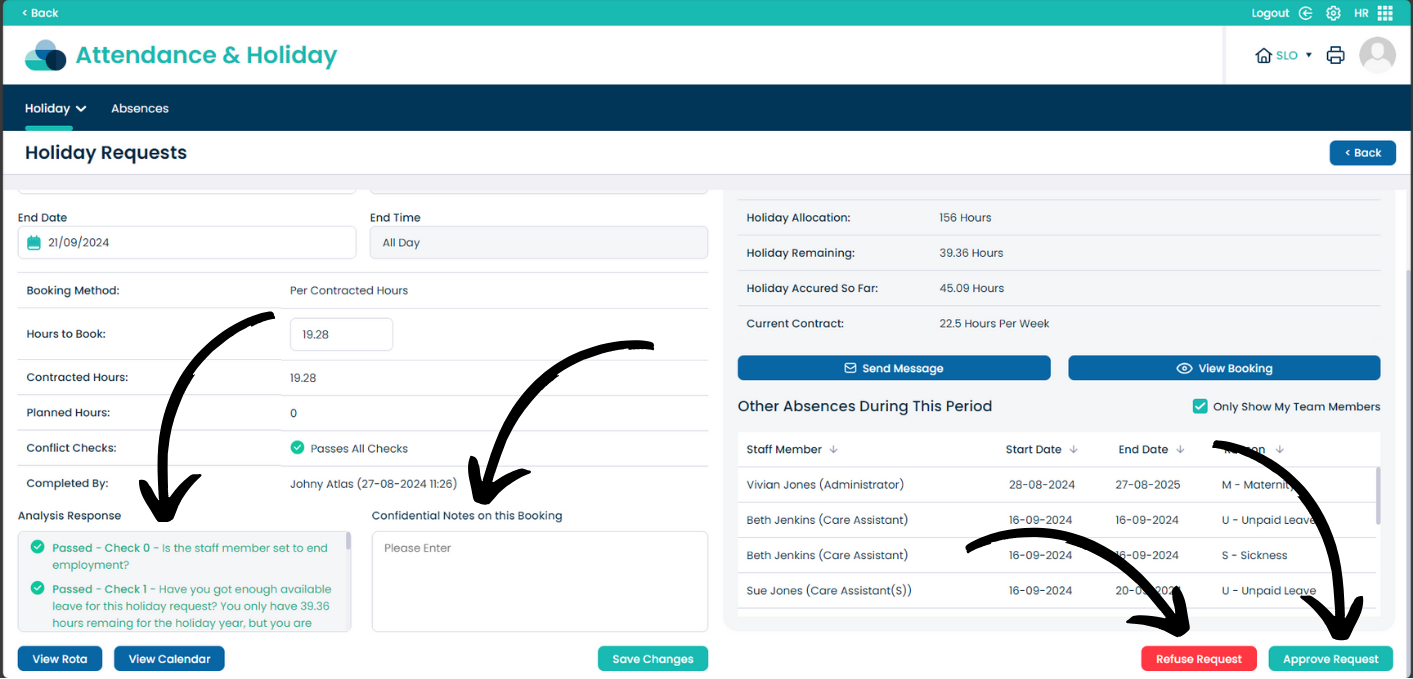
When scrolling down you can see further information. The Analysis Report helps to understand how much the holiday will effect other staff members. The Conflict Checks will also confirm this.
You can also add Confidential Notes that only you and other administrators can view.
Once you are happy with the holiday you can select Approve Request or if the Analysis Report checks have failed, select Refuse Report. You have the option to Send a Message when either of these options have been selected.