Bank Holiday Closure Notice: We will be closed on the 3rd April for the Easter bank holiday, so our customer service team will not be available on this day. If you need to get in touch, you can still use our customer contact form and we will get back to you as soon as possible. Even better, Margo will still be available on our phone lines to help with your queries whenever you need support. We hope you have a lovely Easter weekend 🐣
View Categories
Medication Creams
This guide will cover how to view cream medications on a service users Care Plan within Care Control Cloud. This are is populated from the Medication Profile with medication marked as ‘Creams‘ or ‘Topical Medication‘.
1
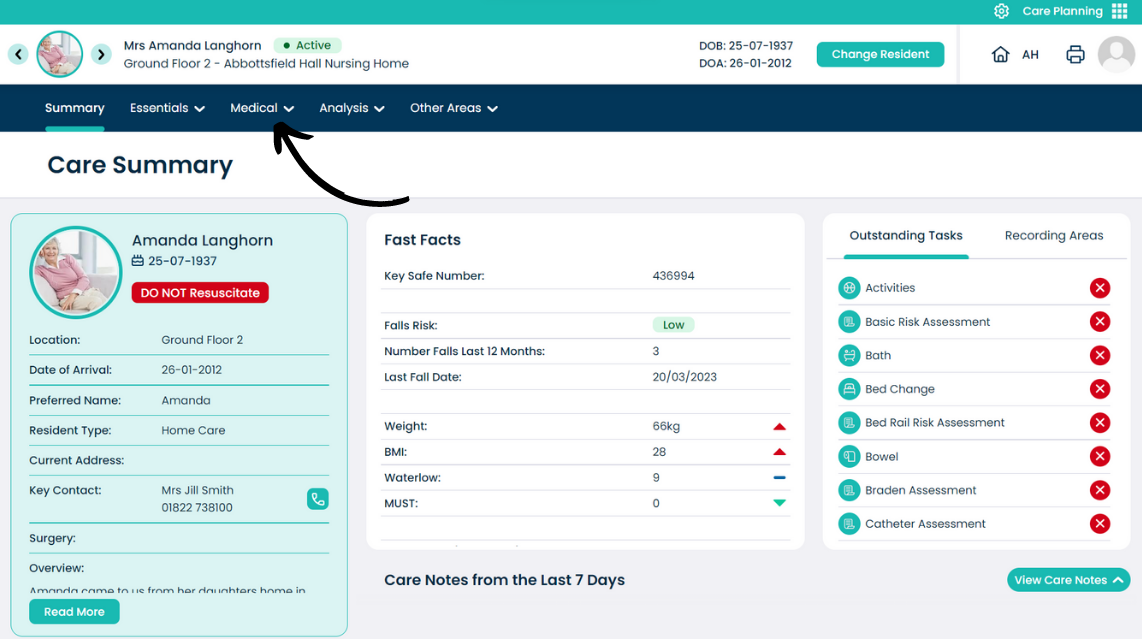
From the Care Plan Summary page, open the Medical menu.
2
Select Medication Creams.
3
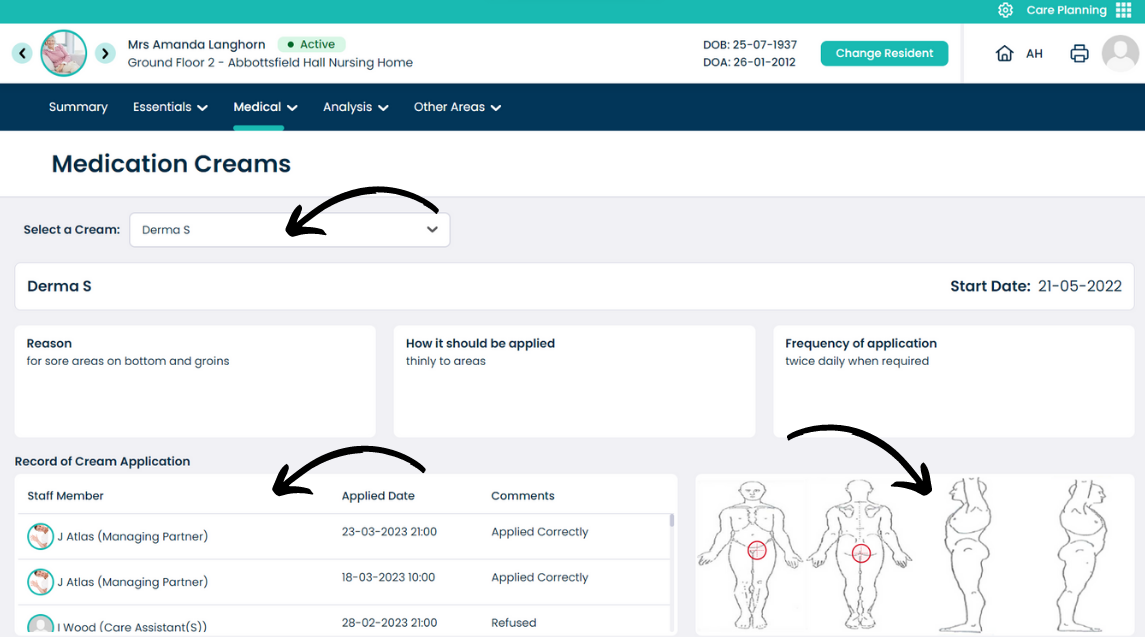
Creams which have been assigned to the service user will display in the drop-down list at the top of the page.
The centre of the page shows the reason, application method and frequency for the cream.
The bottom left of the page shows recent applications, who they were recorded by and any other associated comments.
The bottom right of the page shows a body map associated with the cream for the service user.