Win up to £100! Click here to complete our short survey for your chance to win →
Moving a shift is simple and easy.
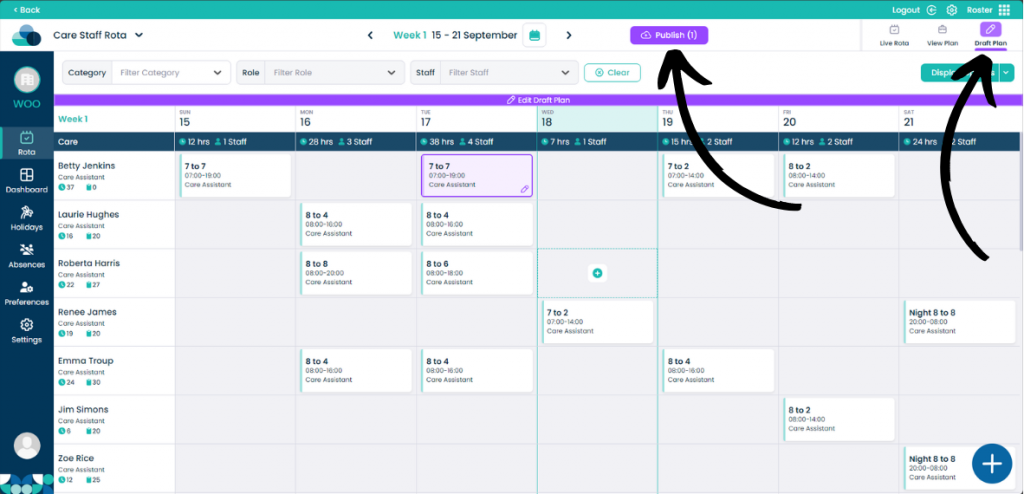
When on your rota screen, select Draft Plan and then Edit Draft Plan. You can also perform this action in the Live Rota.
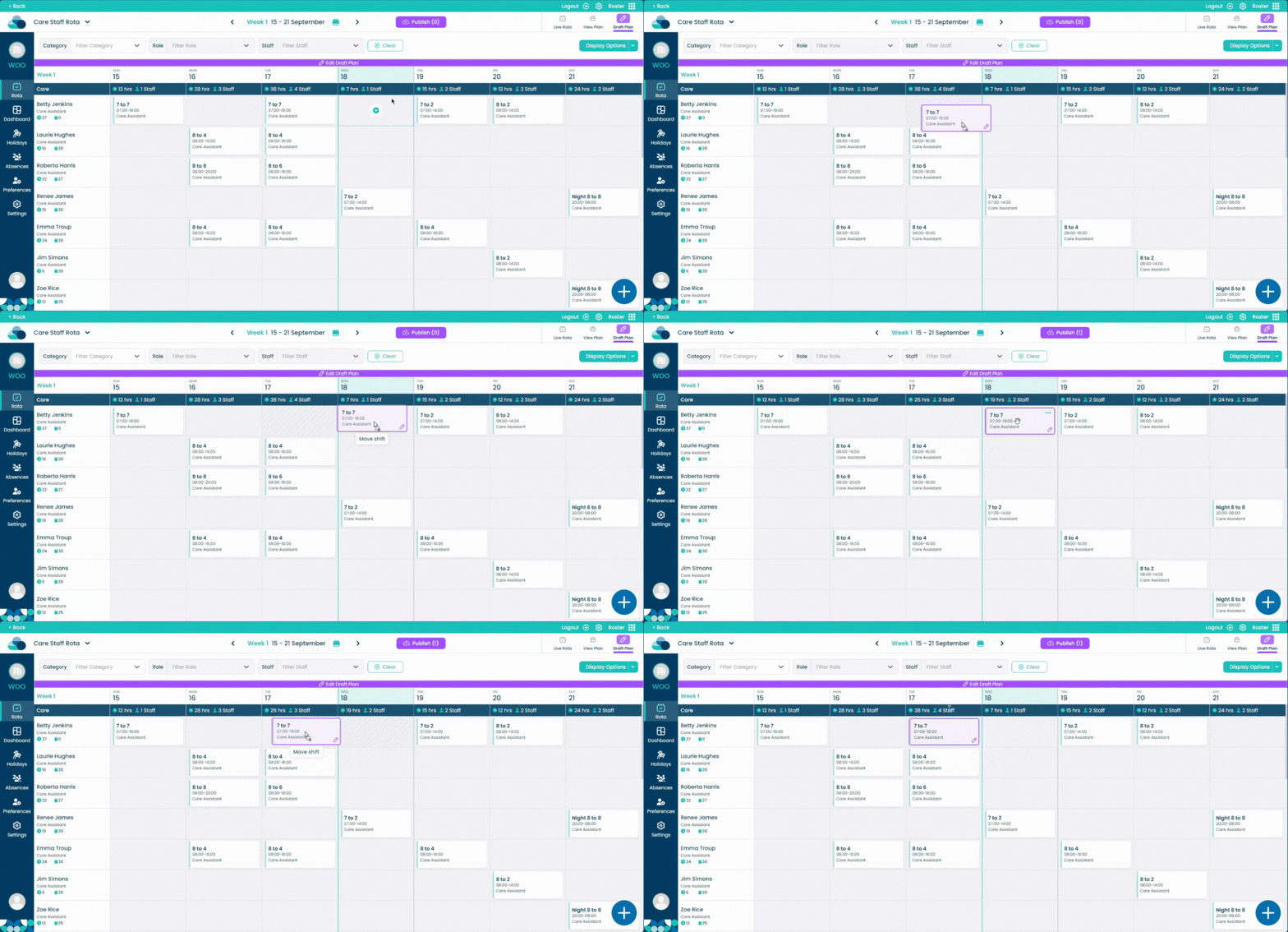
Hold left click on a shift and simply drag it into an empty cell. Let go of left click and the shift will now be moved.