🚀 UPCOMING WEBINAR:See Payroll in Care Control Cloud in action on Thursday 18th June and discover how to manage payroll more efficiently from one connected system. Click here to find out more!
View Categories
Move shift in Cloud Roster
Moving shifts in Roster Cloud is easy and fast allowing you to easily cover shifts and move them between days.
Step 1:
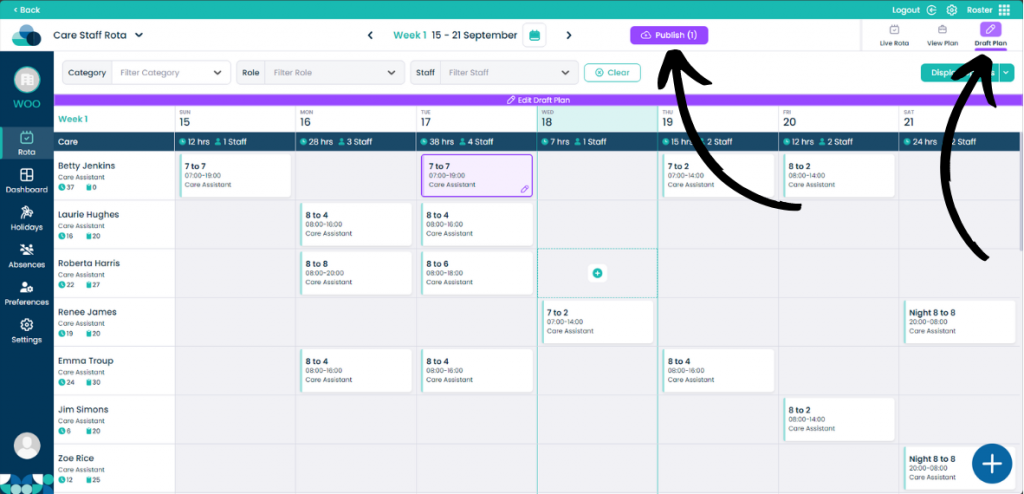
When on your rota screen, select Draft Plan and then Edit Draft Plan.
Step 2:
On the rota display, hold Left click on the mouse over a shift. Now drag the shift into a new cell. When the shift is over the cell let go of Left click and the shift will now be moved.