This guide will cover how to access and manage Petty Cash on Care Control Windows. This tool can help track outgoings from your organisation, such as grocery shopping.
1
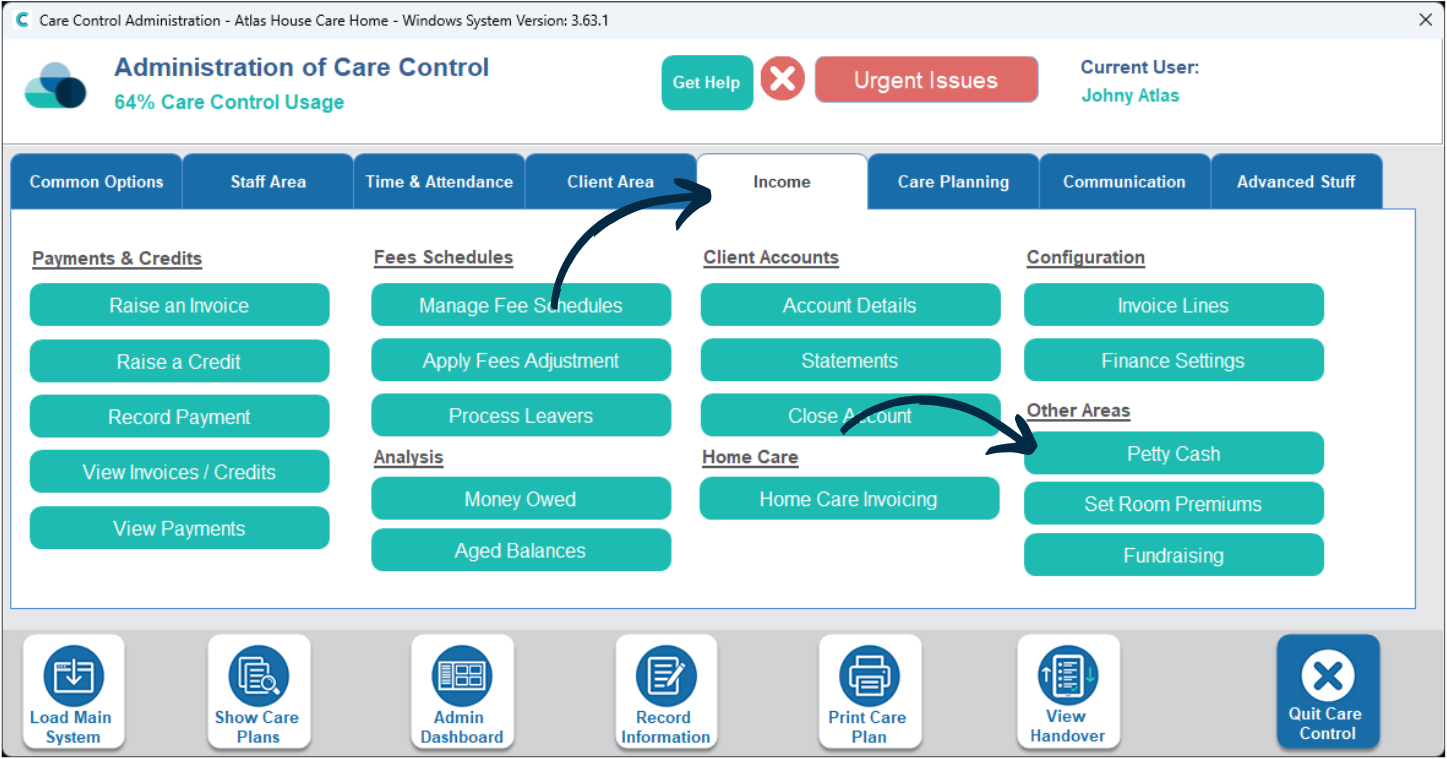
In the Administration of Care Control Windows, navigate to the Petty Cash tool, which can be found under the Income tab.
2
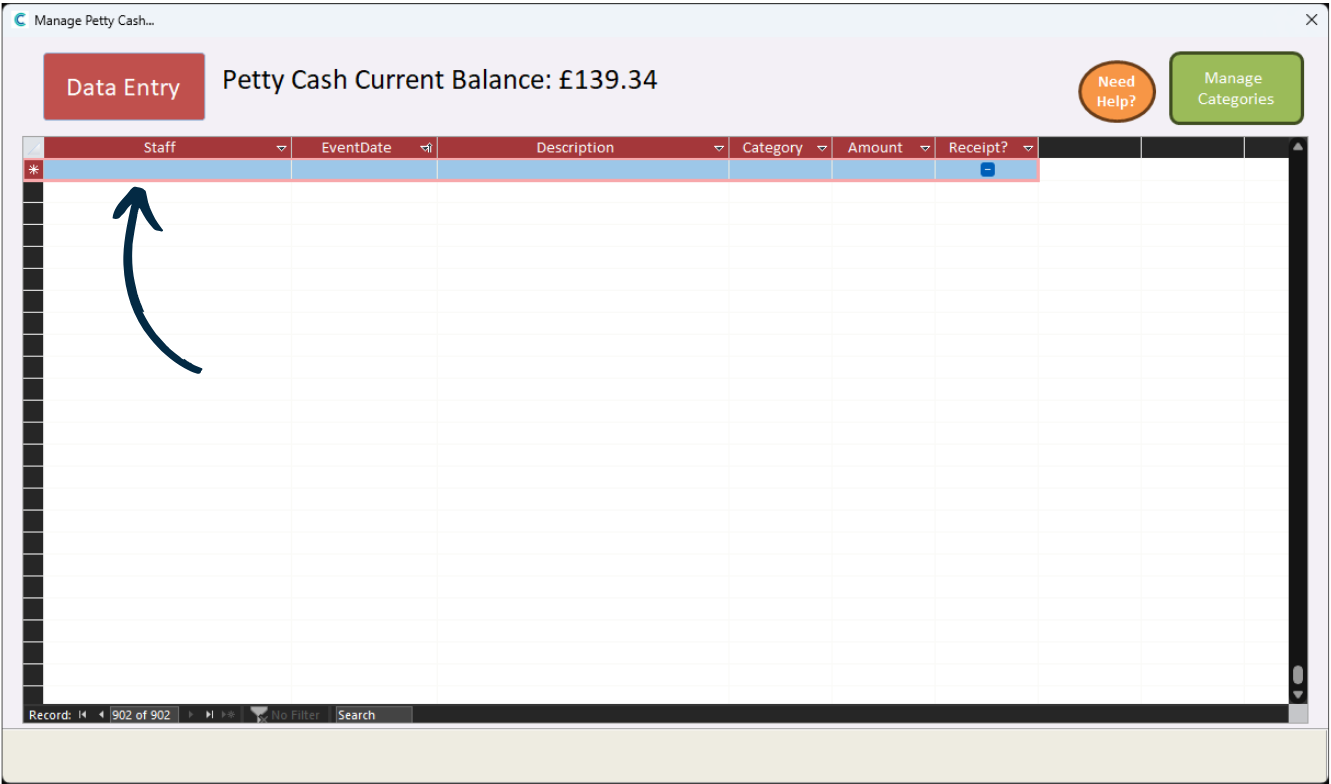
A new window will open.
Press the Data Entry button to record additions or deductions of your Petty Cash.
3
There will be a blank row at the bottom of your data entries where you can input data.
Begin by selecting a staff member to reference the entry to.
4
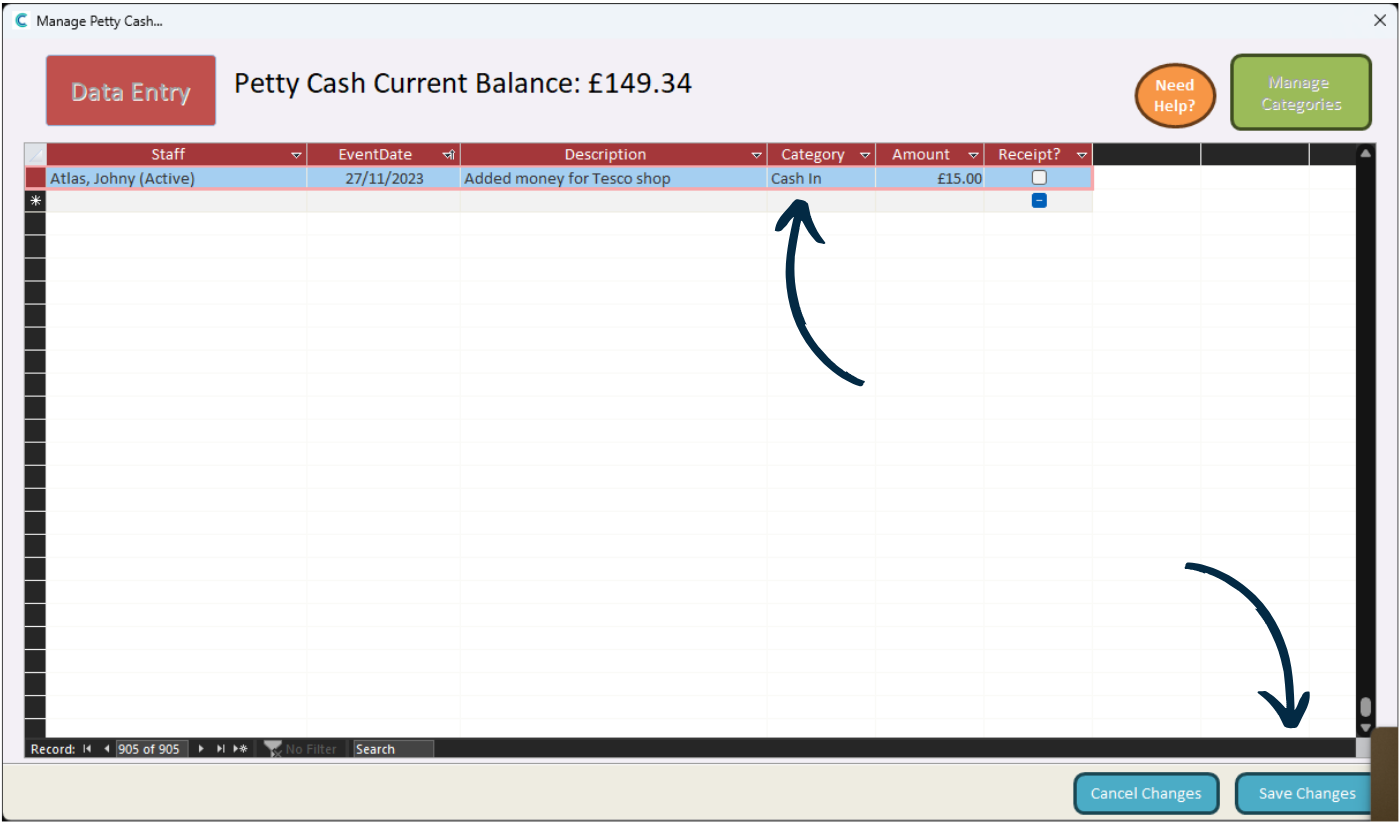
Next, fill out the Date and Description columns accordingly.
Finally, select a Category from the drop-down lists and enter an amount. To add cash to the balance, select Cash In. The other categories will remove cash from the balance.
Press Save Changes after making any amendments. The balance at the top of the window should update accordingly.
5
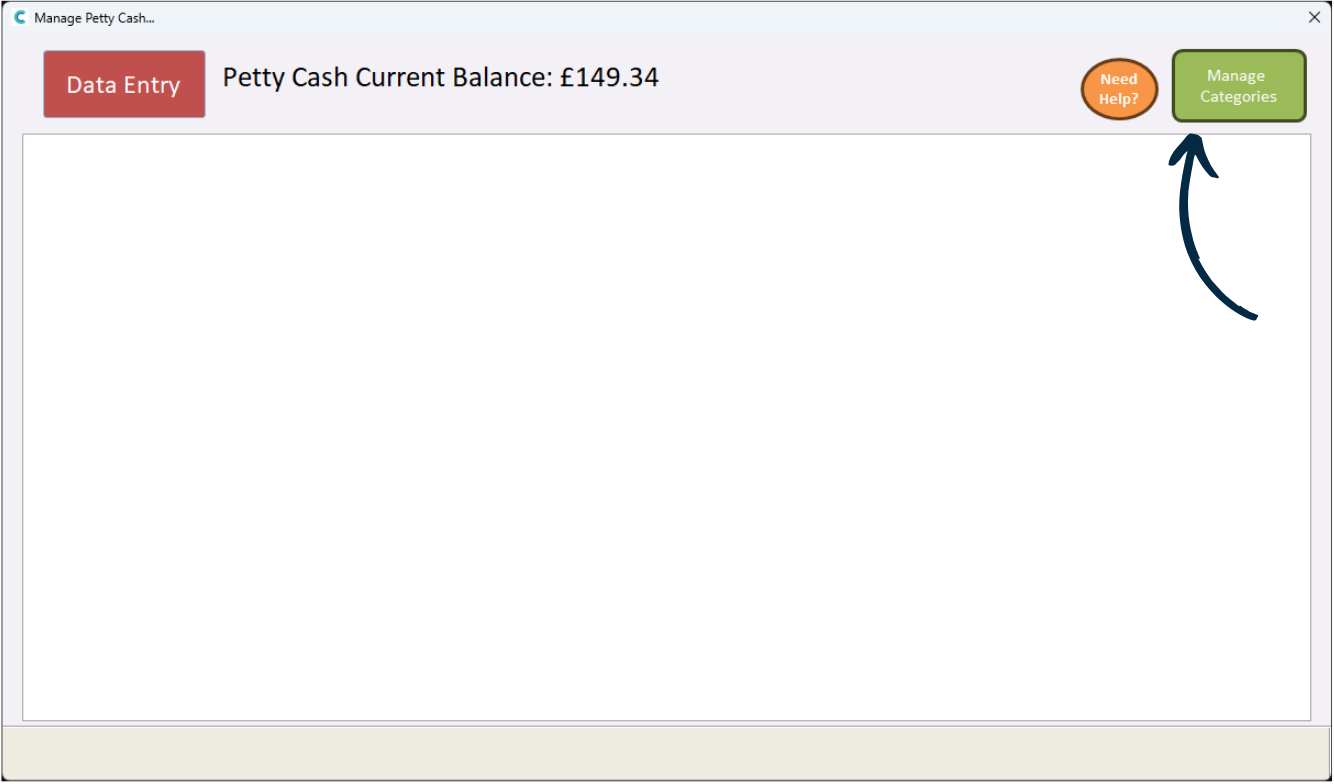
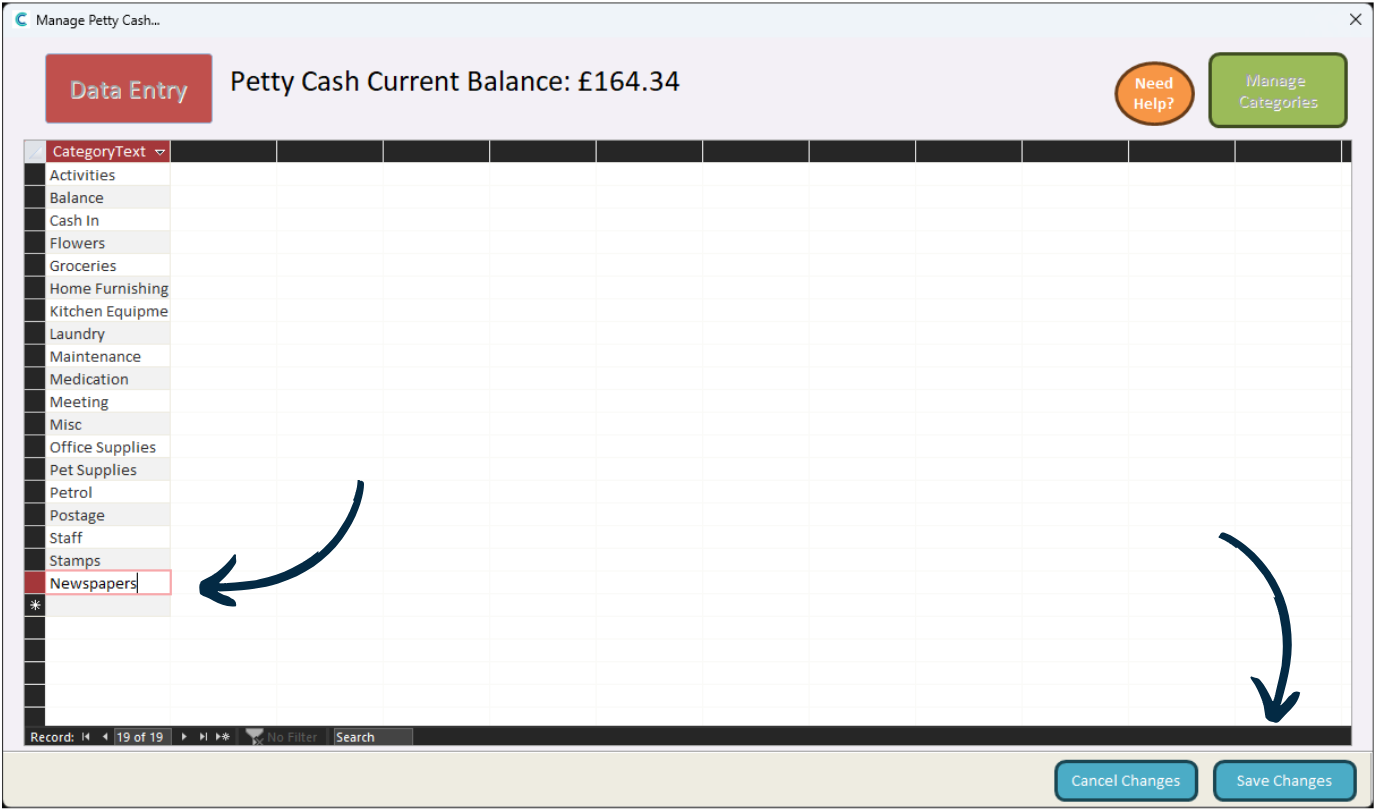
You can add new categories for Petty Cash outgoings via the Manage Categories button in the top right corner.
6
A list will be displayed.
To add a new one, simply type it in the blank row at the bottom of the list.