This guide will cover how to add photos and videos to notes on Care Control Mobile. This feature allows multiple photos, videos and diagrams to be added to a single note with or without annotations.
1
After signing into Care Control Mobile, select Record Care Plan Information.
2
Next, select General Note from the recording options.
3
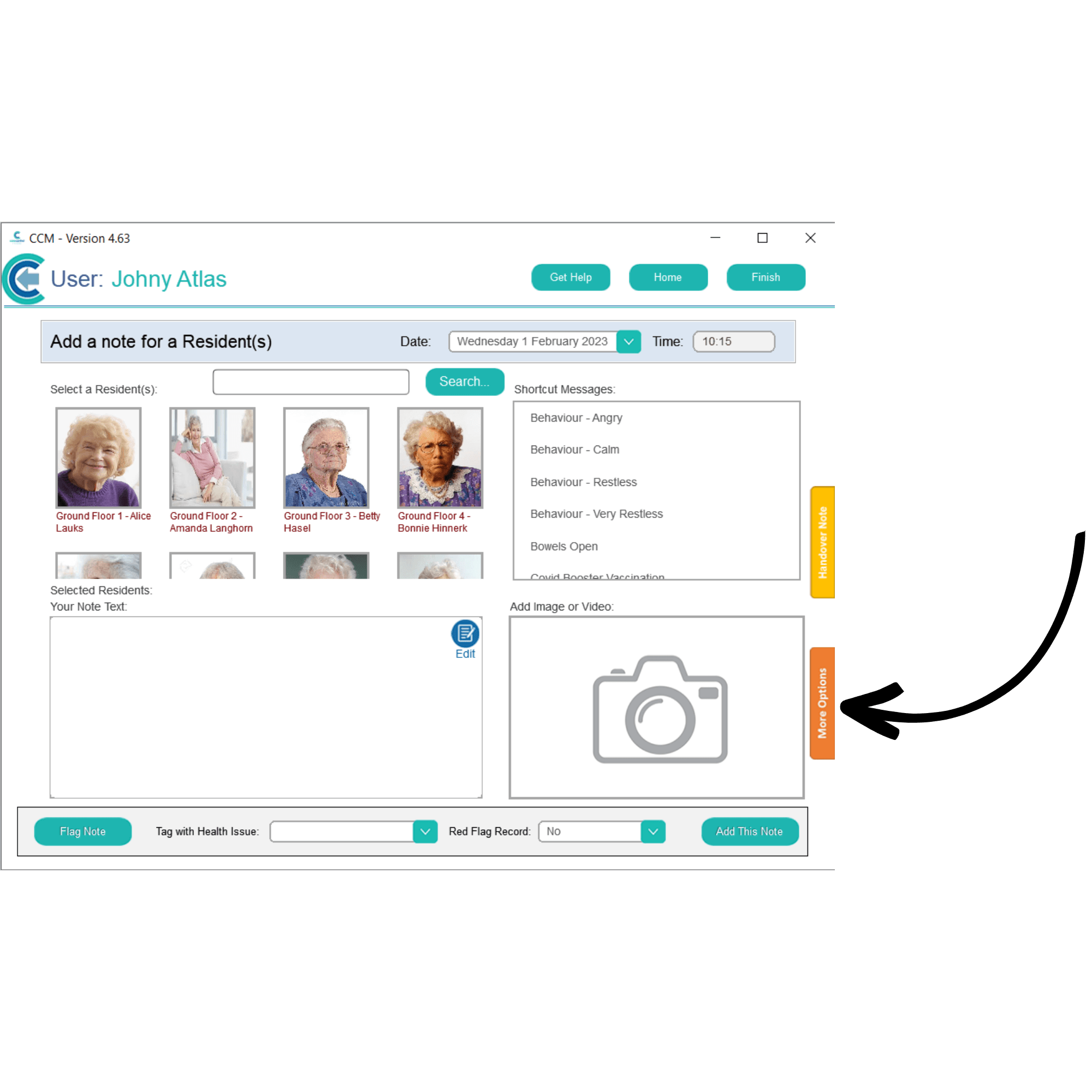
A blank note will be displayed. To add videos and photos, select More Options.
4
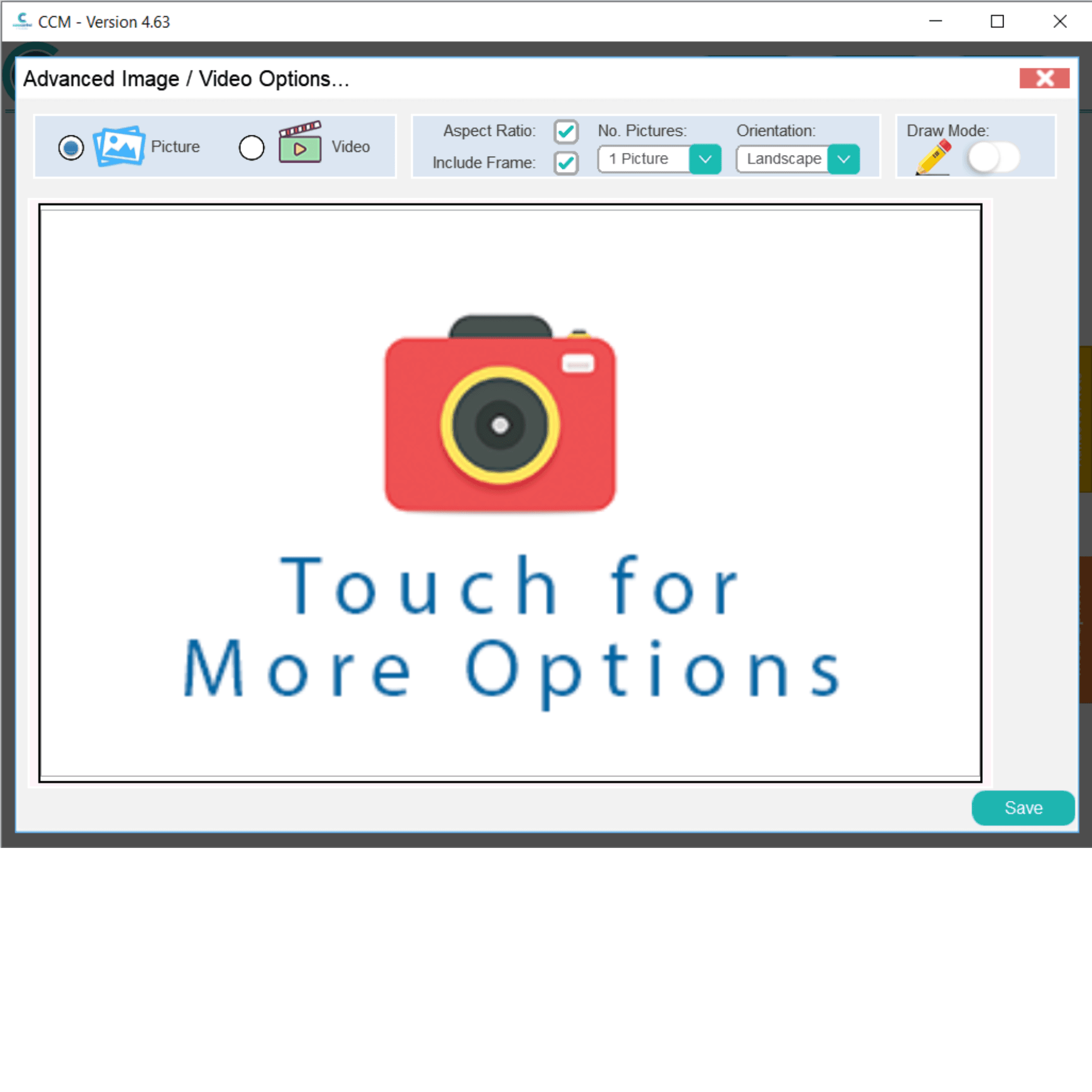
The photo and video tool will open.
5
Tap on the video icon at the top of the screen to load a video. Then touch the screen again to upload or record a video.
6
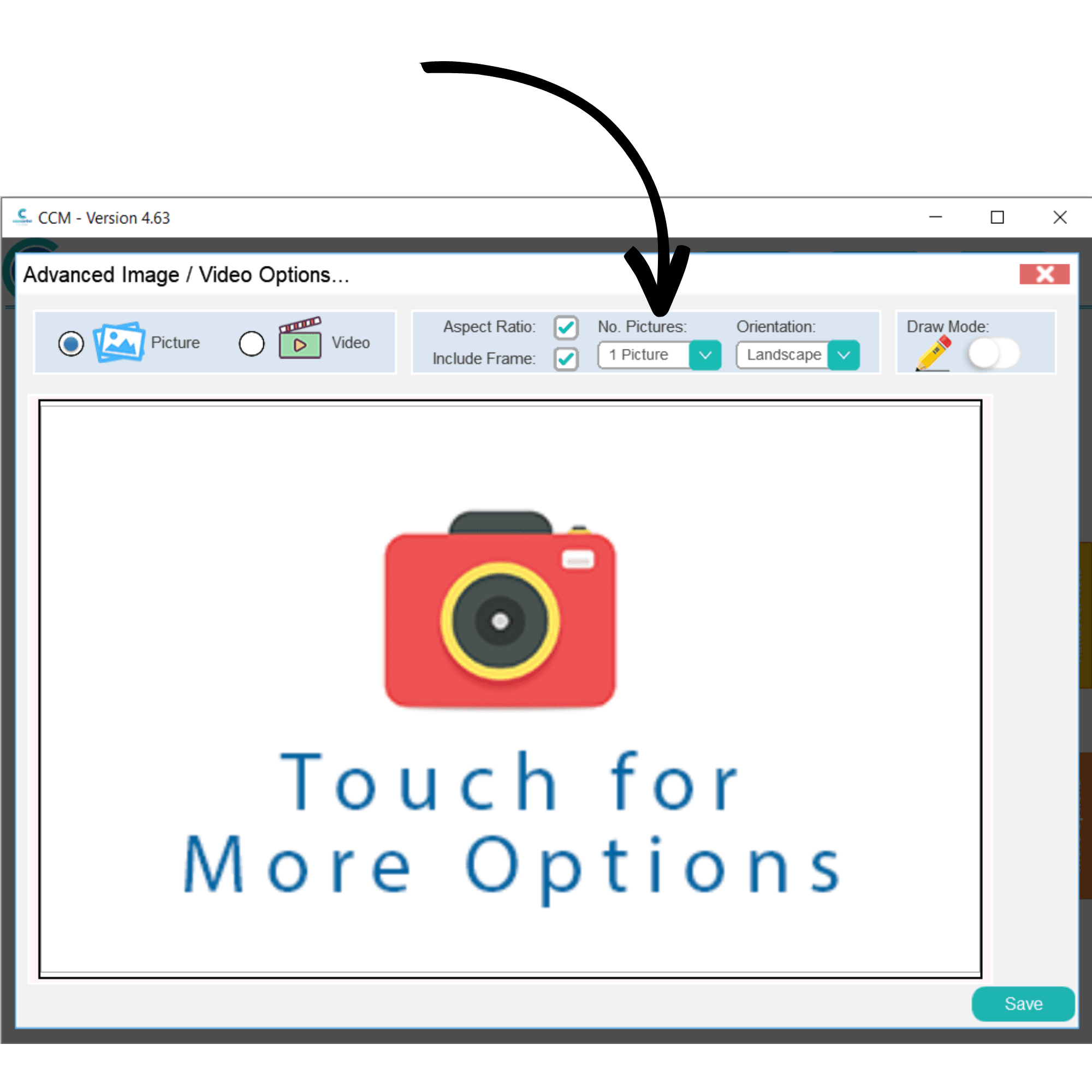
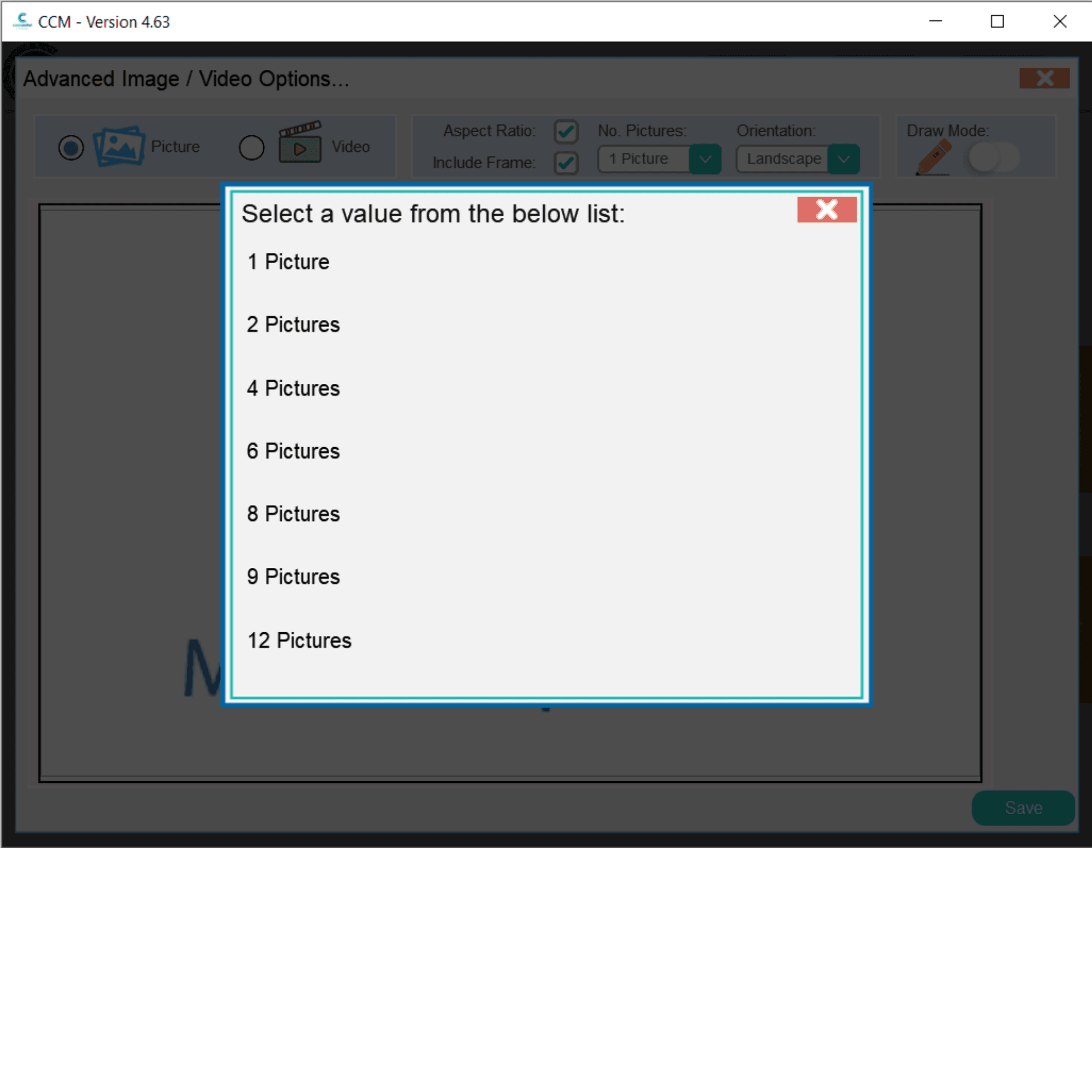
To include more than one photo in a general note, open the drop-down list at the top of the screen labelled No Pictures.
7
Here, select the number you wish to include.
8
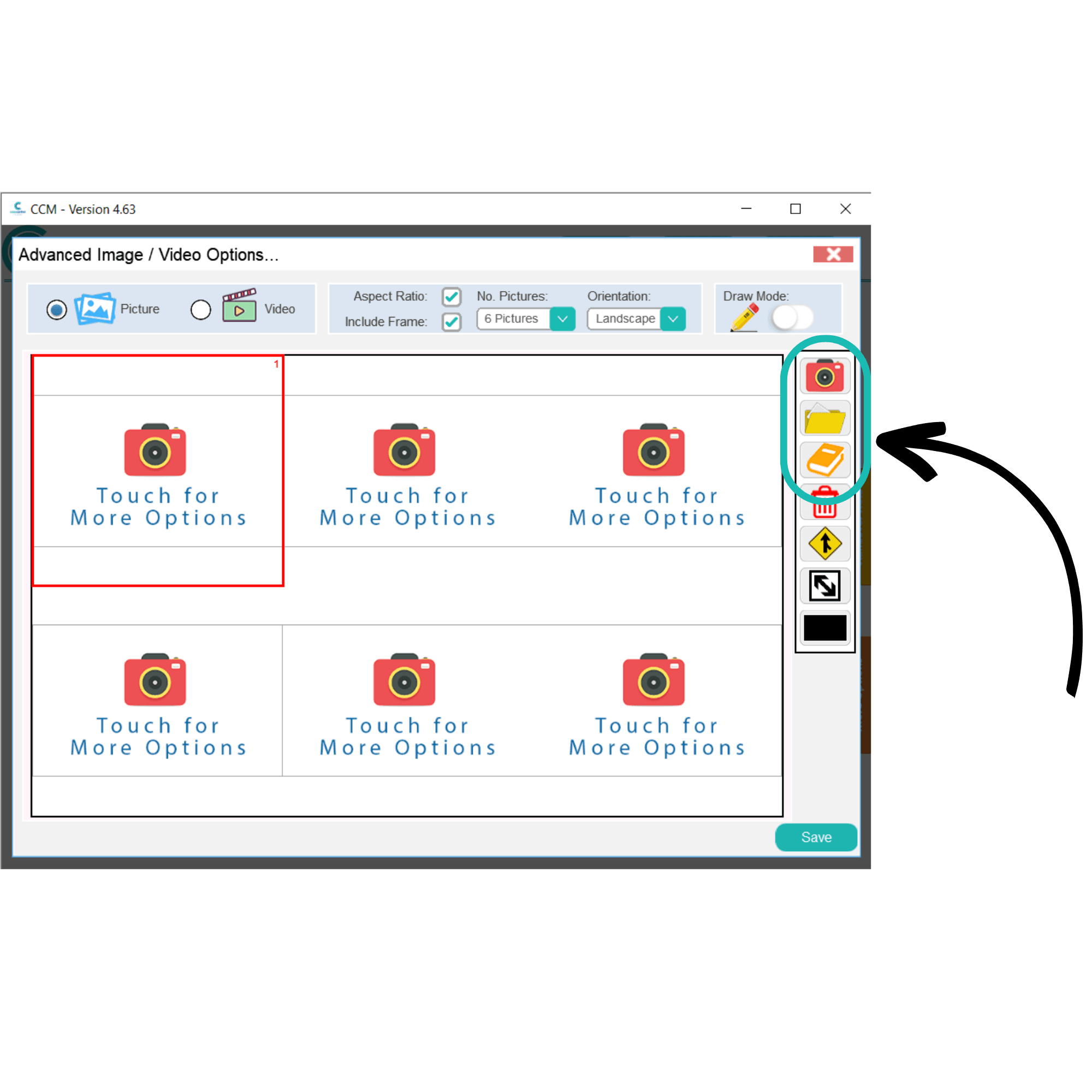
To change one of the tiles, simply select it to open the toolbar. You can take a photo by pressing the camera icon, load a photo using the folder icon, or choose a body map using the book icon.
9
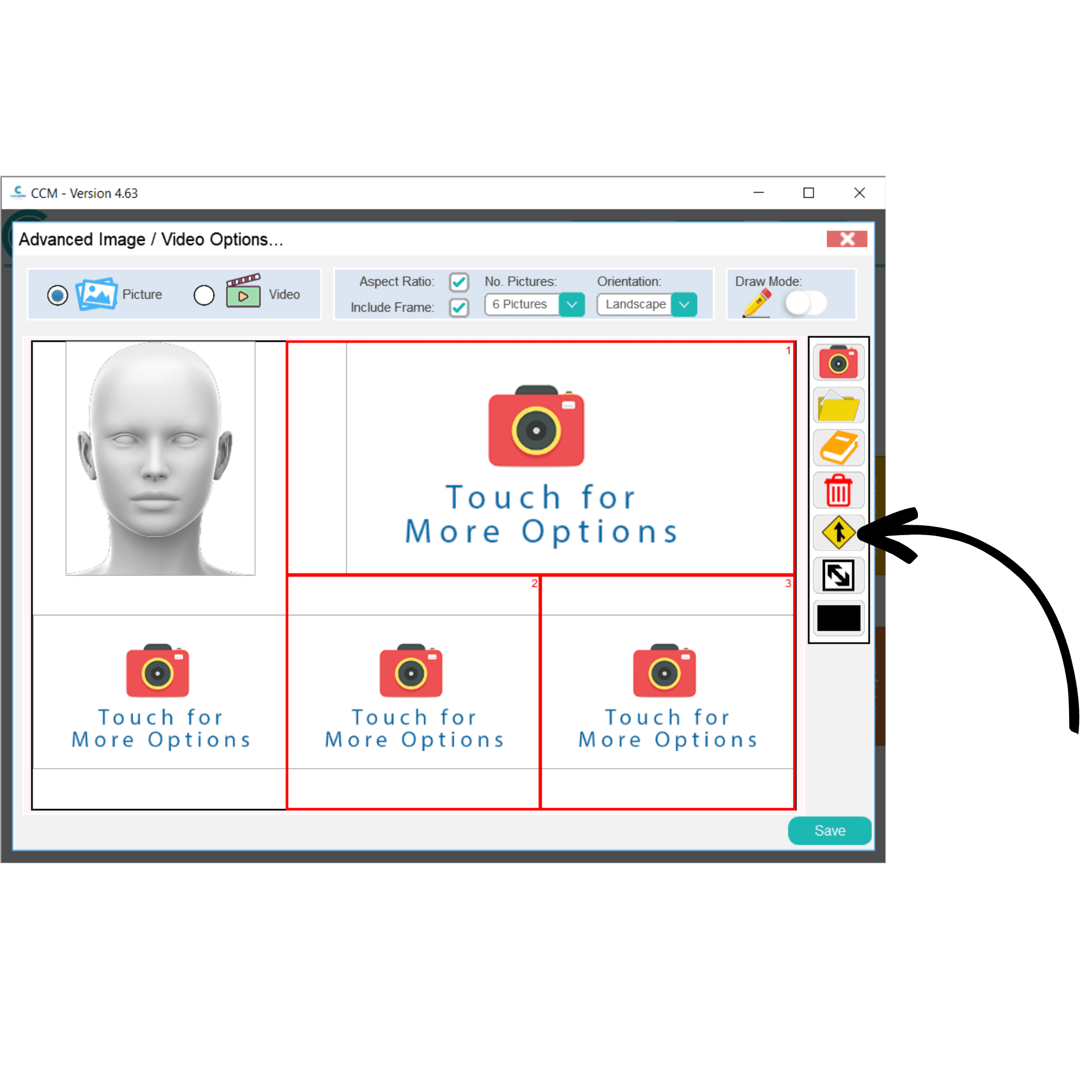
You can merge photos by highlighting multiple and selecting the yellow arrow icon from the toolbar.
10
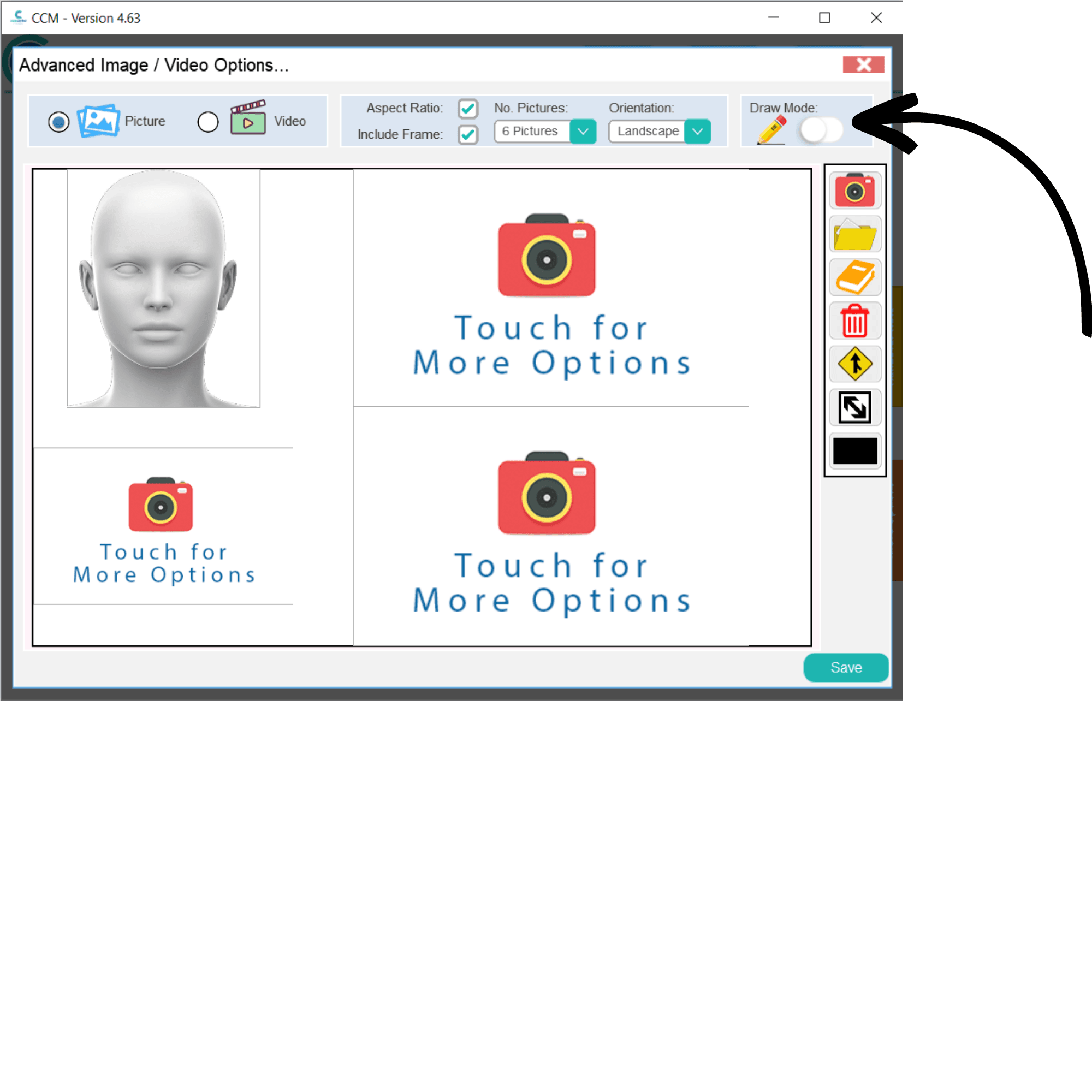
Finally, you can draw and annotate the photos by toggling the Draw Mode switch in the top right corner of the window.
11
Some new options for drawing and annotating will appear on the right-hand side of the window. You can draw freely, add straight lines and arrows, as well as add text labels.
Save your changes by pressing the Save button. This will return you to the blank note form where you can continue to complete the general note.