This guide will cover how to complete an appointment of a job applicant on the recruitment tool within Care Control Windows. This stage of the work flow can be completed after a candidate has been successful in an interview.
1
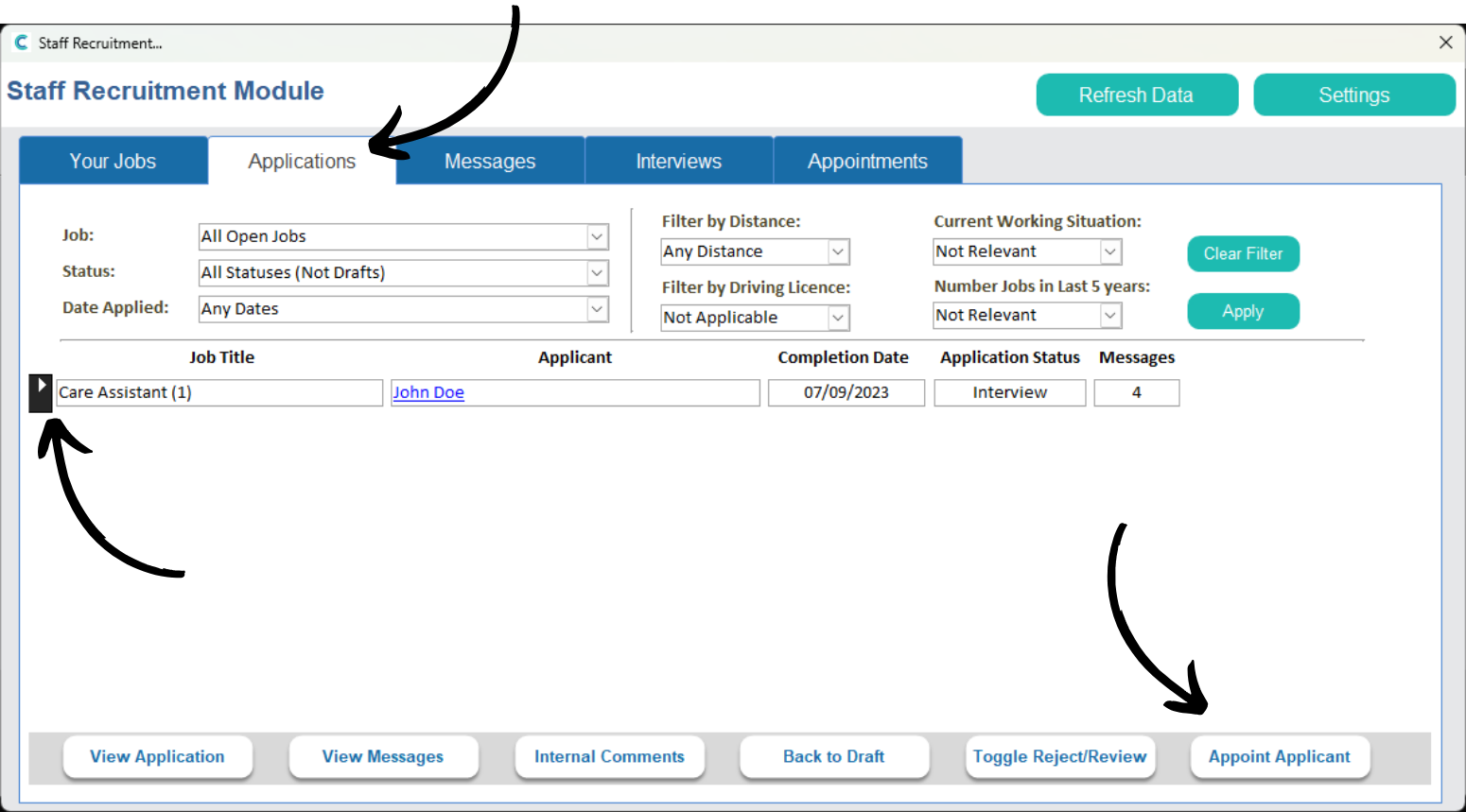
Within the Recruitment tool on Care Control Windows, navigate to the Applications tab. Here, select the successful candidate and press Appoint Applicant.
2
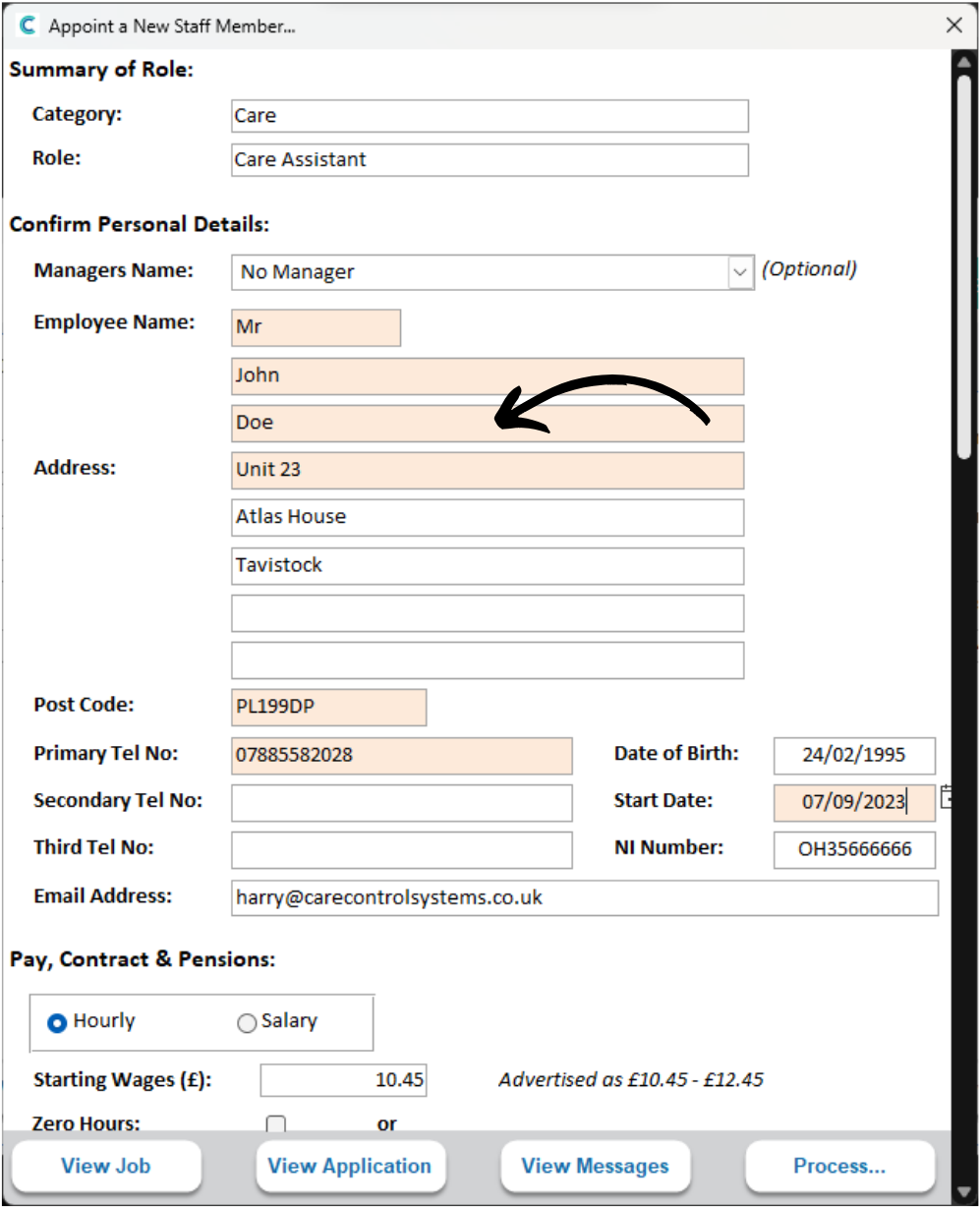
A new window will open.
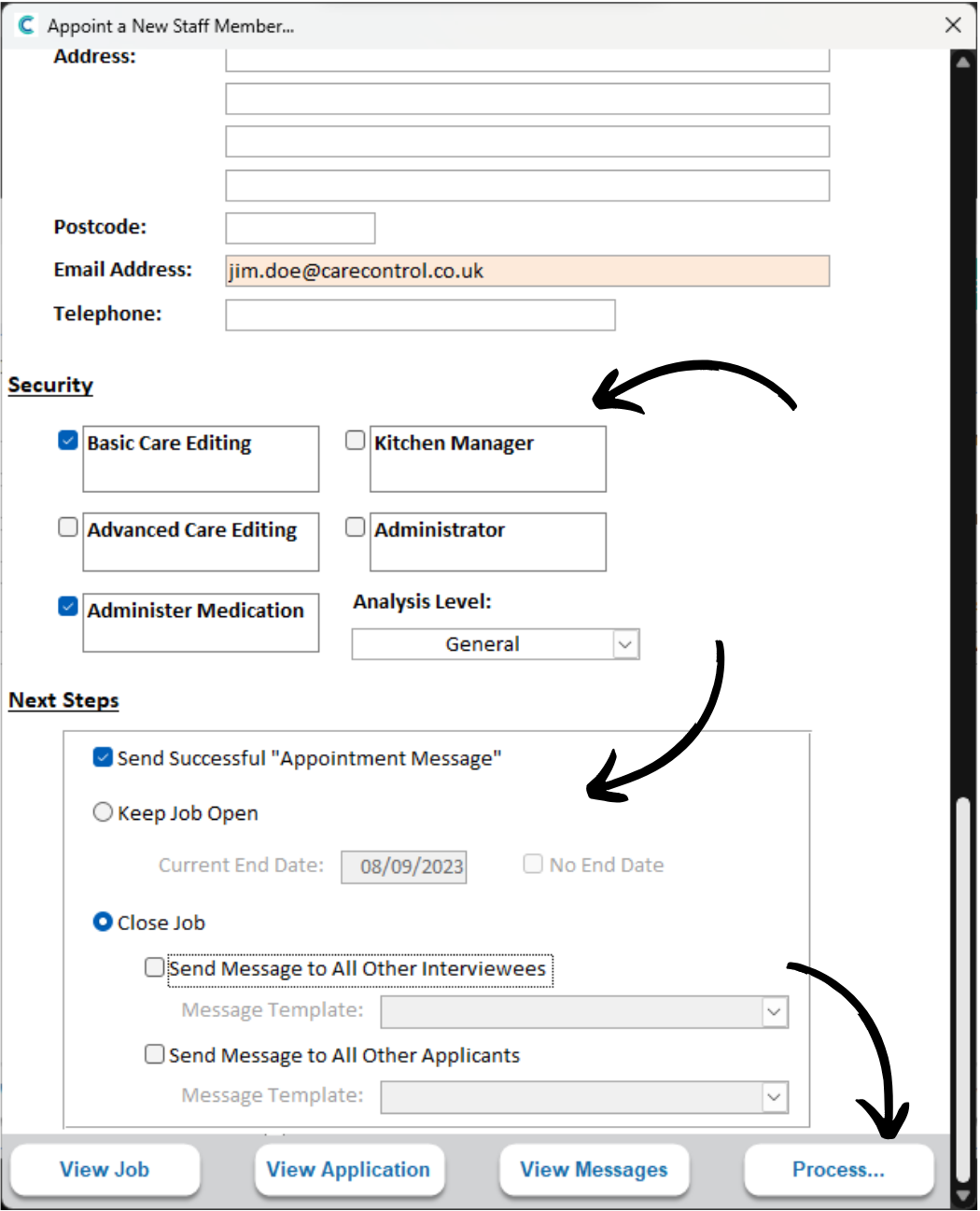
Complete the form of any missing areas. It is important to note that this information will build the Staff Record for the applicant.
Any boxes highlighted orange must be filled out.
3
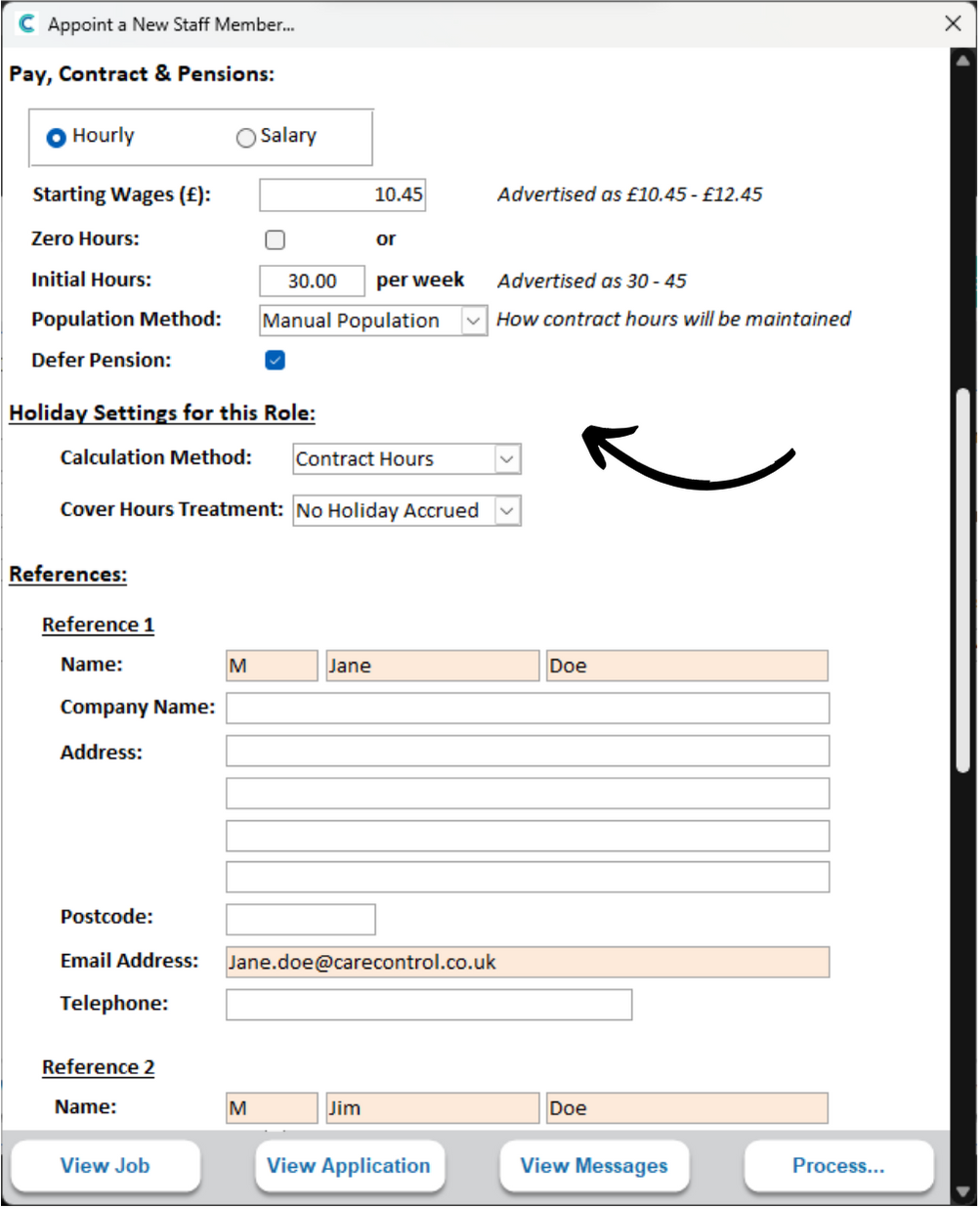
Confirm the Contract settings as well as the Holiday configuration.
4
You can also set the Security options here. This will decide how much access they have to the system.
The ‘Next Steps‘ section controls what happens after completing the appointment:
You can choose to send a Success Message to the applicant. You can also decide whether you want to keep the job application open or closed.
If the application is closing, you can decide whether to message the other interviewees and applicants.
After completing the form, press Process.
5
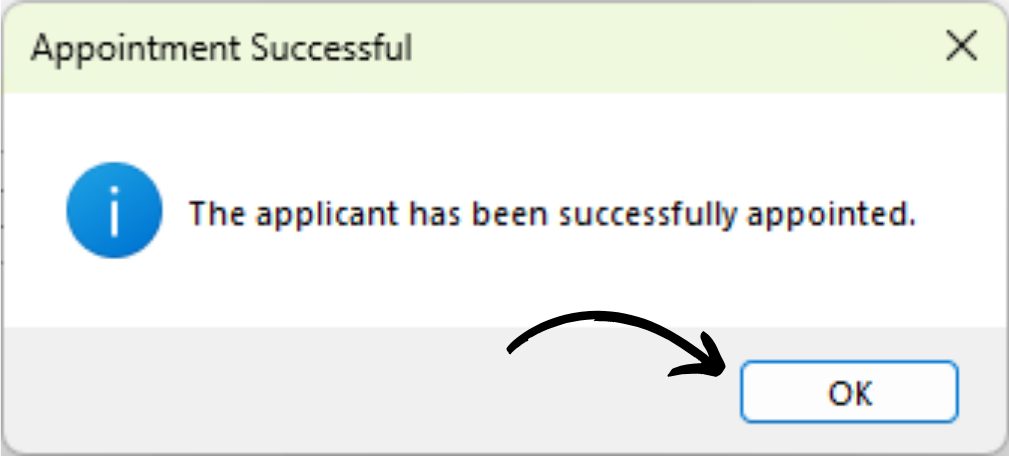
You will receive a confirmation message. Press OK.
6
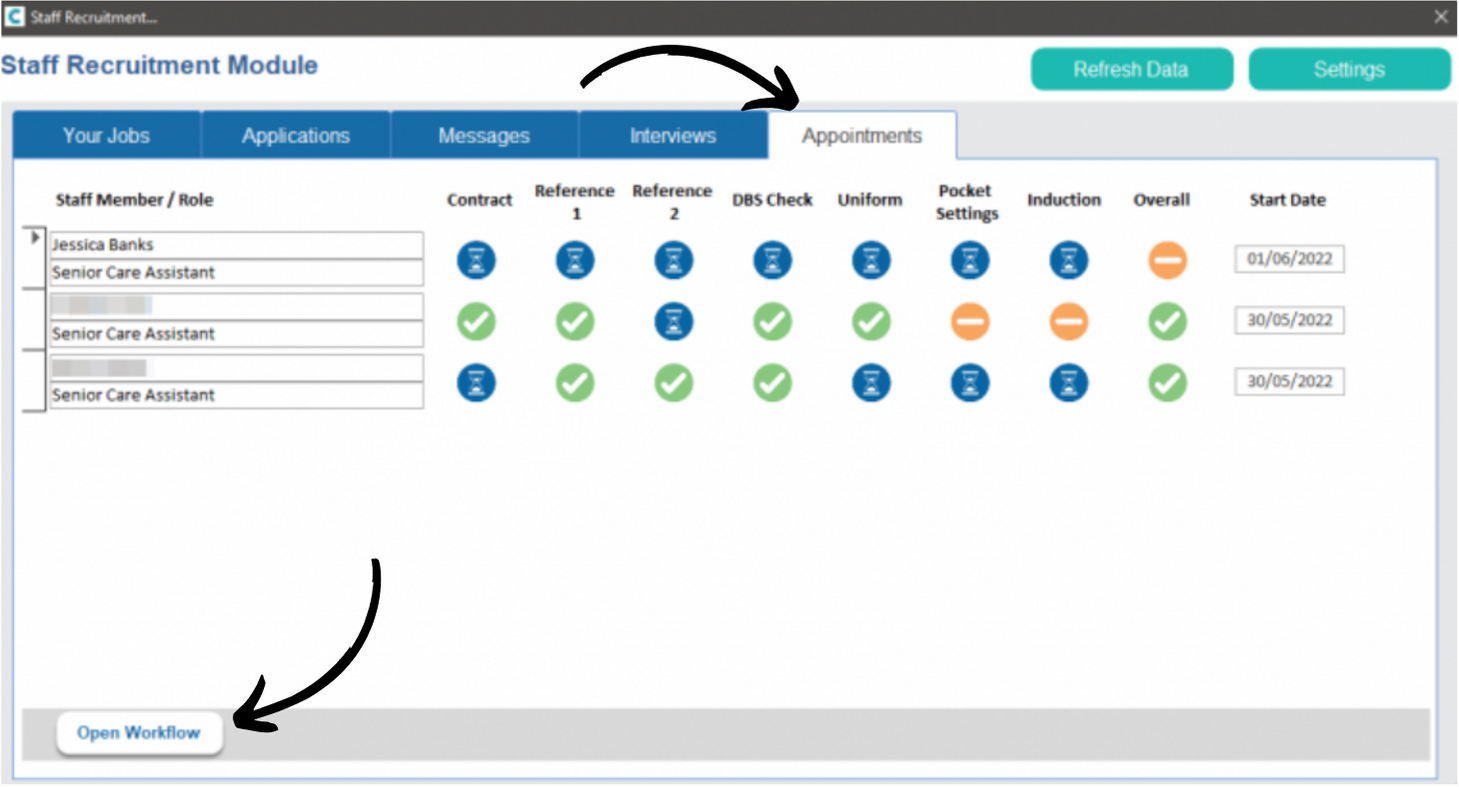
Within the Recruitment tool, navigate to the Appointments tab.
Here you will see the staff member you have appointed as well as a workflow of their next steps and induction.
Press Open Workflow to view more information.
7
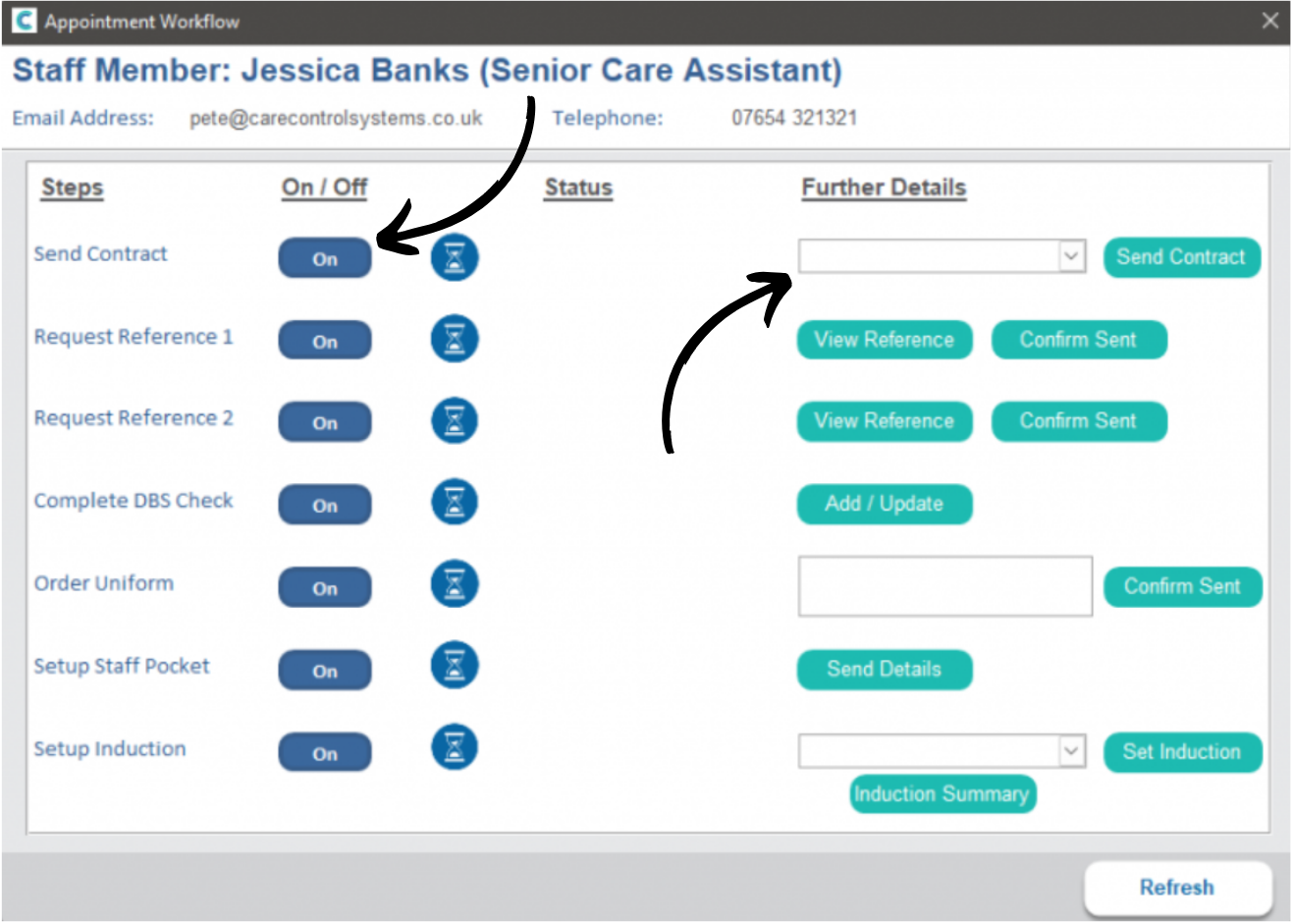
A new window will open. Here, the work flow steps are displayed.
You can toggle each step on or off. You can also view a status on whether the step has been completed or not.
On the right hand side of the window, you can add information where necessary and complete each step as required.