On Sunday 8th February, our GP Connect service will undergo scheduled maintenance. While we cannot confirm the exact time, this work may result in up to 60 minutes of downtime. We apologise for any inconvenience this may cause and thank you for your understanding.

View Categories

Resetting CC eMAR, Mobile & Pocket

Sometimes the best fix for a problem is a clean slate. You can reset the Care Control mobile/tablet apps by following these steps.

For Android Devices:

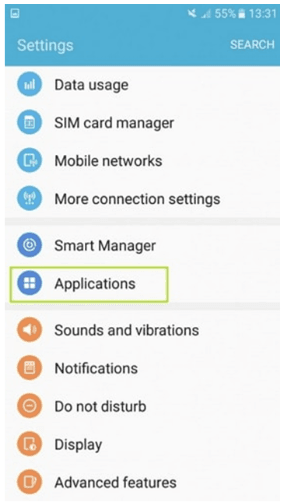
  1. Navigate to the Settings.
  2. Scroll down to the Applications option. This will display a list of applications on the device.
  3. Find Care Control eMAR/Pocket/Mobile.
  4. Open the Storage section of the application details.
  5. Choose to Clear App Data/Storage.
  6. Close the device settings, and reload the Care Control app. It will now be reset and will require a site code or one time code.
 

For Apple (IOS) Devices:

  1. Click and hold on the Care Control Pocket/eMAR/Mobile app until it starts shaking.
  2. Click the X in the corner to uninstall the app.
  3. Go into the App Store and search for Care Control Pocket/eMAR/Mobile. Reinstall the app.